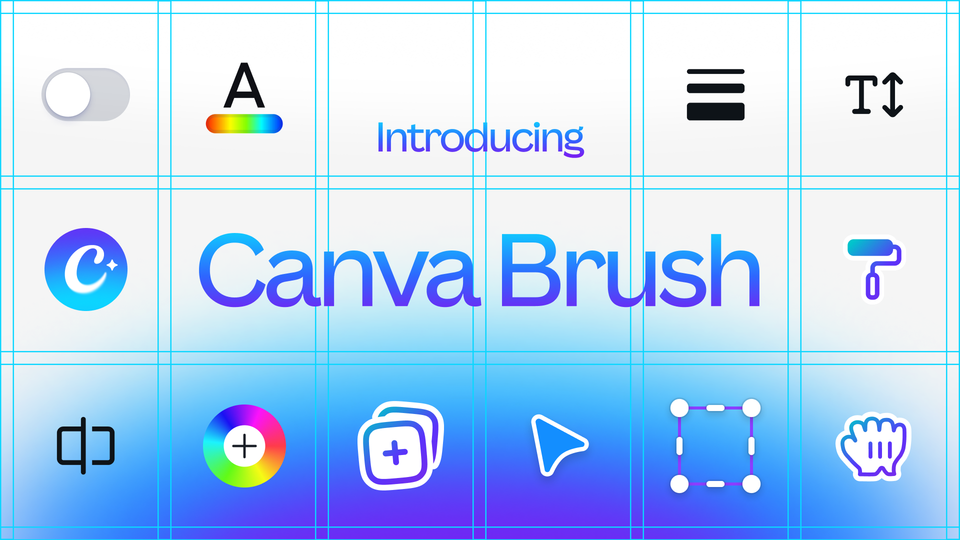
On October 29, 2026, Canva quietly made one of the more consequential AI announcements of the fall: Canva Brush, a vision-language model for design that edits your existing work from a plain-text instruction. Instead of generating a fresh image from nothing, Brush looks at the design you already have, understands how it is constructed, and reshapes it — from a single line of copy to every slide in a deck. Coming exactly one week after Canva's first in-house image model, it signals a platform now building its own AI layer end to end. This guide breaks down what Brush actually does, how it works under the hood, who can use it today, and where it genuinely helps a working content operation. Last updated: November 1, 2026.
What Canva Brush actually is
Brush is a vision-language model (VLM) — a model that can both see a design and reason about it in language. In Canva's own words from the official announcement, it "sees your design, understands how it's put together, and makes the changes you ask for, from a single line of copy to every slide in a deck."
That framing matters more than it first appears. The hard part of AI-assisted design has never been producing a pretty first draft — it is editing. A model handling an edit request has to understand three separate things: what you want changed, how the current design is structured, and, just as critically, what must remain untouched. Get any of those wrong and a simple request produces a cascade of changes nobody asked for. Anyone who has asked a generic chatbot to "just tweak the header" and received an unrecognizable layout knows the failure mode.
The model was built by Canva Research, the company's 160-person in-house AI lab, and lands one week after Canva Craft, the image-generation model we covered in our Craft explainer. Together they sketch a deliberate two-model strategy, which we will unpack below.
Brush and Craft: a generate-then-refine pipeline
The cleanest way to hold the two launches in your head is the division of labor Canva itself states: Craft generates the image, and Brush refines the design around it. If you are building a brand kit from zero — hero visuals, product backdrops, illustration sets — Craft is the factory. Once those assets exist and layouts take shape, Brush becomes the editor: restructuring pages, harmonizing typography and color across a deck, and converting finished work between formats.
By Canva's account (measured on the DesignArena image leaderboard), Craft already made Canva the world's second most advanced AI lab for image generation. Brush extends that in-house push from generation into the editing workflow — the part of the job that, for most working creators, eats the calendar.
Under the hood: an agentic loop that checks its own work
The technical details Canva disclosed are more interesting than the usual "powered by AI" language. Brush operates through what the company calls an agentic loop: it writes and runs code to adjust design elements, then inspects what actually happened on the page to decide the next step. It does not hallucinate a finished result — it executes, observes, and corrects course.
Consider the example prompt Canva uses in the announcement: "make me a 3-page pitch deck for my bakery with art nouveau visuals and backgrounds." Buried in that one sentence is a long chain of decisions — planning a narrative across pages, generating and placing text, selecting imagery, and keeping typography, color, and spacing consistent from first page to last. Each decision depends on the others, and small missteps compound into a design that feels somehow off even if you cannot name why. Brush was explicitly built to manage that chain as one connected task rather than a series of isolated guesses.
Training followed the same philosophy. The team started from a leading open-weights model, then post-trained it on real design and editing tasks, drawing on internal design expertise plus anonymized insights from users who opted in to help improve Canva AI. On top of that sits large-scale reinforcement learning: hundreds of thousands of simulated interactions, scored by a reward system that grades visual quality, adherence to layout principles, and whether the task was actually completed as requested. The definition of "good," Canva emphasizes, is set by real professional designers on staff — not an automated proxy.
One practical consequence deserves its own sentence: everything Brush produces stays fully editable. Every text box, image, color, and layout element remains a normal Canva object you can move, restyle, or delete. The model assists; it does not flatten your work into a baked image.
Where Brush sits in Canva's 2026 roadmap
Follow the company's announcements this year and a pattern emerges. September brought more than 100 Visual Suite upgrades at once — our full walkthrough of the September batch catalogued them — followed by the free ProSuite bundle uniting Affinity, Cavalry, Flourish, and Leonardo, which we covered in our ProSuite explainer. October then delivered the Canva Research lab announcement, the Craft image model a day later, and Brush a week after that.
Read together, the sequence says Canva is assembling a proprietary AI layer instead of renting one. An image model, a design-editing model, and a 160-person lab feeding both. For creators, that mainly means one thing: the editing experience inside Canva can now improve on Canva's own engineering cadence rather than a third party's release schedule — and the 46% cost reduction per task is the mechanism that pushes those improvements beyond premium tiers. Even if you run your design stack elsewhere, that pricing pressure lands on every competitor.
The official numbers: 69% faster, 46% cheaper per edit
Two figures from the announcement define the launch:
- Up to 69% faster on general design-editing tasks compared to Canva's previous design agent.
- 46% lower cost per edit task versus that same predecessor.
The cost number is the strategic one. General-purpose frontier models can reason about design edits effectively, but running them is expensive — and when hundreds of millions of people create billions of designs on your platform, a few extra cents per task compounds brutally. Canva's stated bet is that an efficient specialized model lets it ship a more powerful Canva AI experience to everyone rather than reserving it for a premium few. In internal testing, Brush matched or exceeded the quality of the previous setup on most editing tasks, with especially strong results in restyling designs and adapting them to different formats.
How to use Brush today, step by step
Access at launch is precise: Brush powers supported design edits inside Canva AI for Canva Pro subscribers, with wider availability "coming soon" — no date given. The official usage path:
- Open an existing design in the editor, or attach or link a design inside Canva AI.
- Select Brush from the dropdown list in Canva AI, so the full editing experience runs on the new model.
- Keep directing through Canva AI, or take over manually in the editor whenever you want to finish by hand.
Canva highlights three ready-to-try scenarios:
- Restyle an image: push an existing design or photo in a different visual direction — shift the palette, change the weather in a scene, or describe a different vibe entirely.
- Sweep a multi-page design: instead of opening page after page to change headers one by one, request the update across the whole document in a single prompt.
- Remix across channels: repurpose a presentation slide as an Instagram-sized graphic without rebuilding it.
Prompt tactics that get better results from Brush
Working with a vision-language model is a different skill from clicking toolbar buttons. A few field-tested habits will save you trial-and-error cycles:
- Start from something real. Brush's strength is editing, so hand it raw material: your current deck, an existing landing page, last quarter's campaign file.
- Scope the request explicitly. "Change the color system across all pages and leave the copy untouched" beats "improve this design," which invites unrequested changes.
- Name the destination format. For channel remixes, state size and use: "square version for an Instagram post," "vertical cover for a short video."
- Split big jobs. Sweeping edits work in one prompt, but precision improves when you sequence: visual style first, then layout, then copy changes.
- Treat output as a draft. Accept the result as a strong first pass, then hand-finish the sensitive details — logotype, legal lines, exact brand hex codes — in the editor, where everything stays editable.
What this means for a working content creator
Translate the announcement into a weekly content calendar and the value concentrates in three places:
- Format multiplication stops being a chore. One master design, then "make this a square post, a vertical story, and a wide banner" — previously an hour of manual resizing and reflow, now a prompt.
- Brand-wide consistency gets cheaper. Applying one restyle across a full campaign deck beats eyeballing seven manual variants, and the model's layout understanding means spacing and hierarchy survive the transformation.
- Iteration cost collapses. When a revision cycle takes seconds instead of minutes, you can legitimately test a light and a dark version, two headline treatments, or seasonal palettes before committing.
A realistic agency example: a social team drafts the week's captions and creative briefs in their writing stack (Arabic-first teams we work with often draft in ARWriter, then hand art direction to the design layer), builds one hero layout per campaign in Canva, and asks Brush to propagate the style across every placement. Review stays human — pricing, legal lines, logo lockups — but the mechanical 80% of the work is gone.
Two honest caveats for international users. First, the current gate is a Canva Pro subscription; free-plan users wait for the promised wider rollout. Second, while Canva's interface supports dozens of languages, the announcement does not document Brush's performance on long, complex non-English prompts. Start with short, concrete instructions and expand from there.
Quick comparison: Brush against the tools you already use
| Criteria | Canva Brush | Generic AI image chatbots | Classic Canva editing | Manual pro design tools |
|---|---|---|---|---|
| Edit existing design | Yes, structure-aware | Regenerates instead of editing | Yes, element by element | Yes, fully manual |
| Multi-page sweeping edits | Single prompt | Not applicable | Page by page | Page by page |
| Format conversion | Prompt-based | Limited / manual re-roll | Resize tool | Manual artboards |
| Output remains editable | Fully | Flattened image | Fully | Fully |
| Access | Canva Pro at launch | Varies by subscription | Most plans | Licenses |
Limits and weaknesses worth knowing before you rely on it
- No Brand Kit support yet. Teams relying on Brand Kits for locked fonts and colors must wait — it is on the roadmap, not in this release.
- Image-heavy layouts are a known weak spot. Canva itself flags better handling of image-dense designs as future work.
- Referencing attachments is not here yet. Pulling external source material into the edit loop arrives later.
- "Coming soon" has no date. Wider availability beyond Pro is officially undefined.
- Distinctive brand voices still need a human. Early specialist reviews caution that nuanced or unusual branding requests can come back generic; treat output as a strong first pass, not a final sign-off.
- No public API. Automation outside Canva's own surfaces is not an option in this version.
Frequently asked questions about Canva Brush
Is Canva Brush available on the free plan?
No. At launch, Brush powers supported design edits inside Canva AI for Canva Pro subscribers only. Canva says wider availability is "coming soon" but has not published a date or specified which plans come next.
Does Brush replace Canva's older AI editing tools?
It is positioned to power the supported editing experience going forward — Canva describes it as up to 69% faster and 46% cheaper per task than the previous design agent, which is what allows the experience to scale to hundreds of millions of users.
Can I keep editing manually after Brush makes changes?
Yes, completely. Everything Brush creates is a normal, fully editable Canva design — every text element, image, color, and layout block stays open for manual adjustment in the editor.
How is Brush different from Canva Craft?
Craft generates images from scratch; Brush edits and refines designs built around them. They were both built by Canva Research and are designed to work as a pair — generation from Craft, refinement from Brush.
Does Brush work with English-only prompts?
Canva's interface supports many languages, but the announcement documents performance only for English examples. Non-English prompt quality is unverified — start with short, specific instructions in your language and scale up based on results.
The bottom line: editing is half of design, and finally getting its model
The industry spent 2024 and 2025 obsessed with generation — a prompt, a miracle, a poster. Working creators know the truth: most of the job is revision. A model that reads an existing design, respects its structure, keeps what should stay, and sweeps changes across an entire document in one instruction attacks the actual bottleneck. For Canva Pro users, the format-remixing scenario is the fastest way to feel the value this week. And for teams whose work starts as words — briefs, captions, scripts — pairing a serious drafting stack such as ARWriter's image prompt library with structure-aware editing tools is quietly becoming the standard content pipeline of 2026.