Last updated: November 2026
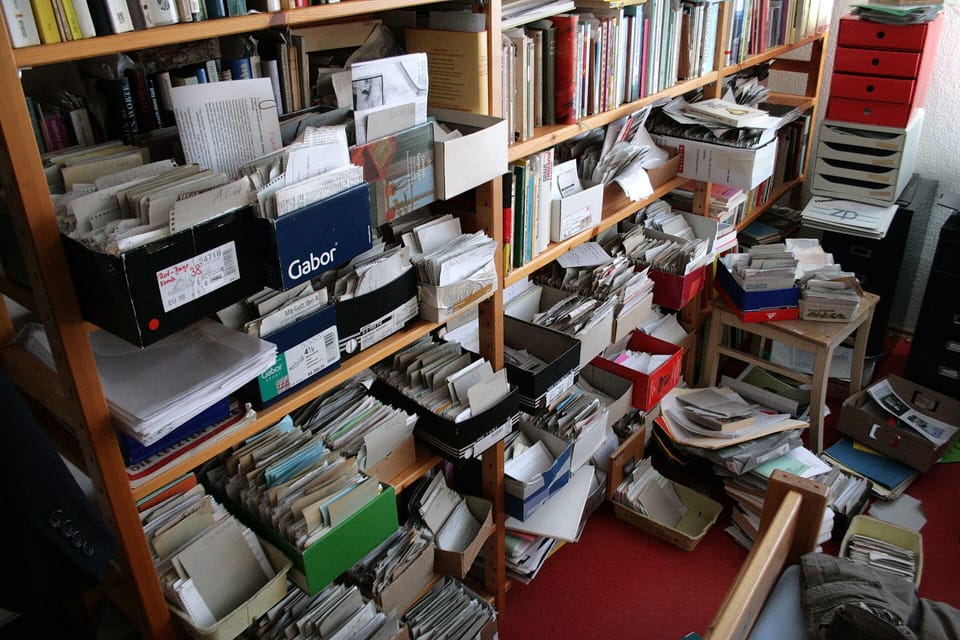
You already have a second brain. It's the 40 open tabs, the 200 unsorted bookmarks, the voice memos you never replayed, and the ideas you swore you'd write down tomorrow.
The problem was never memory. It's that captured ideas never turn into anything. Tiago Forte's Building a Second Brain method has been read by more than 500,000 people, per Forte Labs, and his newsletter now reaches 100,000 subscribers, according to the official PARA page. The method works. What changed is that the AI layer that makes it painless now costs $0.
This guide covers how to build a second brain with AI without paying for software: the CODE method with an AI job at each stage, the PARA filing structure, six copy-paste prompts, verified free-tier limits for every tool, and a week-in-the-life pipeline that ends with a published article.
One more signal that this is now standard practice: Pew Research Center reported in October 2026 that American men and women use AI chatbots at similar rates, with many crediting them for productivity gains. This is a mainstream work habit now. The people getting real results just built a system instead of chatting.
What Is an AI Second Brain?
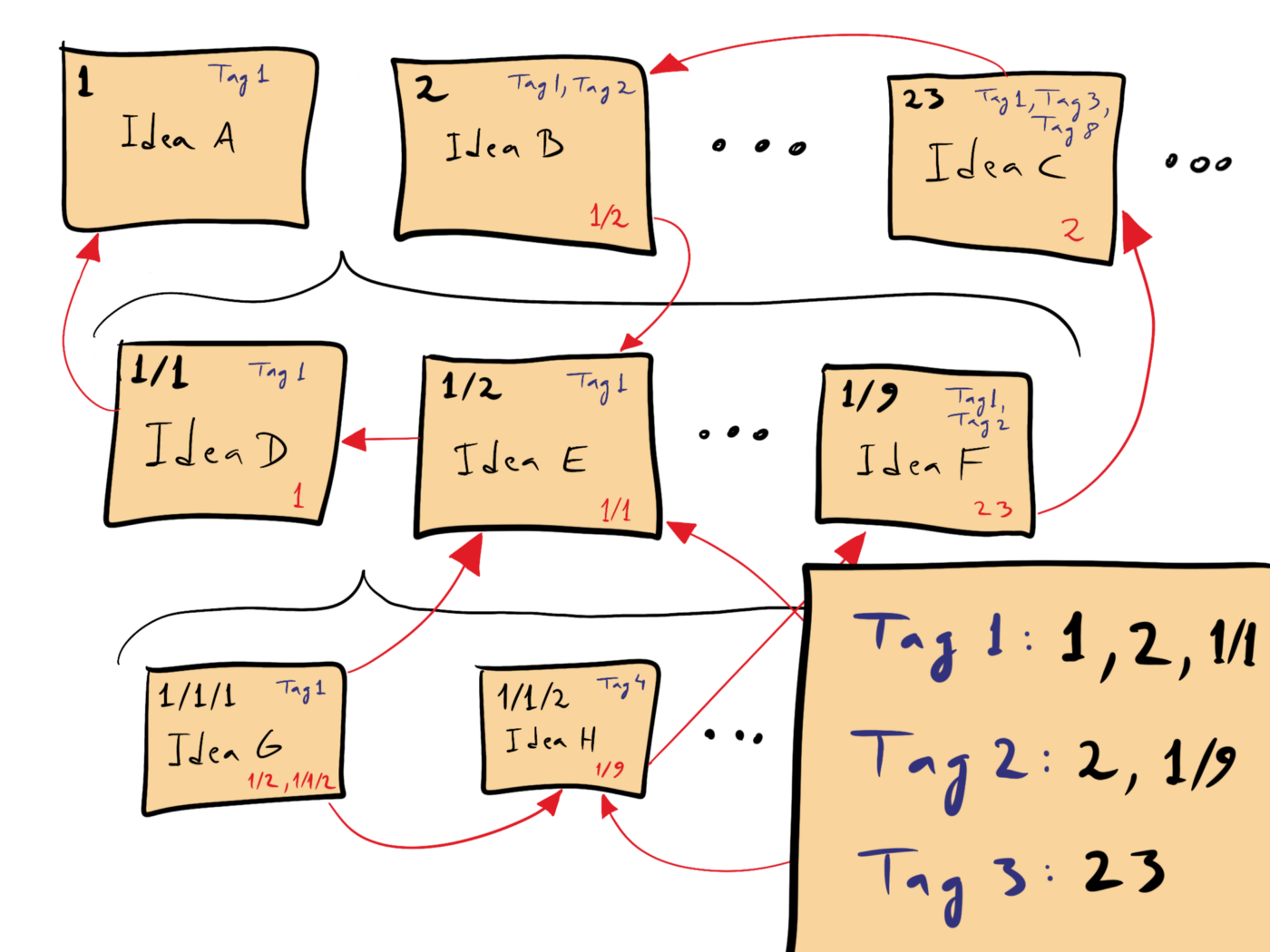
A second brain is an external, searchable system for everything you learn and create. Notes, quotes, research, half-ideas. You store them once and find them forever, instead of rebuilding the same research on every project.
An AI second brain splits the job in two. Storage stays yours — plain files you own on your own machine. AI handles the parts humans are bad at: transcribing, filing, summarizing, and drafting.
The category went mainstream years ago. Notion has passed 100 million users, per a 2026 origin-story interview, widely reported since. Then free chatbots learned to read documents and reason over them. Cheap storage met cheap intelligence.
What most people still skip is the method underneath. Tools don't build a second brain; a workflow does. So this guide is tool-agnostic on purpose: swap any tool, keep the pipeline.
The Method: Capture, Organize, Distill, Express
CODE is the four-stage loop at the heart of Forte's methodology: Capture, Organize, Distill, Express. In 2026, each stage has one specific AI job. Run the stages in order and the system compounds instead of collapsing.

Capture: Empty Your Head Into One Inbox
One rule: capture everything into a single inbox, and never organize while capturing. Deciding where a note belongs, mid-thought, is what kills the habit.
The AI's job here is transcription and cleanup. Record a voice memo on a walk. Paste the transcript into a chatbot. Get back a structured note.
Prompt one triages anything you paste — transcripts, article snippets, raw ideas:
You are my note-taking assistant. I will paste a raw capture (voice transcript, article snippet, or idea). Return: (1) a 1-line title, (2) 3 keywords, (3) PARA category guess (Project/Area/Resource/Archive) with one reason, (4) a 2-sentence cleaned summary in my voice. Keep my original wording for quotes.
Prompt two cleans messy voice transcripts:
This is a raw voice-note transcript (Egyptian/Gulf dialect, with filler words). Clean it into: a factual summary, a decisions list, an action list, and any idea worth keeping — separate dialect idioms I should preserve verbatim.
If your memos are in English, swap the dialect note for "recorded on a walk, rambling" — the structure holds either way.
Ten minutes of capturing beats an hour of "I'll remember that."
Organize: File by Actionability With PARA
PARA is the filing structure, and it needs exactly four folders:
- Projects — active outcomes with deadlines, like a client article due Friday
- Areas — ongoing responsibilities, like your newsletter or your health
- Resources — topics you collect, like pricing pages and swipe files
- Archive — anything inactive
You file by actionability, not by topic. A note moves between folders as its urgency changes, and nothing is ever deleted. When a project ends, its notes slide into Archive and stay findable.
The AI's job is sorting suggestions, not decisions. Paste your structure plus a batch of unsorted titles:
Here is my current folder structure: [paste]. Here are 20 unfiled notes with titles: [paste]. For each note, output a table: Note | Suggested PARA home | Confidence (high/low) | One-line why. Flag any note that is really two notes.
Replace the bracketed placeholders with your own folder names and note titles. The AI proposes; you approve and drag the file. Never let it auto-move anything — reviewing a filing table takes five minutes and teaches you how your own brain categorizes.
To adapt these prompts to your voice, structure matters more than wording. Our professional prompt guide breaks down the pattern.
Distill: Progressive Summarization, One Layer at a Time
Most notes fail the same way: six months later, you reread all 800 words to find the one sentence you needed.
Progressive summarization adds layers instead. The original note stays intact. A bold layer marks the key passages. A highlight layer keeps only the essentials. A final line answers "so what?" — what this note is actually for.
The AI drafts each layer on demand:
Distill this note in layers. Layer 1: bold the 3 sentences a future me must see. Layer 2: rewrite those sentences as telegraphic bullets. Layer 3: one 'so what?' line stating how I can use this in content. Do not add facts that are not in the note.
That last instruction matters. Summarizers invent. Forbid it explicitly, then check anyway. For long PDF sources — client reports, studies, call transcripts — run a dedicated PDF summarizer workflow before the material enters the vault.
Express: Notes Become Articles, Posts, and Products
Express is the stage everyone skips and the only one that pays. A second brain that never produces output is a prettier junk drawer.
The AI's job is the handoff: turning a cluster of notes into a brief a writing tool can execute. Your notes hold the insight; the tool holds the draft. That division of labor is what works in 2026 — and it's what ArWriter is built for: a prompt library, an AI editor, and an auto-writer that turns briefs into structured drafts in English or Arabic.
If you publish on a schedule, wire this stage into a repeatable content pipeline instead of one-off heroics.
The Claude + Obsidian Setup Everyone Keeps Asking About
"How to build a second brain with Claude and Obsidian" is now a real, typed query. The setup is simpler than the hype suggests.
Your notes live as plain Markdown files in an Obsidian vault, on your machine. Claude is the reading layer on top: paste in a cluster of notes and ask for patterns, contradictions, outlines, or critiques. On Claude's paid plans, Projects keep a working set of notes persistent across chats.
Two honest notes. First, Claude's free chat tier handles every distill job in this guide; paid plans exist if you want Projects and heavier use. Second, nothing here is Claude-specific — ChatGPT does the same job. The vault is the asset. Tools rotate; files stay.
The Verified $0 Stack: What Free Actually Means
"Free" note apps have caps, trials, and AI paywalls. Here is every tool in this guide, checked against official pricing pages in November 2026:
| Tool | Role in the system | Free tier (verified) | Paid from | Honest flag |
|---|---|---|---|---|
| Obsidian | Vault | Personal use free, no limits, no signup, local files | $50/user/yr commercial; Sync $4/mo; Publish $8/mo | Truly free core |
| Logseq | Vault | 100% free, open source, local-first | No paid tier exists | Truly free |
| NotebookLM | Source research | Free with daily caps on chats and overviews | Higher limits via Google AI paid tiers | Free, capped |
| ChatGPT | Distill layer | Chat plus roughly 3 file uploads/day, limited memory | Plus $20/mo | Free works |
| Claude | Distill layer | Free chat tier | Paid plans for Projects | Free works |
| Notion | Vault | Unlimited solo pages, 5MB uploads, 7-day history | Plus $12/mo | Free does not include AI |
| Notion AI | AI add-on | None; trial only | +$10 per member/mo | Not free |
| Tana | All-in-one | 5 AI meetings/mo, 50 AI queries | Pro $20/user/mo | Thin free tier |
| Capacities | Vault | Unlimited notes, 5GB media, no AI | Pro $9.99/mo | AI is paid-only |
| Saner.ai | All-in-one | 30 AI messages/mo, 100 notes, 100MB | Starter $8/mo | Capped but real |
The $0 build, in four parts:
- Vault: Obsidian or Logseq. Obsidian's official pricing page lists personal use as free without limits, and no account is required. Prefer open source? Logseq is 100% free, with no paid tier to upsell you later.
- Source research: NotebookLM. Upload your sources, ask grounded questions, and get answers tied to citations instead of general knowledge. For NotebookLM's exact free limits, see our NotebookLM deep-dive.
- Distill: free ChatGPT or Claude. Roughly three file uploads a day is enough for the weekly sweep in this guide.
- Express: a writing tool. Your notes and your brief; its draft.
Three flags worth reading twice. Notion's app is free for solo use, but Notion AI is a $10 per member per month add-on — "free Notion" and "free Notion AI" are different products. Capacities ships no AI at all on its free plan. Tana and Saner.ai give you a taste of AI (5 meetings and 50 queries; 30 messages) before the paywall. Read the flag column before you commit a year of notes to any app.
What a year costs at each commitment level:
| Tier | Stack | Annual cost |
|---|---|---|
| Bare $0 | Obsidian + NotebookLM free + free ChatGPT/Claude + drafts by hand | $0 |
| Solo engine | Same free stack + a writing tool (ArWriter Plus at $4.99/mo) | About $60/yr |
| Power user | Same free stack + one paid chatbot (ChatGPT Plus at $20/mo) | About $240/yr |
Most solo creators land in the middle tier, because Express is the bottleneck — not intelligence. The $0 tier genuinely works; the point of paying is speed, not access.
Your Content Engine: One Week From Voice Memo to Published Article
Here is the whole system compressed into a real working week. Total time: about four hours.
Monday, 10 minutes — capture. You walk home from a client call with three ideas. Record one 8-minute voice memo, unedited. Paste the transcript into a chatbot with the voice-note prompt. You get back a clean capture note: summary, decisions, actions, one quotable line. It lands in the inbox. Done.
Tuesday, 45 minutes — organize and distill. Run the PARA sorter over the week's inbox: 12 notes, one table, five minutes of approvals. Run the progressive summarizer over the three notes worth keeping. Two cluster around the same theme: pricing psychology for freelance services.
Wednesday, 60 minutes — research the gap. The cluster is missing data. Upload two PDFs and a competitor's pricing page to NotebookLM, then interrogate the sources. NotebookLM answers from those documents, not from general knowledge — that is why it is the research layer, not the vault.
Thursday, 75 minutes — brief, then draft. Feed the cluster to the brief prompt:
Here are 7 notes on [topic]: [paste]. Produce a brief for my AI writer: target reader, angle that competitors miss, 6 H2s, the 3 stats I already have, tone, and 40-character title options. I will feed this brief into my writing tool.
Paste the brief into the auto-writer at ArWriter. Fifteen minutes later you have a structured 1,500-word draft. You rewrite the intro, fix the one section no model could know — your client story — and cut 200 words.
Friday, 30 minutes — edit and publish. Final read, add images, publish. Schedule the LinkedIn post and the newsletter item that came from the same cluster.
Four hours. One voice memo became a published article, a social post, and a newsletter item. That is not a notes app. That is a content engine.
How Maya, a Lisbon Freelance Marketer, Turned 300 Scattered Notes Into 12 Paid Articles
Maya Ribeiro had 300 notes and no system. They lived in four places: Apple Notes, a Notion workspace she abandoned in March, pinned WhatsApp messages, and a Google Doc named "ideas FINAL v3". Her rate was $350 per article, and every assignment started from zero — new research, new sources, new blank page.
She rebuilt in one weekend. Logseq as the vault, because it is free and local. NotebookLM for source research. Free ChatGPT for distilling. The six prompts from this guide, saved once and reused forever.
Then she ran the monthly archaeologist session every month, without exception. The first one surfaced a cluster she had forgotten: 14 notes on pricing psychology for freelancers, collected over two years. Three became one article. It outperformed everything she had published that quarter.
Ninety days later: 12 published articles built from resurfaced notes, research time down from 6 hours per article to 90 minutes, and two newsletter sponsorships worth $900. She raised her rate to $500 per article.
The stack cost $0 for the first 60 days. Then she added the writing layer at $4.99 a month and called it the cheapest hire she ever made.
Resurface Old Notes: One Note Becomes Three Assets
The money in a second brain sits in old notes — material you already paid for with your own attention. The method:
- Pick one distilled note with a "so what?" line.
- Turn it into three assets: an article section folded into next week's draft, a LinkedIn or X post, and a newsletter item.
- Have the AI adapt tone per channel — same fact, three shapes.
Channel rules keep the quality up: one claim plus one concrete number per social post; three sentences maximum per newsletter item; article sections must combine at least two notes, which forces synthesis instead of regurgitation.
When a resurfaced note updates an older published piece, run the new version through a paraphrasing workflow so it reads fresh rather than recycled.
The Weekly Routine That Keeps the System Alive
Every notes system dies without maintenance. This one needs 10 minutes a day and 45 a week.
Daily, 10 minutes — capture sweep. Run the triage prompt on new inbox items, then file or delete each one. The inbox ends the day at zero.
Weekly, 45 minutes — PARA re-shuffle. Run the PARA sorter on strays, move finished-project notes to Archive, and promote next week's projects to the top.
Monthly, 60 minutes — the AI archaeologist. Ask the AI which old notes deserve a second life:
Act as an AI archaeologist of my second brain. Here are titles + first lines of my last 90 notes: [paste]. This week I'm writing about [topic]. Surface 5 old notes worth combining into one article, propose a working title, a 4-section outline, and note which gaps need fresh research.
The archaeologist hour is the highest-return part of the whole system: old notes are content you already paid for. Save all six prompts as reusable instructions — snippets, saved chats, or custom AI skills — so the routine survives a busy month.
What Not to Store in Your Second Brain
Your vault becomes the most complete record of your working life. That is exactly why some material must never enter it — especially if you paste notes into cloud chatbots.
- Client NDA material. Roadmaps, unreleased numbers, confidential strategy. Keep a stub note ("Client X pricing test — see encrypted drive") and store the payload elsewhere.
- Unpublished client drafts. If a client paid for the work, it is theirs to publish first. A title and due date in your vault is enough context.
- Invoices and payment data. Tax documents, payout records, and bank details belong in accounting software — not in a searchable vault you quote from in chat windows.
- Passwords and credentials. Always, everywhere, no exceptions.
The structural rule: Obsidian and Logseq store plain files on your machine. Nothing leaves your laptop until you paste it somewhere. A cloud AI only sees what you choose to share. Keep the sensitive index local; paste only working material you would not mind appearing in a chat history.
Frequently Asked Questions
What is an AI second brain?
An AI second brain is a digital note system where artificial intelligence helps at every stage: capturing raw input, filing notes into a structure like PARA, summarizing them into layered highlights, and turning finished notes into content. The notes stay yours; the AI acts as an assistant that reads, sorts, and drafts.
How do you build a second brain with Claude and Obsidian?
Keep your notes as plain Markdown files in an Obsidian vault. Then add Claude as the working layer: paste clusters of notes into a free chat (or a Project on a paid plan) and ask it to sort, summarize, or outline. The vault stores; Claude reads and writes. Nothing about your files changes.
How do you build a second brain with ChatGPT, and is it actually free?
Yes, mostly. The free tier gives you chat plus roughly three file uploads a day and limited memory — enough for weekly PARA sorting and summarizing. Keep the vault in Obsidian; use ChatGPT as the processing layer, not the storage. Plus at $20/month adds longer context and fuller memory features.
How do you build a second brain in Notion?
Create four top-level databases: Projects, Areas, Resources, Archive. Capture everything into a single inbox page, then sort daily. Notion's free plan covers unlimited solo pages, so storage is fine, but AI costs extra at $10 per member per month — which is why many pair free Notion with a free chatbot instead.
Is Notion AI free for personal use?
No. Notion's app is free for personal use with unlimited pages, but Notion AI is a paid add-on at $10 per member per month, with only a limited trial on some plans. If you want AI inside a free workspace, pair free Notion with a free ChatGPT or Claude chat and paste notes across.
Can AI organize my notes?
Yes, with boundaries. Paste a list of note titles into a chatbot with your folder structure and it will suggest a PARA home, confidence level, and reason for each — in seconds. It reads and suggests; you approve and move the file. Never let AI auto-move notes without your review.
Obsidian vs Notion for a second brain — which is better?
Obsidian wins for a free, private second brain: files live on your machine, personal use is free without limits, and plugins add AI on your terms. Notion wins if you want databases, collaboration, and one app for team wikis. Solo writers and local-first fans should start with Obsidian.
What is the PARA method and how do I use it?
PARA sorts every note into four buckets: Projects (active, with deadlines), Areas (ongoing responsibilities), Resources (topics you care about), and Archive (inactive material). File by actionability, not topic. When a project ends, its notes slide into Archive — nothing is deleted, everything stays findable.
Sources
- Forte Labs — The PARA Method — the original PARA and CODE methodology; the page states the newsletter reaches 100,000 subscribers.
- Obsidian pricing — official confirmation that personal use is free without limits, plus commercial, Sync, and Publish prices.
- Notion pricing — free plan limits and the Notion AI add-on at $10 per member per month.
- Google NotebookLM Help Center — official documentation for sources, notebooks, and account limits.
- Pew Research Center — The Gender Gap in AI — October 2026 analysis of AI chatbot use across US adults.
Try ArWriter Today
Your second brain holds the insight. ArWriter turns it into published work: a prompt library for capture and distillation, an AI editor, and an auto-writer that converts briefs into structured drafts in English or Arabic. Plans start at $4.99/month.