On October 6, 2026, Figma quietly crossed a line it had been approaching all year: the Figma design agent, first shown to the world in May, became generally available to every user on the platform. Then, on October 29, the company published a technical deep-dive that revealed what was actually powering the upgrade — a first-party, Figma-fluent editing model, post-trained on Figma's own file format. For working designers, marketers, and anyone who builds social content inside design files, the practical takeaway from the company's own numbers is straightforward: typical agent tasks got about 20% faster between beta and general availability, and users now undo the agent's work 60% less often.
Those figures come straight from Figma's engineering blog, not from a press release, and that distinction matters. This piece unpacks what Figma actually built, how the model was trained, what the numbers do and don't say, what it costs to use today, and where the honest limits still are — including how it stacks up against Canva's Brush model and dedicated image editors. The events are a few weeks old, but they change daily design workflow in ways worth understanding properly rather than skimming a headline.
Two announcements, one strategy
It helps to separate the two moments, because they answer different questions:
- October 6, 2026 — general availability. The Figma agent left beta and rolled out to all users. Figma's companion post highlighted real adoption inside teams at Uber, Granola, and Atlassian — agencies and product teams using the agent for craft-heavy, repetitive design work.
- October 29, 2026 — the model reveal. Figma explained how it trained a purpose-built editing model that "speaks" Figma natively, and confirmed that the GA agent runs it alongside third-party frontier models, picking the right engine per task.
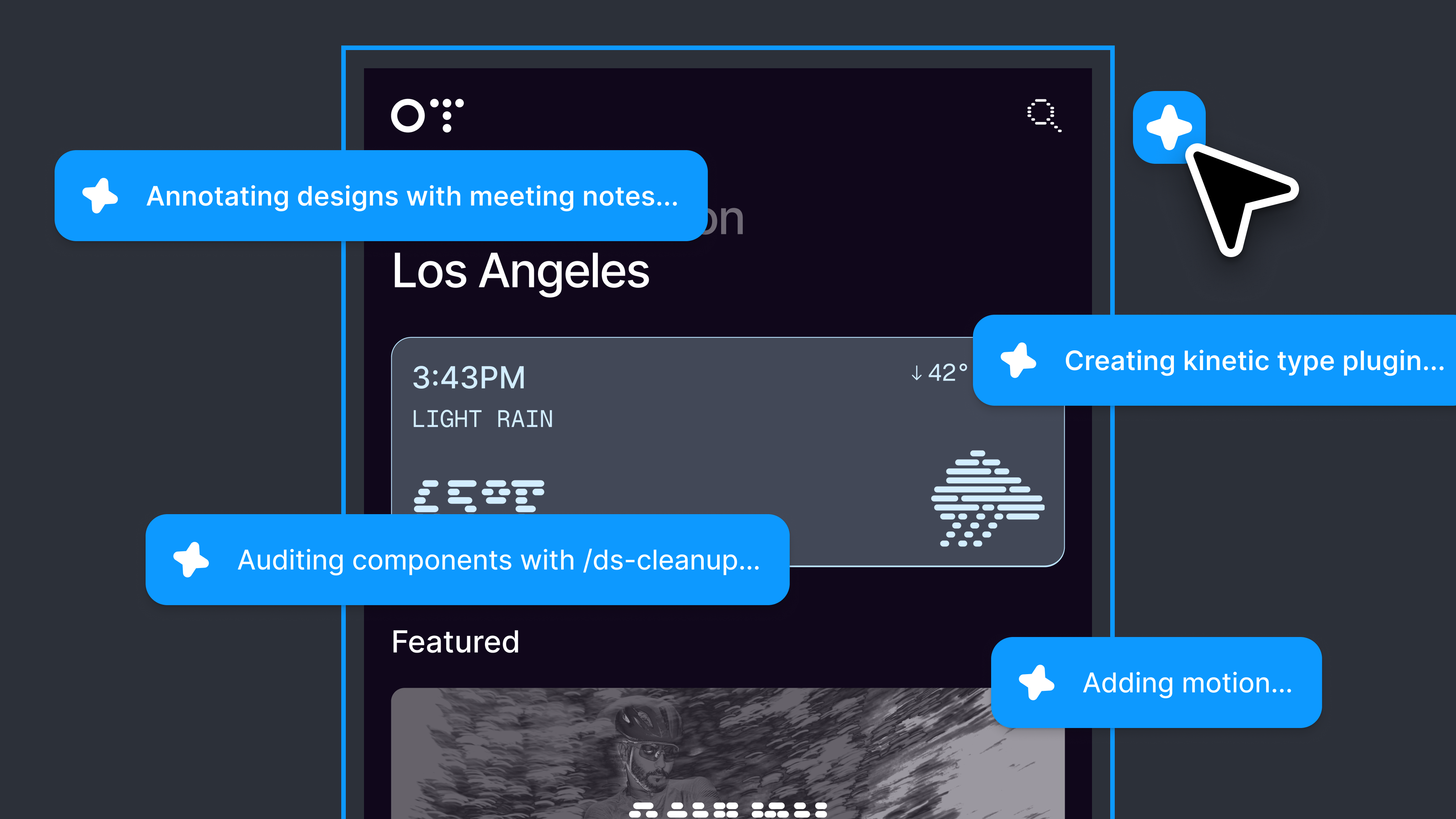
The division of labor is the interesting part. When you ask the agent for image generation, vectors, or a brand-new design exploration, Figma routes the job to the best third-party model available. When you ask for a precise edit or an iteration on what's already on your canvas — adjust the spacing, change a color, rework a layout after feedback — the first-party model takes over. If you have ever spent an afternoon making twenty small corrections to a campaign layout, you know which category fills your day.
Inside the training: teaching a model to think in Figma files
Figma's October 29 post is unusually open about methodology, and the details are worth reading even if you never train a model yourself.
The foundation is supervised fine-tuning. Each training example bundles three things: a starting design, a synthetically generated edit request, and a successful execution of that change. Crucially, designs were represented in Figma's native file format, so the model learned to produce changes that can be applied back onto the canvas — not flattened pixels that merely resemble the result. When tasks required design-system assets, the team generated synthetic prompts covering component and theme changes.
Quality control came from a layered evaluation loop. Larger teacher models attempted the edits; deterministic validators checked whether outputs were structurally valid and actually fulfilled the request; visual model judges scored the rest, and the pipeline could self-heal by revising an edit based on evaluator feedback. The punchline Figma shares candidly: an earlier Llama 3.3 70B model, trained on more than 250,000 examples, became competitive on editing tasks with the top models of its time. You don't need a giant model — you need data built on the tool's own representation.
Since then, the team has moved to newer base models, including the Qwen family, Muse Spark Open, and Inkling, and layered in reinforcement learning: better RL environments for the design domain, more diverse training examples, reward models shaped by expert-written criteria that reflect what designers actually care about. The stated reason is a known limitation of imitation learning — it produces work that closely resembles training data at the cost of generalization, and it needs enormous sample counts.
Evaluation itself is deliberately unglamorous. Figma scores dimensions separately — alignment, contrast, whether the edit actually fulfills the request, whether the right component was used — and calibrates the results with expert human designers. A button can look perfect while using the wrong component, and their evals are built to catch exactly that.
The four numbers that matter
Figma reported four headline metrics for the agent between beta and general availability, all from the official post:
- Typical tasks are about 20% faster. The minute-long edit becomes roughly 48 seconds. Modest per task; meaningful when you run fifty a day.
- The new agent beats or matches the previous production agent 62% of the time in head-to-head testing with expert designers. Read that honestly: the older agent still won or tied 38% of the time. Figma left that number in the post, which is a good sign.
- User ratings are 33% higher.
- Users undo the agent's work 60% less often. The undo button is the truest quality signal in any AI editor — pressing it less means first-attempt outputs are increasingly shippable.
Two quieter operational facts sit alongside those: the share of agent work powered by Figma's own post-trained model has more than doubled, and the average cost per message has come down. Cheaper inference is what lets a vendor keep generous usage allowances instead of quietly trimming them a quarter later.


What this means for your workflow
Translate the announcement into a Monday morning:
- Social and marketing teams: the endless variant chain — Arabic version, English version, square crop, story crop, updated price badge — is precisely the workload the model was fine-tuned for. Figma's literal example prompt, "insert a location tag component to the top left of the photo," is a variant job.
- Teams on design systems: the agent reads canvas context and the design system, so edits respect your components and themes instead of inventing off-brand elements.
- Solo creators choosing a stack: 2026's real story is editable-by-conversation design arriving in the major tools — Figma's agent, Canva's Brush editing model, and fast specialized editors like Krea 3, covered separately here. You are no longer choosing between "powerful but manual" and "fast but flattened."
A practical note for multilingual teams: Figma has not published official guidance on which languages the agent's instruction layer supports best. Instructions are plain text, so simple non-English requests generally work, but for high-stakes, surgical edits it's worth validating on a scratch file first. And if your pipeline starts with copy and prompts rather than pixels, tools like ARWriter's bilingual writing suite slot in naturally upstream of the design file.
Pricing and availability
The agent is available to all users, including the free Starter plan, which includes 150 AI credits per day, capped at 500 per month — enough for a genuine evaluation before paying anything. Paid plans raise the monthly allowance to 3,000+ credits depending on tier. A full seat starts at $16/month on the entry paid plan, with lower effective pricing on annual billing and higher tiers for organizations. International card payment is the practical route for most regions outside the US.
Compare the billing logic with specialized editors: Krea 3 charges $0.06 per 2K image edited through its API, which favors high-volume product-imagery work. Figma's credit-in-subscription model favors teams whose assets live and evolve inside design files. Neither is universally cheaper; it depends entirely on where your work lives.
Quick comparison: Figma agent vs Canva Brush vs general image generators
| Criterion | Figma agent + first-party model | Canva Brush | General image models (Nano Banana etc.) |
|---|---|---|---|
| What gets edited | Real Figma files with layers and components | Canva designs that stay editable | Mostly flat images |
| Best for | Design teams, systems, product work | Marketers and store owners moving fast | Final-frame ads and scenes |
| Headline speed claim | ~20% faster typical tasks vs previous agent | Up to 69% faster vs Canva's prior agent | Varies by model and resolution |
| Pricing model | Credits inside subscription (free tier available) | Canva Pro subscribers | Per image or subscription |
The decision collapses to one question: where does your work live? Files that get reused and versioned belong in Figma; bulk product imagery belongs in a specialized editor; finished ad visuals can come from anywhere.
The 2026 timeline tells the real story
To understand where Figma is heading, line the year up. On May 20, 2026, the company launched the first version of the design agent. Earlier in the year, it had opened the Figma canvas to third-party agents, letting outside tools work inside Figma files with design-system knowledge. Then October delivered the double move: general availability on October 6, and the first-party model reveal on October 29. The sequence is a deliberate two-step — open the platform so the ecosystem learns to think agents-inside-files, then enter with your own model once the data and harness are proven. Canva is running the same playbook with Brush. The signal for the industry: the next phase of design tooling will be decided by specialized training data and file-format fluency, not by general-purpose models alone.
A practical path for your first week with the agent
- Start from a real project file, not a blank canvas. The model's strength is editing inside existing context; an empty file demonstrates nothing.
- One surgical instruction per message. The official example is exactly that granular: "insert a location tag component to the top left of the photo." Compound briefs are for humans; the agent shines on sequenced, precise edits.
- Audit components, not just pixels. Figma's own evals separate "looks right" from "used the right component" — copy that discipline: after each edit, confirm new elements came from your design system rather than being drawn from scratch.
- Measure credits before and after. On the free tier's 150 daily credits, test three request types — layout change, color change, component insertion — to learn which parts of your workload deserve credits and which are still faster by hand.
- Keep a prompt log of what worked. Successful instructions compound into an internal playbook that onboards every future teammate — and every future agent — faster.
One final implication worth sitting with: because the agent reads both the canvas and the design system, your file hygiene now pays twice. Components named clearly and styles maintained honestly don't just help your human collaborators — they directly raise the ceiling on what the agent can do inside your files. The boring part of design ops just became an AI multiplier.
Honest limits, in Figma's own words
- 62% is not 100%. The previous agent still wins or draws 38% of head-to-heads. The new model's edge is concentrated in precise edits and iterations, not everything.
- Design quality stays partly subjective. Figma's answer — scoring alignment, contrast, request fulfillment, and component correctness separately, calibrated by human experts — is rigorous, but it also admits no single score captures "good design."
- Imitation learning has a ceiling. The company openly states it produces training-adjacent outputs at the cost of generalization, which is why RL was added. This is a work in progress and they say so.
- Privacy deserves your attention. Figma states it trains in a way that respects customer privacy and preferences, with a published approach page on model training. If you handle client work under NDA, read it before routing confidential files through any AI feature.
Frequently asked questions
Is the Figma agent available on the free plan?
Yes. The agent is available to all users, and the free Starter plan includes 150 AI credits per day (up to 500 per month) — enough for a real trial before paying.
Do I need to know how to code to use it?
No. The agent works directly on the canvas and takes plain-language instructions, the way you'd brief a fellow designer.
How is this different from Canva Brush?
Both edit designs conversationally, but Figma's agent operates on full design files with layers, components, and design systems, while Brush lives inside Canva and targets faster marketing-style edits. Choose based on where your files live.
Does the agent understand non-English instructions?
Figma has not published official language support details. Instructions are plain text, so simple requests in other languages often work, but test surgical edits on a scratch file first.
Will this replace designers?
The 60% drop in undos says outputs are increasingly accepted, but judgment, taste, and accountability remain human. The pattern is collaboration, not replacement — the agent handles the iteration grind while you keep the decisions.
The bottom line
Figma's October 2026 move is less about "an AI feature" and more about a change of philosophy: instead of waiting for a general-purpose model that edits everything, Figma trained a model that is fluent in exactly one thing — its own files — and orchestrated it with the best third-party models for everything else. For working creators that translates to edits roughly a fifth faster, dramatically fewer undos, and a free tier generous enough to verify the claims on your own files. Try it on your next variant-heavy project — and if your bottleneck is copy and concepts rather than pixels, draft them first in a bilingual writing environment like ARWriter, then hand the finished text to the agent. The tools finally meet in the middle.