On September 3, 2026, Canva pushed out one of the largest batches of updates in its history — a wave of releases that officially took the platform past 100 new Visual Suite features since January, a pace the company describes as "nearly one Visual Suite upgrade every other day." The announcement, published through Business Wire, spans Docs, Presentations, Sheets, Whiteboards, Websites, and Canva Code, and it arrives with usage numbers that make one thing unmistakable: Canva is no longer pitching itself as a design tool. It is pitching itself as the place where your entire project lives.
If you write, design, or publish content for a living, this matters beyond the feature list. We are covering the announcement two days after the fact — deliberately, because a fast headline about "100 new features" tells you nothing about which of those features actually change your workflow. This deep-dive does: every number below comes directly from Canva's official press release, followed by an honest breakdown of what is genuinely new, what is catch-up, and what you should be skeptical about.
The headline numbers behind the announcement
Canva's release leads with scale, and the scale is worth reading carefully because it explains why the company is investing so heavily in productivity features rather than pure design tooling:
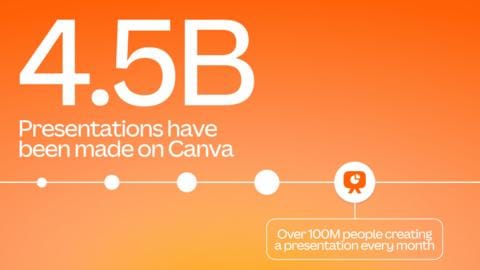
- More than 100 million people now use Canva Presentations every single month.
- Canva Docs adoption has more than tripled over the past three years, making Docs the platform's third-most popular design type.
- More than one billion designs are created on Canva every month.
- Roughly 1,000 documents and nearly 3,000 presentations are created every minute.
- More than 98% of the Fortune 500 run work on Canva, and enterprise adoption has more than doubled year over year.
- Over 250 million multi-format designs — single files that mix documents, decks, spreadsheets, and whiteboards — have been created since the new unified Canva format launched last year.
Company co-founder and Chief Product Officer Cameron Adams framed the milestone in the release: "When we launched the Visual Suite, we were planting the seeds for a very different way of working, and a few years later those seeds have grown into a mighty forest… Today marks our 100th new feature launch this year alone… we still feel like we're only 1% of the way there."
What actually shipped, product by product
Docs: full-page layouts and automatic page breaks
Canva Docs gains full-page designs — immersive, edge-to-edge visual layouts that break out of the traditional scrolling-text format — plus automatic page breaks and expanded style options. The intent is obvious: turn a working document into something presentation-ready without exporting it to another tool. For consultants, agencies, and content teams that used to hand a finished doc to a designer for "making it pretty," that handoff step is the thing being eliminated.
Sheets: AI that turns your data into finished charts
This is arguably the most practical part of the entire release for solo creators and small businesses. Canva Sheets received more than a dozen updates, and the flagship is AI that analyzes your data and transforms it into polished charts and tables that are ready to drop straight into presentations and Docs. Alongside that: public filters, hidden columns, and row grouping, so you can share exactly the right slice of a sheet with a client or a contractor without exposing the rest.
Whiteboards: from brainstorm to deliverable in one click
Whiteboards got faster navigation, mobile pasting, a Follow Collaborators feature that jumps your view to wherever a teammate is working, and one-click reactions for quick feedback. The killer detail: a whiteboard can now be converted into a Presentation or a Doc with a single click. The planning artifact becomes the first draft of the deliverable — no more retyping what the team already mapped out.
Presentations: tools for delivering, not just building
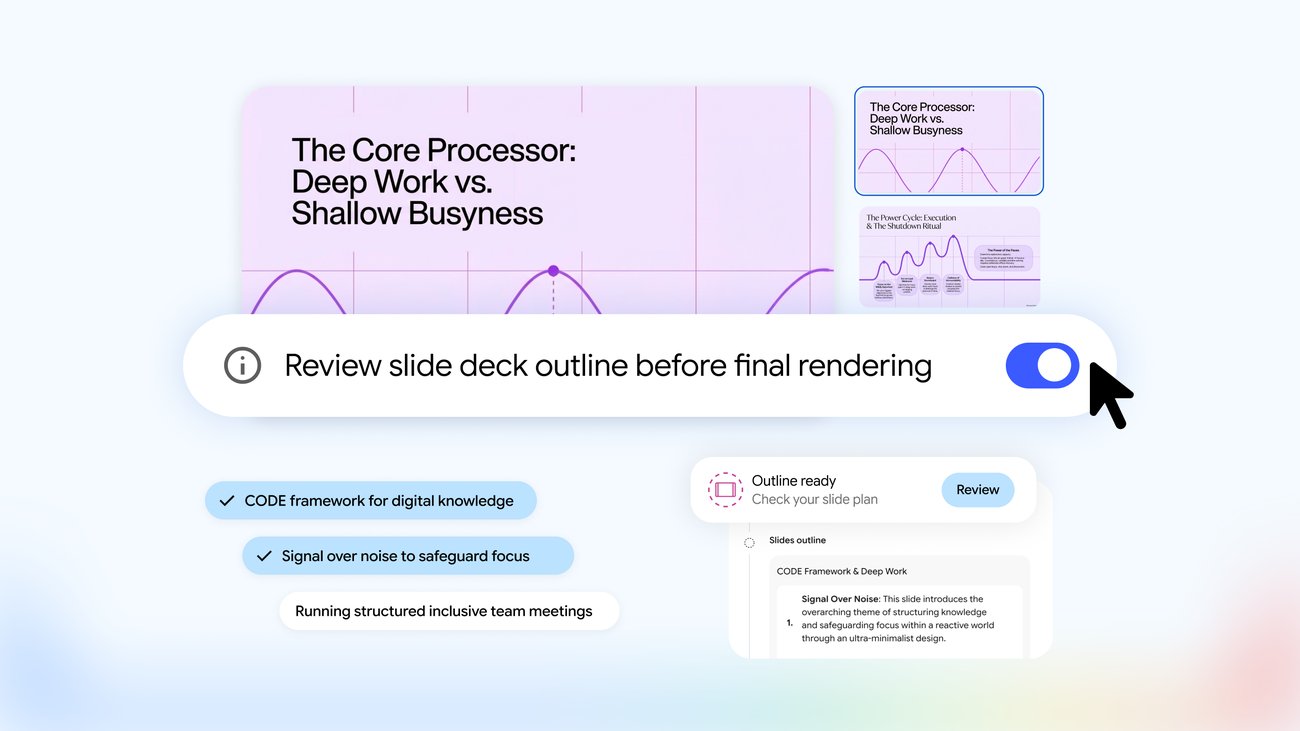
Canva added an estimated presenting timer to help you pace a talk, one-click presenting to go live instantly, and — most interesting — automatically generated presenter notes that convert a finished deck into ready-to-use talking points. Treat those notes as a first draft, not a script: they are derived from your slides, so they know what your deck says but nothing about your audience.
Websites and Canva Code: bigger sites, more control
Nearly one million websites are published through Canva every month, and the update raises the ceiling: site navigation now supports up to 20 sections, with expanded SEO controls, domain controls, and richer button options. Meanwhile Canva Code — the AI feature that generates working sites — has now produced more than six million coded websites since launch, according to the release.
Why this is a bigger story than a feature list
Strip away the marketing and the strategy reads clearly in Canva's own language: "Most productivity suites still treat a whiteboard, document, spreadsheet, and presentation as separate files. As organisations look to cut software sprawl, Canva is seeing growing demand for a single platform to run entire projects." The pitch is a project lifecycle that never leaves the app: an idea starts on a Whiteboard, becomes a brief in Docs, pulls insights from Sheets, and evolves into a Presentation — all within the same design.
That is a direct challenge to the Google Workspace and Microsoft 365 default, and it is being fought on a specific front: the visual finish. Docs and Slides and Word are where work is written; Canva wants to be where work is shown — to a client, an audience, a boss. The 98%-of-Fortune-500 stat and the doubling of enterprise adoption say the wedge is working at the top of the market, while the billion-designs-a-month number says it is working at the bottom too.
There is also a mobile story hiding in the release that creators in emerging markets should not skip: Canva says that in India, more than 70% of Visual Suite usage happens on mobile phones, and that globally more than half of Visual Suite users now work on mobile, with mobile adoption of Canva Websites growing fastest. If your phone is your primary production machine — as it is across much of the Middle East, South Asia, and Africa — the direction of travel is aimed at you.
What this means for you as a content creator
1. Audit your subscription stack. If you are paying separately for a design tool, a docs tool, and a data-viz tool, the merged workflow is the real product here. The release states plainly that the latest features are "available now to all Canva users globally" — so the test costs you nothing but an afternoon.
2. Rethink the report-and-carousel pipeline. The Sheets-to-chart AI collapses what used to be a three-tool pipeline (spreadsheet → screenshot → design tool) into one. Monthly client reports, data-driven LinkedIn carousels, and "state of my channel" posts are the obvious first candidates.
3. Use the whiteboard-to-deck button as a thinking system. The single most underrated upgrade for solo creators is Whiteboards converting to a Doc or Presentation in one click. Brainstorm in the morning, present the same artifact in the afternoon — the format switches, the content does not get rewritten.
4. Keep your text engine separate from your design engine. Canva's announcement says nothing about long-form writing intelligence, and its Docs strength is layout, not drafting. The pragmatic 2026 workflow for multilingual publishers is: draft and research in a dedicated writing platform — for Arabic-language content, ARWriter's article and research writer handles drafting and scheduling in one place — then bring the finished text into Canva for the visual layer.
Quick comparison: where Canva now wins and loses
| Job | Incumbent default | Canva after this release |
|---|---|---|
| Client-facing proposal document | Word/Google Docs, then a designer formats it | Docs with full-page layouts — no handoff needed |
| Data chart for a deck or post | Excel chart, screenshot, paste, restyle | AI-generated polished charts directly in Sheets |
| Team brainstorm | Miro/whiteboard app, then someone re-types it | Whiteboard converts to Doc/Deck in one click |
| Delivering a talk | PowerPoint presenter view | Presenting timer + auto presenter notes |
| Heavy financial modeling | Excel / Google Sheets | Still the incumbents' game — not Canva's pitch |
Honest limits: read this before you migrate everything
- Sheets is not a spreadsheet engine. The AI charting is presentation-layer intelligence, not a replacement for pivot tables, macros, or complex financial models. Power users will keep Excel around.
- Auto presenter notes are literal. They summarize what is on the slide. They do not know your story, your client, or the room. Budget five minutes to rewrite them or they will sound like everyone else's.
- Cloud-only means cloud-only. Everything lives in your Canva account. If your connection dies, your work pauses — there is no offline desktop mode comparable to Office's. The company's own economics are worth watching too: rising AI costs have squeezed Canva before, and we analyzed what its AI revenue struggle means for users.
- "Available globally" can roll out gradually. The release says the features are live for all users now, but platform rollouts have a way of reaching accounts in waves. If a button is missing today, check again in a few days before assuming you did something wrong.
- No new long-form writing muscle. Nothing in this release addresses drafting quality, research, or multilingual writing. The design side got stronger; the writing side is still yours to solve — which is exactly why pairing Canva with a writing-first tool such as ARWriter remains the strongest setup for publishers working across languages.
A practical first week with the new suite
- Day 1: Pick one recurring deliverable you produce monthly — a report, a content recap, a client update.
- Day 2: Whiteboard the outline, then convert it to a Doc in one click and apply full-page layouts to the section openers.
- Day 3: Move the numbers into Sheets and let the AI chart them. Compare the output quality against last month's manually built chart — time it.
- Day 4: Assemble the deck, generate presenter notes, then rewrite them in your own voice. Set the presenting timer and rehearse once.
- Day 5: Total the hours saved. If the answer is "more than one," you have your migration case; if it is zero, you have your answer too — and it cost you a week's coffee money to find out.
Frequently asked questions
Are the new Canva Visual Suite features free?
The official release states the latest features are "available now to all Canva users globally," without distinguishing free from paid tiers in the announcement. In practice Canva has historically kept certain advanced capabilities behind its Pro plans, so the reliable test is opening the feature in your own account — Pro-gated items are flagged in the interface.
How do I turn a Canva Whiteboard into a presentation?
Per the announcement, Whiteboards can now be converted into a Presentation or a Doc with a single click. The feature is designed so the content you mapped during brainstorming becomes the skeleton of the final deliverable without any retyping.
Can Canva Sheets really create charts automatically?
Yes — the new AI capabilities analyze the data in a sheet and generate polished charts and tables ready to use across presentations and Docs. The quality of the output still depends on the quality and cleanliness of the data you feed it, so tidy your rows first.
Is Canva a viable replacement for PowerPoint in 2026?
For marketing decks, social content, and client presentations, increasingly yes — over 100 million people already use Canva Presentations monthly. For large enterprise .pptx ecosystems with embedded add-ins and strict template governance, PowerPoint retains the compatibility advantage. Many teams now draft consumer-facing decks in Canva and keep PowerPoint for internal legacy formats. For a head-to-head against another design-first rival, see our earlier breakdown of Canva Pro versus Adobe Express.
What is Canva Code and who is it for?
Canva Code is the AI feature that generates working websites from prompts and files. Canva says more than six million coded websites have been created with it to date. It is aimed at people who need a functional, decent-looking site without writing code — landing pages, event pages, portfolios — rather than at developers building complex applications.
The bottom line
The September 2026 release makes Canva's ambition explicit: own the whole project, not just the pretty parts. The numbers in the release — a billion designs a month, a hundred million monthly presentation users, enterprise adoption doubling — describe a platform that has already crossed from "design tool" to "default workspace" for a huge share of the market. The smart play for creators is hybrid: let Canva consolidate your visual production and presentation stack, and keep a dedicated writing engine for the words that go inside the frames. Draft in ARWriter (plans from $4.99/month), design in Canva, and you are running the 2026 workflow at its most efficient.