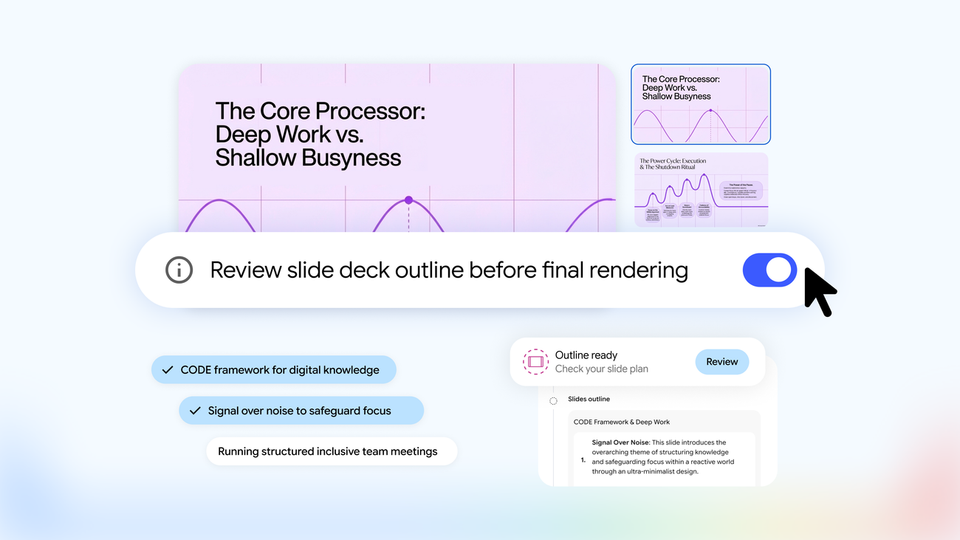
Google has quietly shipped one of the most practical updates of the season for anyone who turns research into deliverables. On October 19, 2026, the Gemini Notebook team announced co-creation controls for two of the product's most popular outputs — Slide Decks and Video Overviews — letting you review and reshape the plan before a single slide renders or a single scene is generated. Instead of prompting once and hoping for the best, you now walk through a guided creation flow built directly on your uploaded sources. The feature is rolling out to every Gemini Notebook user, including free personal Google accounts, over the week following the announcement, and Google's Workspace Updates post from October 21 confirmed the staged rollout actually began on October 16, with visibility taking up to 15 days for some domains.
If you have ever generated an AI presentation, watched it assemble itself with the confidence of a machine that knows exactly what you need, and then deleted slide four through nine with a sinking feeling — this update was built for you. It moves the moment of intervention from after generation to before it, which is where corrections are cheap and structural opinions actually matter. This guide walks through exactly how the new flow works, what it changes for working professionals who bill against deliverables, where it still falls short, and how to fold it into a production workflow this week.
The problem Google is solving: one-shot generation
A quick naming note for anyone arriving from search: NotebookLM was renamed Gemini Notebook this year as Google folded the product into the Gemini family. The rename changed branding and integration points, not the core idea — a notebook where your uploaded sources are the entire universe the assistant reasons over — and outputs like slide decks, video overviews, audio summaries, and grounded chat all carried forward. So if your bookmarks and muscle memory still say NotebookLM, nothing about this guide requires unlearning anything; the co-creation update below is simply the newest layer on the workflow you already know.
Since NotebookLM arrived and later matured into Gemini Notebook, its slide deck and video overview features had a binary quality. You asked, it delivered. The outputs were genuinely useful because they were grounded in your sources — upload a market report, get a deck about that market report, not about "marketing" in general — but the structure arrived fully formed. Want an executive summary up front instead of a methodology recap? That was a regeneration request. Prefer the video to open with the customer pain point rather than the company history? Another pass. Every structural opinion cost you a full generation cycle and a slice of your usage quota.
The co-creation update reframes the workflow as a conversation with checkpoints. According to the official announcement by Viraj Doshi, Senior Product Manager, and Shan Wang, Senior UX Designer, the goal is creative control "from start to finish" on both output types. In practice that means three distinct stages between your first prompt and the final artifact.
How the new creation flow actually works
Stage one: suggestions drawn from your sources
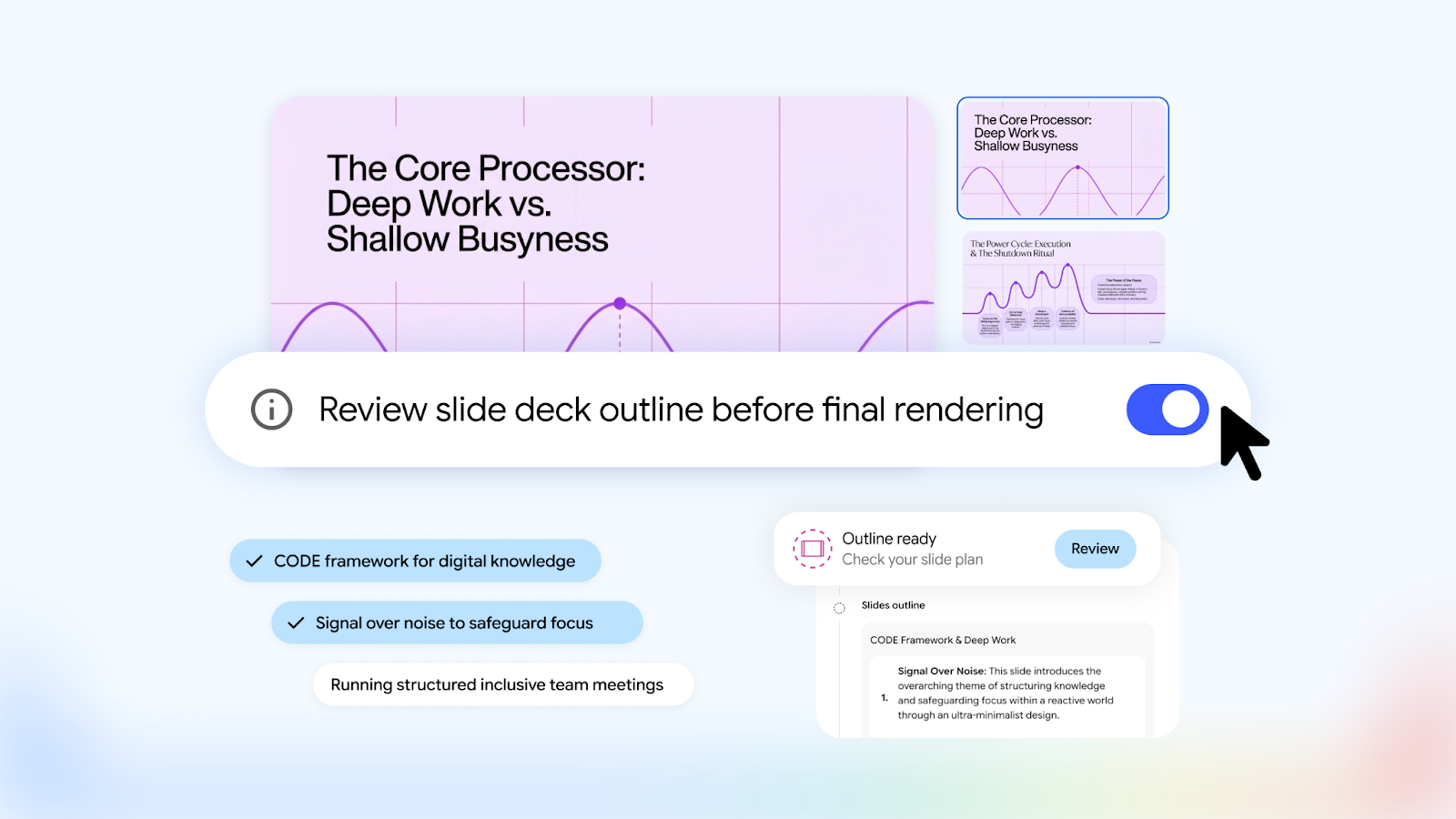
You still start the same way — either ask in chat for a presentation or a video overview, or tap "Slide Deck" or "Video" in the Studio panel. What changed is what happens next. Rather than sprinting to a finished artifact, Gemini Notebook proposes a set of focus topics, formats, and visual styles based on the sources in your notebook. If you already know precisely what you want, you can bake it into the prompt — "a 10-slide client-facing deck, formal tone, lead with results" — and the system pre-fills your selections instead of interrogating you again. It is a small touch, but it respects the difference between users who want guidance and users who want execution.
Stage two: the Review toggle, where the real control lives
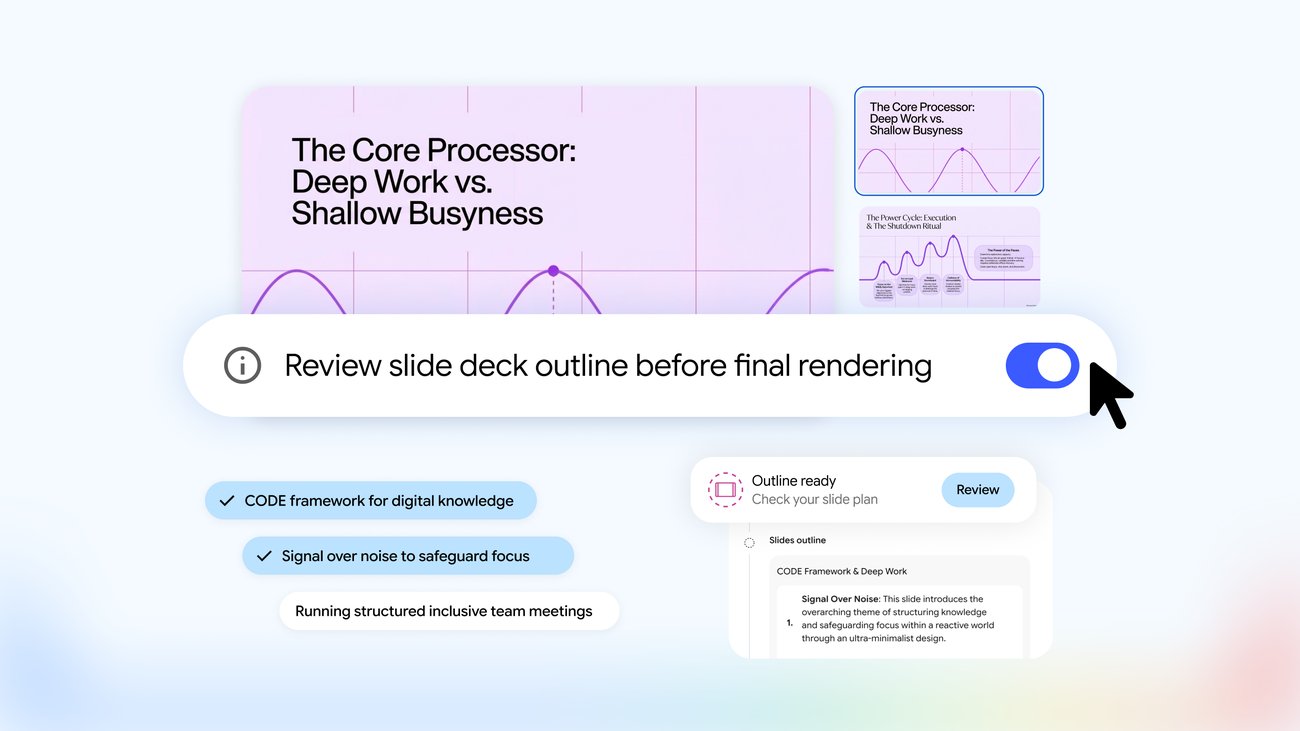
This is the headline feature. Turn on the Review toggle and the Studio panel exposes "Review outline notes" for slide decks and "Review producer notes" for videos. These notes are the blueprint: which slides will exist, in what order, covering which points — or, for video, which scenes will be produced and how the narrative is sequenced. You read the plan and respond in writing. Google's own examples include asking for an executive summary at the beginning or swapping the order of a scene. Then you hit "Proceed" and the artifact generates against a structure you have already agreed to. Anyone who has managed a content team will recognize this immediately: it is a brief-approval step, embedded in the tool, with the AI as the obedient junior designer.
Stage three: generation, or the quick path if you prefer speed
Once the outline has your blessing, generation proceeds as usual. And crucially, the old fast lane still exists. Turn the Review toggle off, or simply prompt with your full spec, and Gemini Notebook will produce a first pass in one shot, exactly like before. The update adds a control layer without imposing ceremony on people who liked the original speed. That design decision — additive, not replacing — is worth calling out, because tool updates that force longer workflows on unwilling users tend to breed resentment fast.
A concrete walkthrough you can run today
- Assemble a clean notebook. Create a notebook and upload the sources that should drive the deliverable — reports, articles, transcripts, product pages. The suggestions in stage one are only as good as the corpus, so prune anything irrelevant before you start.
- Prompt with intent. Name the audience, the purpose, and the constraints in your first message. The more of the brief that lives in the prompt, the fewer correction rounds you will write later.
- Review the suggestions. Accept, adjust, or replace the proposed topics and visual style. This is cheap; do not overthink it.
- Open the outline or producer notes. Read it like an editor: does it open with the strongest material? Does the sequence serve the reader's decision, or the machine's convenience? Is anything essential missing? Write your notes.
- Proceed and export. Generate, review the artifact, export, and apply final polish in the tool where the deliverable actually lives — your presentation editor, your video editor, or your CMS.
A practical quota note: each regeneration eats into your notebook usage allocation, so the review-first flow is not just about quality — it is also the economical path. Google shifted Gemini Notebook to a usage-limits model with periodic refreshes earlier this year; if you generate decks daily, it pays to know where that ceiling sits, which we covered in detail when the flexible usage limits were introduced.
Who gets the most out of this
The update maps neatly onto a set of professional workflows that share one trait: the deliverable must be traceable to specific sources.
- Consultants and agencies: a quarterly business review deck that follows the structure of the actual performance report — with the account lead inserting "results first, recommendations second" at the outline stage instead of rebuilding forty minutes of generation.
- Course creators and trainers: turn a curriculum into a week-by-week deck and a recap video per module, checking each outline so last week's material does not leak into this week's.
- Newsletter and blog operators: convert a research corpus into a video overview that respects the article's actual argument sequence — then embed it. For writers who want the text-first version of this idea, Gemini Notebook's grounding inside Google Docs, which we covered when it launched, is the sibling feature worth knowing.
- Freelancers pitching: upload the client's own brief and requirements, generate a proposal deck whose structure mirrors what the client asked for, in the order they asked for it. Personalized pitching at template speed.
For a broader comparison of how Gemini Notebook stacks up against its NotebookLM ancestry for research-driven writing workflows, see our earlier guide to building an AI research workflow for writers.
How it compares with the tools you already use
| Tool | Content source | Pre-generation control | Cost model |
|---|---|---|---|
| Gemini Notebook (co-creation) | Your uploaded sources only | Full outline / producer-notes review | Free for personal accounts |
| Gemini Notebook (previous) | Your uploaded sources | None — instant output | Free |
| Prompt-first deck generators (e.g. Gamma) | A text prompt, general knowledge | Generate first, edit after | Freemium tiers |
| Office-suite AI assistants (e.g. Copilot in PowerPoint) | Documents inside the suite | Varies by plan, generally limited | Paid subscription |
The honest differentiator is not visual polish — dedicated presentation tools still produce prettier templates on average. It is grounding plus an approval step: the deck is built from your sources, and you sign off on the skeleton before muscle is put on it. Whether that beats your current stack depends on how much of your work is source-bound. If your decks are born from documents you possess, this is the cheaper, faster, more faithful path. If they are born from your imagination, a prompt-first design tool remains the better fit.
Limitations worth knowing before you promise a deadline
- Staged availability: the rollout began October 16, 2026 and can take up to 15 days to reach every domain. If the Review toggle is missing today, check again tomorrow — do not schedule a client demo around a feature your account does not have yet.
- Video overviews stay modest: the output is a narrated, slide-style explainer video — excellent for summaries and internal comms, not a replacement for edited motion graphics. Calibrate expectations accordingly.
- No admin switch: Google explicitly notes there is no admin control for this feature; it arrives for users unless Gemini Notebook itself is disabled for the organization. IT teams planning training should factor that in.
- Garbage in, blueprint out: the outline inherits the quality of your sources. Outdated or contradictory uploads produce a confidently structured deck of outdated, contradictory content. The review step helps you catch this — use it as a source audit, not just a structure check.
- Usage quota still applies: heavy reviewers who regenerate repeatedly will feel the limits sooner. The discipline of approving outlines before generating is, conveniently, also the discipline of spending quota wisely.
Frequently asked questions
Is the co-creation feature free?
Yes. Google's Workspace Updates post states it is available to all Google Workspace customers, Workspace Individual subscribers, and users with personal Google accounts. Standard Gemini Notebook usage limits still apply.
When will the feature appear in my account?
The rollout started October 16, 2026 for both Rapid Release and Scheduled Release domains, with gradual visibility of up to 15 days — so early November 2026 is the outer edge. If it has not appeared by then, update your app and confirm you are on Gemini Notebook rather than an older NotebookLM build.
Can I request decks in Arabic or other languages?
Yes. The flow follows the language of your prompt and sources; write your brief in Arabic with Arabic sources and the outline, notes, and output will follow. As with any generated content, output quality tracks the quality of the source material in that language.
Does Review replace editing the final deck?
No. You will still export and polish — branding, imagery, final wording. What Review eliminates is structural surprise: the order, coverage, and emphasis are agreed before generation, so your editing pass is cosmetic rather than reconstructive.
Is the generated video publishable on social platforms?
It works well as an explainer or recap inside a channel, but it carries a calm, educational format. For short-form vertical video built for engagement, dedicated video tools remain the better route.
The takeaway
Google has moved source-grounded generation from a vending machine to a workshop: you bring the material, the system proposes a blueprint, you red-line the blueprint, and only then does production begin. For anyone whose living depends on turning research into persuasive artifacts, that is the correct order of operations — and it is now free at the point of use. Try it on your next deliverable and measure the time you save on first drafts; the outline review is where your expertise actually compounds.
And when the assignment is a full article or research paper rather than a deck, a writing-first platform does the equivalent job for prose: ARWriter's auto-writer drafts complete Arabic or English long-form pieces from your own sources, ready for publication. Combine the two and you have a complete research-to-output pipeline — notebook for synthesis, ARWriter for the manuscript.
Sources: Google's official blog post "How to shape your slides and videos with Gemini Notebook" (October 19, 2026) and the Google Workspace Updates announcement (October 21, 2026).