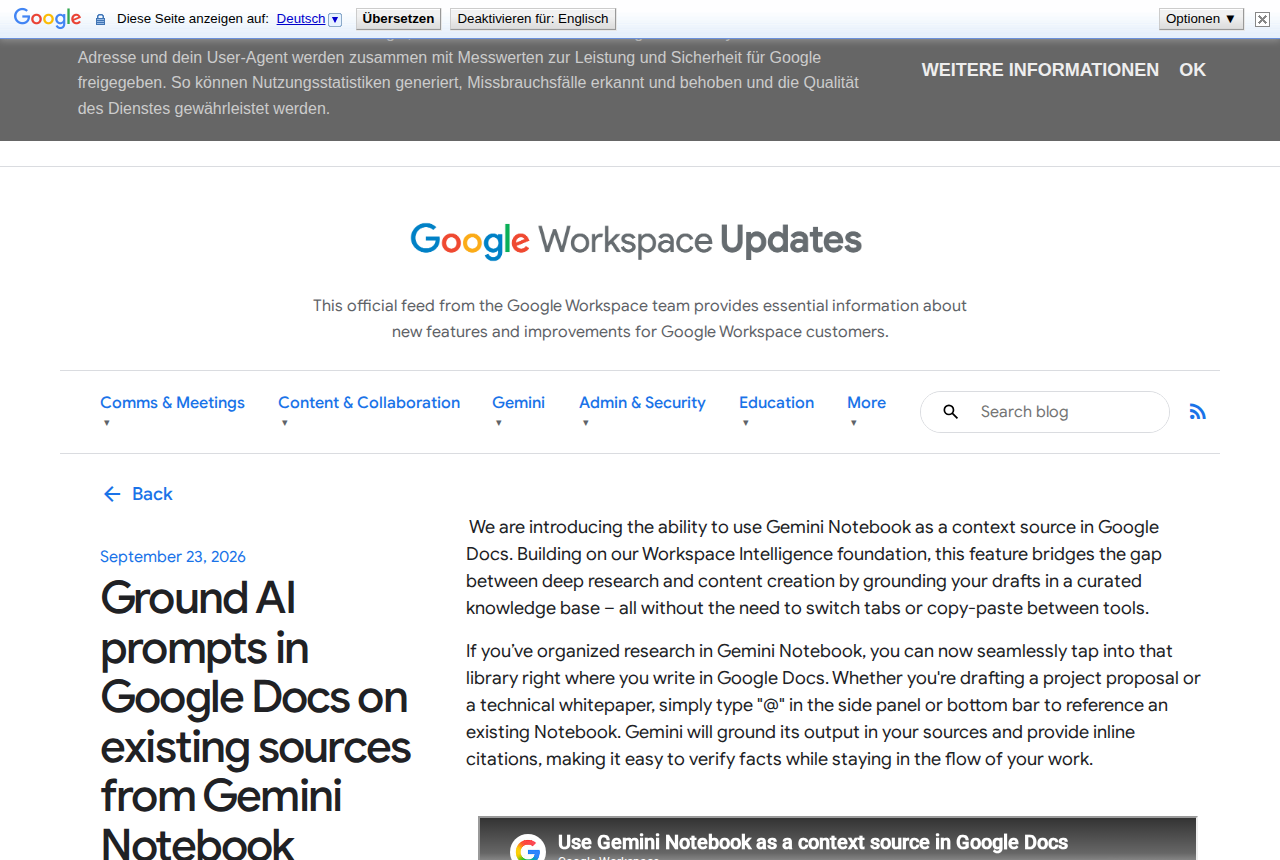
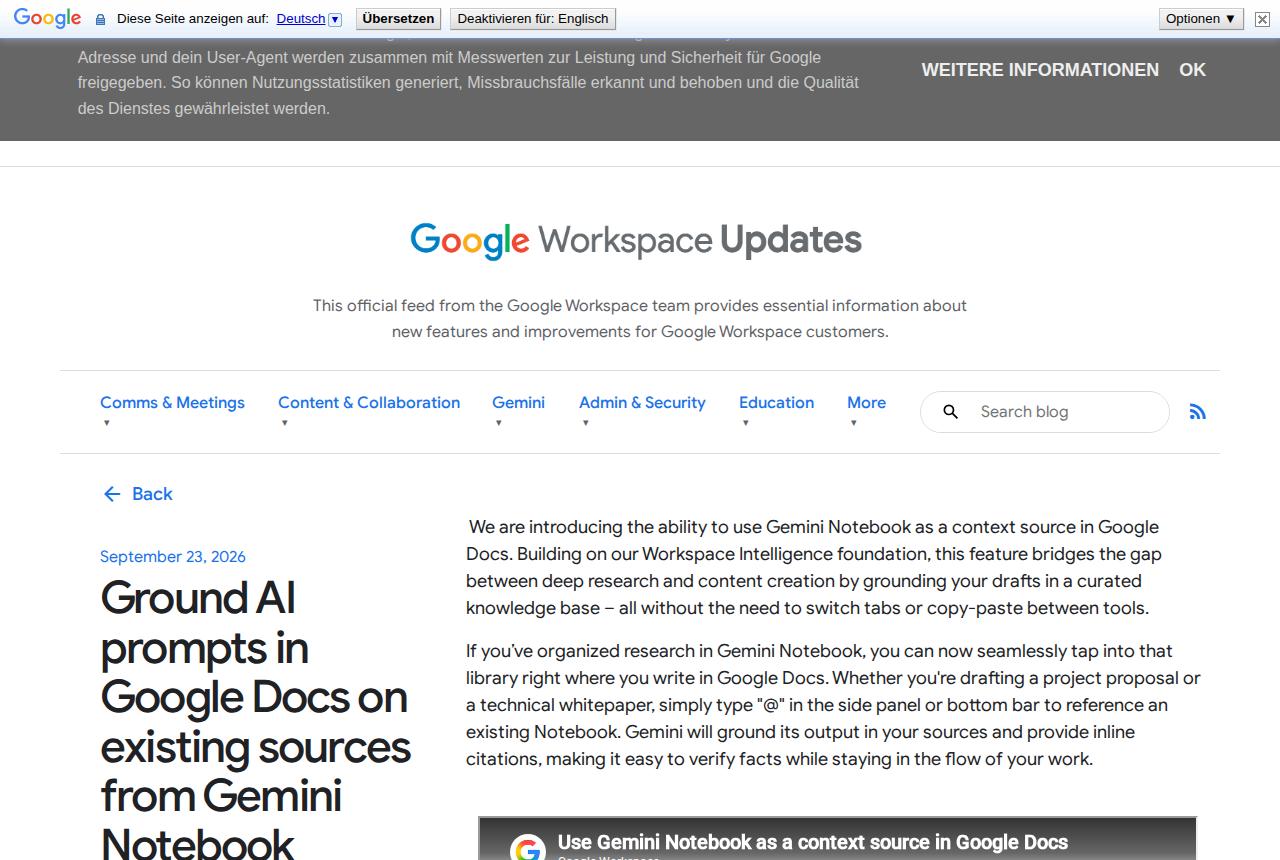
Google has quietly fixed one of the most annoying gaps in AI-assisted writing. On September 23, 2026, the company announced on its official Workspace Updates blog that Gemini Notebook can now be used as a context source directly inside Google Docs. In practice: you type "@" in your document, point Gemini at the notebook where your research already lives, and the assistant drafts grounded in your own sources — complete with inline citations you can click to verify — without a single copy-paste between tabs. The feature is listed as available now for both Rapid Release and Scheduled Release domains, meaning it is genuinely rolling out, not a preview promise.
The problem this actually solves
Anyone who writes research-backed content knows the real workflow is not "prompt an AI." It is assemble: you collect reports, PDFs, articles, and notes into a research notebook; you interrogate that notebook until you understand the material; then you open a document and start shuttling between windows — pull a point from the notebook, paste it in, lose your flow, switch back, repeat. The knowledge is yours and the drafting tool is yours, but the bridge between them has been manual labor.
Google's announcement builds that bridge officially. According to the primary announcement, the feature lets you "use Gemini Notebook as a context source in Google Docs," explicitly designed to bridge "the gap between deep research and content creation by grounding your drafts in a curated knowledge base — all without the need to switch tabs or copy-paste between tools." The assistant stops writing from general memory and starts writing from your library, and every claim it makes arrives with an inline citation pointing at the specific source it came from.
That last detail is the one that matters for professionals. Hallucination risk does not disappear in a grounded system, but unverified claims become far easier to catch, because the draft itself shows you where each fact is supposed to have come from. Verification shifts from "re-research everything" to "click and compare."
Who gets it: plans and rollout, exactly as announced
Availability is the part most write-ups get wrong, so here it is verbatim from the official post:
- Business plans: Business Standard and Business Plus.
- Enterprise plans: Enterprise Standard and Enterprise Plus.
- Education: Education Plus.
- Consumers: Google AI Pro and Google AI Ultra subscribers.
- Education add-ons: Google AI Pro for Education, and Teaching and Learning.
- Other add-ons: AI Expanded Access.
Two administrative details are worth knowing. For organizations, the feature is on by default wherever Gemini for Workspace in Drive is enabled — no separate admin toggle to hunt for. For end users, Workspace smart features must be switched on. Rollout is "available now" across both Rapid Release and Scheduled Release domains, with the usual gradual propagation that implies.
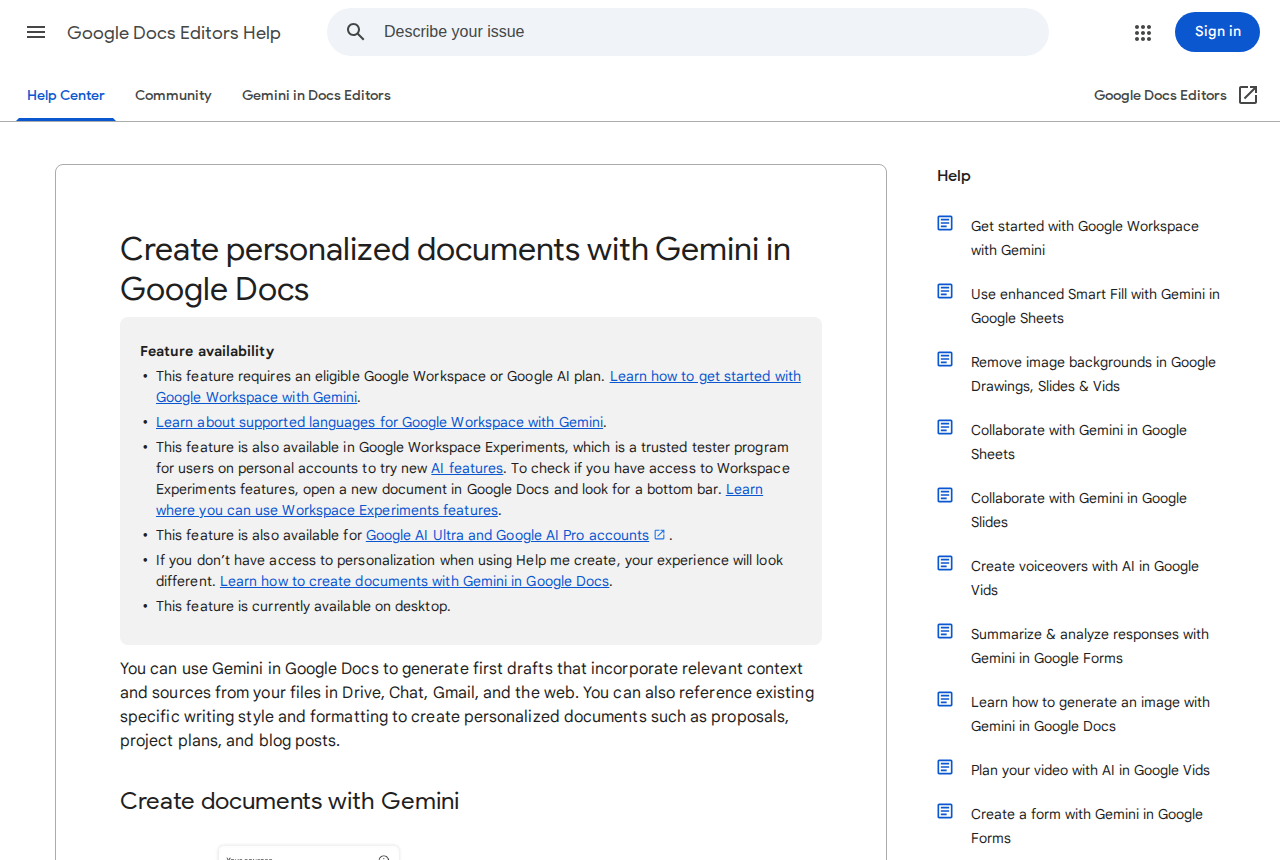
For individual creators, the headline is the consumer tier: this is not locked behind a corporate Workspace contract. A personal Google AI Pro or Ultra subscription qualifies. Pricing for those plans varies by region and changes with promotions, so treat the official Google AI plans page as the source of truth for your country rather than a number quoted in an article. Google also publishes a dedicated help page covering how to create personalized documents with Gemini in Docs.
How the workflow looks in practice
- Start with a rich notebook. The feature's ceiling is the quality of your notebook, not the model. Load Gemini with a notebook containing the actual sources for the piece you are writing: industry reports, interview transcripts, PDFs, your own earlier articles.
- Open your draft in Google Docs — an existing document or a new one for the project.
- Type "@" and reference the notebook. In the side panel or the bottom bar, the "@" menu lets you attach an existing notebook as context. From that moment, the assistant can see your sources.
- Ask for something specific. "Draft a section on X based on my sources," or "Compare the findings in source two and source three." Grounded systems reward narrow, concrete requests over open-ended ones.
- Audit the citations before you ship. Each generated claim carries an inline citation into your notebook. Click through and confirm the source says what the draft says it says. Grounding makes honesty visible; it does not remove your editorial responsibility.
What it means for content creators specifically
- Bloggers and newsletter writers: research-heavy pieces become dramatically faster to draft honestly. The typical failure mode of AI-assisted articles — fluent text with no traceable basis — is structurally discouraged, because your workflow now starts from sources you chose.
- Consultants and agencies: deliverables grounded in the client's own materials. Put the client's documents in a notebook, draft the report in Docs, and every recommendation links back to their data. Expect fewer "where did this number come from?" revision rounds.
- Course creators and educators: lesson prep follows the same pattern — reference material in the notebook, lesson drafts in the document, citations connecting the two automatically.
- Bilingual and non-English writers: you can build a notebook from English-language sources and draft in your working language, a workflow that used to be the most manual of all. Quality in the target language still depends on the model's strength in it, so final editing remains a human step.
- Anyone outside Google's ecosystem for final production: use the feature for what it is uniquely good at — grounded drafting and verification — then move the approved text into your dedicated writing environment. If your final output is Arabic-language content, for instance, a platform built for Arabic writing such as ARWriter handles the phrasing, structuring, and publishing stage in ways a general assistant inside a document cannot, and the two workflows stack cleanly.
Grounded drafting vs. what you were doing before
| Task | Before this feature | With Notebook grounding |
|---|---|---|
| Drafting from private sources | Copy-paste between notebook and document | Reference the notebook with "@" and draft in place |
| Citations in the draft | Tracked manually while writing | Inline citations generated with the text |
| Fact-checking a claim | Return to the notebook and hunt for the origin | Click the citation, compare in place |
| Consistency across a long piece | Depends on the writer's memory | The model re-reads the same sources on every request |
| Handoff to an editor | Sources and draft live separately | Draft and its evidence trail travel together |
Three concrete scenarios
The market-report writer. The old week: gather ten industry reports, read and note-take, draft over two days, then re-open sources during every editorial disagreement. The new week: upload the reports to one notebook, reference it with "@" from the report document, request a grounded draft section by section, and click each citation before accepting it. The two days become one, and every figure in the final report is traceable from the moment it is written.
The bilingual educator. She prepares Arabic-language lessons from English-language source material. Previously: read in English, hand-write Arabic notes, then compose the lesson. Now the notebook holds the English sources; she requests targeted summaries and comparisons inside the document; then she writes the final Arabic phrasing herself. The comprehension-and-extraction stage collapses, while the voice that makes her lessons work stays exactly where it belongs — with her.
The freelance strategist. He delivers monthly content plans grounded in each client's industry. Clients send company documents and competitor material; he loads them into a per-client notebook and drafts the plan in a grounded document. In review meetings, nobody asks "where is this recommendation from?" because the citations are visible in the draft itself. Fewer revision rounds, and a professionalism premium that is hard to quantify until the renewal invoice.
Raising grounding quality: notebook hygiene
Because output quality tracks notebook quality, a handful of habits make a measurable difference:
- One notebook per project, not one notebook for everything. Mixing projects blurs citation selection. A narrow, coherent notebook beats an encyclopedic one every time.
- Prefer selectable text over scans. A PDF whose text can be selected and copied is parsed far more reliably than a scanned image, especially for non-Latin scripts.
- Name sources descriptively. "Q3 industry report — [Company]" beats "document3.pdf"; the assistant uses source names when citing and when choosing what to draw from.
- Ask the notebook to summarize itself first. A quick "summarize what you hold on topic X, source by source" immediately reveals any file that uploaded corrupted or unreadable — before you discover it mid-draft.
- Remove sources you have ruled out. Anything left in the notebook is fair game for citation in every future request, including the material you mentally discarded.
The honest limits
No feature announcement tells you the downsides, so here they are plainly:
- Citations verify the transfer, not the truth. The system faithfully attributes claims to your sources; it does not judge whether those sources are correct, current, or biased. A weak source produces a confidently cited weak claim. Source curation stays your job.
- It sits behind paid tiers. Outside work and education accounts, individuals need a Google AI Pro or Ultra subscription. If you are on free Docs alone, the feature simply will not appear — a real change from the traditionally tier-free Docs editing features.
- Source format matters. Clean, selectable text works far better than scanned PDFs, dense spreadsheets, or image-heavy documents. Arabic and other non-Latin PDFs can be uneven in extraction quality; test with your real materials before promising turnaround times.
- Drafting is not publishing. Grounded output is a first draft with receipts. Tone, structure, brand voice, and final fact review remain editorial work — treat the assistant as a research assistant who writes, not as a replacement for your judgment.
- Ecosystem gravity is real. Using the feature means your sources and drafts live together in Google's cloud. For most creators that is fine; for sensitive client work it deserves a conscious decision before the upload.
Frequently asked questions
Is the Gemini Notebook integration in Google Docs free?
The feature itself is not sold separately, but it requires an eligible plan: a qualifying Workspace Business, Enterprise, or Education plan, or a personal Google AI Pro or Ultra subscription. Free Docs accounts are not included.
How do I enable it in my account?
Open a Google Doc, type "@" in the side panel or bottom bar, and select an existing notebook as context. If nothing appears, confirm that Workspace smart features are enabled for your account and that your plan is on the availability list.
How is this different from just asking Gemini about my sources?
Location and traceability. Instead of answers living in a separate chat that you shuttle into your document, the draft is written inside the document with inline citations linking each claim back to a source in your notebook.
Does it work with non-English sources?
Yes. You can ground drafts in sources in one language and write in another. Extraction quality varies with how clean the source text is, and final phrasing in your target language still benefits from a human edit.
When did it become available?
September 23, 2026, per the official Google Workspace Updates announcement, with availability now across Rapid Release and Scheduled Release domains — so access spreads gradually to eligible accounts rather than instantly to everyone.
Does it produce a final reference list automatically?
It produces inline citations during drafting, which are primarily a verification aid. Formatting a final bibliography in your publication's style remains a separate editorial step.
The practical takeaway
The deepest cost in research-based content creation was never generation — it was the connective tissue between reading and writing. Google just removed a large slice of that cost for anyone already working inside its ecosystem, and did it in the least glamorous, most useful way possible: citations you can actually check. If you produce source-backed content and qualify through any of the listed plans, set up one notebook for your next piece and draft the introduction this way; the time saving is usually obvious within a single session. Writers whose final product lives outside Google — in specialized writing platforms, in other languages, in a full production pipeline like ARWriter's article and research writer — can still benefit by using Docs grounding as the research-first stage and exporting the verified draft onward.
For broader context on how fast Google's creator stack is moving, we have also covered the recent Gemini Notebook flexible usage limits and Google Vids opening up free HD video generation with Gemini Omni. The pattern across all three: Google is consolidating research, writing, and video into one subscription story — and the creators who win will be the ones who deliberately pick which parts of that stack to adopt, rather than adopting all of it by default.