Google just made AI video generation a default feature of having an email address. On September 23, 2026, the company opened Google Vids to everyone: any personal Google or Google Workspace account can now generate high-quality video at no cost, powered by the Gemini Omni 1.1 Flash engine and a set of new creative controls shipped in the same update. Two days earlier, OpenAI had removed the Sora API from its platform entirely. Read together, the two announcements describe a market that flipped direction in a single week — one vendor walked away from consumer video generation while another removed the price tag from it.
This guide covers what actually changed inside Vids, what the 1.1 engine can do under the hood, a step-by-step first project, the honest limits of the free tier, and where this fits in a professional stack alongside Flow, Runway, MiniMax, and the rest. Everything below is sourced from Google's official announcements and developer documentation — no speculation, no leaked-roadmap rumors.
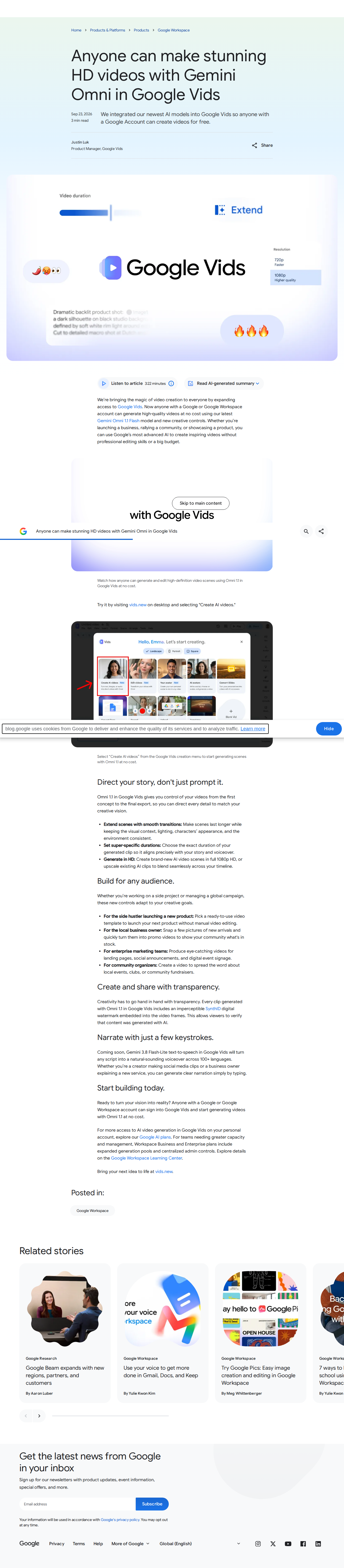
What Google announced, precisely
The core change fits in one sentence from the official post: anyone with a Google or Google Workspace account can generate high-quality videos at no cost. Before this, AI video generation inside Vids was tied to paid tiers or enterprise arrangements. Now the door is open to the ordinary Gmail account you already use.
The second part of the announcement is the engine: Gemini Omni 1.1 Flash, an upgrade over the original Omni that arrived in Vids in July 2026 — the launch we covered in our pieces on the original Omni Flash model and on using Flow for longer short-form video. Version 1.1 is not just a quality bump; it brings new controls that change how you work inside the tool, detailed in the next section.
For heavier users, the announcement spells out the two official upgrade paths: more generation on personal accounts through paid Google AI plans, and expanded generation pools plus admin controls on Workspace Business and Enterprise. One thing Google pointedly did not publish: any specific numeric cap on free generation. Any "free limit" figure circulating elsewhere is a guess, not a statement — don't build plans on it.
The new creative controls: three capabilities that matter
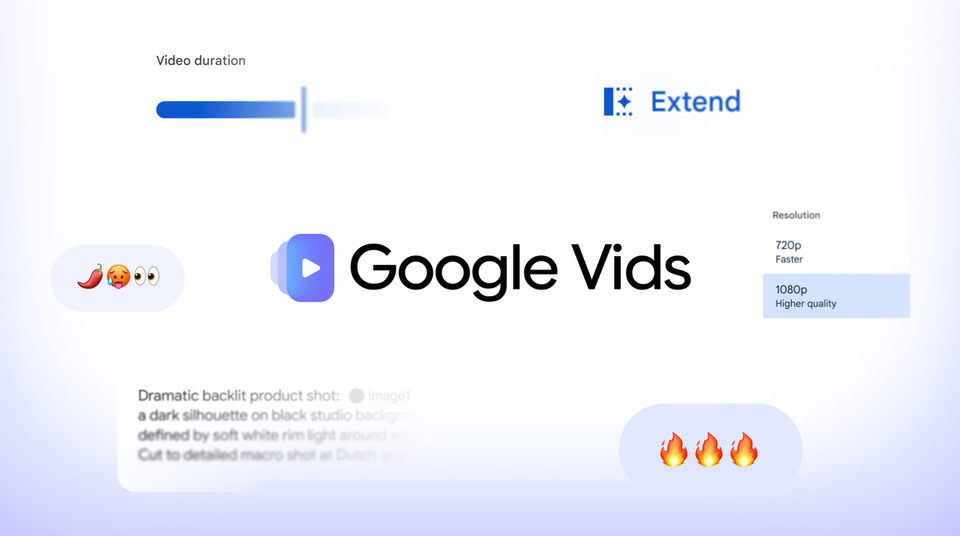
First: scene extension with consistency. You can now extend any generated scene with a smooth transition, and the engine is aware of the visual context — lighting, characters, and environment stay consistent between the original part and the addition. Practically, this turns a scene from a closed clip into a buildable block. That was the single biggest complaint about generated video until now: clips felt like disconnected moments rather than one continuous story.
Second: super-specific durations. You can request an exact duration for your clip instead of accepting preset lengths. For working creators this is a production feature, not a nicety: a ten-second ad spot or a five-second channel outro comes out at spec, without a lossy trim that breaks the motion.
Third: native 1080p generation — or upscaling your existing clips. The engine generates in full HD and can also upscale existing AI clips to 1080p. If you built a library of lower-resolution clips over the past months, you can now refresh it without regenerating everything — a real saving in both time and whatever paid-engine budget you'd have spent on the same job.
Behind the tool sits the same engine Google shipped to developers in late August, with capabilities documented in the official developer post: scene extension up to 40 cumulative seconds in 10-second increments with up to 10 seconds of prior visual context; first-and-last-frame interpolation; 360p draft mode up to 60% faster and one-third the cost of 720p for previewing ideas; outputs up to 4K; and up to 3 seconds of video reference material for keeping characters consistent across shots. Even if you never touch the API, those numbers describe the ceiling of what the Vids interface can grow into.
Who is this actually for? The use cases Google named
The announcement's language avoids abstractions and lists four concrete audiences:
- Side hustlers: ready templates for a promo or intro video for a small project with no production budget.
- Local businesses: turning photos of your shop or products into a short promotional video — the category that used to require a freelancer per ad.
- Enterprise marketing teams: landing pages, social announcements, and event signage from one consistent production line, with team pools in Workspace.
- Community organizers: invitation and explainer videos for local events at zero production cost.
The common denominator is short, purpose-driven video — not narrative cinema. If that describes your work, the tool was built for you. If you produce longer story-driven content, Google's own Flow is the intended next step: same engine, wider directorial controls, paid tier — the split we explained in the earlier Omni coverage.
Your first project, step by step
- On a desktop browser, open vids.new — the official shortcut Google opened for quick access.
- Choose Create AI videos from the interface.
- Write the brief for your video in plain language: the goal, the length, the visual style, and any text that must appear on screen.
- After the first generation, work with the new controls: extend the scene that works instead of regenerating from scratch, and set the exact duration you need.
- When you're happy, produce the final version in 1080p — or upscale any older clip in your library from the same interface.
A prompting tip that saves iterations: start with the simplest version of the brief and generate a quick draft, then add detail in each revision round. Current engines respond better to incremental refinement than to one enormous specification. And if you draft ideas in a language other than English, producing a precise English version of the brief before generating usually improves detail adherence — a structured prompt library turns that second step into a copy-paste.
Honest limits to know before you commit
The free tier is real, but it comes with fine print worth reading. First: every clip generated by the Omni 1.1 engine inside Vids carries Google's embedded, invisible SynthID watermark — a provenance marker that doesn't affect viewing and doesn't display as an on-screen logo, but it is in the file, and you should know it's there before a client asks. Second, "free" here means generation; heavier organizational use, admin controls, and expanded pools live in paid Workspace plans, and personal accounts cross into paid Google AI plans for more volume. Google has defined the commercial ladder clearly — and declined to publish its numbers entirely.
Third, the official entry point announced is desktop-first (vids.new); don't build a full workflow around the phone until you've tried it on a small screen yourself. Fourth, as with every current video engine, character consistency across multiple scenes has improved in this version — thanks to reference clips and consistent extension — but it is not guaranteed absolutely. Test before you commit to a delivery date.
And there's one forward-looking promise in the announcement worth tracking: voiceover generated by the Gemini 3.8 Flash-Lite TTS engine, in over a hundred languages, is coming to Vids. When it lands, the workflow shifts from "silent video you score elsewhere" to full production inside one tool. That's the next milestone to watch, and it lines up with Google's broader voice-model rollout we documented earlier.
One last rule for depending on any new free tool: keep your outputs. Download every clip the moment it's finished and keep the prompts that produced it in your own files. Free tools change their terms and limits faster than paid ones, and whoever owns their archive and their prompts can move production to any engine tomorrow in minutes — the exact lesson the Sora shutdown taught this same week.
Vids in the competitive landscape: a practical comparison
To keep the decision grounded, here is where Vids sits on the current map of engines:
| Engine | Cost | Strength | Limits vs paid |
|---|---|---|---|
| Google Vids (Omni 1.1 Flash) | Free for any Google account | Zero cost + 1080p + consistent extension | Built for short practical video, not deep cinematic control |
| Google Flow | In paid Google AI subscriptions | Same engine, broader directing tools | Fixed monthly cost regardless of usage |
| MiniMax H3 Max (via fal) | Pay per clip | Built-in audio and top-rated output quality | Costs accumulate with every experiment |
| Runway | Unified paid credits | Professional toolset and mature API | Pricing aimed at professional teams, not light individual use |
| FLUX Video Edit | About $0.03/second edited | Section-scoped editing of footage you shot | Editing tool, not a full generation stack |
The right reading of the table: Vids isn't a cheaper version of the paid engines — it's a different category. It's the zero-friction front door, the way free design tools once served as on-ramps to professional suites. Start there, and your first session will tell you whether you need anything deeper.
A weekly workflow for consistent output
Turning the tool into a system — the scenario of publishing three clips a week at minimum cost:
- Monday — ideas: write three clip concepts with clear titles; assign each a goal (sell, explain, introduce) and a target duration in seconds.
- Tuesday — scripts: turn each idea into a written script: a hook, three points, one call to action. A short-video script read aloud should come in two seconds under your target length.
- Wednesday — generation briefs: write the visual brief per script: shot style, mood, on-screen text and its language. This step determines output quality more than any setting.
- Thursday — generate and refine: generate in Vids starting with a quick draft, then apply the new controls: extend the good scene, set exact duration, produce final at 1080p.
- Friday — publish and measure: ship the clips, note which performed best, and feed that back into next Monday's idea session.
Notice that three of the five steps are pure writing. That's the lesson everyone learns in the move from casual experimentation to consistent production: the engine renders the picture, but the idea and the script are the product. Keeping the entire writing layer — ideas, scripts, briefs — in one place and owning it outright is what makes the video layer swappable, however the engine market shifts next.
What this means next to the Sora shutdown
The timing alone is almost a thesis: on the day OpenAI finished removing every path to video generation on its infrastructure, Google was opening its engine free to every Google account on the planet. The strategic contrast is plain — one company withdrew from the video arena to refocus resources; the other doubled down by moving its entry price to zero. For creators the practical outcome: you woke up this week with a free, immediate, HD-capable alternative that didn't exist yesterday on these terms, and a zero-cost proving ground to test video ideas before spending anything on deeper engines like Runway or MiniMax.
The smart architecture today is therefore two layers: an everyday experimentation and short-clip layer on free Vids, and a deep production layer on a paid engine for the projects that justify it. Build the first layer on owned assets — scripts, briefs, archives you keep — and neither a shutdown nor a price change anywhere in the market can stall your pipeline.
Frequently asked questions
Is Google Vids really free for every Google account?
Yes, per the official announcement of September 23, 2026: any Google or Google Workspace account can generate high-quality video at no cost. Higher volume requires paid Google AI plans or expanded Workspace pools, and Google has not published a numeric free limit.
Which engine powers Vids?
Gemini Omni 1.1 Flash — an upgraded version of the Omni engine that entered Vids in July 2026, adding consistent scene extension, exact durations, and 1080p generation. The same engine has been available to developers via the API since late August 2026.
Can I upscale my older AI clips?
Yes. Upscaling existing AI clips to 1080p HD is one of the new controls, alongside native full-HD generation.
Is there a watermark on generated clips?
Every clip generated by Omni 1.1 in Vids carries Google's invisible SynthID provenance watermark. It doesn't affect viewing and doesn't appear as an on-screen logo, but it is embedded in the file.
What's the difference between Vids and Flow?
Both are Google products running the Omni engine. Vids is the fast, practical video tool (ads, explainers, promos) and is now free to any account; Flow is the broader directing environment for longer narrative work under a paid Google AI subscription. The natural path: start in Vids, graduate to Flow when you outgrow it.
Does it support voiceover?
Generated voiceover is coming: Google announced Gemini 3.8 Flash-Lite TTS voiceover in 100+ languages as a forthcoming Vids integration. Until then, creators add voice externally — which is the standard workflow anyway for anyone producing narration in one dedicated tool.
Sources
- Google's official announcement: Gemini Omni in Google Vids, free for everyone — primary source for all feature, pricing, and timing details
- Google developers post: Build with Gemini Omni 1.1 Flash — official documentation of the engine's API capabilities
- Official Google AI plans page — the paid expansion path for personal accounts