Last updated: September 2026
A single studio product shoot runs $500 to $3,000 after the photographer, studio rental, props, and retouching. A mid-tier AI image subscription costs less than $40 a month. That gap is why AI product photography prompts have become one of the most searched topics among e-commerce founders this year — and why the prompt you paste matters more than the tool you pay for. The 2026 stack has also shifted under everyone's feet: DALL-E was retired from ChatGPT on August 30, 2026, and commercial product work now concentrates around three tools — Midjourney V8.2 for stylized scenes, FLUX 3 for photorealism, and Nano Banana (Gemini's image model) for editing real product photos. This guide gives you a tested master template, channel-mapped prompts you can copy today, a negative-prompt library, and marketplace specs so every image ships compliant the first time.
AI product photography prompts are written instructions that tell an image model exactly what to shoot: the product, its surface and setting, the light source, the camera framing, and what to exclude. The strongest 2026 prompts run 40 to 80 words, name a concrete lighting setup, and end with explicit constraints — no text, no logos, no distortions.
The Anatomy of a Prompt That Sells
Weak prompts ask for "a nice photo of my product." Strong prompts read like a shot list handed to a studio photographer. After running roughly a thousand generations across three online stores, I settled on a seven-slot formula that works across every major model:
[Product + exact finish] + [surface and setting] + [lighting setup] +
[camera angle and lens] + [composition and copy space] + [mood and palette] +
[exclusions] + [aspect ratio]
A filled example for a skincare serum:
Amber glass serum bottle with a matte black dropper cap, standing on a beige
travertine stone slab, soft window light from the left with a subtle rim
light behind, shot at eye level with a 50mm lens look, product in the left
third of the frame with empty space on the right for a headline, calm neutral
palette, photorealistic textures, no text, no logo overlays, no hands.
Aspect ratio 4:5.
Three rules make the difference between a usable asset and a pretty throwaway:
- Name the light, not the mood. "Golden-hour window light from the side" produces consistent output; "premium mood" produces random results. Models are literal — give them something literal to work with.
- Reserve copy space deliberately. If a headline or price badge will sit on the image later, say so ("large empty area on the right two-thirds"). Asking an image model to render your marketing text invites typos and warped letterforms.
- Lock the aspect ratio in the prompt. Marketplace grids, Meta placements, and hero banners each need different frames. Deciding this after generation means cropping away product edges.
The 2026 Model Stack for Product Shots
The DALL-E retirement left three contenders plus two workplace tools worth knowing. Here is how they split the work in September 2026:
| Model | Best product use | Reference photos and editing | Text inside images | Cost model |
|---|---|---|---|---|
| Midjourney V8.2 | Stylized hero banners, seasonal campaigns | Style and character references; limited inpainting | Short labels, passable | Subscription tiers from around $10/month |
| FLUX 3 | Photoreal catalog shots, accurate material textures | Strong prompt adherence; API-based editing | Small text, improved | Pay-per-generation API or bundled credits |
| Nano Banana (Gemini image) | Editing real product photos, scene swaps | Excellent — upload the actual product | Reliable short text | Included in Gemini free and paid tiers with limits |
| Qwen Image 3.0 | High-volume variations on a budget | Solid reference handling | Mixed | Open weights or low-cost API |
| Microsoft MAI-Image-2.6 | Marketing-team workflows inside Microsoft 365 | Editing within Office apps | Good | Bundled with eligible Microsoft AI plans |
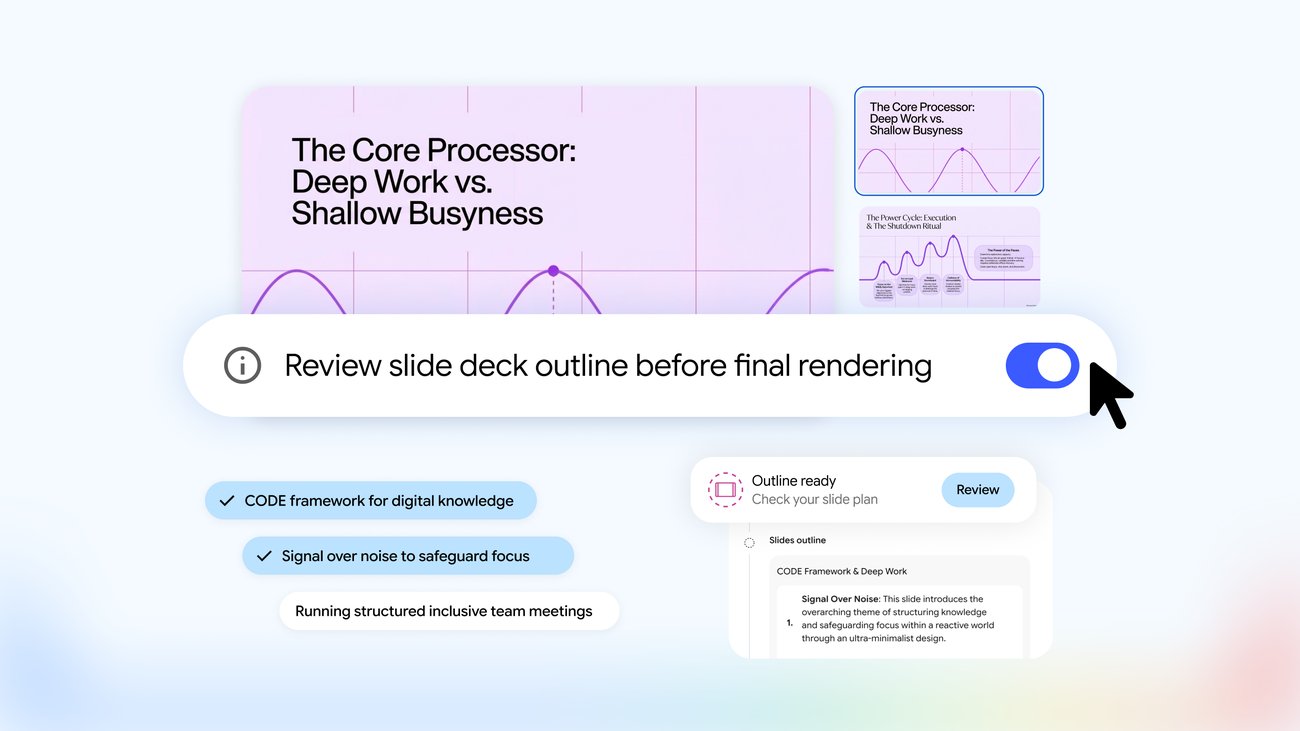
| Google Pics | Product visuals directly in Docs and Slides | In-document generation and editing | Good | Workspace-tier feature |
Practical reading of that table: if your product already exists and must stay pixel-true, start in Nano Banana with an uploaded photo. If you need a brand-new scene that never existed — a conceptual banner, a holiday mood — Midjourney V8.2 gives the strongest art direction, with FLUX 3 close behind and often better at glass, metal, and fabric. Teams that live inside Office or Google Workspace can now generate without leaving their documents, which we cover in the MAI-Image-2.6 guide and our walkthrough of Google Pics in Docs and Slides.
Copy-Paste Prompts by Sales Channel
The AI product photography prompts below are organized the way you actually ship images: one per placement. Swap the bracketed variables and keep the structure.
Marketplace and catalog main image
Professional e-commerce catalog photo of [product with exact color and
finish], centered on a seamless pure white background, even softbox lighting
from the front, no harsh shadows, product fills 85% of the frame, shot at eye
level with a 50mm lens look, ultra-sharp focus on edges and label,
true-to-life colors, no props, no text, no watermark. Aspect ratio 1:1.
Use it for: Amazon, eBay, Etsy, and Google Shopping main images, where a pure-white frame is a listing requirement, not a style choice.
Hero banner
Wide hero shot of [product] on a [marble podium] against a soft gradient
background in [brand color], single key light from the upper left with a
gentle rim light behind the product, shallow depth of field, large empty area
on the right two-thirds for a headline, photorealistic textures, no text, no
logo, no people. Aspect ratio 16:9.
Use it for: homepage headers, landing page tops, and email banners where design overlays the copy afterward.
Paid social ad
Scroll-stopping product ad photo: [product] held mid-use by a hand only (no
face) against a warm, softly blurred kitchen background, golden-hour window
light from the side, authentic phone-camera aesthetic, product label
perfectly sharp and readable, generous top margin for overlay copy, no added
text, no watermarks. Aspect ratio 4:5.
Use it for: Meta and Instagram feed placements, where UGC-style realism outperforms polished studio looks for many product categories.
Lifestyle scene
Lifestyle photograph of [product] on a linen-covered table in a modern
Scandinavian home, morning window light casting soft parallel shadows, muted
earth-tone palette, one or two related props ([props]), shot with a 35mm lens
from a slightly elevated angle, natural fabric imperfections, no faces, no
text. Aspect ratio 4:5.
Use it for: product detail pages below the fold, retargeting audiences who have seen the studio shot, and organic social.
Macro detail shot
Extreme close-up of [product surface, texture, stitching, or droplets], macro
lens with shallow depth of field, focus locked on [detail], softbox
reflection visible as a single soft highlight, dark neutral background for
contrast, photorealistic micro-textures, no text overlay. Aspect ratio 1:1.
Use it for: building trust on detail pages — material quality, stitching, coating, condensation on a cold can.
Flat lay for email and secondary angles
Top-down flat lay of [product] with [three related props] arranged on a
matte concrete surface, diffused overhead light, even spacing between items,
cohesive palette of [two brand colors], realistic soft shadows under each
object, one corner left empty for a badge or button, no text. Aspect ratio
1:1.
Use it for: email headers, bundle promotions, and "what's in the box" sections.
Category Templates for Five Common Verticals
Verticals have conventions buyers subconsciously expect. These one-line templates encode them:
Skincare: [product] on a stone pedestal surrounded by single water droplets,
soft diffused light, pale sage background, spa-clean composition, dewy
texture on the bottle, no text. Aspect ratio 4:5.
Jewelry: [piece] on black velvet with dramatic rim lighting, reflections
controlled across facets, macro sharpness, deep charcoal background, luxury
auction-house mood, no text. Aspect ratio 1:1.
Food and beverage: [product] in a rustic kitchen scene with scattered raw
ingredients, warm side light, steam or condensation where authentic, rich
saturated colors, shallow depth of field, no faces, no text. Aspect ratio 4:5.
Fashion: [garment] on an invisible mannequin against a paper-texture
background, two soft lights at 45 degrees, fabric drape and weave visible,
front-facing symmetry, catalog-neutral styling, no model, no text. Aspect
ratio 4:5.
Consumer electronics: [device] on a dark brushed-steel surface with a subtle
blue accent light, precise reflections along edges, ultra-clean minimal
composition, faint fog in the background, launch-event mood, no text on
screen except the native interface. Aspect ratio 16:9.
Keeping Your Real Product Pixel-True
The biggest commercial risk in AI product photography is shipping an image that misrepresents what buyers receive. Models drift on label shapes, cap proportions, and colors. The fix is a hybrid workflow: photograph your product once on a phone against white, then let the model move that exact product into generated scenes. Nano Banana currently handles this best; FLUX 3's editing API is the alternative.
Scene placement prompt:
Using the attached product photo of [product], place the exact same product
— unchanged shape, label, logo, proportions, and colors — into [described
scene]. Match the scene lighting to the product, keep the label readable,
photorealistic composite, do not redesign any element of the product.
Cleanup prompt for existing photos:
Clean up this product photo: remove background clutter, even out the
lighting, correct the white balance, sharpen the label, keep the product
exactly as it is, output on a clean white background. Do not alter the logo,
text, or proportions.
For a consistent set, reuse the same lighting phrase across every prompt, keep one aspect ratio per placement slot, and reuse the generation seed where the tool exposes it. And since platforms now label AI imagery — sometimes aggressively — check our explainers on Instagram labeling real photos as AI and C2PA watermarking for creators before you publish synthetic images at scale.
What We Learned Testing These Prompts in 2026
Across roughly 1,000 generations for three stores this year, the reliability picture settled as follows. Nano Banana produced the most faithful labels — call it nine usable outputs in ten — because it edits the uploaded photo rather than reinventing the product. Midjourney V8.2 delivered the best art direction but mutated label text in about one of every four generations; treat any Midjourney label as a placeholder to verify. FLUX 3 was the strongest at material realism — glass, brushed metal, knitwear — and the worst at resisting the urge to decorate.
Three failure modes ate the most time: text and labels warping (never let the model write; add copy in your design tool), hands in lifestyle shots (ask for "hand only, no face" or crop), and glass reflections inventing highlights that make bottles look like renders. The workflow that survived: generate three angles per concept, keep two, retouch one — and run the retouch through the cleanup prompt above rather than regenerating from scratch.
Know when not to use generation at all. If your product has regulatory markings, precise engineering features, or a design a buyer could return over a mismatch, composite a real photo instead of generating a scene from scratch. AI product photography prompts are at their best stretching one real photo into twenty placements, not inventing the product itself.
Budget reality check for finance-minded founders: a 40-SKU catalog at four placements per SKU used to mean 160 studio frames. At even the low end of studio pricing, that is a five-figure quarterly line item; on a $30 monthly image subscription plus one afternoon of prompt work, it is under $100. The savings claim you see in AI photography marketing is real — but only if you count your own hourly rate honestly and only if the images pass the accuracy bar above.
Try the multilingual prompt library at ArWriter — every template in this guide is stored there ready to copy, with per-model variants and your product details and brand palette saved between sessions, so a full image set starts from a brief instead of a blank box.
The Negative-Prompt Library
Even well-written AI product photography prompts hit recurring failure modes. Negative prompts tell the model what to avoid, and they are the fastest fix when output keeps going wrong in the same way. Midjourney accepts them via --no, and most FLUX and open-weight interfaces have a dedicated negative field. Nano Banana responds better to plain constraints inside the main prompt, so phrase these as "no X" there.
| Failure you keep seeing | Negative prompt to add |
|---|---|
| Warped label or fake lettering | text, letters, watermark, logo, label redesign |
| Plastic, CGI-looking surfaces | plastic sheen, 3D render, CGI look, video game asset |
| Cluttered compositions | extra objects, clutter, busy background, too many props |
| Distorted hands in lifestyle shots | extra fingers, malformed hands, deformed anatomy |
| Harsh on-camera flash look | harsh flash, overexposed highlights, blown-out background |
| Generic stock-photo feel | stock photo look, generic background, fake bokeh |
One caution from testing: cap negatives at eight to ten items. A negative list twice that long confuses the model and starts stripping detail you actually wanted, like shadows that ground the product.
Marketplace and Platform Specs
A perfect generation uploaded at the wrong size still fails review. Generate at 1:1 and at least 2048 px, then crop per placement:
| Platform | Ratio | Minimum resolution | Background rule |
|---|---|---|---|
| Amazon main image | 1:1 | 1000 px (1600+ recommended) | Pure white, product fills roughly 85% of frame |
| Etsy | 1:1 | 2000 px recommended | White or light neutral |
| eBay | 1:1 | 1600 px recommended | Plain and uncluttered |
| Google Shopping | 1:1 | 800 px | Plain white or light, no watermarks or logos |
| Instagram feed and ads | 4:5 | 1080 × 1350 | Creative freedom, keep the product sharp |
| Meta commerce catalog | 1:1 | 1024 × 1024 | White or minimal for feed placements |
| Shopify product grid | flexible | 2048 px | Theme-dependent; keep the set consistent |
If you run stores in multiple markets, keep one master image set and localize the surrounding copy rather than reshooting per market — our guide to AI content localization for e-commerce covers that workflow end to end.
Frequently Asked Questions
What is the best prompt for AI product photography?
The most reliable structure names seven things: the product with its exact finish, the surface and setting, a specific lighting setup, camera angle and lens, composition with deliberate copy space, mood and palette, and exclusions with an aspect ratio. A prompt built that way outperforms vague "premium product shot" requests in every model we tested.
Which AI tool is most accurate for real products in 2026?
Nano Banana, Gemini's image model, is the most accurate when you upload a real product photo, because it edits the existing image instead of regenerating the product. FLUX 3 leads for photorealistic generated scenes, and Midjourney V8.2 leads for art direction and stylized campaign imagery.
Can I use AI product images on Amazon and other marketplaces?
Generally yes, provided the image accurately represents the product, follows each marketplace's main-image rules (pure white background, no added text), and complies with the platform's current AI disclosure policy. Accuracy is the legal line: the product buyers receive must match what the image shows.
Why do labels and text look distorted in AI images?
Image models render letterforms as visual patterns rather than typography, so longer text warps frequently. The professional workflow generates the scene with clean label areas, then adds all marketing text in a design tool. For existing labels, edit a real photo instead of generating the label.
How do I keep my product consistent across many images?
Upload one clean reference photo and reuse it for every scene, repeat the same lighting phrase verbatim across prompts, lock the aspect ratio per placement, and reuse the generation seed where the tool exposes it. Changing the lighting language between prompts is the most common cause of inconsistent sets.
Do I still need one real photo of my product?
Yes. One phone photo on a white surface costs five minutes and anchors every downstream image. Hybrid workflows that composite a real product into generated scenes produce dramatically fewer returns and support tickets than fully synthetic product images.
What aspect ratio should product images be?
Match the placement: 1:1 for marketplaces and catalogs, 4:5 for Instagram and Meta feed placements, 16:9 for hero banners and YouTube thumbnails. Generate at 2048 px or larger in 1:1, then crop outward so no placement gets an upscale.
From One Photo to a Full Campaign
The teams getting real savings from AI product photography in 2026 are not the ones chasing the prettiest single generation. They photograph each product once, build a reusable prompt per placement, keep negatives on hand for recurring failures, and ship the whole set — catalog, hero, ad, lifestyle, macro — in an afternoon. The prompt library approach turns that from a tactic into a system you can hand to a freelancer or a new hire.
A repeatable weekly rhythm for a 20-SKU catalog looks like this: Monday, collect one reference photo per SKU (phone, white surface, five minutes each). Tuesday, batch-run the catalog prompt per SKU at 1:1 and 2048 px. Wednesday, run the hero and paid social prompts for the three products carrying ad spend. Thursday, macro and lifestyle passes for detail pages. Friday, a compliance pass against the marketplace table and scheduling. The cycle costs one working day of human effort; the prompts do the waiting, not you.
Sources
- https://docs.midjourney.com/hc/en-us/articles/32040250122381-Image-Prompts
- https://pebblely.com/blog/ai-product-photography-prompts
- https://sureprompts.com/blog/nano-banana-product-photography-prompts
- https://letsenhance.io/blog/all/ecommerce-product-prompts
- ImagineArt
Try ArWriter today
Turn one product brief into a complete, compliant image set — and keep every prompt one click away.
Two adjacent workflows reuse the same brief-first habit: the Amazon listing writing guide drafts the copy your images sit inside, and the A+ Content guide assembles those images into brand modules.