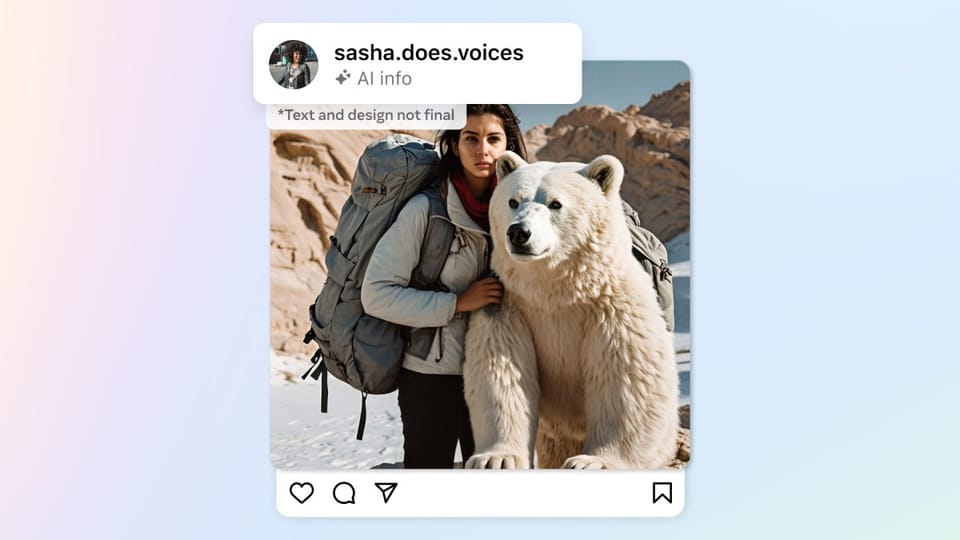
You shot the photo yourself. Maybe you removed a speck of dust in an editor, or cut out the background of a product shot before posting. Then Instagram slapped an "AI Content" label on it — while a fully AI-generated portrait two posts down sails through with no tag at all. Against that backdrop, Meta keeps shipping creator AI — most recently the Edits Assistant inside the Edits app.
That inversion — real work flagged, synthetic work unmarked — is what creators, photographers, and brand accounts have been reporting in recent weeks — a wave documented in full on September 4, 2026. It is not a glitch affecting a handful of accounts: the pattern is documented across Threads complaints, brand accounts, and hands-on testing, and it is the second time in three years that Meta's automated AI-detection system has misfired at scale. Meta, for its part, has not published an explanation or an announced fix as of September 8, 2026.
This guide breaks down what is actually happening: how Instagram's labeling system officially works, where it breaks, why tools like Canva's Background Remover keep getting dragged into it, and — most importantly — what you can do right now to protect your work, your client relationships, and the trust you have built with your audience.
How Instagram's AI labeling system officially works
First, the mechanics — because you cannot beat a system you do not understand.
The label you are seeing is not new. It is the product of a system Meta announced officially on February 6, 2024, in a newsroom post by Nick Clegg, then-president of global affairs, titled "Labeling AI-Generated Images on Facebook, Instagram and Threads." Instead of relying solely on creators self-disclosing AI use, Meta built automated detection that looks for what the company calls "industry standard indicators" baked into image files — specifically, the "AI generated" information written into the C2PA and IPTC technical standards, two metadata frameworks that let tools cryptographically describe how an image was made.
In that announcement, Meta explicitly named the ecosystem it can already detect: images coming from tools by Google, OpenAI, Microsoft, Adobe, Midjourney, and Shutterstock, as those companies embed metadata into their generators' output. When Instagram's scanner finds those signals, it applies the label automatically — no human in the loop, no context, no appeal popup at labeling time.
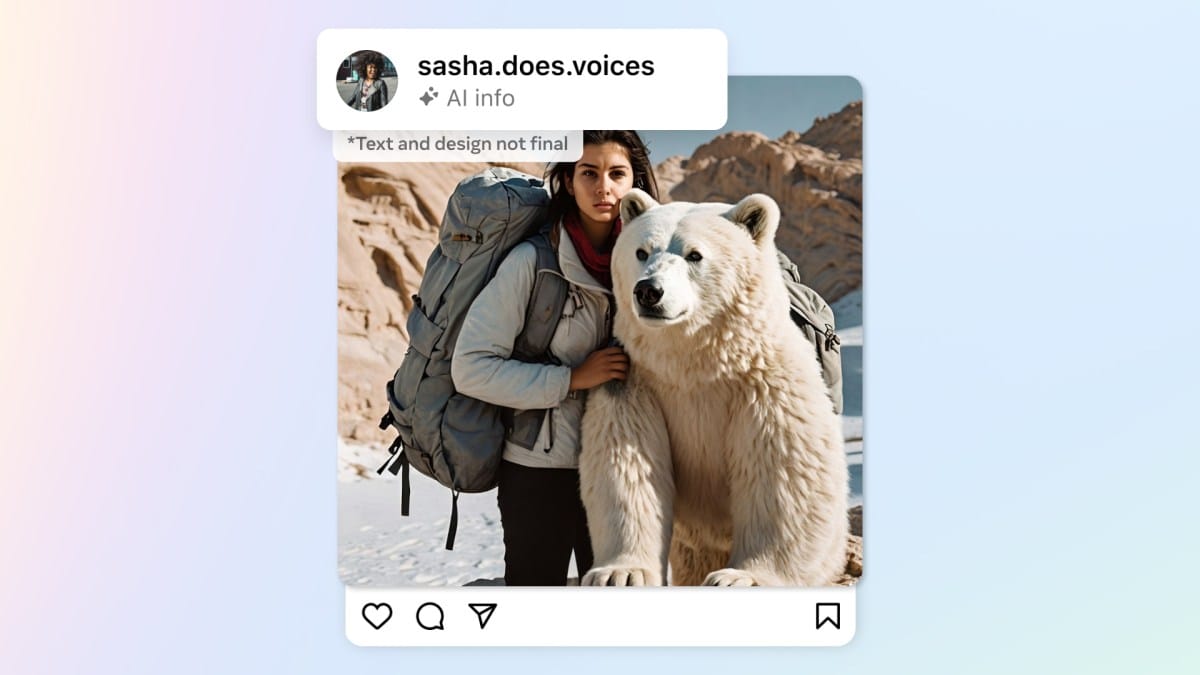
So in theory: AI-generated image → invisible metadata → automated label. Clean system. The problem is what happens when the metadata says "generative" for something that is not, or says nothing for something that is.
What is going wrong in September 2026
A detailed investigation published by The Verge on September 4, 2026 pulled the current wave together, and the failure modes fall into five distinct buckets:
- Canva's Background Remover is a documented trigger. Multiple users report the label appearing "every time bg remover is involved." One creator described removing "a speckle" from a photo in Canva and having the entire image flagged on Instagram as AI.
- Trivial retouching is treated as full generation. Negligible blemish fixes — the kind photographers have done with a clone stamp for two decades — have led to labels, even though the resulting image is substantively the same photograph.
- Some flagged images have no Canva history at all. In one documented case, a "poisoned" copy of an image (deliberately perturbed to disrupt AI training) got labeled, while the clean, unpoisoned version of the same content did not. The logic is inverted.
- Brands are getting hit publicly. Recent photos posted by About Face, the cosmetics company founded by the singer Halsey, were automatically tagged as AI content. The brand's social team replied flatly: the photo "was taken on my iPhone and then slightly edited by myself in the photo app," adding that the company uses "real artists and real people" across its platforms.
- Genuinely AI-generated images are passing untouched. In direct testing by the same publication, the only images that got labeled were ones edited or fully generated inside Meta's own AI app — while two images generated entirely in Google Gemini, carrying both C2PA and Google's SynthID signals, were posted to Instagram without any label.
If that last point sounds absurd, it is: a detection system built to read metadata is labeling the outputs of a competitor's generator less reliably than it labels an iPhone photo with a removed background. Small wonder creators are calling the situation a mess — again.
The technical explanation: assistive AI vs. generative AI
To understand why this keeps happening, you need one distinction that platform policies keep blurring:
Assistive AI uses machine learning to perform conventional edits — selecting a subject, cutting a background, auto-tuning exposure. Photoshop has done versions of this for over a decade. No new pixels are invented; it is a very smart pair of scissors.
Generative AI creates content that did not exist — a scene from a text prompt, an extended horizon, filled-in details the camera never captured. This is what "AI content" labels were designed for.
The failure is that some assistive tools now write C2PA metadata into exported files, and Instagram's scanner reads that signal as "generative" — or at least, that is the explanation consistent with most documented cases, which is why complaints cluster around specific tools. The chain got more tangled when Apple joined the metadata ecosystem: in iOS 27, tools like Spatial Reframing, Extend, and the updated Clean Up feature use Apple Intelligence and embed Google's invisible SynthID watermark. Signatures now criss-cross between half a dozen companies, and the system meant to untangle them is guessing wrong in both directions.
There is also a fairness problem here that directly affects working creators. A false label does not just cost you a vanity metric — it erodes the premium that authentic work commands, at exactly the moment audiences and clients are actively asking "is this real?" Meanwhile, anyone who fully generates an image and strips its metadata (a trivial operation) posts without a label. The honest creator pays the fine; the fabricator rides free.
Canva's official response — and why the story is not over
Canva has not been silent. After content strategist Jess Bruno tracked the issue with the company, Canva confirmed to her that some of its assistive tools "were being tagged as generative" incorrectly, and stated that its tools are now "tagging correctly." Canva's official Background Remover help page also carries an explicit note saying that using the tool "doesn't add Canva's AI-generated content metadata to your design."
But three loose ends keep this from being a closed case. First, Threads users continued reporting labels after Canva's claimed fix. Second, other users made a stranger observation: images edited with the tool before the fix were never tagged, and the tool did not appear to apply the C2PA metadata Meta supposedly scans for in the first place — which means "it is all just metadata" cannot be the whole story. Third, Meta itself has not responded to press requests for clarification and has not published an updated list of what signals it scans for or how. Some opacity is deliberate (publishing the exact detection logic would hand bad actors a bypass recipe), but right now the people paying for that opacity are legitimate creators.
What this means for you as a content creator
Let's get practical. Whether you are a photographer, a social media manager, or an ecommerce brand, this touches three fronts:
1. Audience and client trust. "Is this AI?" is now a standard client question. A label you did not earn can sink a pitch, cheapen a portfolio, or undermine a before/after case study that was supposed to prove your craft.
2. Your daily workflow. If Canva or similar tools are part of your production line (and for most social teams they are), you now need a verification step after every export — and possibly a reordering of which tool does which job.
3. Competitive fairness. You are competing for reach against fully synthetic accounts that launder their outputs clean. You cannot control that; you can only make your own process bulletproof.
The working assumption for the weeks ahead: nobody is coming to fix this for you overnight. Build your guardrails now.
How to protect your photos: a practical checklist
- Audit after publishing. For any post that matters — a campaign, client work, a portfolio piece — open the live post and check for the label. Catching it early means you can appeal, delete, and repost before engagement stacks onto a flagged version.
- Reorder your toolchain. If your images keep getting flagged after Canva's Background Remover, run the background removal in a different tool that does not write generative metadata, or have it done manually in Photoshop with traditional masking — then compare results on a test account.
- Use a burner account for diagnosis. Post the same image through different editing paths on a secondary account to isolate which step in your pipeline triggers the label. Documented cases differ from user to user; diagnose your own, do not assume.
- Appeal through the label itself. Tapping the label opens an explanation message with an option to dispute. There is no published turnaround time, but the 2024 wave showed Meta does adjust its system when reports pile up. Your report is data.
- Do not strip metadata blindly. Tempting as a blanket "scrub everything" policy sounds, remember transparency protects you when you genuinely use AI. Clean metadata from photos that were wrongly flagged; respect the label when it is earned. Your reputation is the asset — protect it on both sides.
- Keep your raw files and process artifacts. RAW files, layer stacks, and screen recordings of your editing process are your proof of authenticity when a client, platform, or fact-checker asks. For high-value work, they are cheap insurance.
Quick comparison: the AI labels you will meet in 2026
| Label | Who applies it | What it marks | Can you dispute it? |
|---|---|---|---|
| "AI Content" on images | Instagram automatically (C2PA/IPTC detection) | Images with detected generative signals | Yes, via in-app reporting — and the system misfires widely right now |
| AI account labels | Instagram (account policy) | Accounts run as AI personas | Via account review — our full explainer |
| Gemini's visible watermark | Google, on its own outputs | Images generated in Gemini | Google added an opt-out — how it works |
| Hidden C2PA marks from Claude | Anthropic, on its own outputs | Images generated with Claude | Embedded in the file — what creators should know |
Note the difference that matters: three of those four are disclosure systems with documented owners. The Instagram image label is a detection system — the only one in the table that guesses, and guessing is where it breaks.
Honest limits of this analysis
Full transparency about what we know and do not know:
- Meta has issued no official statement explaining the current wave, and did not respond to press inquiries as of September 8, 2026. Every technical explanation above is inference from documented cases and hands-on testing, not a Meta document.
- The reports are distributed, not statistical. Nobody outside Meta knows the true error rate. What is established is that cases are numerous, varied, and patterned — not isolated noise.
- Canva's fix is claimed, not fully verified. One vendor says it corrected its tagging; users keep reporting incidents after the fix date.
- Opacity is partly by design. Expect any workaround you read — including ours — to age quickly if the detection system changes without notice.
Frequently asked questions
Why did Instagram label my real photo as AI?
Most likely your exported file carried C2PA or IPTC metadata left by an editing tool — the best-documented trigger is Canva's Background Remover, followed by minor automated retouching. Instagram's scanner reads that metadata and labels the image even when nothing generative happened in it.
Does the "AI Content" label reduce my reach?
Meta has published no number tying the label to reduced distribution. The measurable risk is indirect: part of your audience skips or discounts labeled content, and clients increasingly ask about it directly. For authentic creators, the trust cost is the real cost, not a shadowban.
How do I remove a wrong AI label from my Instagram post?
Tap the label on your image, read the explanation message, and use the in-app dispute option. If the label is not lifted quickly, the practical route is deleting the post and republishing a re-exported file that carries no generative metadata. There is no published appeals timeline.
Are Gemini and Midjourney images automatically labeled on Instagram?
On paper, yes — that has been the system's stated purpose since February 2024, because those generators embed C2PA data. In practice, September 2026 testing showed fully Gemini-generated images (with both C2PA and SynthID) posting unlabeled. The system is inconsistent in both directions: it over-labels real photos and under-labels synthetic ones.
Is this the first time Instagram's AI detection has failed?
No. In 2024, shortly after launch, the same system tagged photos that had been minimally retouched with Adobe's generative tools as "Made by AI." Meta promised then to calibrate labels to "the amount of AI used" in an image. That promise is the backdrop making the 2026 wave feel like a rerun rather than a surprise.
Should I stop using Canva?
No. The problem is narrow — metadata written by specific assistive operations, not the platform. Canva states the Background Remover no longer attaches AI-generated content metadata and says tagging behavior is fixed. Watch your published images, reroute background removal if you keep getting flagged, and keep an eye on Canva's official help page for updates.
The bottom line: your transparency beats their detector
Automated systems will misfire — that is an engineering law, not an opinion. What stays in your control is the quality of your work and the clarity of your process. Keep your raw files, document your pipeline, dispute every unfair label, and keep publishing. And if AI is genuinely part of your workflow for drafting and packaging content, use it transparently and with reliable tools: try ARWriter's content toolkit or its auto-writer to speed up research-backed drafts — then add the human craft on top. That combination survives any algorithm.