On Wednesday, August 19, 2026, Meta officially announced the Meta AI app for Mac — the company's first standalone desktop app for its AI assistant outside the browser. The app is completely free, downloads directly from meta.ai, and ships in its first release (v1.0) with three headline capabilities: screen sharing straight from the prompt bar, system-wide dictation in any app on the machine, and artifacts — all inside a native Mac window instead of an exhausting browser tab.
But the most important part for creators didn't make the front pages: the app introduces new business and creator capabilities that connect your Instagram and Facebook accounts directly to the assistant, analyze your post performance and suggest what to publish next, manage your ad campaigns, plug into Google Workspace, build decks, docs, and spreadsheets, and send you a recurring weekly performance report automatically. That is a shift from "chat tool" to "analytics employee standing behind your account."

What actually launched?
Until this week, reaching Meta AI on a computer meant opening a browser and juggling tabs, while the mobile app ran laps around the desktop experience in features. The new announcement changes that equation: a native Mac app with its own window, quick access from the menu bar, and three practical capabilities in the first release:
- Screen sharing from the prompt bar: instead of copying text and pasting it into a chat, you share a window or the entire screen with the assistant — it sees what you see and analyzes it: a design, an analytics dashboard, or an article draft mid-edit.
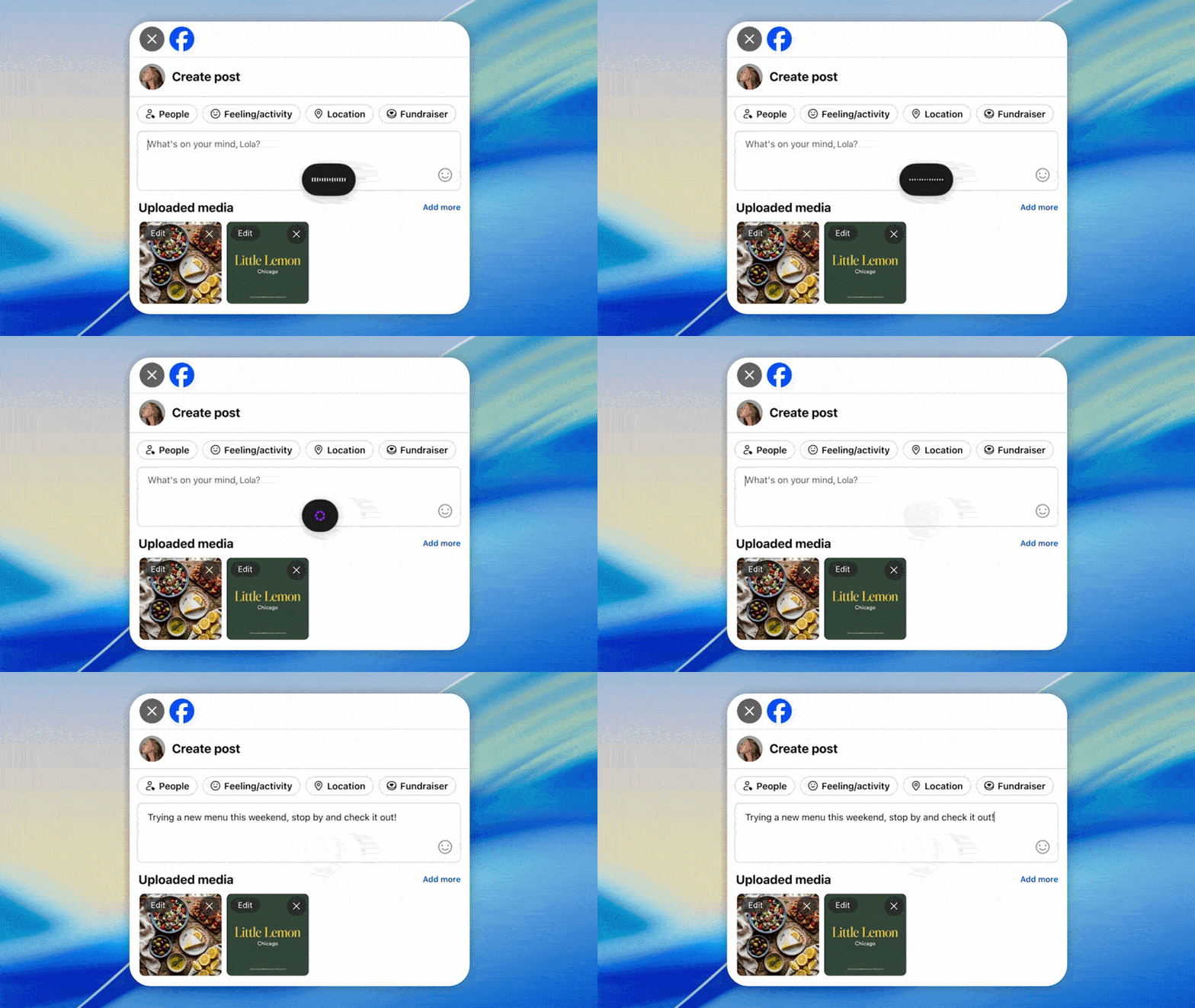
- System-wide dictation: a persistent shortcut turns your voice into text in any Mac app — your blog editor, your notes, the search bar — making the app a direct competitor to paid dictation tools.
- Artifacts: documents and mini-apps built and previewed inside the app itself, carried over from the web version to the desktop.
The app is rolling out gradually to select regions first, per Meta's confirmation — which explains why it had not appeared in the Mac App Store at the time of our check; downloads in this phase happen directly from the official site after signing in.
The creator engine inside the app
Here lies the real story of the announcement. The business and creator capabilities — announced alongside the launch itself — turn the app into an operations room for your Meta presence:
- Direct connection to Instagram and Facebook accounts: the assistant no longer answers generic questions about "the best time to post" — it can ask your actual account what performed well for you specifically.
- Post performance analysis: reach, likes, shares, and saves are read automatically, and the assistant suggests the next content type based on your data, not on generic advice circulating online.
- Ad campaign management: connecting campaigns inside the chat shortens the distance between "ad idea" and "campaign running" to written commands.
- Google Workspace integration: spreadsheets, documents, and presentations built through conversation — serviceable first drafts for content plans and monthly reports.
- Recurring weekly updates: a performance report arrives every week without being requested — a shift from "a tool you ask" to "a colleague who messages you first."
Read that list with a busy creator's eyes: five tasks that used to require three dashboards, an analytics tool, and an hour of your week are now run from one window through conversation. That is not interface polish; that is an entire work chain compressed.
What does this mean for you as a creator?
Let's be precise: the account-connection features roll out gradually, and the assistant's value depends on where you publish. But a native desktop app changes three daily habits immediately:
- Fast voice drafting: if you draft by voice on your phone and then move the text to your computer, system-wide dictation means faster first drafts inside your publishing tools themselves. Try dictating an entire intro paragraph, then editing it, instead of writing from scratch.
- Instant visual review: share your editor or design tool screen with the assistant and ask about coverage gaps or headline consistency — a second pair of eyes that never needs scheduling.
- Effortless weekly reporting: creators who review their numbers weekly outperform those who review monthly; the recurring report makes the habit automatic.
The strategically important part: when distribution platforms wire their own assistant into your account, they raise the cost of ever leaving. Meta is building today what every independent tool vendor is also chasing — the assistant that knows your real numbers. Watch any changes to the privacy terms of that data flow before connecting a primary account.
The tool economics: who pays the price?
Behind every free feature in this launch sits a paid tool that lost its justification tonight. System-wide dictation competes with tools people have paid for by subscription for years; screen sharing with an assistant slices value out of nascent "visual assistant" products; and free weekly analytics for Meta accounts eats into third-party dashboard vendors that live off reading platform interfaces. When you evaluate this app, don't just ask "what's new?" — ask "which line in my budget just lost its reason to exist?" That question saves hundreds of dollars a year.
The equation is not entirely in your favor either: what you get for free today, you pay for with deeper engagement data inside Meta's advertising ecosystem. You don't need a philosophical debate before every click, but you do need to understand the trade: your old tool took your money; your new tool takes your behavior. Both have a price, and awareness of both prices is the difference between a professional user and a consumed one.
Quick comparison with familiar alternatives
| Criterion | Meta AI for Mac | General AI assistants |
|---|---|---|
| Instagram/Facebook account connection | Officially announced at launch | Not available |
| Post performance analysis and next-step suggestions | Yes, from your data | Generic advice only |
| System-wide dictation | Persistent shortcut in any app | Depends on the OS |
| Screen sharing | Directly from the prompt bar | Inconsistent, not unified |
| Price | Free | Free with limits or subscription |
| Workspace and campaign integration | Google Workspace + Meta ads | Fragmented via extensions |
The decisive difference is not model intelligence but position: an assistant that lives where your numbers live (Instagram and Facebook) beats a smarter assistant that lives far away from them. And free is an explicit competitive weapon here — Meta does not need subscription revenue from this app; it needs a deeper presence in your creative day.
Dictation in practice: what to expect
Dictation is the feature you will use most in your first week, so calibrating expectations matters. Modern models handle slow, clear standard speech excellently, handle common colloquial speech very well, and degrade on proper names, technical jargon, and foreign-language titles embedded in your text. The practical recipe recommended by people who have written by voice for years: speak punctuation marks ("period," "comma," "new line") and you get a formatted draft; always expect to proofread names and numbers; and isolate foreign-language terms into a short sentence you fix after conversion. With those rules, dictation stops being a "cute voice experiment" and becomes the fastest path between your idea and a publishable draft.
Since the shortcut works in any app, try the mix: dictate article paragraphs directly into your editor, then pass the draft to a specialized writing tool for style and search optimization — the fast voice track produces raw text at speed, and the specialized stage lifts it to publishing quality. That division of labor is precisely what tools like ARWriter's Auto-Writer are designed around: structured generation in polished language instead of a raw transcript that needs a full rewrite.
Honest limits and drawbacks
- Regional rollout: features arrive in select regions first; you may install the app and find account connection unavailable in your country on day one — something first-hand launch coverage has already documented.
- Suggestion quality is only as good as the data: suggestions built on your post reach inherit the platform's own algorithmic biases; treat them as an advisor's opinion, not a final decision.
- Screen and dictation privacy: features that watch the screen and keystrokes across all apps deserve a careful read of their permissions before enabling — especially on a machine holding client material or sensitive data.
- No substitute for strategy: the assistant suggests "more of what worked before" — an excellent repetition engine with limited growth upside; the difference between an account that grows and one that spins in place remains a human decision.
- One basket, Meta-colored: full dependence on one platform's assistant ties your editorial decisions to a single performance-data source; always cross-check with numbers from independent tools.
How to start this week
A thirty-minute activation plan: download the app from the official site and sign in, enable the dictation shortcut and test it in your actual editor with five minutes of real speech, then share a screen with an open article and ask the assistant for three coverage gaps. When account connection reaches your region, start with a secondary account rather than your primary one, enable the weekly report, and watch for two weeks: do the suggestions beat what you would have published by instinct? If the wall between suggestion and publish is short, you have won back weekly hours; if the suggestions stay generic, the app remains an excellent free dictation and review tool.
For faster production around those performance suggestions themselves, specialized writing tools remain quicker than general chat: ARWriter's Auto-Writer turns an idea or transcript into a complete draft article, and the Arabic prompt library shortens command-writing — while Meta's assistant keeps its eye on platform numbers. The two combined are a workflow, not competitors. For a deeper view of this month's publishing-platform shifts, see our analysis of ChatGPT's ads rollout in Europe — the theme is one and the same: distribution platforms are building an intelligence layer on top of your content.
Five commands to start with on day one
A tool without a good command stays decoration on the menu bar; here are five practical starters after enabling each feature — write them in your own voice and adapt them to your situation:
- Screen sharing on an open article: "This is my draft. Read only the subheadings and tell me: which promise did I make in the introduction that the body never delivers?" — consistency checks are the fastest win from visual sharing.
- Instagram analytics after account connection: "Compare my last ten Reels: what do the three highest-saved (not highest-reached) have in common?" — saves are a sharper value signal than likes, and a comparison from your data beats any generic advice.
- Dictation in your editor: dictate the full intro paragraph at natural pace with "period" and "comma," then ask the same assistant: "Rewrite this paragraph three sentences shorter."
- The weekly plan: "From my performance analysis, suggest three content formats for next week with the reason for each suggestion drawn from my numbers" — always ask for the reason, so you can tell smart suggestion from repetition.
- Campaigns when the feature reaches your region: "Suggest three ad copies for this top-performing post, from three different angles, and explain who each copy targets."
The unifying rule: only commands that demand "the reason from my data" extract the new tool's real value; anything else any generic assistant in a browser can do. Keep the five in your notes and revise them after each week of use — a personal command library is built by editing, not by memorizing.
Frequently asked questions about the Meta AI Mac app
Is the app completely free?
Yes — the first release is fully free per the official announcement, and downloads come directly from meta.ai. No paid tier for the native Mac version has been announced as of this report's date.
Why doesn't the app appear in the Mac App Store?
The rollout is gradual to select regions first, per Meta, and downloads in this phase happen from the official site after signing in; wider distribution later is the company's usual launch pattern.
Does the app support languages other than English?
Meta's models handle many languages in conversation with quality that varies by task; dictation quality for non-English speech and account analytics in your region need practical testing, because the feature rollout is geographic. Test with your own voice and content before making it a daily driver.
Can it really suggest what I should publish next?
Yes — but within the bounds of your data on Meta's platforms: it reads reach, likes, shares, and saves and suggests accordingly. Those suggestions are excellent for repetition and refinement, less useful for qualitative leaps toward a new audience.
What should I verify before connecting my accounts?
Data-access permissions in the usage policy, the scope of what the assistant reads from your account, and the option to disconnect later. Starting with a secondary account before your primary one is a proven safety rule.
Does it also work on Windows?
This week's official announcement concerns the Mac app specifically; Meta's historical strategy follows users wherever they are, and early Mac success usually accelerates later versions for other systems — but no official Windows release has been announced as of this report, so don't build a plan on an unmade promise.
How is this different from using Meta AI inside WhatsApp or Messenger?
Inside the chat apps you are a user asking a tool; in the desktop app you are an operator holding system keys: dictation in every app, screen sharing, and direct connection to work tools and campaigns. The difference between "a conversation" and "a work environment" — and the second is what justifies installing a standalone app at all.
Does it suggest optimal posting times too?
The announced capability is analyzing past post performance and suggesting the next content, and posting-time guidance is a natural part of any suggestion built on your reach numbers — but Meta has not published an official breakdown of these suggestions' limits yet, so test for two weeks against your own instinct before relying on them.
Does it need a fast connection, or does it work offline?
The core capabilities — chat, analytics, account connection — are cloud services requiring a stable connection; the model does not run locally on your machine. System-wide dictation also sends audio for processing, so factor it into cellular data if you often work outside an office; offline operation is not part of this release.
The bottom line: a Mac app launch is not just "another new app" news — it is the first time Meta's assistant installs itself inside your desktop workflow holding the keys to your accounts on the two largest content distribution platforms on earth. For the next two weeks: install it, test dictation and screen sharing, and watch for account connection reaching your region — whoever understands this tool early wins an entire analytics cycle without an invoice.
Sources
- The Verge's coverage of Meta's official announcement on August 19, 2026, quoting the company's statement.
- meta.ai — the official site for downloading the app and using the assistant (the site may show a security check to some automated visitors).