
Maya, a freelance copywriter in Dubai, opened Gemini on a Tuesday morning with three briefs due, a client asking for "ten ad variants by noon," and zero hours spare for research. Two years ago that would have been a panic day. In 2026, it is roughly a two-hour job — not because Gemini writes final copy for her (it does not, and she would not let it), but because it compresses the boring 70% of the work: source gathering, outlining, variant generation, and formatting. This guide is a practical walkthrough of how that actually happens. We will cover what Gemini is right now, what each paid tier gets you, the five features that matter most for content work, and three ready-to-copy workflows you can run this week. One honest note before we start: pricing here reflects the official Google AI subscription page snapshot from August 2026 and varies by region, and Google has renamed tiers recently, so always double-check before you buy. Voice cleanup is where Gemini-adjacent tooling earns its keep for creators, and cleaning up podcast audio with AI tests those workflows end to end.
Last updated: August 23, 2026
What Gemini Actually Is in 2026 (and What It Isn't)
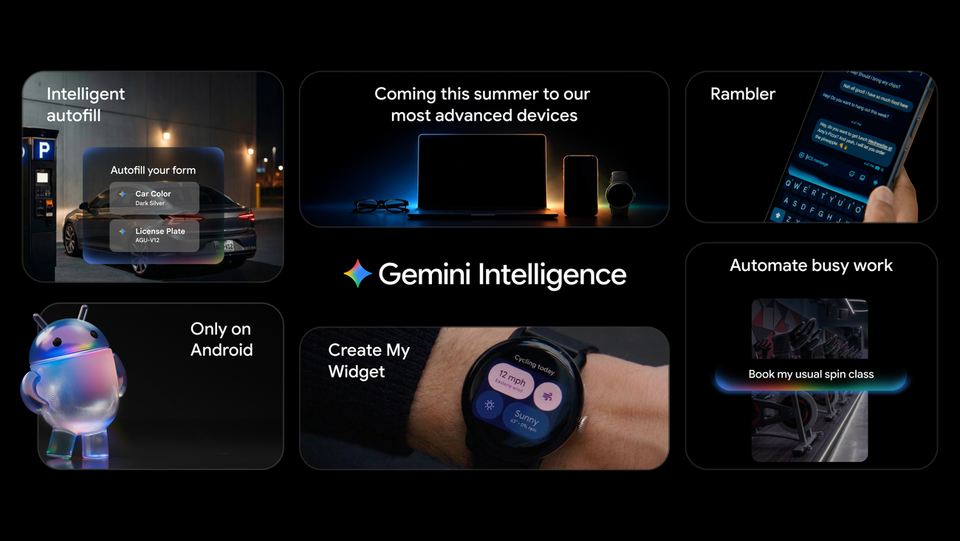
Gemini is Google's AI assistant, available at gemini.google.com and as mobile apps. In 2026 the flagship model referenced in the app is Gemini 3 Pro, and the product has quietly grown from a chatbot into a workspace: it drafts documents, generates images and video, connects to Gmail, Google Docs, Drive, Calendar, and Keep, and links out to NotebookLM for deep source-grounded research. There is a lightweight fast mode called Gemini Spark, a music model (Lyria 3), and an image generation model in the "Nano Banana Pro" class.
What Gemini isn't: it is not a replacement for a writer's judgment, and it is not a publishing system. It is the front half of a production line — research, ideation, drafting, visual assets — while the back half (editing, fact-checking, SEO structure, publishing) still benefits from purpose-built tooling. That division of labor is the through-line of this guide: Gemini for research and outlines, a dedicated long-form platform like ARWriter for the drafting heavy lifting.
One more definition worth locking down, because older guides get it wrong: the plan formerly called "Google One AI Premium" was renamed. The current personal tiers are Google AI Plus, Google AI Pro, and Google AI Ultra. If you are reading a comparison article that still says "AI Premium," it is out of date.
Free vs Plus vs Pro vs Ultra: The Cost Decision Table
The first question every marketer asks is some version of "is Gemini free?" The answer: yes, a free Gemini experience exists, and it is genuinely usable for light drafting. Paid tiers raise usage limits and unlock specific capabilities. Here is what Google's official tier comparison page listed as of August 2026 (EUR snapshot, Germany region — prices vary by region, and Pro/Ultra prices were not listed on the page we verified, so we won't quote numbers for them):
| Plan | Price | Gemini limits | What you get that matters |
|---|---|---|---|
| Free | €0 | Baseline | Core Gemini chat, drafting, image creation chips — capped usage |
| Google AI Plus | €4.99/mo (400 GB) or €9.99/mo (2 TB storage) | 2× free limits | Pro-model access, 1M-token context, Nano Banana Pro image generation, Deep Research, Gemini in Gmail/Docs, Gemini Notebook, 200 Flow credits/mo, 3,000 Flow Music credits |
| Google AI Pro | Varies by region (not listed in our snapshot) | 4× free limits | 5 TB storage, YouTube Premium Lite, Gemini Spark, Gemini 3 Pro in AI Mode of Search plus Deep Search, 1,000 Flow credits, US$10/mo Google Cloud credits |
| Google AI Ultra (5×) | Varies by region | 5× higher than Pro | Deep Think mode, Project Genie, 20 TB storage, US$40–$100/mo Cloud credits, 10,000+ Flow credits |
| Google AI Ultra (20×) | Varies by region | 20× higher than Pro | Same Ultra features with 20–30 TB storage and up to 25,000 Flow credits, full YouTube Premium |
Three caveats before you pull out a credit card. First, these subscriptions are for personal Google accounts — Workspace business accounts need a separate Gemini add-on, which trips up agencies running work domains. Second, Ultra's Gemini Agent is US/English-only; if your work is in another language, that headline Ultra feature is dead weight for you today. Third, most writers and small marketing teams get 90% of the value at the Plus level: Deep Research, the 1M-token context window (enough to feed entire brand books and dozens of source documents), and Nano Banana Pro images. That is the tier this guide assumes. If you want a broader view of which AI tools are worth paying for at all, our guide to free vs paid AI access covers the same decision across tools.
Five Core Features That Matter for Content Work
Gemini has a dozen bells and whistles; five of them earn their keep for writers and marketers. To test those prompts across Gemini models side by side before committing, our Google AI Studio prompt-lab walkthrough is the companion read.
1. Canvas: the drafting surface
Canvas is Gemini's dedicated writing and editing space. The app advertises it with explicit prompt chips — draft and refine an email, a story, a review, a speech, an essay, an outline, a cover letter, a resume, a script, a poem, a plan, a presentation, or code. In practice, Canvas is where you stop chatting and start editing: you get an evolving document you can push through successive revisions instead of scrolling a chat log. For anyone doing structured deliverables (email sequences, scripts, outlines), this is the single biggest quality-of-life feature.
2. Gems: reusable instruction sets
Gems let you save a set of standing instructions — a persona, if you like — and reuse it across sessions. The feature name is confirmed; think of it as a custom editor that always remembers your brand voice rules, formatting requirements, and banned words. A "Gems for writers" setup pays off fast: build one Gem per client or per content type, and your prompts shrink from paragraphs to one line.
3. Deep Research: sourced background work
Deep Research is Gemini's automated multi-source research mode, and it is included from the Plus tier up. You give it a question ("what has changed in European ecommerce email regulations this year"), and it returns a structured, source-cited briefing. For marketers, this is the difference between an article with real references and one that smells like autocomplete. Note that Gemini also links out to NotebookLM — if your research needs to be grounded strictly in your own uploaded documents, our piece on building an AI research workflow for writers explains when to use each.
4. Nano Banana Pro: marketing visuals
Nano Banana Pro is the image generation model included with Plus. For content teams, that means featured images, ad concept mockups, social graphics, and blog illustration without a stock subscription. One practical note: generated images can carry a watermark depending on settings — our guide to the Gemini watermark setting explains what to expect and how to handle it honestly.
5. Veo 3.1: short video generation
Gemini's video generation runs on Veo 3.1 and Veo 3.1 Fast. For marketers, this is concept and storyboarding territory today — quick visuals for pitch decks, ad concept tests, and social clips — rather than finished brand film. Video generation consumes Flow credits, which is why the credit counts in the table above matter more than they first appear.
Gmail, Docs, and Personal Context: The Underrated Superpower
The feature most writers underuse is not a model at all — it is connectivity. Gemini plugs into Gmail, Google Calendar, Google Chat, Keep, Reminders, and Google Docs/Drive, with export-to-Docs and export-to-Gmail built in. It also uses personal context across your Google services: the app itself advertises prompts like "recommend a film based on my YouTube history" and "brainstorm my next trip using my photos."
Translate that to content work. Your research summaries can flow into Docs in one click instead of copy-paste archaeology. Your newsletter draft can reference the actual threads with a client. Your content calendar can sit next to your real calendar. For solo freelancers, this removes half the "glue work" between tools; for small ecommerce teams, it means the person writing product updates can pull from the same inbox where the customer questions live. There are also third-party connectors in the app data (GitHub, Evernote via MCP, Monday.com), which matters if your content operation touches a dev team or a project board.
The honest caveat: this integration works on personal accounts with the subscription. If you are on a Workspace business domain, you are in separate-add-on territory, and IT may be involved. Budget for that before you promise a client a Gmail-integrated workflow.
Three Ready-to-Copy Workflows, Step by Step
Here is where the guide stops describing and starts earning its bookmark. These are three workflows you can run today, written as numbered checklists. A mid-guide suggestion first: Gemini shines at research, structure, and variation — but for producing the full long-form draft itself, a purpose-built writing platform does the job faster and with better structure control. That is exactly the split we built ARWriter for: Gemini for the front-end thinking, ARWriter for the 2,000-word execution.
Workflow A: The documented blog post pipeline
- Pick your topic and write a one-sentence angle statement ("Why mid-size ecommerce brands lose money on abandoned-cart emails").
- Open Gemini and run Deep Research on the angle. Ask for a structured briefing with sources, not an article.
- Skim the briefing and mark the three to five claims that must survive into your final post with their sources.
- Ask Gemini to draft an outline in Canvas: working title options, H2 structure, one-line summary per section, and where the verified claims fit.
- Move the outline into ARWriter and generate the full draft with your tone and structure settings, keeping the verified claims as anchors.
- Fact-check every number and quote against the original sources — never against the AI's summary.
- Add visuals: Nano Banana Pro for the featured image concept, then export the finished piece to Docs for client review.
Workflow B: Ad copy variants without the spreadsheet grind
- Build a Gem called "Ad Variants" with standing instructions: your brand voice, character limits per platform, banned clichés, and the format you want (table: hook / body / CTA).
- Paste your product facts and audience description into the Gem — facts only, no marketing fluff, so the AI varies wording rather than inventing features.
- Request 10 variants in three tones (direct, playful, urgency) in a single table.
- Delete the 7 that sound like AI. Seriously — the value is in the 3 that survive.
- Run the survivors through a second pass: "tighten each to under 90 characters, keep the specific numbers."
- A/B test two of them and feed the winner back into the Gem as an example of "on-voice."
Workflow C: Refreshing an old post that lost traffic
- Take your declining URL and paste the full text into Gemini's long context window (1M tokens on Plus means even very long posts fit easily).
- Ask for a gap analysis: outdated claims, dead sections, missing questions the piece never answers.
- Run Deep Research on the two or three biggest content gaps to get current, sourced material.
- Rewrite the weak sections in Canvas or regenerate them in ARWriter, keeping the sections that still perform.
- Update the publish date only after the substance actually changed — cosmetic date-bumping helps nobody.
For the full treatment of workflow C, see our dedicated guide on how to refresh old content with AI. And if these workflows leave you with more output than you can distribute, our AI newsletter system covers the distribution end.
Back to Maya: What a Real Week Looks Like
To make this concrete, here is an illustrative composite — Maya is not a real person, and the numbers describe a plausible week, not audited results. Monday: Deep Research briefing for a fintech client's white paper, 45 minutes instead of an afternoon of tab-hopping. Tuesday: the ad-variant Gem produces the noon deadline, and she keeps four of ten. Wednesday: Canvas outline for a SaaS case study, exported to Docs, shared with the client by lunch. Thursday: a Nano Banana Pro batch of hero image concepts for a boutique ecommerce brand — the client picks two. Friday: she refreshes two of her own old blog posts using Workflow C, because her own pipeline deserves the same leverage she sells. The lesson is not "AI wrote everything." It is that the research-and-variation layer, which used to eat her week, now fits between meetings — and her billable hours go to judgment, voice, and client thinking. Her bigger ambition, a 40-page ebook collecting her best frameworks, is queued for next month; when she gets to it, she will follow the process in our guide on how to write an eBook with AI.
Gemini vs ChatGPT for Marketing Copy: Practical Differences
The comparison question is unavoidable, so here is the practical version, not the benchmark-chart version. Gemini's structural advantages for marketers: native Google integration (Gmail, Docs, Drive, Calendar), Deep Research bundled from a cheap tier, a 1M-token context window, image generation in-subscription, and video generation. ChatGPT's side of the ledger is strong in general writing fluency and its own ecosystem of custom GPTs and plugins. The honest answer for most professional writers in 2026 is not either/or — it is using the cheapest tier of the one that matches your stack. If you live in Google Workspace (as most freelancers do), Gemini Plus at €4.99 is probably the highest-leverage €5 you can spend on your craft. If your clients and files live elsewhere, run the free tiers of both for two weeks on real briefs and let your own output decide. One forward-looking note: as more buying research happens inside AI chatbots, writers should also care about how their content gets picked up — our guide on how to get cited by AI search covers that shift.
FAQ: Gemini Questions Writers Actually Ask
Is Google Gemini free to use in 2026?
Yes. A free Gemini tier exists and handles everyday chat, drafting, and image prompt chips with usage caps. Serious content work hits those caps quickly, which is when the paid conversation starts. Verified pricing for the first paid tier is €4.99/month in the August 2026 snapshot, though prices vary by region.
What's the difference between Gemini Free, Plus, Pro, and Ultra?
Free is the capped baseline. Plus (€4.99–€9.99/mo in our snapshot) gives 2× limits, Pro models, 1M-token context, Deep Research, and Nano Banana Pro images. Pro gives 4× limits plus extras like YouTube Premium Lite and Gemini in Search's AI Mode. Ultra ranges 5×–20× limits with Deep Think and the most storage.
How do I use Gemini Canvas for content writing?
Open Canvas from the Gemini app and pick a starting chip — email, essay, outline, script, review, and others are built in. Draft in the Canvas panel, then refine with follow-up instructions; the document evolves in place instead of scattering across a chat log. When it's ready, export to Google Docs or Gmail.
What are Gems and how do I create one?
Gems are saved, reusable instruction sets — think custom editors that remember your brand voice, formatting rules, and banned phrases across sessions. Create one by writing your standing instructions once, naming it, and then invoking it with short one-line briefs. Build one Gem per client or content type.
Is Gemini Deep Research worth it for marketers?
Usually, yes. Deep Research returns structured, source-cited briefings, which is exactly what pre-article research and competitor analysis need. It's included from the Plus tier, so the cost of entry is low relative to the hours of manual source-gathering it replaces. Just verify claims against original sources before publishing.
Can I use Gemini with Gmail and Google Docs?
Yes, on personal accounts with a paid tier — Gemini connects to Gmail, Docs, Drive, Calendar, and Keep, and can export drafts directly. Important caveat: Workspace business accounts need a separate Gemini add-on, so agencies on work domains should confirm their setup before building workflows around it.
Does Gemini's video generation work on the free plan?
Video generation runs on Veo 3.1 and Veo 3.1 Fast and draws on Flow credits, which are allocated to paid tiers — 200 per month on Plus, scaling to 25,000 on the top Ultra variant. Treat free-plan video as unavailable for planning purposes, and treat paid video as a concepting tool rather than final brand asset.
When to Upgrade — and When Not To
Upgrade to Plus when you hit usage caps more than once a week, when you need Deep Research or the long context window for real client work, or when Nano Banana Pro images would replace a stock subscription. Stay on free if Gemini is an occasional brainstorming partner. Consider Pro when the extras (YouTube Premium Lite, higher Flow credits, Search integration) align with how you actually spend your day. Think hard before Ultra: its headline Gemini Agent feature is US/English-only, so verify your use case before paying a premium for capabilities you cannot use.
Wherever you land, remember the division of labor that makes this whole stack work: Gemini for research, structure, and variation; a dedicated writing platform for long-form execution. If you want to see what that second half looks like, try ARWriter — feed it an outline you built in Gemini this week and compare the draft to your usual process. That comparison, more than any table in this guide, will tell you what your 2026 workflow should be.


