
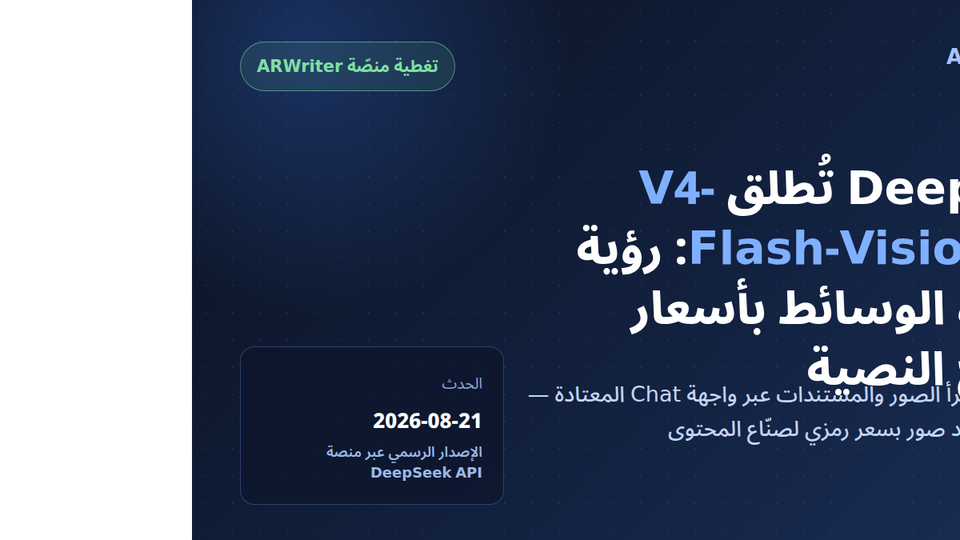
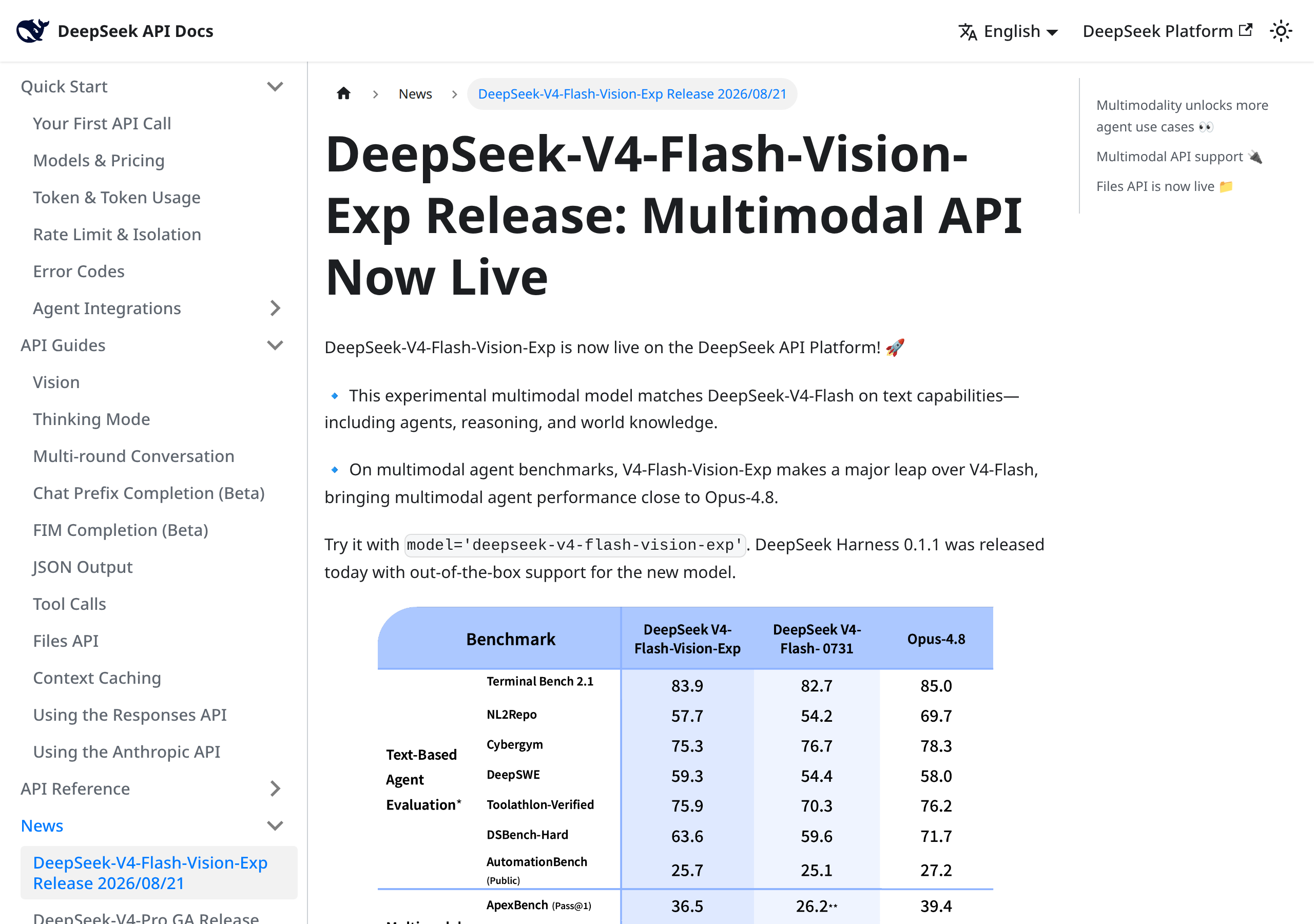
Update: on August 21, 2026, DeepSeek officially opened DeepSeek-V4-Flash-Vision-Exp to all platform users, making it the first experimental model in the V4-Flash family to support image understanding alongside text. The announcement appeared in the official changelog on the API documentation site, accompanied by an updated pricing page that gives the new model its own tab under "experimental multimodal models".
On the surface this looks like one more model launch in a crowded season. In practice, it is mostly an economics story: a model that can read images, documents, invoices, and spreadsheets at a price point close to the cheapest text-only models on the market. This guide breaks down exactly what shipped, what it actually costs, and what it means if you write, design, or publish content for a living.
What exactly is V4-Flash-Vision-Exp?
The long name decodes into three parts, and each part carries meaning:
- V4-Flash: the model builds on DeepSeek's V4-Flash family, the company's fast, budget-friendly text line that we covered in earlier reports on this site.
- Vision: the newly added capability. The model no longer reads text only; it accepts images inside the message and reasons about their content: objects, embedded text, tables, charts, and spatial relationships.
- Exp: short for Experimental. This is DeepSeek's own official classification, not our editorial judgment, and it has practical consequences we cover honestly in the limitations section below.
According to the comparison table published with the announcement, the model preserves the text-level performance of the V4-Flash text model, and approaches Opus-4.8 — the most capable and most expensive tier on the market — on multimodal tasks. In plain terms: you are not paying for a watered-down Flash. You are getting frontier-adjacent vision capability at an economy price band.
What can it actually do?
The model is available through three official API surfaces: the familiar Chat Completions endpoint, the Messages interface, and the Responses interface. For developers, this means vision can be switched on inside existing tools with minor changes instead of a full integration rebuild. At the day-to-day usage level, the scenarios that cheap image understanding unlocks include:
- Turning images into copy: upload one product photo and request a full marketing description, a social post, a short variant, and an accessibility-friendly alt text — all from the same image.
- Reading scanned documents: invoices, contracts, and reports that exist as images or scans can be converted into structured tables or summaries.
- Understanding screenshots: send a screenshot of a dashboard or an unfamiliar tool, and ask for an explanation, extracted numbers, or step-by-step written instructions.
- Analyzing charts and infographics: pass an image of a chart from a competitor's report or an industry study, and have it converted into text, key points, or a summary you can cite.
- Generating images too: the official release also enables image generation through the model, with a dedicated image pricing rule we detail in the next section — which makes "Vision" an understatement for what is effectively a two-way capability: it reads images and produces them.
Pricing: the number that makes this launch matter
Here is the heart of the story. The official pricing page adds a dedicated tab for the model, with prices quoted per million tokens, split between peak and off-peak windows as detailed on the official page:
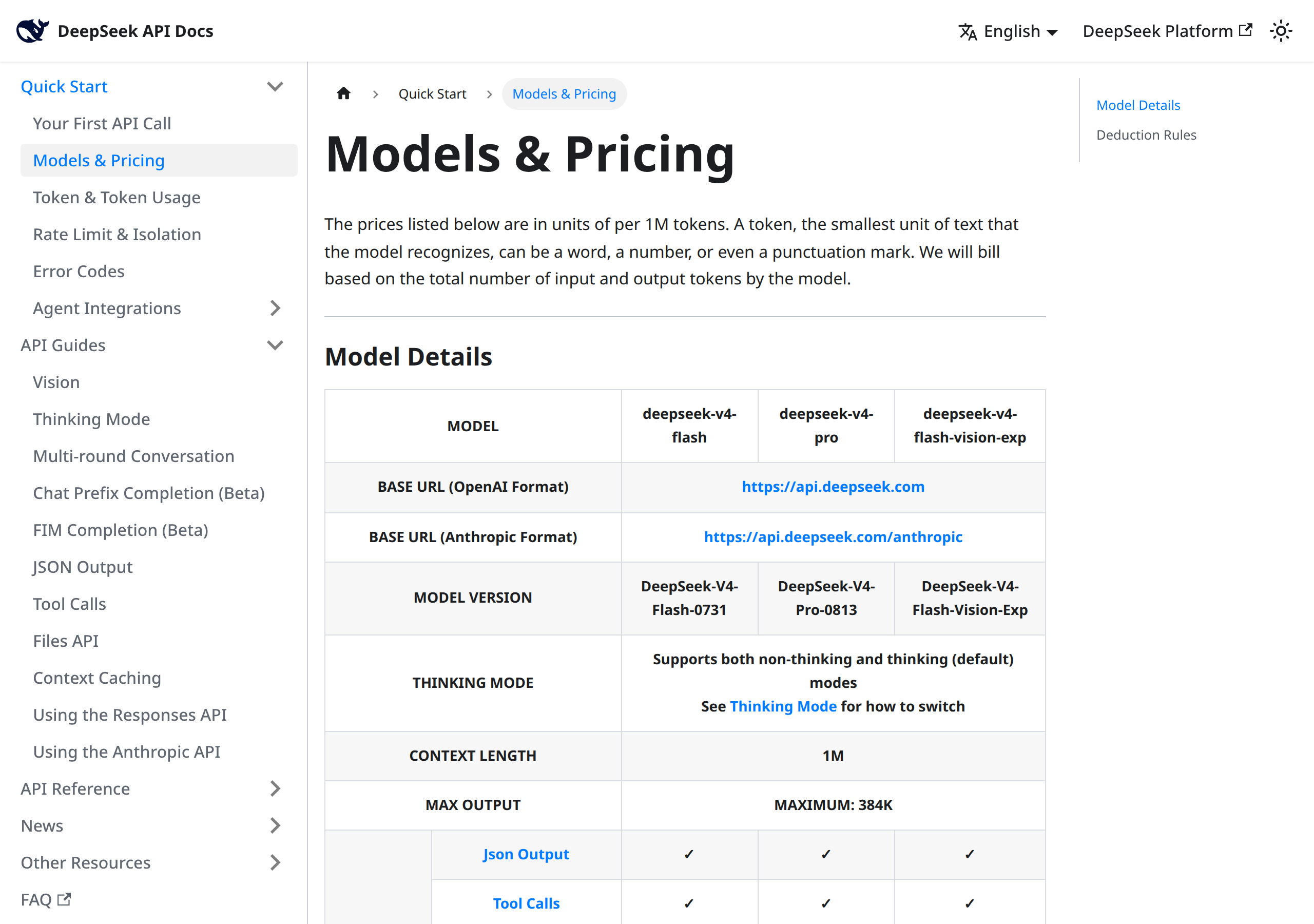
| Item (per 1M tokens) | Off-peak | Peak |
|---|---|---|
| Input with cache hit | $0.007 | $0.014 |
| Input without cache (cache miss) | $0.22 | $0.44 |
| Output | $0.66 | $1.32 |
To make those numbers concrete: reading a thousand product images, where each image is billed as a short text payload, costs a handful of cents — not a pile of dollars. That is the real inflection point. At this cost level, the question changes from "can we afford to analyze every image?" to "why would we not analyze every image?". Until recently, large multimodal models were billed at levels that made bulk image processing a budget line of its own, reserved for teams with dedicated spend.
Two further details on the pricing page deserve attention:
- Images are billed as text: images up to 384×384 pixels are treated as ordinary text input tokens and billed at the input rate. This is an unusual pricing choice, and it appears deliberately developer-friendly: instead of per-image pricing, everything converges on a single token-based meter.
- The Files API is free: uploading files through the Files API is listed at no charge, so you pay for processing, not for staging your assets.
What does this mean for you as a content creator?
Whether you write articles, run an online store, or produce visual content, these are the practical use cases closest to hand this week:
- Product descriptions from a single photo: photograph the product, then ask for five description styles — formal, energetic, minimal, social-first, and newsletter-ready. The entire run costs less than a coffee, even repeated across a full catalog.
- Turning video frames into drafts: if you have an explainer video, pull the key screenshots and let the model convert what is on screen into a written draft you edit yourself, instead of rewriting from scratch.
- Alt text at scale: websites and stores accumulate images with no descriptive text. Automated image understanding turns backfilling accurate alt text for every legacy image into one automation job, not a manual project.
- Summarizing image-heavy reports: instead of reading a hundred-page report, upload it as images and extract the numbers and charts into an organized summary your audience can use.
- Monitoring competitors' visual content: a competitor's infographic or image ad is no longer a black box; convert it into bullet points and study its marketing angles systematically.
- Cheap first-pass illustration: since the model also generates images under the same image pricing rule described above, producing draft illustrations for your articles is now cheaper than buying a single stock photo.
- Pre-publish consistency checks: upload your final cover image and ask: is the text on the image legible? does the image match the article's context? An automated second pair of eyes reduces embarrassing publish mistakes.
- Extracting printed content: an interview in a print magazine or a statistic on a poster — photograph it and pull the text immediately.
If you would rather build on these capabilities inside one platform instead of developing against raw APIs, tools like the ARWriter content suite fold improvements of this kind into guided content workflows, while direct API access remains the best option for teams that want full control over cost and behavior.
Quick comparison: where does the new model stand?
| Criterion | V4-Flash (text) | V4-Flash-Vision-Exp (new) |
|---|---|---|
| Text understanding | Yes — the family foundation | Yes — same level per DeepSeek's official table |
| Image and document understanding | No | Yes — the release's core feature |
| Image generation | No | Yes — under the image pricing above |
| Price band | Economy | Economy — same Flash-class band |
| Status | Stable | Experimental (Exp) — may change or be withdrawn |
The practical takeaway from the table: if your workload is pure text, there is no reason to switch. If it involves images in any form, the new model merges both capabilities into a single bill at essentially one price.
How to start: five steps
- Create a DeepSeek platform account and top up credit on the billing page. The platform works on prepaid balance, and you will need an API key from the settings section.
- Use the exact model identifier shown in the official documentation when sending requests. Experimental identifiers carry a distinctive suffix, so copy it character-for-character from the docs.
- Start small: one image, one question. Verify answer quality and latency before scaling up.
- Use the Files API for bulk work: upload your images first via the free Files API and reference them in requests, instead of inlining them into every single call.
- Watch the usage dashboard: compare actual token consumption against your forecast during the first week, especially the difference between peak and off-peak windows.
Three ready recipes to try
So the new capability does not stay an abstract idea, here are three practical recipes with ready-to-adapt prompt shapes, ordered from easiest to most advanced:
Recipe one: product description from a photo
Upload the product image and ask: "Describe this product in five marketing sentences aimed at a young online audience, then write a 280-character social caption, then an image alt text under 120 characters." One request, three different text assets from a single photo — the only difference between the three outputs is the instruction, not the source. Repeat the recipe across the twenty best photos in your catalog and compare against the time you would have spent writing.
Recipe two: from screenshot to written guide
Have a complicated settings screen in a tool you use? Upload the screenshot and ask: "Explain what this screen shows, step by step, for a first-time user, with warnings about common mistakes at each step." You get a draft teaching guide you can publish, fold into an article, or turn into a newsletter section. The practical advantage: the model reads the interface as it actually is — buttons, menus, warnings — instead of relying on your memory or reopening the tool each time.
Recipe three: a pre-publish visual check
Before publishing an article cover or an image ad, upload the final image and ask: "Review this image carefully: is the written text legible? is anything cropped or distorted? are the colors consistent? Answer in specific bullet points." This will not replace a professional designer's eye, but it is a near-free extra checking layer that runs in seconds and catches blatant errors before your audience does.
A realistic cost scenario
To bring the numbers down to earth, take a mid-sized store publishing twenty new products a week, each with three photos needing descriptions and alt text. That is sixty images a week, roughly two hundred and forty a month. If each image is billed as a short input payload with output capped at a few hundred tokens, the full monthly bill for this line — using the official price table above — measures in cents to a few dollars, even assuming peak-hour rates throughout. Compare that to the cost of a copywriter covering the same volume, and you understand why we call this an economics story, not just a technical one. The golden rule remains: double your first estimate, because experiments, retries, and edits always eat more than you expect.
Limitations and risks, stated plainly
No responsible review skips the other side of the ledger:
- Genuinely experimental: the Exp suffix is not cosmetic. DeepSeek itself classifies the model as experimental, meaning behavior may shift between calls, and it may later be replaced by a stable version with different pricing or capabilities. Do not build a mission-critical production line on it without a fallback plan.
- Prices can change: the figures we quote are those on the official pricing page at the time of writing, and they may be updated — as has happened with earlier models that moved from experimental to stable status. Treat the table above as a dated snapshot, not a permanent contract.
- Vision is not error-proof: vision models misread fine print, similar-looking digits, and details inside crowded images. Human-review any number or quotation extracted from an image before you publish it.
- Privacy: images sent through the API are processed on the provider's servers. Do not upload sensitive documents or customer data without reviewing the current terms and data policy.
- Avoid single-vendor dependence: even if the performance impresses you, keep your stack switchable between providers. The model market moves weekly.
Frequently asked questions
Is the new model free?
No, but it sits in the economy band. The official DeepSeek pricing page lists input at $0.007 per million tokens with cache hit off-peak and output at $0.66 per million tokens off-peak, roughly doubling during peak windows.
Can it read non-English text inside images?
DeepSeek has not published a dedicated per-language evaluation for vision tasks, so we cannot confirm a specific accuracy level for any language. The safe approach is to test it on a sample of your actual images and measure the results yourself before relying on it for published content.
What is the difference between this and regular V4-Flash?
V4-Flash is the stable text model. V4-Flash-Vision-Exp is the experimental variant that adds image understanding and generation at essentially the same price band while maintaining the same text level, per the official comparison table.
How are uploaded images billed?
Per the official pricing page, images up to 384×384 pixels are billed as text input tokens at the input rate shown in the table above, while uploading files through the Files API is free.
Is it suitable for e-commerce stores?
Yes for tasks like generating descriptions from product photos and checking image quality, with human review of the output. For sensitive content or contractual commitments, always rely on manual verification.
Conclusion
The launch of DeepSeek-V4-Flash-Vision-Exp on August 21, 2026 is not just another entry in a long model list. It moves the capability of "seeing" from a premium tier into the everyday toolkit, at prices that make processing thousands of images a routine operational decision. For content creators, that means faster product copy, a searchable visual archive, and first-pass illustrations at near-zero cost. Try it on one small task this week and measure the result yourself before scaling.
If you want to start immediately without touching APIs, explore the ARWriter content platform, or see the wider landscape in our guide to AI content generation tools.
Official sources
- DeepSeek's official changelog announcement (August 21, 2026) — the original release text and the benchmark table referenced throughout this guide.
- The official DeepSeek platform pricing page — the dedicated experimental multimodal tab, the image billing rule, and the free Files API.
Transparency note: tool links in this article lead to our own platform, ARWriter.ai. DeepSeek links are official and informational only, with no affiliate commission. Prices and specifications are documented from DeepSeek's official pages as of August 21–23, 2026, and may change.


