Every new frontier model restarts the same argument: is the output getting better, or just differently bad? With GPT-6 Astra, OpenAI did something it has rarely done before — it answered the question itself. Buried in the official developer documentation published alongside the model's early-September 2026 rollout is a complete prompting guide: an honest description of the model's quirks, copy-ready system prompts to fix them, and, most notably, an official blocklist of "slop" words and phrases the company recommends banning from its own model's output.
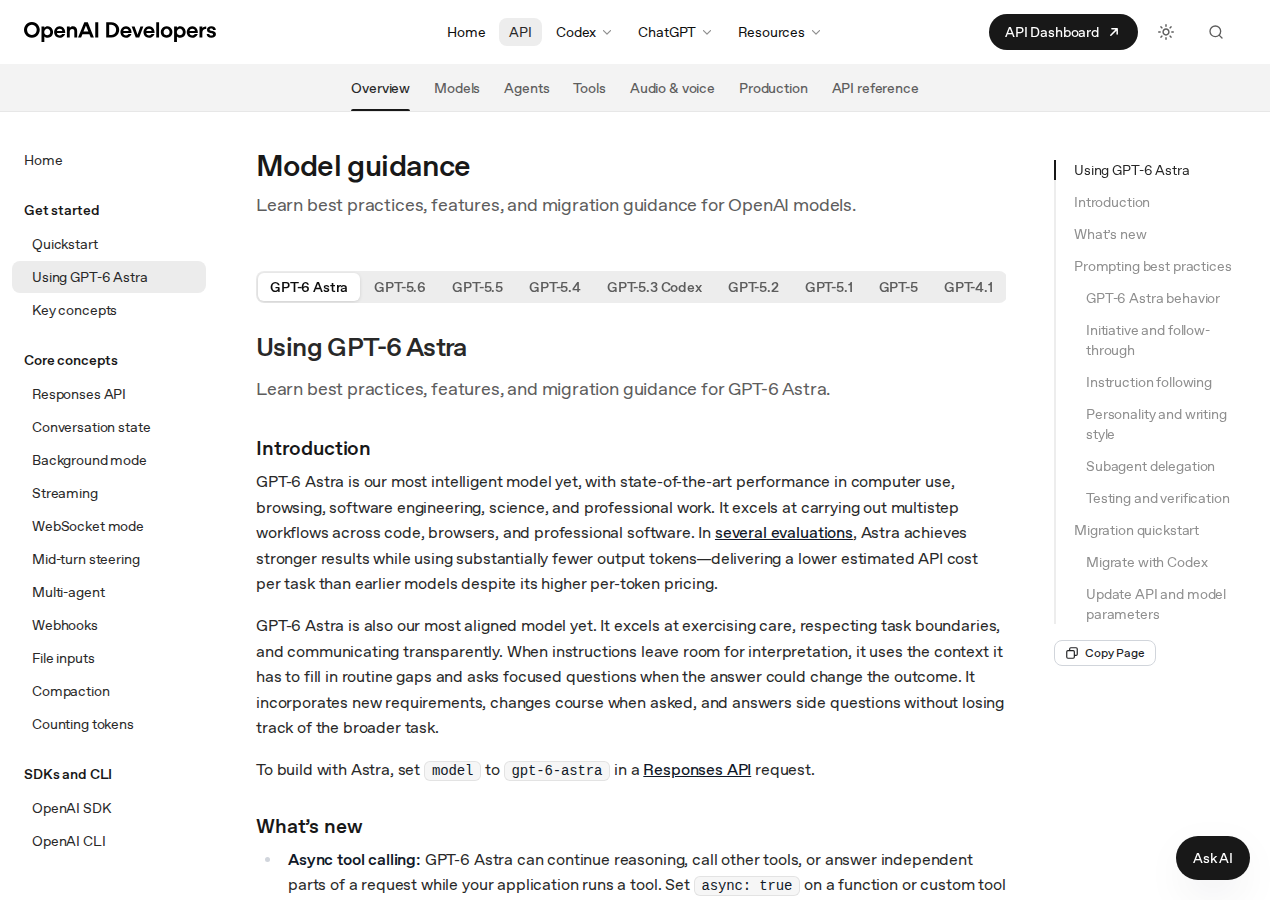
The guide lives at developers.openai.com under the unassuming title "Model guidance." It is written for developers building on the API, but its contents matter to anyone who writes with AI for a living — editors, marketers, content teams, and the growing ranks of professionals whose drafts start in a chat window. This article walks through the guide as a writing tool: what changed in the model's behavior, what the official prompts say verbatim, and how to adapt the slop blocklist to your own workflow. We covered the Astra launch and its work-tier availability and pricing separately; this is the practical user's companion.
The first surprise: a model that asks questions
The guide's "Prompting best practices" section opens with a confession that will puzzle anyone used to earlier models. GPT-6 Astra is "designed to be a more effective collaborator and is thus more likely to ask the user a question when additional input could materially change the result." The side effect, in OpenAI's own words: "This can cause it to stop when the user may expect it to make reasonable assumptions and persist."
For writers, this inverts the working relationship. Previous models answered first and apologized later; Astra interrogates the brief before touching the keyboard. On consequential work — a client report, an article with competing angles, a campaign under a brand's legal review — that behavior is a feature that catches errors while they are still cheap. On lightweight, repetitive tasks it becomes an unrequested speed bump. The difference between the two cases is usually your prompt: the more context you supply upfront — audience, goal, format, examples — the fewer questions the model needs to ask, because most of what it asks about is precisely what you left open.
The official fix is a system prompt you can paste at the start of a session or into your custom instructions. The core of it, verbatim from the guide:
You should infer the user's intent and task scope from the instructions and prior conversation context. Your job is to bias towards action and carry the user's intended task to completion.The full template adds: persist until the user's intended goal is complete; progress autonomously toward the goal unless actions are clearly destructive or irreversible. And it handles the polite-request trap explicitly — phrases like "can you...", "I want to...", and "help me..." should be "treated as instructions to do the work and take action," with the model instructed not to "stop at acknowledging capability (e.g. 'Yes…'), proposing a plan, or offering to continue," and not to "settle for a partial or 'helpful enough' solution." The philosophy compresses into one line from the guide: "The user should be approving a concrete, reviewable result." Don't ask me for permission before there is something real on the table.
The official slop blocklist, verbatim
The section of the guide that traveled fastest across the industry is the writing-style prompt with its explicit banned-words list. Here is what OpenAI published, word for word:
Avoid using slop words or phrases like "Bottom Line:" in conclusions, "delve," "foster," "leverage," "it's worth noting," "importantly," "Question? Answer." or "This isn't about X. It's about Y.", "genuinely" or hyphenated compound descriptions and adjectives. Do not use concluding summary statements such as "In short:...", "The simplest mental model is:...". State the intended action directly.Why each item earned its place:
| Banned item | Why it reads as machine-made |
|---|---|
delve | A decorative verb the model reaches for in nearly every text instead of the plain explore or look at |
leverage | The consultant's use; signals padding, not precision |
foster | Abstract filler suited to press releases, not prose |
it's worth noting / importantly | Evaluated importance told to the reader instead of shown by structure |
Bottom Line: in conclusions | An autopilot label stapled onto summaries the reader may not need |
Question? Answer. | A manufactured compress-and-release rhythm |
This isn't about X. It's about Y. | Prefabricated dramatic contrast |
genuinely, hyphenated compounds | High-frequency stylistic fingerprints of generated text |
In short: / The simplest mental model is: | Showy meta-summaries that restate instead of conclude |
The structural rules matter as much as the vocabulary. The guide instructs the model to "state the intended action directly," to avoid adding "what you won't do, what will remain unchanged, or how you'll separate or categorize results," and to avoid contrastive framing "such as 'X, not Y' or 'X — not Y' that introduces an unprompted alternative." Anyone who has edited AI drafts professionally will recognize every item on this list — OpenAI has essentially published the internal style-guide fixes that human editors have been applying by hand for two years.
The prose prompt: asking for an article, not a slide deck
Before the word list, the guide diagnoses the structural complaint every long-form writer has with AI output. "GPT-6 Astra tends to use lists, tables and Markdown to make responses scannable. If your application needs prose with less formatting, specify that preference." The model assumes you want scannability — a correct default for support agents and documentation, a wrong one for essay readers.
The official prose prompt, verbatim:
By default, use clear, concise paragraphs, each developing one main idea. Use lists only if the information is genuinely parallel, sequential, or easier to compare, and avoid nested lists unless the hierarchy cannot be expressed clearly in prose. Use plain, simple language: familiar words, concrete examples, and precise verbs. Prefer active voice and direct statements.For technical communication the guide offers a calibrated variant: "Use plain language over jargon, and reference technical details only to the degree that it helps illustrate an idea or your work to the user... calibrate your writing to the level of background knowledge assumed from the user's prompt and context." Both templates share one conviction: clarity is a stance toward the reader, not a cosmetic choice.
Why the model reuses the same phrases across sessions
The guide also confirms a phenomenon every heavy user has noticed: Astra's responses may use "recurring phrases across sessions" within its general lean toward "detailed, formatted responses." The prescribed cure is terse — "specify the writing style and structure your application needs" — but the implication for workflow design is significant. If you find yourself deleting the same ceremonial opening from every draft, the fix is not manual deletion; it is a standing clause in your instructions that bans those openings and names the replacement: start with the strongest fact in the story.
A related warning appears in a developer context with civilian implications. The model is "more sensitive to instructions contained in skills and other files, such as AGENTS.md," and OpenAI "strongly recommend[s] auditing skills and other files accessible to your model for instructions that could influence its behavior" — noting that unclear or contradictory instructions can cause it to "block work or veer off unexpectedly." Translation for the rest of us: your saved custom instructions, memory, and knowledge files now carry more weight than before. Review them the way you would onboard a new hire to your existing house rules.
Building your own blocklist beyond the official one
The official list targets English. Teams writing in other languages face the same disease with local symptoms — the reflexive scene-setting openers, the hollow intensifiers, the ceremonial closers that editors strike on sight. The method transfers even where the words do not: inventory the phrases that appear uninvited in your drafts, name them explicitly in your instructions, and specify the positive behavior you want instead (one idea per paragraph, strongest point first, verbs over abstractions).
A concrete example of the difference. A bare request: "Write an intro for an article about post scheduling." A tuned request: "Write a one-paragraph opening for an article about post scheduling; one idea only; lead with the strongest fact in the topic; direct active language; no generic scene-setting openers." The first invites the model's default ceremonial march; the second constrains the draft before it exists. The improvement does not come from prettier vocabulary — it comes from checkable specifications.
For teams that maintain prompt libraries across content types — articles, product descriptions, social posts — the same discipline applies at scale: version your templates, keep a running local blocklist built from your own editing history, and review the official guide periodically, because it is a living document. A ready-made starting point for structured prompts across formats is a curated prompt library like ARWriter's, which packages these controls for multilingual production.
| Dimension | Astra without guidance | Astra with the official templates |
|---|---|---|
| Initiative | Stops to ask clarifying questions before starting | Infers intent from context and carries the task to completion |
| Polite requests | "Can you..." read as an offer to discuss | "Can you..." treated as an instruction to do the work |
| Output shape | Lists, tables, and Markdown by default | Clear paragraphs, one main idea each, when you ask for prose |
| Vocabulary | Slop words: "delve," "leverage," "foster," "genuinely" | Plain words, concrete examples, precise verbs |
| Endings | "Bottom Line:" and "In short:" summaries | Direct statements that conclude instead of restate |
For developers: the rest of the guide in two minutes
The document's non-style sections are worth skimming even if you never write a system prompt by hand. The model identifier is gpt-6-astra on the Responses API. New capabilities include async tool calling (the model keeps reasoning and handling other parts of a request while your application executes a tool), mid-turn steering over WebSocket (send a correction mid-task; completed work is preserved in the continuation), and mid-conversation reasoning changes that preserve the prompt cache — raise effort for hard problems, lower it for routine follow-ups, without rewriting the prompt prefix. Documented limits: no none reasoning effort, and Fast mode is unavailable with EU data residency. Two behavioral notes complete the picture: the model "may delegate less often than desired" to subagents unless you specify when and how much, and for coding tasks it "tends to be thorough in testing before considering a task complete" — which can mean broader tests than small tasks strictly require.
Honest limitations of the guide
- It is written for developers. Every template ships as an API-facing system prompt. They work when pasted into ordinary ChatGPT conversations or custom instructions, but OpenAI has not published an end-user edition.
- The blocklist treats symptoms. Banning "delve" removes the most visible tells, but machine voice is broader than vocabulary — uniform sentence rhythm, over-tidy structure, and artificial balance need deeper stylistic control than a word list.
- No published measurements. These are product-team prescriptions, not peer-reviewed results. Your own A/B test on your own content remains the final arbiter.
- The questioning behavior is not for everyone. If your workload is short, fast commands, adopt the bias-towards-action template from the first session or the model will feel slow.
- The guide will change. Note the version you adopted and re-check the canonical page before blaming the model for drift.
A practical plan for this week
Pick one content type you produce weekly. Install exactly two templates — the prose prompt and the slop blocklist, plus a locally-grown list of your own banned phrases — into your custom instructions. Produce three outputs with them and compare against three from before. If your manual editing rounds drop, expand the system; if nothing changes, the problem is more likely brief quality than style. For high-volume recurring content, wiring these controls into a specialized production tool — such as ARWriter's auto-writer — saves reinventing the guardrails for every format.
Frequently asked questions
What is the official slop-word list OpenAI published for GPT-6 Astra?
The guide's writing-style prompt bans: "Bottom Line:" in conclusions, "delve," "foster," "leverage," "it's worth noting," "importantly," "Question? Answer.", "This isn't about X. It's about Y.", "genuinely," and hyphenated compound descriptions, plus concluding statements like "In short:" and "The simplest mental model is:". The governing rule: state the intended action directly and avoid unprompted contrastive framing.
How do I stop GPT-6 Astra from asking questions and start working?
Use the guide's bias-towards-action template: instruct the model to infer your intent from context, treat phrases like "can you..." and "I want to..." as commands to act, avoid stopping to acknowledge or propose plans, and request approval only after delivering a concrete, reviewable result.
Do these prompts work in regular ChatGPT, or only through the API?
The guide is published in API documentation and framed for developers, but the template text works verbatim when pasted into a normal ChatGPT conversation or into custom instructions. No developer account is needed to try them.
Does the slop list apply to languages other than English?
OpenAI's list is English-only. The method transfers: inventory the formulaic phrases that appear in your language's AI output, ban them explicitly, and specify positive style behavior — one idea per paragraph, strongest point first, active voice, concrete verbs.
Why does Astra turn everything into bullet lists and tables?
Per the official guide, the model "tends to use lists, tables and Markdown to make responses scannable." To get prose instead, specify the preference explicitly with the prose prompt: clear paragraphs developing single ideas, lists reserved for genuinely parallel or sequential information.
Sources
- Using GPT-6 Astra — official OpenAI developer guide (primary source for all quoted templates)
- OpenAI shares prompting tips for GPT-6 Astra including a blocklist of slop words — The Decoder (September 5, 2026)
- GPT-6 Astra: The next generation in intelligence for work — OpenAI (September 9, 2026)
Every quotation and template in this article was checked against the official guide text on developers.openai.com. Coverage last updated September 12, 2026.