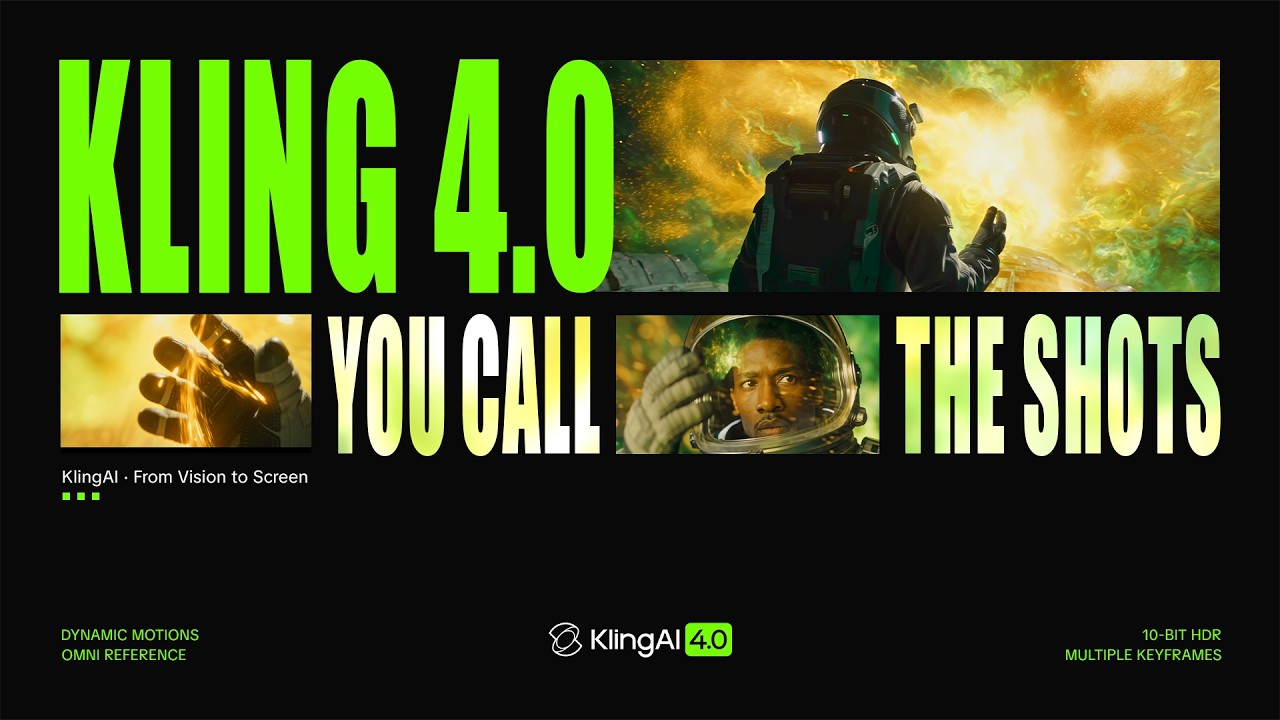
On October 15, 2026, Chinese platform Kling AI shipped its flagship release, Kling 4.0 — a new generation of AI video generation that combines clips of up to 30 seconds in a single pass, two-channel stereo audio, lip sync across more than ten languages, and a lighter Flash variant that is faster and cheaper. The company positions the update as a step toward closing the gap between AI-generated and professional video.
The announcement is listed on Kling AI's official release notes page as a major update dated October 15, 2026. It arrives after a year of rapid evolution: the platform entered its 3.0 era in January, added professional motion capture in March, shipped native 4K output in April, and delivered 3.0 Turbo in June — before jumping to an all-new fourth generation.
What is Kling AI, and why does this release matter?
Kling AI is an AI video generation platform developed by Chinese company Kuaishou, and it ranks among the most popular alternatives to Sora and Runway worldwide — including in Arabic-speaking markets, thanks to an approachable interface and strong results in animating images and realistic scenes. During 2026 alone, the platform launched the 3.0 model in January, professional Motion Control in March, team collaboration features and a desktop app, native 4K in April, and 3.0 Turbo in June.
That pace makes every major Kling release an event worth following for creators and marketers, because each one moves the bar on quality, cost, or both for videos that until recently required a full shooting and editing crew.
Kling 4.0 at a glance
- Clips up to 30 seconds long generated in a single pass, instead of stitching together short fragments.
- Up to 10 keyframe images to pin down scene transitions, character states, and story beats.
- Prompt comprehension up to 8,000 tokens: write a full detailed script instead of a short descriptive line.
- Two-channel stereo audio built into the generated video.
- Lip sync in more than 10 languages, including English, German, Japanese, Korean, and Spanish, with various dialects and accents.
- Multilingual in-video text that stays stable during camera movements.
- A redesigned creation interface plus access through MCP and CLI for building automated agentic workflows.
Longer duration, finer story control
The biggest practical constraint on video models so far has been duration: 5 to 10-second clips assembled later in the edit, with consistency breaking at every seam. Version 4.0 raises the ceiling to 30 seconds in one generation, meaning a complete short ad or a connected dialogue scene can be produced in one go.
The deeper addition is keyframing. You can now feed up to 10 images that define your starting and ending shots and everything between — controlling scene transitions, character expressions, and story milestones before the model starts working. And with prompt comprehension expanded to 8,000 tokens, you can paste an entire script with dialogue, camera, and lighting directions rather than compressing your vision into one sentence.
Omni Reference: all your references in one generation
Among the features professional creators are most excited about is the upgraded Omni Reference system. It accepts up to 15 reference assets in a single generation, with clear limits published by the company:
- Up to 10 images as references for characters, products, and places.
- Up to 5 videos with a combined maximum of 30 seconds, to cite motion or style.
- Up to 7 separate elements injected into the scene.
Crucially, accepted reference types now go beyond polished photography: storyboards, wireframes, image grids, white-model videos, and depth-map videos all work as inputs. In practice, a designer holding a paper storyboard can upload it as-is and get an animated video without an intermediate conversion step.
Creative Recreation: take an existing video and swap its content
The second feature aimed squarely at e-commerce and marketing is Creative Recreation. You use an existing video as a template, then swap out the product or character — with the ability to tweak individual elements such as facial expressions, body movements, camera angles, or backgrounds without affecting the rest of the clip.
The practical scenario is obvious: a creator tested an ad for one product and it performed well. They can now reuse the exact structure — the motion, the pacing, the framing — with a different product from their store, over and over, while keeping the same visual quality. A brand can likewise swap the hero's face, wardrobe, or backdrop between ad variants targeting different audiences.
Sound enters the equation: stereo and 10+ languages
For a long time, AI-generated video was silent, requiring external voiceover and manual syncing. Version 4.0 adds:
- Two-channel stereo audio inside the video itself, giving a spatial feel closer to cinematic production.
- Improved lip sync in more than 10 languages — the company lists German, English, Japanese, Korean, and Spanish, plus various dialects and accents.
- Multilingual in-video text that holds steady during camera movement — historically a visible weak point, as earlier models distorted letters at the first pan.
Note that Arabic is not explicitly named in the published language list. Creators working in Arabic should test lip sync on their own scripts before relying on it, or plan for an external voiceover with disciplined cutting.
What has been deferred to "coming soon"?
To be transparent: not everything announced is available today. Kling lists two headline features as coming soon:
- 10-bit HDR output at 4K and 1080p — relevant for anyone publishing to platforms that support high dynamic range.
- Video extension to up to two minutes, an entirely new duration ceiling for consumer-grade models.
The smart way to treat this list is to build your workflow on what ships today (30 high-quality seconds) and leave room to upgrade the production line when the two features land — rather than pausing projects on deferred promises.
The Flash variant: faster and cheaper, with a lower ceiling
Alongside the main model, Kling ships Kling 4.0 Flash, designed for faster generation at lower cost, capped at 720p and 20 seconds. The philosophy is a two-tier pipeline: use Flash to try ideas and validate scripts quickly and cheaply, then move to the main model for the final high-quality render.
New interface, MCP, and CLI: video enters the automation era
The company redesigned the creation interface entirely, and — more important for professional content teams — Kling 4.0 is now accessible through the MCP protocol and a command-line interface. What does this mean in practice?
- You can connect Kling to other tools (script writing, task management, publishing) in one continuous workflow.
- AI agents can execute the video step automatically: receive the article, generate the scenes, export the result — without manual intervention at each stage.
- Teams building automated content production lines can now include Kling as a physical link in the chain, the same way they do with text tools.
As for API pricing for the new version, it has not been announced yet and is listed as coming soon — a point to factor into any formal cost planning before availability.
Kling 4.0 in the competitive context: is the video race slowing?
The release does not land in a vacuum. The Chinese market in particular is fiercely contested: Alibaba's Wan 3.0 generates clips up to 30 seconds from text, images, and documents, while ByteDance's Seedance 2.5 produces 30-second clips with built-in audio. Early assessments — including a comparison published by The Decoder — find that Kling 4.0 "holds its own but doesn't pull ahead," especially in:
- Logical shot sequencing: transitions between frames remain weaker than human directing.
- Physics: object motion and physical interactions remain a source of visual errors.
- Natural dialogue: generated speech tones still betray themselves in longer conversational scenes.
There is also a broader reading worth noting: some observers suggest the breakneck pace of AI video progress may be starting to level off, with rival models converging on a similar level. The next Wan and Seedance releases will test that hypothesis.
How to build a smart video workflow around Kling 4.0
- Write the script first: exploit the 8,000-token ceiling by describing your video shot by shot — camera, lighting, dialogue, mood. Every detail you write removes a regeneration round later.
- Prepare references systematically: character and product photos from multiple angles, a simple storyboard, then feed them through Omni Reference within the published limits.
- Draft on Flash: generate the scene draft on the light version, gather feedback from your team or audience, then re-render on the main model.
- Connect outputs to the rest of your stack: via MCP or CLI, make the video step part of a chain that publishes automatically to your channels, building on the article-publishing tools you already use, such as the ARWriter platform.
- Document what works: keep the prompts and references that produced your best results. Sustainable video output today is built on reusing winning recipes, not starting from scratch.
What does this mean for you as a content creator?
- Product ads got simpler: Creative Recreation plus product references mean a small online store can produce multiple ads per product for a monthly subscription instead of a shooting budget.
- Explainer content fits the format: 30 connected seconds with stereo audio is enough to deliver one complete idea — the exact format that performs well in Reels and TikTok.
- Arabic dialogue is still outside the official list: plan visually driven videos with an Arabic voiceover you record or generate with a text-to-speech tool, rather than betting on Arabic lip sync.
- Comparison is mandatory: before committing, benchmark results against a free or open alternative like the open Pika H3 model we covered previously — in many simple use cases the gap has narrowed.
Limits and constraints to keep in mind
- Physics and logical shot sequencing remain declared weak points across the category, so avoid highly complex scenarios early on.
- Flash is capped at 720p and 20 seconds; do not build a final production line on it.
- HDR and the 2-minute extension are not yet live, despite being announced.
- API pricing is unannounced, so budget on current interface subscriptions until official rates appear.
- Commercial usage rights: review the terms of your specific subscription tier before using outputs in paid campaigns, because tiers differ.
Frequently asked questions
What is Kling 4.0 and when was it released?
It is the fourth flagship release of the Kling AI video generation platform, officially launched on October 15, 2026 according to the platform's official release notes page.
What is the maximum video length Kling 4.0 can generate?
Up to 30 seconds in a single generation. A video extension feature that would stretch clips to up to two minutes is listed as coming soon and is not available at launch.
Does Kling 4.0 support Arabic lip sync?
The official published list covers more than 10 languages including English, German, Japanese, Korean, and Spanish with various dialects, and Arabic is not explicitly mentioned. Test the model on your own Arabic scripts before relying on it, or use an external voiceover.
What is the difference between Kling 4.0 and Kling 4.0 Flash?
The main model targets maximum quality with clips up to 30 seconds, while Flash is built for faster generation at lower cost, capped at 720p and 20 seconds — best suited for drafts and idea validation.
What is the Omni Reference system?
It is a reference system that accepts up to 15 assets in a single generation — up to 10 images, 5 videos with a combined maximum of 30 seconds, and 7 elements — and also accepts storyboards, wireframes, image grids, white-model videos, and depth-map videos as inputs.
Can Kling 4.0 be used in automation and AI agents?
Yes. The new version is accessible through the MCP protocol and a CLI, allowing integration into automated workflows where AI agents generate video as one step in a complete content production chain.
Start your first video project this week
The distance between "an idea in your head" and "a video published on your channels" has never been shorter. Pick one product or one idea, write a 30-second script for it with the ARWriter writing tools, generate the draft on Flash, and ship it. Flagship releases like 4.0 are measured in actual usage, not in watching from the sidelines.
Sources: Official Kling 4.0 release notes — Kling AI official release history — The Decoder coverage — Official launch video on the Kling AI channel