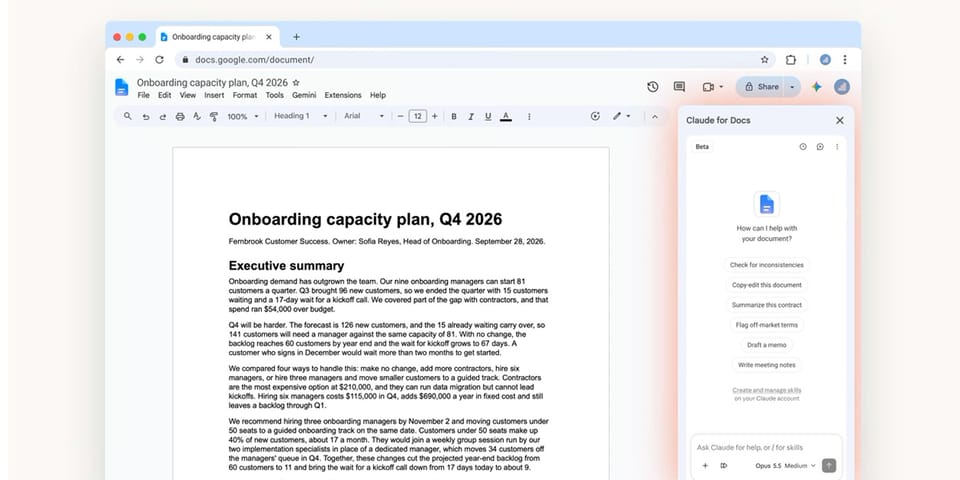
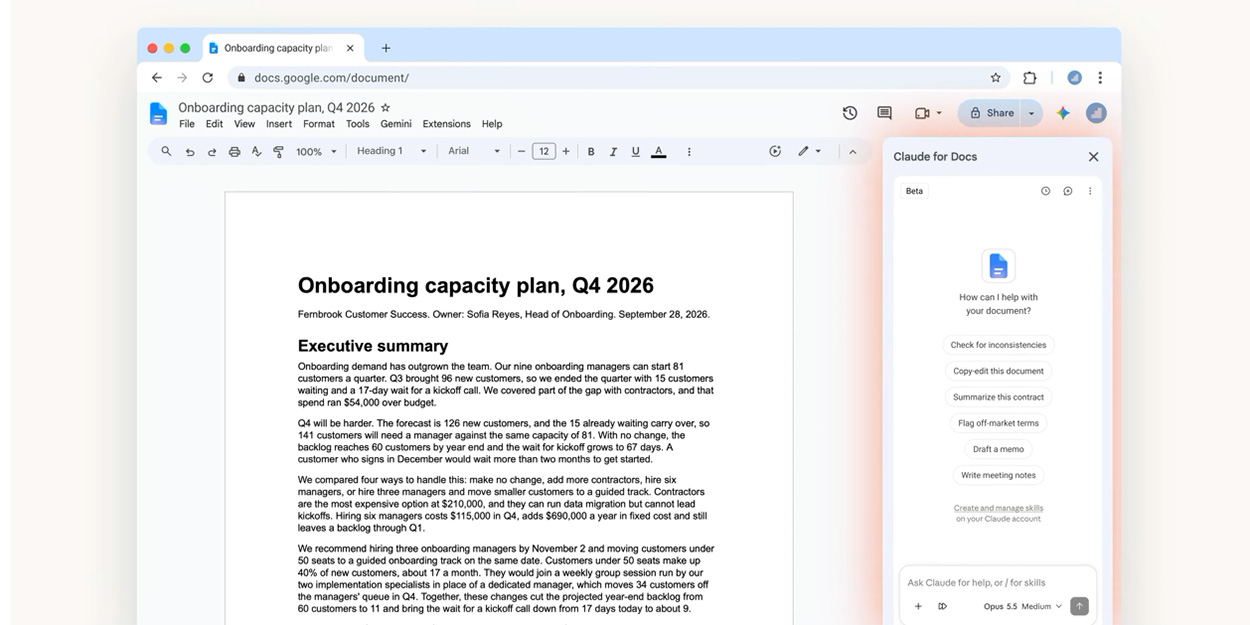
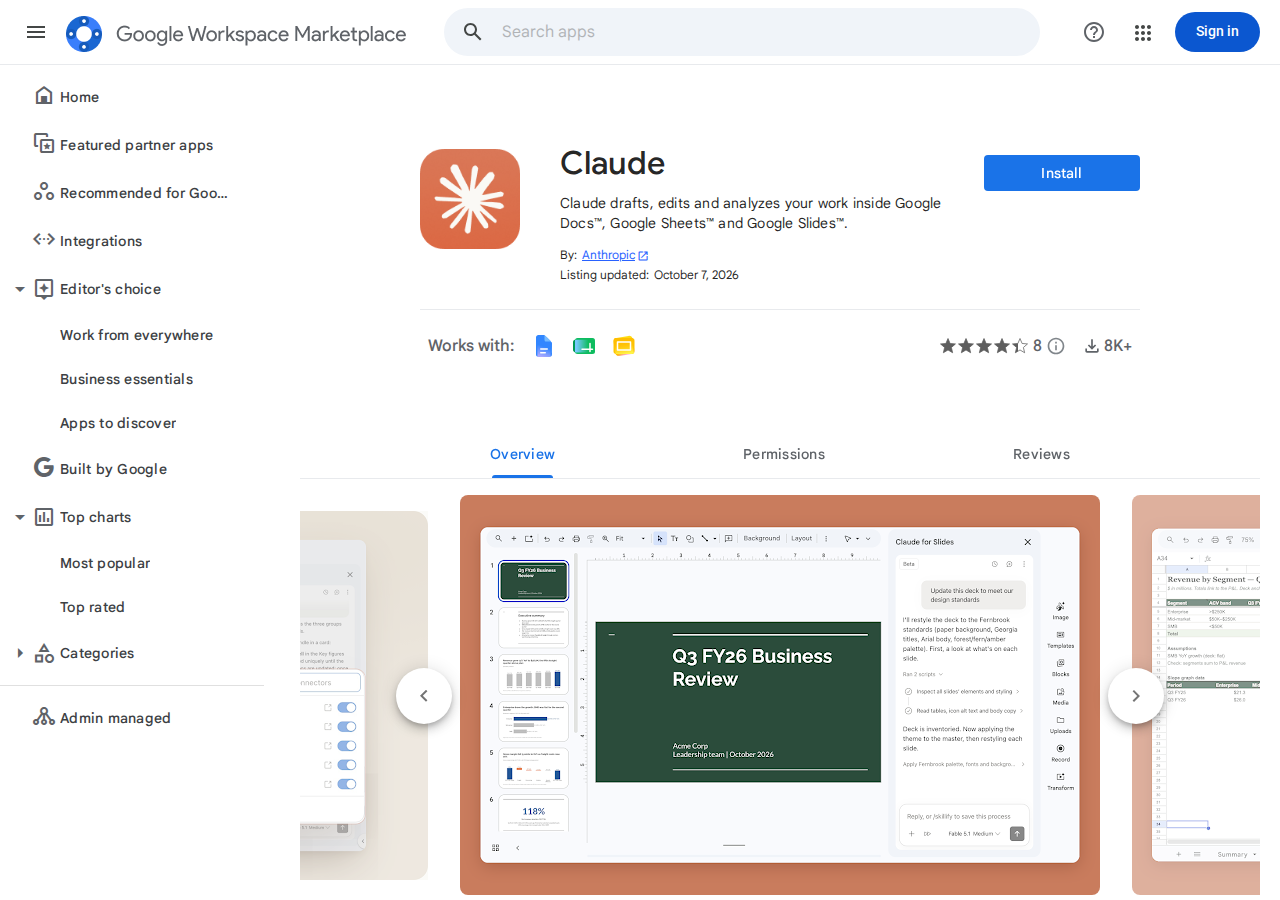
On October 6, 2026, Anthropic opened a door that content professionals have been pushing at for years: Claude is now officially installable inside Google Workspace. A new app in the Google Workspace Marketplace — simply named "Claude" — adds a side panel that works alongside your file in Google Docs, Google Sheets, and Google Slides, drafting, editing, and analyzing your work without the copy-paste shuttle between a chat window and your document. The add-on entered public beta on announcement day, and its official Marketplace listing already shows more than 8,000 installs in its first days with a rating around 4.5 out of 5 stars.
This is not just another add-on in a crowded marketplace. It is the first time a competing writing model has entered Google's own office suite officially — and the integration runs in both directions. Claude works inside Google Docs, and your Google Docs open inside a Claude conversation. This guide covers exactly what shipped, how to enable it step by step, what it can do in each app, how it differs from the Gemini assistant already built into Workspace — and the honest limits you should weigh before making it part of your daily workflow.
What exactly launched on October 6?
The announcement arrived as two complementary pieces, not one:
- The sidebar add-on inside Google's apps: an official Anthropic app in the Google Workspace Marketplace that adds a side panel working next to your file. The official listing describes its job plainly: "Claude drafts, edits and analyzes your work inside Google Docs, Google Sheets and Google Slides." The add-on is in public beta and available to users on paid Claude plans.
- Workspace connectors inside Claude: a parallel update to the Connectors system inside the Claude app itself. Separate connectors for Docs, Sheets, and Slides let you edit Google files from inside the conversation, opening the file in a live panel beside the chat where you and Claude can work in the same file at the same time. These connectors — per the official support page — are available to all Claude users, not just paid plans.
The distinction matters practically. If you want Claude inside Google, you need a paid plan and install the Marketplace add-on. If you want to work on Google files from inside Claude, you enable the free connectors and paste a file link into the conversation. Both paths converge on the same idea: tearing down the wall between the chat window and the document window.
How to enable Claude in Google Workspace, step by step
Setup takes minutes, but the details differ depending on your account type:
- Open the app's Marketplace page: search for "Claude" in the Google Workspace Marketplace or go directly to Anthropic's listing, then click Install and accept the requested permissions.
- Sign in with your Claude account: the add-on asks you to connect your Claude account. This is where the paid-plan requirement for the in-app sidebar applies.
- Open the side panel inside a file: after installation, a Claude icon appears inside Docs, Sheets, and Slides. Click it to open the panel beside your document and start making requests immediately.
- For company accounts (managed Workspace): an administrator may need to approve the app first from the Admin console, and mark Claude as Trusted under Security → API controls → third-party app access, so live editing works without friction.
- For the connectors inside Claude: from inside a Claude conversation, tap the "+" sign, choose Connectors, enable the Docs, Sheets, and Slides connectors, and sign in with your Google account. Team and Enterprise users need their admin to enable connectors at the org level first.
One practical tip from the official support page: when you ask Claude to create a new Google file, say it explicitly — "create a Google Slides presentation from these notes" — because a vague request produces a local Claude file, not a Google file in your Drive.
What can Claude actually do in each app?
In Google Docs: a line editor that doesn't break your formatting
Inside text documents, Claude focuses on the writer's daily tasks: fixing spelling, rephrasing selected passages, restyling entire sections — while preserving the existing formatting, a point that matters to anyone who has watched their styles evaporate after every AI editing pass. Claude also reads the comments and suggestions already in the document, which makes it a participant in team editorial reviews rather than an isolated drafting tool.
In Google Sheets: formulas and tables from document context
Claude writes formulas and builds tables starting from the content of your document itself, or from additional documents and spreadsheets you attach to the conversation. For a content team, this means a monthly performance spreadsheet for your posts can turn into a structured comparison table with correct formulas from one instruction — no more hunting VLOOKUP syntax between YouTube tutorials.
In Google Slides: new slides built from your existing layouts
Claude builds new slides relying on the layouts and themes already present in your deck, and can flag which elements need updating. With the "ask before edits" mode, you review every change before it is written to the file — a meaningful safety valve before a high-stakes presentation.
The connectors inside Claude: the reverse direction
The second half of the integration serves people who already live in the Claude window. Paste a Docs, Sheets, or Slides link into the conversation, and the file opens in a live panel beside the chat. Claude reads the content before each edit and applies changes in front of you. Editing is synchronous: you're on your side, Claude is in the panel, and both of you are in the same file. Every file appears as a card in the conversation with an "Open in Google" button for jumping to the full interface.
The connectors don't stop at editing. Alongside them, the Google Drive connector handles search, upload, sharing, and saving Claude files to Drive; a Gmail connector drafts and sends replies (with your approval on every send); and a Google Calendar connector organizes appointments. In practice, this collapses the link-shuffling between scattered tools into a single conversation.
What this means for content professionals
Let's translate the announcement into practical impact for writers, marketers, and creators who produce on a deadline:
- Editing happens where the work lives: instead of exporting a draft to an external tool and re-importing it, proofreading and rewriting happen inside the original document your team already shares — fewer format losses, clearer revision history, less context-switching.
- Long-form quality where it counts: Claude's strength in long-document editing and nuanced rewriting is exactly the gap most in-editor assistants leave open. For drafts that run 2,000+ words, an assistant that holds the whole document's context — and the comments on it — changes what's practical to revise in one pass.
- From notes to deck: a writer covering a conference or summarizing a report can turn their Docs notes into a structured Slides deck built on the company template in minutes, then hand the same deck to the team — all inside the Workspace they already use.
- Spreadsheets without formula pain: creators managing a publishing calendar or a production budget get generated formulas and tables from a plain-language description instead of building them by hand.
- A sensible entry cost: the connectors are free for all Claude users, so the core integration — opening and editing Google files from inside Claude — can be tested before any financial commitment. The in-app sidebar is the part that requires a paid plan.
Claude vs Gemini in Workspace: a quick comparison
The natural question: I already have Gemini inside Docs and Sheets — why install Claude? The table sums up the essential differences:
| Aspect | Gemini in Workspace | Claude in Workspace |
|---|---|---|
| Availability | Built in with Google One AI or an eligible Workspace subscription | Marketplace add-on + paid Claude plan (sidebar); connectors free for everyone |
| Core strength | Deep integration with Google's ecosystem, Search, and images | Long-form drafting and editing quality, longer context window |
| How it works | Google's own side panel in each app | Claude's side panel + a reverse direction: your files open inside a Claude conversation |
| Edit review mode | Depends on each tool's flow | Explicit, unified "ask before edits" mode across apps |
| Best for whom? | Teams fully invested in Google who want one solution | Writers and editors who rely on Claude for drafting and want direct access to their files |
The practical conclusion: this isn't a contest with one winner. Many writers will find both coexist in the same Workspace — Gemini for tasks tied to Google's ecosystem, Claude when long-form drafting and editing quality is the priority. If you're weighing Claude's pricing options for daily use, our earlier coverage of the Claude Haiku 5.5 launch and its reduced prices and Claude Sonnet 5.5, 30% faster breaks down the plans in detail.
The limits and drawbacks, honestly
No launch comes without shadows. These are the documented constraints from the official support pages and specialist coverage:
- Browser: the live editing pane on the web currently works in Chrome only. Users of other browsers need the Claude Desktop app with its built-in browser, or the "Open in Google" button.
- Slides restrictions: creating charts inside Slides is not supported, and edits may not appear live in the side panel — they are applied, but you'll need to view them in Google to see them.
- Drive reads text: when reading files through the Drive connector, Claude extracts text only — images embedded in documents are not analyzed.
- Cautious enterprises: the live editing pane is disabled by default for Enterprise admins and requires administrative enablement — an understandable security posture that nonetheless slows adoption in large companies.
- Managed Google accounts: some Workspace admins restrict third-party apps outright, so check your organization's policy before installing.
- Beta: the feature is in public beta. Expect imperfect behavior and varying response times; the "ask before edits" mode exists precisely for this reason.
What about your data and privacy?
Per the official support page, Claude reaches only the files your connected Google account itself has access to — it sees nothing you don't already own. Data is fetched on demand only, in the minimum amount needed, stored encrypted in transit and at rest on Anthropic's servers, and tied to the conversation that fetched it: delete the conversation, and what it fetched goes with it. Most importantly for commercial content work: Anthropic does not use connector data to train its models — with the exception of consumers on consumer plans who opted into training data sharing voluntarily. Even so, the golden rule stands: review your client's or organization's policy before routing sensitive documents through any AI tool, Claude or otherwise.
Frequently asked questions
Is Claude free inside Google Docs, Sheets, and Slides?
The sidebar inside Google's apps requires a paid Claude plan. The Docs, Sheets, and Slides connectors inside the Claude app are available to all users with no plan requirement, and cover editing and creation by pasting a file link into the conversation.
Does it work on documents I manage with a team?
Yes. Claude reads existing comments and suggestions in a document and preserves the formatting as it edits, which makes it usable in shared team documents rather than only in personal drafts.
What's the difference between the Claude add-on and built-in Gemini?
Gemini is included with Google subscriptions and focuses on integration with Google's ecosystem, while Claude is an optional Marketplace add-on distinguished by long-form editing quality and a longer context window — plus a unique reverse direction: opening and editing Google files from inside a Claude conversation.
Can an organization block the app?
Yes. A Workspace admin can restrict third-party apps from the Admin console, and typically needs to mark Claude as Trusted for live editing to work smoothly. The live editing pane is also disabled by default on Enterprise plans and requires admin enablement.
Is my document content used for AI training?
Per the official documentation, connector data is not used in training — except for consumers on consumer plans who voluntarily enabled training participation. Data stays tied to the conversation and is deleted when the conversation is deleted.
The verdict: is it worth trying now?
Claude's Google Workspace integration is a real piece of a wider shift: AI tools are stopping being "conversations in a separate window" and becoming a layer that works inside the actual workplace — the document, the spreadsheet, the deck. For working writers, having an assistant that edits long documents in place, reads the team's comments, and builds decks from existing templates addresses a long-standing friction point. And with a free path through the connectors, the cost of trying it approaches zero. Treat it as a tool to experiment with now — the beta and its limits are real — not yet a full replacement for a settled workflow. The "ask before edits" mode gives you a comfortable safety margin in daily use.
And if what you're after is producing polished, publish-ready content at speed — articles, research, scheduled posts — try ArWriter, which brings writing, images, and research together in one bilingual workspace, with the automatic article and research writer that takes you from a keyword to a publishable draft, on plans starting at $4.99/month.