On October 6, 2026, Google quietly shipped one of the most practical AI audio updates of the quarter: producers using Google Flow Music can now export the custom instruments and effects they build in Spaces as VST3 and AU plugins, ready to load inside professional Digital Audio Workstations like Ableton Live, Logic Pro, FL Studio, Cubase, Reaper, and Studio One. If that sentence sounds technical, the reality is not: it means you can now describe a music tool in plain language, have AI build it for you, and then run it inside the exact software you already use to make records, videos, and podcasts — no coding, no developer, no waiting.
The update matters because it closes a gap that has defined AI music tools so far. Most generative audio products live in their own bubble: you generate a track or an effect inside their app, and using it in a real production means exporting audio files and hoping they fit your project. Google took the opposite route with Spaces. Instead of giving creators finished outputs, it gives them the tools themselves — and now those tools travel with you into your professional environment.
What Flow Music and Spaces actually are
Flow Music is the music-focused extension of Google's Flow creative ecosystem, which lives under the Google Labs banner — the company's playground for experimental creative products. We have covered this ecosystem before, including the six creator-built tools Google shipped in Flow earlier this fall and the creative controls and 4K export capabilities that arrived over the summer. The pattern across all of these releases is consistent: Google is building an end-to-end creative workbench rather than a collection of one-shot generators.
Spaces is the feature at the heart of this story. A Space lets you build a custom instrument or audio effect using natural language — you describe the sound, the behavior, the character you want, and the system constructs the tool for you. Google's announcement is explicit that no coding experience is required. That single sentence demolishes what used to be the biggest barrier between a musician's idea and its execution: historically, building a custom VST plugin meant hiring a developer or learning C++ and plugin frameworks yourself, which priced most independent producers out of custom tooling entirely.
Think about how you actually work as a producer or content creator. You hear a specific sound character in your head — a particular saturation curve, a transition effect with a specific personality, an instrument that behaves a certain way. You then spend hours auditioning hundreds of commercial plugins that get close but never quite match. Spaces inverts that workflow: you describe the thing you hear, iterate on the description, and end up with a tool that exists nowhere else because it came from your own taste.
What the October 6 update changes in practice
Before this update, tools built in Spaces were locked inside the Flow Music environment. You could experiment with them there, but they would not follow you anywhere. As of October 6, producers can export their custom Spaces in the two plugin formats that dominate music production:
- VST3 — the cross-platform plugin standard supported by most major DAWs on Windows and macOS, including Cubase, Ableton Live, FL Studio, Reaper, and Studio One.
- AU — Apple's Audio Unit format, used natively on macOS, most notably inside Logic Pro and GarageBand.
In plain terms: the AI-built tool becomes a real plugin file. You install it like any commercial plugin, it shows up in your plugin menus alongside the big-name libraries, and it stays there for every future session. Your AI creation stops being a demo and becomes infrastructure.
That last point deserves emphasis for anyone planning content workflows. A sound that lives only inside a web app is a novelty. A plugin that loads in your DAW is an asset you can reuse across every episode, video, and campaign — which is exactly what consistent audio branding requires.
A real example from the announcement: the No Chaser plugin
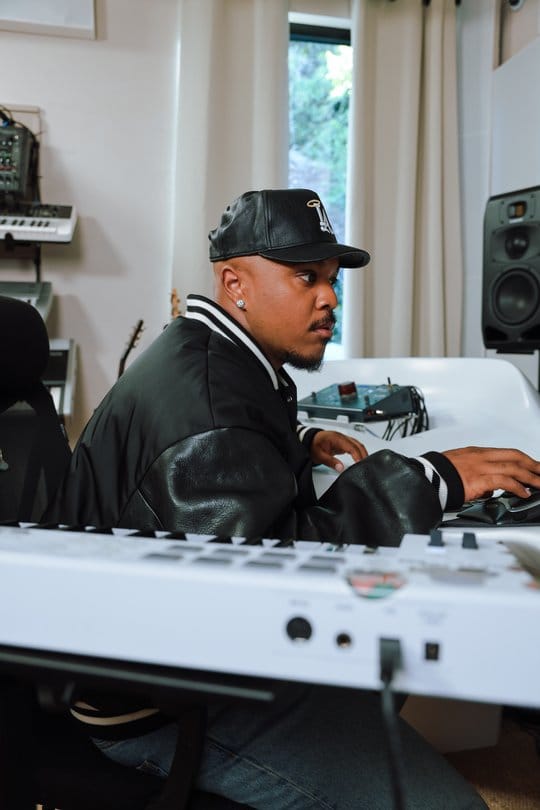
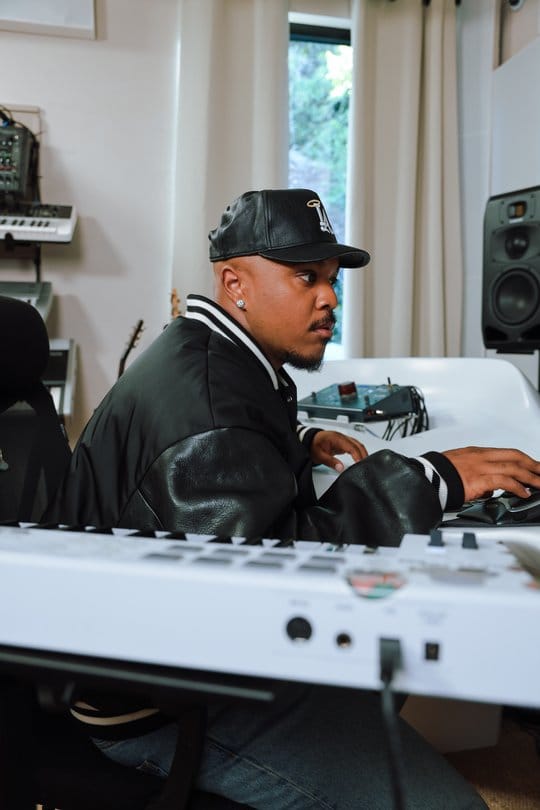
Google did not ship this update with abstract promises. The announcement features producer Khris Riddick-Tynes, who built a plugin called No Chaser using the new capability. According to Google's post, the plugin helps ensure his instrumentals and vocals are sharp and studio-quality no matter where they were recorded — a direct answer to the reality that most independent production happens in untreated rooms, hotels, and home studios rather than acoustically designed spaces.
Official video from the Google Flow Music YouTube channel showing how Khris Riddick-Tynes builds the No Chaser production plugin.
The choice of example tells you who this feature is really for. This is not aimed only at hobbyists playing with AI toys — it is aimed at working producers with precise, personal requirements that off-the-shelf plugins never fully satisfy. When you build your own tool, you know exactly what it does, why it exists, and how to push it further.
What this means for you as a content creator
The obvious beneficiaries are musicians and producers. But the update ripples outward to anyone whose content contains sound:
- YouTubers and video creators: music and transitions are half of a channel's identity. Building your own signature transition effect or instrument character means an audio identity that no stock library can replicate — and that viewers start recognizing within seconds.
- Podcasters: custom intro stingers, segues, and voice-processing chains built to match your show's personality, then reused reliably in every episode from inside your usual audio editor.
- Marketers and e-commerce teams: short-form ad content needs a consistent sonic brand across dozens of assets per month. One custom tool guarantees that consistency better than hopping between generic libraries.
- Producers and beatmakers: the direct winners — the distance between "I have an idea for a plugin" and "the plugin is loaded in my DAW" just collapsed from months to minutes.
There is also a subtle point about language worth noting for international creators. Because tools are built by describing them in natural language, the entry barrier is descriptive clarity rather than technical vocabulary. Google has not announced language restrictions on descriptions, though in practice the nuance of your descriptions — and your ability to iterate on them — will determine how close the result lands to what you imagined.
Why now? The context behind the update
Dropping this into the industry timeline explains its significance. AI music tools have spent the past two years converging on one model: generate finished audio from a prompt, pick the best take, move on. That model has a ceiling — everyone is drawing from the same generative pool, and outputs increasingly blur together. We saw this clearly when Suno shipped Studio 2.0 with its own creator-focused workflow: the entire market is racing to give creators more control, not just more output.
Google's move answers that race from a different angle. Rather than generating finished music, it generates the instruments and effects — the building blocks — and hands you ownership of them. It is the difference between being handed a fish, buying fishing rods, and being able to design your own fishing rod to fit your hand exactly. The second and third options produce creators with distinct sounds; the first produces homogeneity.
The economics reinforce the shift. Traditional plugin development was a multi-month, multi-thousand-dollar project, which is why the plugin market consolidated around established companies. When the cost of custom tooling falls to a subscription and a few minutes of writing, the competitive advantage moves from owning tools to knowing precisely what you want — a skill that belongs to the creator, not the corporation.
Quick comparison: your three realistic options
| Criteria | Traditional custom plugin dev | Stock generative music apps | Spaces + VST3/AU export |
|---|---|---|---|
| Skills needed | C++, plugin SDKs, DSP knowledge | Almost none | Natural language description only |
| What you get | A professional plugin | Finished audio clips, not tools | A plugin running in your own DAW |
| Time to result | Weeks to months | Minutes | Minutes |
| Fit to your style | Total, if you can afford it | Limited by the app's options | Total, via iterative description |
| Cost profile | Developer fees or months of learning | Recurring subscriptions | Within the Flow Music product from Google Labs |
A practical walkthrough of the new workflow
The flow itself is refreshingly short. You open Flow Music, create a new Space, and describe the instrument or effect you want in words. You audition the result, refine the description, and repeat until the tool matches your intent. Then you export it as VST3 or AU and install it in your DAW like any other plugin. From that point on, it behaves exactly like the rest of your plugin library.
One piece of advice for your first attempts: do not try to build your dream all-in-one instrument on day one. Start with a small, single-purpose tool — one transition effect, one characterful processor — and drop it into a real project immediately. The fastest way to learn how the system interprets descriptions is to close the loop between building and using, not to polish descriptions in isolation.
Honest limits and drawbacks
- This is still Google Labs territory: experimental by nature. Features can change or disappear, so treat it as a powerful accelerator rather than permanent infrastructure until it graduates.
- Your description quality caps your tool quality: producers without basic audio vocabulary may need more iterations to reach professional-sounding results. The AI translates intent; it does not manufacture taste.
- Licensing details are not in the announcement: Google's post does not spell out export limits or commercial-use terms for the plugins you build. Before building a business on exported plugins, read the product's actual terms of service.
- AU is macOS-only: Windows users rely on VST3. That is normal for the industry, but it means your export format is dictated by your platform.
- Generated plugins will not replace flagship sample libraries: a tool built from a description is precise and personal, but decade-old flagship libraries with terabytes of recorded material still hold ground in many scenarios.
- Expectation management: the ease of building can create the illusion that every tool will be great on the first try. Like any creative process, expect iteration.
Frequently asked questions about Flow Music plugin export
Do I need to know how to code to build plugins in Flow Music?
No. Google states explicitly that Spaces tools are built using natural language, with no coding experience required — that is the core premise of the update.
What is the difference between VST3 and AU, and which should I export?
VST3 is the cross-platform standard supported by most DAWs on Windows and macOS. AU is Apple's plugin format for macOS, used natively in Logic Pro and GarageBand. Export the format your DAW supports.
Will the exported plugins work in Ableton Live, FL Studio, and Logic Pro?
Yes — the purpose of the update is exactly that: running your Flow Music tools inside mainstream DAWs through the standard VST3 and AU formats.
Can I sell the plugins I build?
Google's announcement does not address commercial licensing of exported plugins, so review the product's terms of service before making any commercial moves.
Does this replace human musicians and producers?
No — if anything, it moves in the opposite direction of fully generated music. It hands producers a faster path to custom tooling while leaving the musical judgment, taste, and performance entirely human.
I have never used a DAW. Where do I start?
Start with a free DAW that supports VST3 or AU plugins, and build one small Space first. The core concept is identical everywhere: load the plugin onto a track, and it processes the sound, just like any built-in effect.
The bottom line
The October 6 update turns AI from a content generator into a tool-maker — and tools are what professionals actually keep. For anyone producing music, video, or podcasts, the ability to describe a custom instrument and load it into your own DAW minutes later changes the economics of having a distinct sound. And if your creative work is broader than audio and you want a full writing-and-publishing workflow in one place, take a look at ARWriter's Auto-Writer, which turns a topic into publication-ready content end to end.