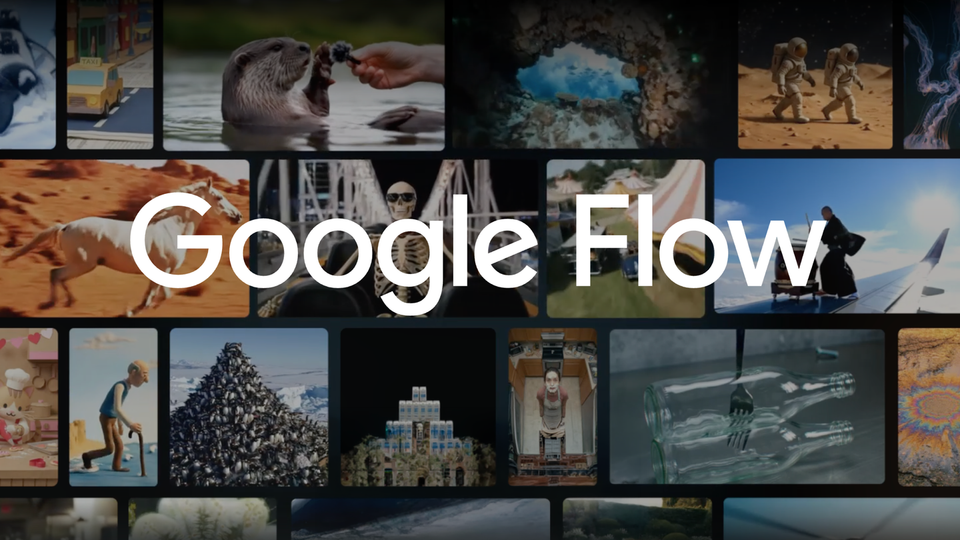
Google gave its AI video tool Flow a serious production-grade upgrade on August 27, 2026. Announced on the official Google blog by the Google Labs team, the update adds 4K video export, start-and-end frame control for keeping characters and narrative consistent between shots, and a low-cost 360p drafting mode you can upscale later. Everything ships via the new Gemini Omni 1.1 Flash model, and — in Google's own words — "starting today, all of these new capabilities are available in Google Flow."
What exactly is new in Flow?
Flow is Google's browser-and-mobile studio for AI video generation, which gained the Gemini Omni Flash model at Google I/O. The new update builds on that foundation with three capabilities confirmed in the official announcement:
First — start and end frames. You define how a shot opens and how it closes, and the model keeps characters and narrative consistent as it bridges the two. This targets the oldest complaint in AI video: characters and scenes drifting between shots, which used to force creators into endless regeneration roulette just to land one coherent sequence.
Second — 1080p and 4K export. Instead of output that only survives the compression of a social feed, Flow can now render high-resolution files that Google describes as ready for "high-end digital, social, or broadcast editing workflows." For anyone producing branded content or advertising, this is the first time Flow output can be delivered professionally without apologizing for quality.
Third — cheap drafts, then upscale. Before committing credits to a full-resolution render, you can test concepts and compositions at a faster, lower-credit 360p draft; once a clip earns your approval you can download it at 720p or re-render at full quality. Google specifically highlights the mobile benefit: sketch video ideas from your phone on the go, then upscale the versions worth keeping.

What this means for your content workflow
The core shift here: Flow moves from "impressive demo tool" to "usable stage in a production pipeline." When you can lock a character across shots and export 4K, the two classic objections that kept content teams away from generative video — inconsistency and delivery quality — lose most of their weight. The drafting mode changes the economics too: instead of burning credits on guesses, you test ten compositions at 360p and only invest in the best three.
The practical workflow worth adopting is simple and repeatable: write a precise shot description (camera angle, subject, motion, the line that accompanies it), generate a cheap draft, select the winners, then upscale. Note that writing these prompts in English usually yields more precise results than most other languages — a bilingual drafting habit helps. You can prepare first-draft shot descriptions and scripts with ArWriter's writing tools and refine them by hand before generating.
For multi-platform teams, the three features support the hybrid model most professional creators now run: a fast low-res version for Reels and Shorts, a 4K master for YouTube and clients, from a single generation run — the same consolidation logic we covered in our guide to short-form video tooling.
Quick comparison: Flow before and after
| Aspect | Before August 27 | After the update |
|---|---|---|
| Character consistency across shots | Luck and repeated regeneration | Explicit start/end frame control |
| Maximum practical export quality | Social-grade output | 1080p or 4K, professionally deliverable |
| Idea testing | Full credit cost per attempt | Cheaper, faster 360p drafts with later upscaling |
| Working from a phone | Limited | Draft on mobile, upscale later |
Limits you should plan around
The official announcement does not mention pricing, plan tiers, or regional restrictions — and until Google's plan pages confirm otherwise, treat any third-party price claim with caution. The economy mode also caps final downloads at 720p, meaning the cheap path stays visibly cheap by design; it's an evaluation lane, not a delivery lane. And while start/end frames materially improve continuity, they don't give the model true scene-level semantic memory — a human reviewing every clip before it ships under a brand name is still non-negotiable.
A suggested workflow: from idea to 4K video in Flow
For immediate practical use, here's a six-step workflow that exploits all three new capabilities:
- Write a precise shot description before generating anything: subject, camera angle, motion, lighting, and the accompanying line. A vague prompt ("a person walking") produces random results no matter how good the model is.
- Define start and end frames for each long shot: "opens on a wide café interior, closes on a close-up of the cup on the table" — that's how the model locks character and narrative between frames instead of leaving it to chance.
- Generate the 360p draft first: don't burn credits on curiosity; test several compositions of the same shot in the cheap lane.
- Select ruthlessly: keep only the best one or two versions of each shot and delete the rest — abundance is the enemy of output.
- Upscale the winners: re-render at full quality, or export 4K directly when the shot is destined for the final cut.
- Feed the result into your traditional editor: final timing, sound, and brand identity happen in an NLE — the high-resolution export exists precisely for that handoff.
Tips for writing shot descriptions in Flow
- Write like a director, not a user: "medium shot, a man in his thirties walking through a modern corridor, morning light from the right, slow tracking camera" beats "man walking in a building" every time.
- Description language: English prompts currently yield more precise results in most video models; draft the idea in your own language, then produce a polished English version with a bilingual writing tool such as ArWriter's tools before generating.
- Split scenes, don't stack them: one description containing five events confuses the model; one shot per description, then chain them with the new frame controls.
- Document what works: keep a library of descriptions that produced excellent results — in generative tooling, a good library is a production asset that saves hours, and it pays off again when you repurpose the same material into blog posts and clips.
Frequently asked questions
What is Google Flow?
Flow is Google's AI video creation and editing studio, available on the web and mobile, powered by Google's video generation models — most recently Gemini Omni Flash and the new Gemini Omni 1.1 Flash.
Is 4K export available to all Flow users?
Google announced that all three new capabilities are available in Flow starting August 27, 2026, but the announcement does not detail plan or credit restrictions — verify your plan's terms on the official pricing page before committing a client project.
What do start and end frames actually do?
They let you define the opening and closing state of a shot; the model keeps characters and narrative consistent as it generates the transition between them, reducing the shot-to-shot drift typical of AI video.
Can I test ideas cheaply before rendering in high quality?
Yes. The new drafting mode generates 360p versions at lower credit cost and higher speed; approved drafts can be downloaded at 720p or re-rendered at full resolution.
Does Flow replace traditional video editors?
No. It's a generation and pre-production tool. Final editing — timing, sound, brand identity — still belongs in a dedicated editor; the 4K export exists precisely so output can feed a professional editing workflow.
The bottom line
With narrative consistency, deliverable quality, and a sane testing economy, Google's generative video tooling is now ready for real production pipelines. The differentiator won't be the model — it will be whoever runs a disciplined workflow that starts with a well-written description. If AI video is on your roadmap, start by building a reusable library of shot prompts and scripts, exactly the kind of foundation ArWriter is built for.