Picture a regular content-creation morning: coffee in one hand, phone in the other. You ask out loud, "What does my day look like?" — and your assistant answers with a spoken summary of your calendar and the email that matters. Then you keep talking: "Grab the event invites from my email, create calendar events for them, and include the driving times." You finish breakfast while the task runs itself in the background. That is not a concept video; it is the official scenario Google laid out on August 26, 2026, alongside a major update to Gemini Live that shifts it from "assistant you chat with" to "partner that executes on your behalf."
The number Google uses to justify the bet: 63% of Gemini users already talk to it out loud. Voice is not a secondary interface — it is the dominant one. The new update builds on that with four interlocking features.
The four features as Google announced them
1. Spark integration: long-running tasks, launched by voice
The heaviest addition in this update. You can now start complex, multi-step tasks with a single spoken sentence, and Spark runs them independently: it works across Google Docs, Sheets, Drive, and the web, remembers your goal as it goes, and keeps scheduled jobs running for days or weeks even when you are not using the app. Google's own example: pull event invites out of your inbox, turn them into family calendar events, and calculate driving times — one sentence in, one finished task out.
One subscription note worth underlining: Spark requires a Google AI Pro subscription or higher — it is not part of the free tier.
2. Daily Brief
Say "What's my daily brief?" and Gemini replies with a spoken summary that combines the essentials from Gmail and Google Calendar into one digest. It is built for the question "what should I care about today?" without ever looking at a screen. This feature requires a Google AI Plus subscription or higher.
3. Hands-free inbox management
Gemini becomes a conversational partner for sorting your Gmail: "Any new emails?" or "Are there any urgent emails from the kids' school today?" — then search, summarize, star, archive, or delete messages entirely by voice. If you spend an hour a day in your inbox, this alone might hand half of it back.
4. Personal Intelligence
Gemini now remembers what you have discussed before and connects it to your linked apps — Gmail, Photos, Search, and YouTube. Ask "What was the name of that restaurant we went to in New York last summer?" or "Pull up the recipe we talked about yesterday," and it answers from your conversation history and connected apps together. Activation is fully opt-in from the app's connection settings.
How to turn the new features on
- Open Gemini's settings and enable app connections, choosing which apps Gemini may reach.
- Turn on Personal Intelligence from its dedicated settings section if you want conversation memory.
- Tap the Live icon in the Gemini app and just start talking — you never pick a tool yourself. Gemini decides whether your request needs Spark, a Daily Brief, or a quick inbox search, and moves between them inside one unbroken conversation.
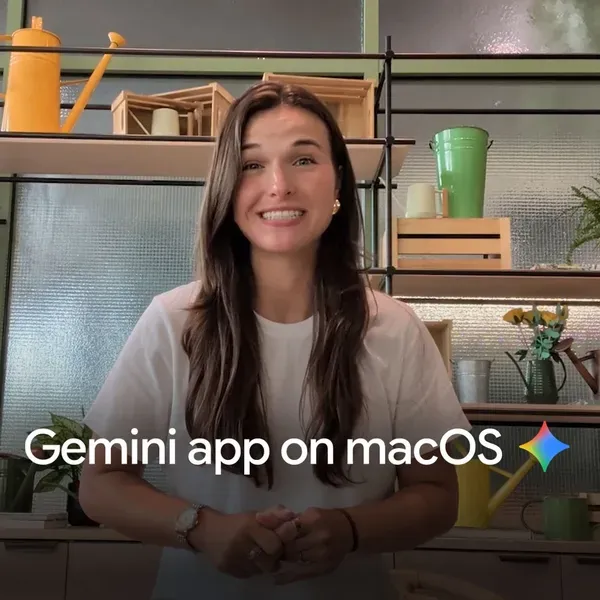
What this means for you as a content creator
The creator angle here is bigger than office productivity:
- Capture ideas in motion. The best article ideas arrive while driving or walking. Now you can hand the idea to Spark by voice and have it shaped into an organized document draft, with reference links gathered from the web, waiting for you back at your desk.
- Voice-first publishing ops. Ask each morning about collaboration emails and brand deals, star what matters, and get a spoken daily brief of shooting and publishing dates — all while you set up your lighting.
- Background jobs for channels. Spark's multi-day scheduling suits recurring work like compiling a weekly news digest of your niche into a document that feeds your scripts — with human review before anything goes live, of course.
And when you want a full writing partner for the stage after the idea — turning voice notes and rough context into a polished, publish-ready article — ARWriter's article writer is built exactly for that handoff.
Quick comparison: where the update lands
| Capability | Gemini Live after the update | Before the update |
|---|---|---|
| Natural voice conversation | Available | Available |
| Scheduled multi-step tasks (Spark) | Available — AI Pro subscription or higher | Not available |
| Spoken daily brief (Gmail + Calendar) | Available — AI Plus subscription or higher | Not available |
| Voice inbox triage | Available | Limited |
| Conversation memory + app connections | Available (opt-in) | Not available |
Honest limits you should know
- The two headline features are paid. Spark sits behind Google AI Pro and the Daily Brief behind AI Plus. Free-tier users keep voice conversation and inbox triage, but not the two features that define this update.
- Privacy is your call — and your cost. The features depend on granting Gemini access to your mail, calendar, and files. It is opt-in, but without it most new capabilities stay disabled. Read what you are granting before you grant it.
- Autonomous execution needs supervision. A task that runs for days can drift from your intent if the initial instruction was vague. Review Spark's output before anything ships under your name.
- Language availability was not detailed. Google's announcement does not publish a country or language list for these specific features. Gemini Live broadly supports multiple languages, but do not assume every feature works in yours until you try it in the app.
- It is a Google-ecosystem play. Tasks run through Docs, Sheets, Drive, and Gmail. Builders who work in other stacks get the voice front-end without the depth underneath.
Frequently asked questions
What is new in Gemini Live in 2026?
The August 26, 2026 update added four capabilities: Spark integration for scheduled multi-step tasks that run across days, a spoken Daily Brief built from Gmail and Calendar, voice-managed Gmail triage, and Personal Intelligence, which remembers conversations and connects to your apps.
Does Spark require a paid subscription?
Yes. According to the official footnotes in Google's announcement, Spark requires a Google AI Pro subscription or higher, while the Daily Brief requires Google AI Plus or higher.
How do I enable the new Gemini Live features?
Enable app connections in Gemini's settings, optionally turn on Personal Intelligence for conversation memory, then tap the Live icon and start talking. Gemini routes your request to the right feature automatically — you never select a tool manually.
Is my data safe when connecting my apps to Gemini?
Connections are fully opt-in and managed from the app's settings, and Google states your information is used according to its privacy policy with opt-out available at any time. The practical rule: grant access only to what the feature genuinely needs, and review permissions periodically.
How is this different from older voice assistants?
Persistence. Instead of isolated single commands ("remind me"), you can delegate a multi-step project that runs for days in the background, remembers your goal, and draws on conversation history so you never start from scratch.
Bottom line: the direction is unmistakable — voice is becoming an interface for delegation, not just questions. Creators who learn to delegate well by voice (a precise task description, a clear permission boundary, human review of the result) stand to reclaim hours every week. Start with one recurring task, hand it over by voice, and measure the difference yourself. For the stage after the idea — turning spoken notes into published content — ARWriter handles the full journey in Arabic and English. For wider context on Google's voice push, our earlier explainers on Gemini 3.7 Flash's half-price launch trace where the company's creator strategy is heading.