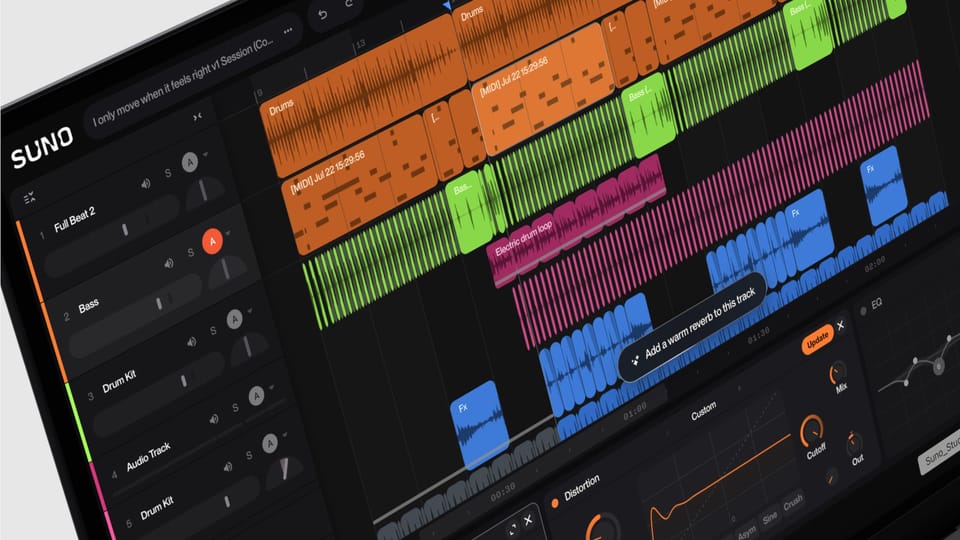
On August 13, 2026, Suno — the best-known AI music generation platform — announced the second major version of its professional workspace, Studio 2.0, calling it "the browser-based DAW that lets you move at the speed of your ideas." This is not a cosmetic upgrade. It is a philosophical shift for the entire product: from a tool where you type a prompt and receive a finished song, to a full music production environment (a DAW) that runs in your browser and integrates AI into every step of the craft — recording MIDI, separating stems, building effects, and drawing automation curves. It reads as one move in a broader expansion that continued with the Speech beta for spoken word and original music in a single track.
Why should a working content creator care? Because music is the invisible backbone of every production budget: podcast intros, Reels backgrounds, tutorial soundtracks, advertising jingles. The new release changes the cost, ownership, and speed equation for exactly that line item. This expanded guide walks through every feature in detail, who gets access, how it compares with the alternatives creators actually use today, and its honest limitations.
What exactly is Suno Studio 2.0?
The official announcement came from Henry Phipps, Studio Product Manager at Suno, on the company's official blog. The framing the team chose is telling: music is made "with our ears," it is "tactile," and text prompts inspire but do not play. So they built a studio that gives you real control over every sonic element, with an AI collaborator working beside you inside the project rather than replacing you outside of it.
The studio is currently exclusive to Suno Premier subscribers — the platform's top professional tier — and runs directly in the browser with no installation. That alone is a turning point in a category where professional tools have historically been heavy, expensive desktop software.
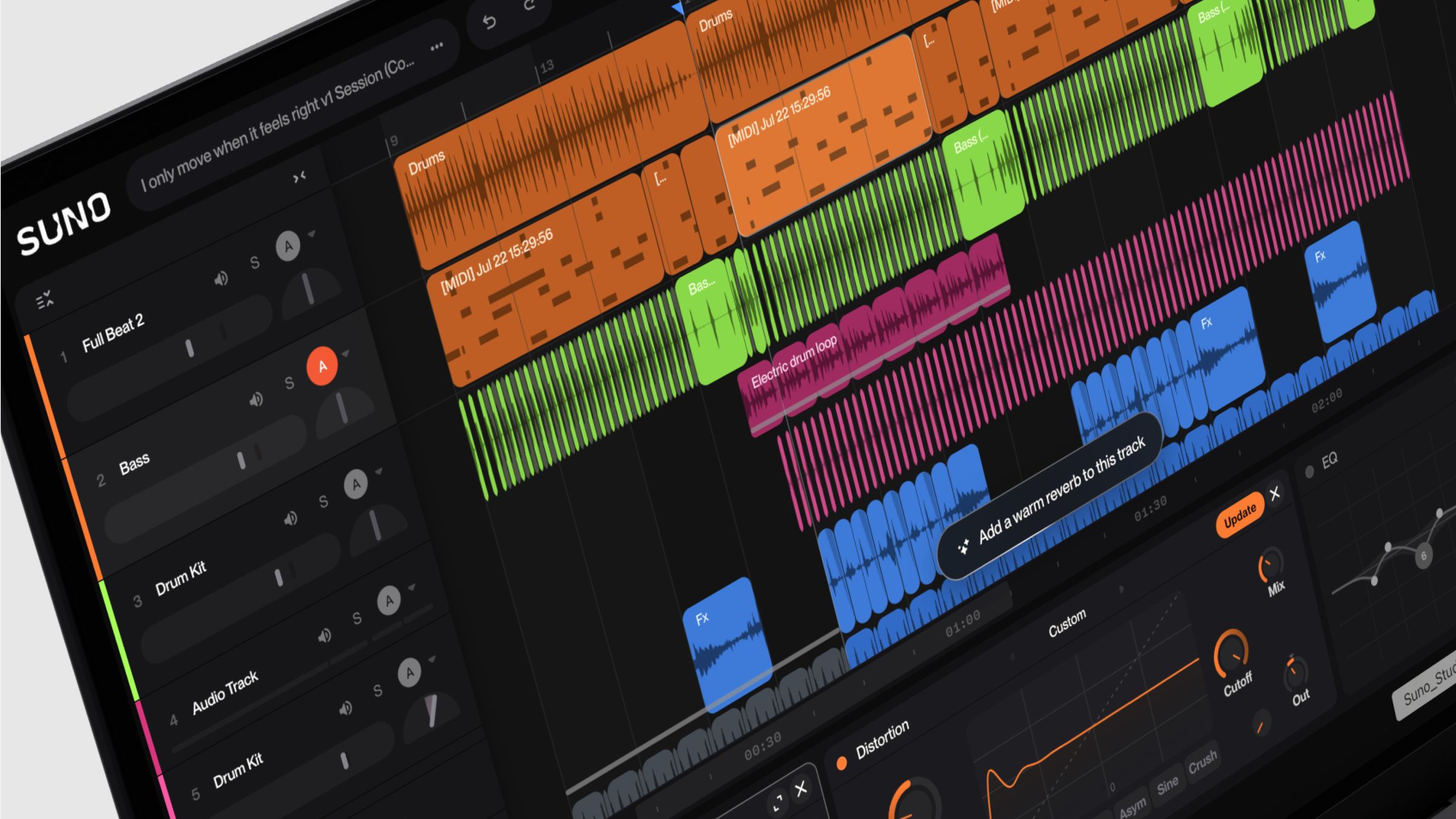
The headline feature: full MIDI support
The feature Suno's own team described as the "most requested" addition since the first Studio shipped: import, record, and edit MIDI directly on the timeline. The practical details:
- Direct recording: hit record and play your MIDI controller — or use your computer's typing keyboard as an instrument if you don't own a controller.
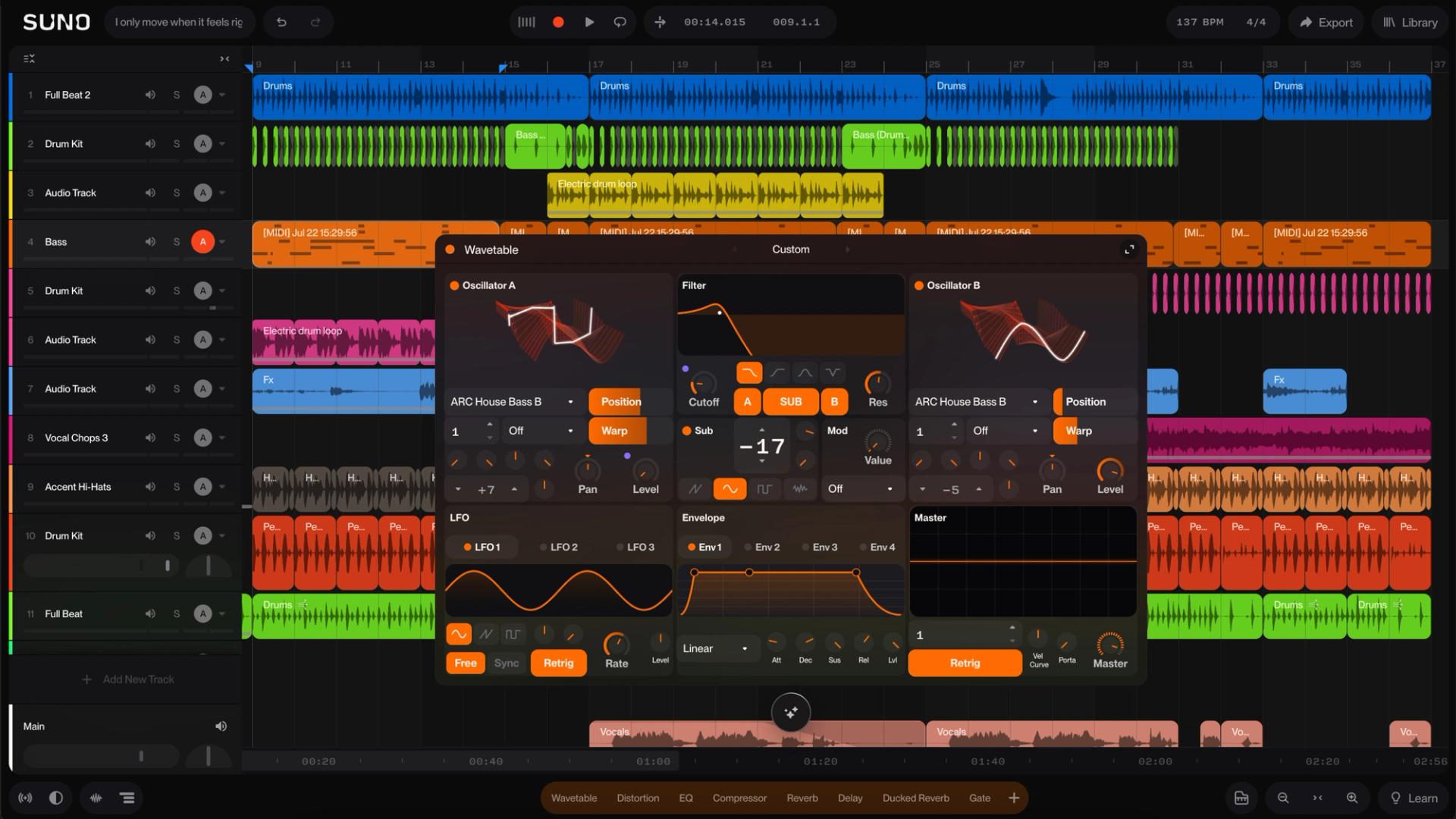
- A new sound engine: a wavetable synth for designing custom sounds from scratch — sonic layers that are uniquely yours.
- MIDI as a prompt: the cleverest part — you can use a MIDI clip you performed as the prompt for a new AI audio generation, so your own manual performance becomes the seed for generation instead of a written description.
For those unfamiliar with why this matters: MIDI is the digital sheet music of production — instructions saying which note plays, when, and how hard. Owning it means you own the arrangement itself, editable note by note, not just a finished audio file. That is precisely the difference between a "generated song" and "your own production."
The chat bar: a production assistant that speaks musician
Suno added a chat bar (in beta) that functions as an AI production collaborator inside your session:
- It creates instruments and vocals from scratch from your description ("add a melancholy string layer under the second verse").
- It co-designs custom plugins and understands production terminology — no dumbing-down required.
- It tides up your session: renaming tracks and organizing clips.
The pricing angle is notable: building custom plugins consumes no credits at launch — with an explicit caveat that a credit structure may be introduced later. The current window is effectively free for serious experimentation.
High-fidelity stem separation
The upgraded stem separation extracts individual tracks (vocals, drums, bass, instruments) at high fidelity — and works on audio imported from outside the platform. Practical applications for content creators:
- Pull the drums alone out of an old track for a Reels remix.
- Isolate vocals from the instrumental to create a clean voiceover-ready bed.
- Deconstruct a track you admire to understand its arrangement, then rebuild it with your own spin.
Effects, plugins, automation, and export
- Factory devices: sidechain compression and convolution reverb — staples of any professional mix, now in the browser.
- Custom plugins built from scratch via the chat bar: describe the effect you imagine and it gets built for you.
- Automation, for the first time: draw curves that change track and plugin parameters over time — professional sonic motion (a slow reverb swell, a bass dip before the drop).
- Unlimited export on the Premier tier: multitracks and stems at 32-bit/48kHz — genuine studio-grade deliverables suitable for advertising and corporate clients.
What this means for you as a working creator
- Original music beds for everything you publish: Reels, Shorts, YouTube, podcasts — instead of recycled stock libraries your audience has heard in every third video, you produce a bed that is uniquely yours with no third-party music rights attached.
- Clearer ownership of the final file: professional multitrack export means your output is not a "generated clip" but a production whose decisions you own — which matters when selling services to clients and when platforms assess AI content rules.
- Faster jingles and sonic identity: a channel intro, a podcast signature, or a shop's ad music — projects that cost hundreds of dollars with a producer now fit inside one focused hour of your own work.
- Instrumentals are language-neutral: even if AI singing in your language is still maturing, instruments, effects, and automation are universal — you can lay your own voiceover on top of a production where every decision is yours.
And if you build content end to end — an article today, a Reel tomorrow, a podcast next week — music now belongs to the same pipeline: idea to script to visuals with their soundtrack. A system like ARWriter's prompt library covers the words; Studio 2.0 covers the sound — one uninterrupted pipeline.
Quick comparison: Studio 2.0 versus what creators actually use today
| Route | Typical cost | Speed | Control & ownership |
|---|---|---|---|
| Suno Studio 2.0 (Premier) | One monthly subscription | Hours per piece | Full control: MIDI, stems, plugins, 32-bit export |
| Prompt-only Suno (the old way) | Lower or limited-free tier | Minutes | Closed final output, limited edits |
| Stock music libraries (the common default) | Multiple annual subscriptions | Instant | Worn-out soundprint, licensing restrictions |
| Professional producer | Hundreds of dollars per track | Days to weeks | Highest quality, per-project rights negotiation |
Honest limitations, stated plainly
- Top-tier lock-in: the studio is exclusive to Premier subscribers — lower and free tiers get nothing from it yet, and Suno announced no timeline for wider access.
- Complexity is back: "type a prompt, get a song" was Suno's core appeal; the new studio assumes you understand timelines, tracks, and effects. Beginners face a learning curve — the price of control.
- The watermark policy is still on the table: just days earlier, Suno announced audio watermarking, fingerprinting, and a new downloads policy effective September 3, 2026 — see our earlier coverage before committing a whole pipeline to the platform, and know your commercial rights per tier.
- The chat bar is beta: expect trial and error before a custom plugin matches your intent.
- Credits may come for plugins: the free pricing for plugin creation is explicitly temporary — do not build a long-term cost plan on zero.
- Singing quality varies by language: instrumental tooling is more mature than vocal tracks in many languages; test before promising clients.
Your first session in Studio 2.0: a practical walkthrough
To make this concrete for anyone who has never opened a DAW, here is a realistic first project: a 30-second music bed for a video intro. From the start screen, create a new session and choose a tempo and key that fit your channel's identity — calm for educational, energetic for tech. Ask the chat bar to build a basic rhythm track, then add an instrument layer via MIDI: open a new track, record a simple line on your typing keyboard or MIDI controller, and nudge notes along the timeline until the musical phrase feels right.
The next step is what creates professional polish: open automation and draw a curve that gradually raises the reverb in the final seconds so the bed dissolves softly before your voice enters. Apply sidechain compression between drums and bass so the mix gets an audible pulse. When you are happy, export the stems at 32-bit and keep them — you will reuse those same files in every video that shares the identity, turning one session into a complete sonic signature for your channel.
A production tip that pays for itself: save the session's recipe (instruments, key, tempo, the command sequence you gave the assistant) in an external file. Next time you will build a new intro with the same DNA in minutes instead of starting from zero — the same philosophy content writers apply with prompt libraries, translated to audio.
A gallery of use cases: where the studio adds immediate value
- Educational YouTube channels: a unified intro plus musical segues between sections give episodes a professional rhythm, with no library fees.
- Marketing Reels and Shorts: custom instrumental versions give your brand a sound followers recognize three clips later.
- Podcasts: a fixed opening and closing signature plus calm music beds under analytical segments.
- E-commerce stores: a short jingle for ads and social promos that stays in the customer's ear.
- Small agencies and freelancers: an entirely new service line ("sonic identity for your store") added to your offer at a competitive price for a few hours of work.
How it compares to traditional DAWs like FL Studio or Logic
Traditional DAWs are deeply powerful, but they carry license costs running into hundreds of dollars, a multi-year mastery curve, and heavy installs. Studio 2.0 trades some of that depth for three things those programs do not offer: instant browser access, AI-generated instruments and vocals inside the session, and a single subscription price. For the career musician, FL Studio and Logic still win on depth; for the content creator, the new studio covers 90% of the need at a fraction of the cost — and exports at a quality those traditional tools would recognize as professional.
The bigger context: Suno is chasing professionalism and legitimacy
The announcement does not arrive in a vacuum. In the same stretch of days, Suno disclosed a landmark global partnership with BMG to build "our first music model developed with the music industry," and days earlier it documented its new watermarking and downloads policies. The complete picture: a platform trying to graduate from "novelty generator" to legitimate music infrastructure that creators and rights holders can both trust. For content creators, that is good long-term news — legal stability means stability for your production line.
Frequently asked questions
Is Suno Studio 2.0 free?
No. The studio is currently exclusive to Suno Premier subscribers. Other tiers keep the traditional prompt-based interface.
Do I need musical experience for the new studio?
Basic familiarity with timelines and tracks is enough to start, and the chat bar helps with complex commands. But MIDI and automation pay off most when you bring at least foundational musical knowledge.
What is the export quality in Studio 2.0?
Premier subscribers export unlimited multitracks and stems at 32-bit/48kHz — professional specifications suitable for commercial delivery.
Can I use the music I produce commercially?
Commercial rights are defined by your subscription tier and the updated usage policy taking effect September 3, 2026. Review your tier's terms before selling any content built on the platform.
Does the studio work on mobile?
The announcement positions the studio as a browser tool, with the full experience designed around a computer screen, its timeline, and its tracks.
How is this different from the prompt-only Suno experience?
Prompt mode hands you a finished, closed output. Studio 2.0 gives you the underlying session: your MIDI, your stems, your effects, your automation — AI assists inside your project instead of replacing it.
The bottom line
Suno Studio 2.0 moves AI music from a black box that surprises you to a workshop you control. For the serious content creator, it deserves a hard look: original music beds without tangled rights, export quality that satisfies paying clients, and one subscription price. Start by assessing your actual need — control or prompt speed — and connect it to the rest of your production pipeline: ARWriter handles your words and ideas from concept through scheduling, completing a full content stack: word, image, and now note.
Sources: Official Suno Studio 2.0 announcement (Aug 13, 2026) · The Verge coverage (Aug 13, 2026) · See also our coverage of Suno's watermark policy and the Dreamina Seedance 2.5 launch.