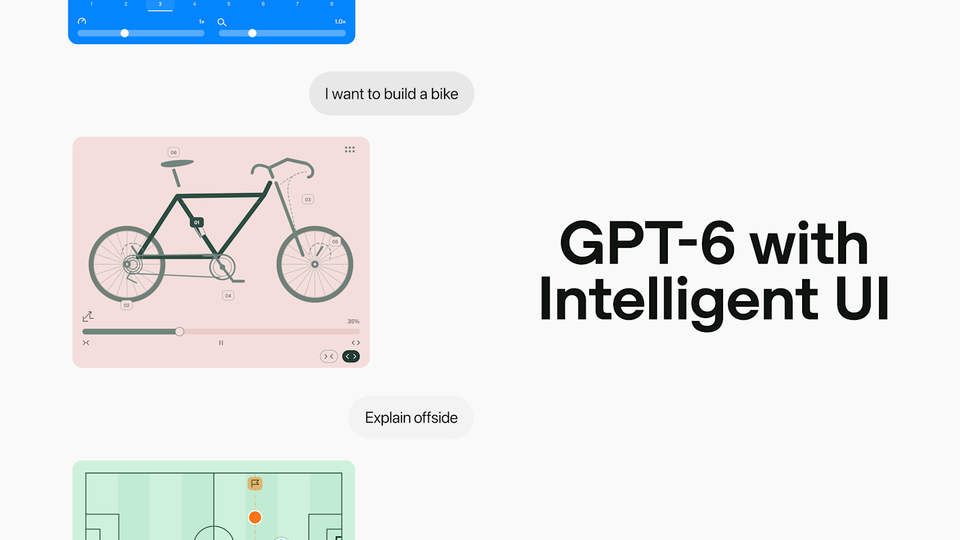

On October 7, 2026, OpenAI announced that GPT-6 is rolling out globally inside ChatGPT, bringing with it Intelligent UI — a new capability that lets responses arrive as fully interactive interfaces: charts, tappable buttons, forms, diagrams and small purpose-built tools instead of plain text. The update targets the more than 1.2 billion people who use ChatGPT each week, a month after the first GPT-6 models arrived for paying customers only. And the detail that matters most for the free tier: Free and Go users start receiving the update on October 8 — today.
The official announcement post from OpenAI on X.
The short version: ChatGPT is no longer a text box. Ask it to explain something complex and it may build an interactive diagram. Ask for help splitting a dinner bill and it may generate a working calculator — inside the conversation. This piece covers exactly what the feature does, how it works under the hood, when it reaches your account, and what it means for people who create content for a living.
What exactly is Intelligent UI?
According to the official announcement, OpenAI trained GPT-6 to «compose responses using text, visuals and interactive elements, choosing how they fit together based on your question.» In practice, a response can include graphics, tappable buttons, forms, charts and interactive experiences you use directly in the conversation. The format adapts: a comparison may render side by side, an explanation may become an interactive diagram, and when a plain text answer is genuinely the most useful response, that is what you get.
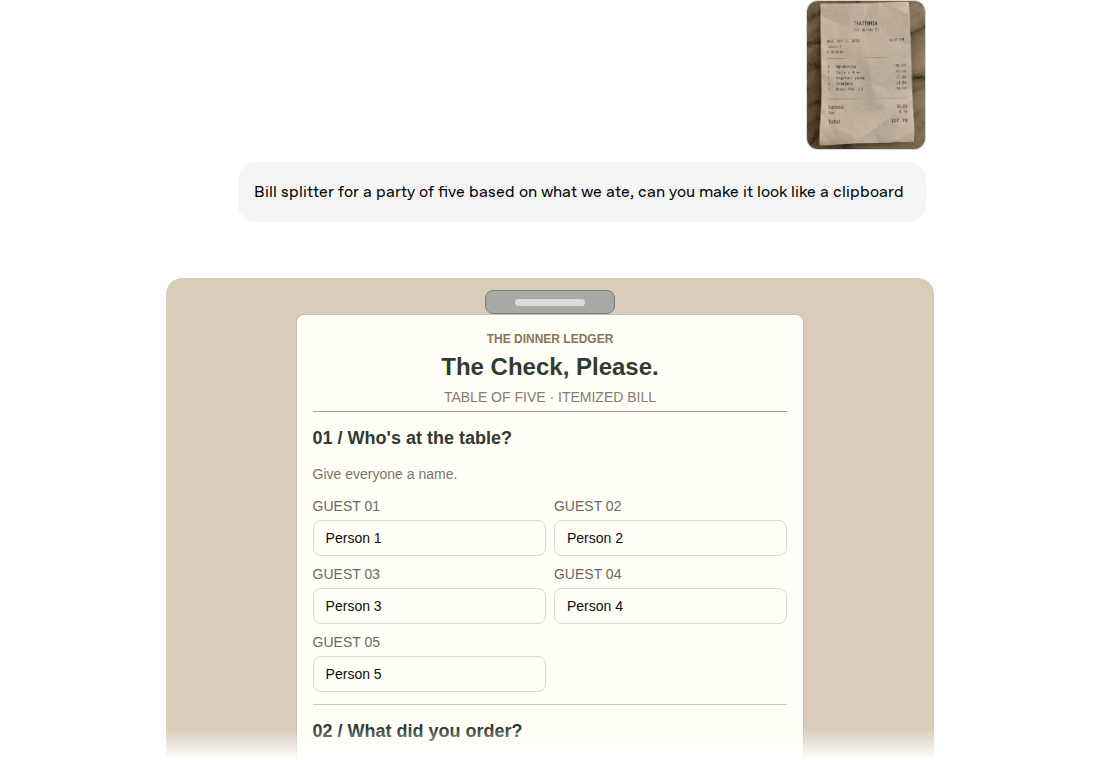
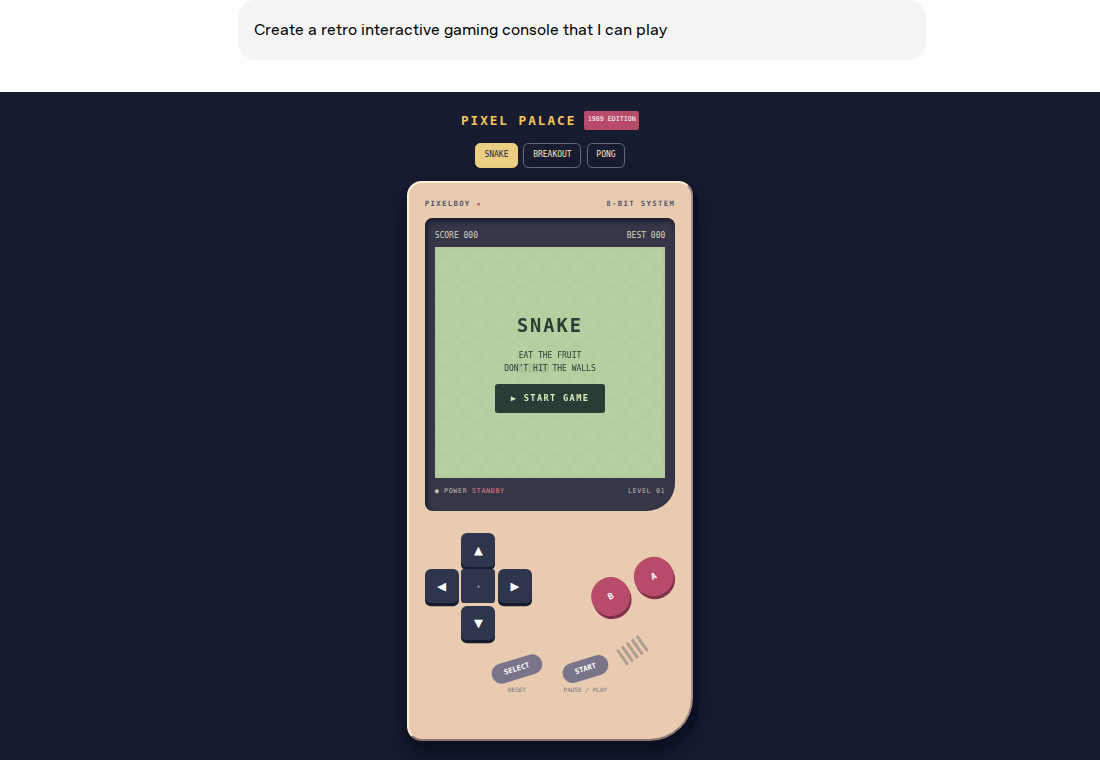
The company's own examples show the range: an interactive breakdown of a 7-speed bicycle where you explore each connected system, a Sunday roast planner with timings alongside the recipe, a road-trip itinerary with stops on a map and notes worth a detour, a simple GDP explainer, a bill splitter for dinner with friends, a retirement savings calculator, and even a playable retro game — all generated on request, all inside the chat.
How it works under the hood
Two building blocks, as OpenAI explains it. First, a library of native, streamable components that gives every response a familiar design foundation while leaving the model room to decide how the pieces fit. Second, a compiler that processes the interface as the model generates it — so the UI appears progressively on screen instead of waiting for the full response to finish. Training was expanded to cover thoughtful decisions about content, layout, visuals and interaction, including evaluating the interfaces it creates for clarity, usefulness and completeness.
There is a parallel speed win. Instead of waiting for the model to finish thinking before answering, GPT-6 interleaves the two. OpenAI says GPT-6 at Extra High effort starts answering in the same time GPT-5.6 Medium did, while scoring above GPT-5.6 Extra High overall — and GPT-6 Instant begins answering 44% sooner on average for questions that need web search.
Which model powers your account?
One rollout, two engines. Plus, Pro, Business and Enterprise accounts run on GPT-6 Sol; Free and Go accounts run on the smaller GPT-6 Luna — both tuned for everyday conversation in the Chat tab. We covered the differences between the two models and their pricing when they launched; see our earlier pieces on Sol and Luna and on GPT-6.1 Sol. The models powering Work and Codex are not changing in this release.
When does it reach you?
| Tier | Official timing |
|---|---|
| Plus, Pro, Business, Enterprise | Global rollout began Wednesday, October 7, in the Chat tab (Enterprise subject to admin settings) |
| Free and Go | Starting Thursday, October 8 |
The official rollout schedule from OpenAI's announcement
The update applies to the Chat experience specifically. Product manager Aarush Selvan, speaking to TechCrunch, framed the motivation plainly: «ChatGPT has predominantly been a text-based interface,» but for everyday goals — «planning a recipe or a trip or even trying to learn something — the most helpful answers aren't just text.» And for users who find the visuals too busy, OpenAI confirmed the feature is customizable: you can dial the visuals back.
What this means for content creators
Three practical openings for anyone producing content professionally:
- Explain faster: interactive diagrams communicate ideas faster than paragraphs. Use them to prototype explainers, then turn the strongest concepts into polished pieces for your audience.
- Ideas for audience tools: a calculator, a quiz, a mini-game — the demos point at a content format that barely existed for small teams. Generate the concept in ChatGPT, then build it properly as a feature on your site.
- Visual planning assets: trip maps, timelines, side-by-side comparisons — all directly reusable in articles, decks and newsletters.
One honest caveat: this is not a finished design tool. The generated visuals are excellent for explanation and personal use, but your brand's visual identity — templates, colors, consistent style — still belongs to your dedicated tools. For finished, publish-ready multilingual content, a focused workspace like ARWriter's Auto-Writer handles research, drafting and publishing in one place, in Arabic and English.
Quick comparison: before and after
| Aspect | ChatGPT before | ChatGPT with GPT-6 + Intelligent UI |
|---|---|---|
| Response format | Primarily text | Text + graphics + buttons + forms + charts, chosen per question |
| In-chat tools | Limited | Calculators, tools and games generated on request |
| First response speed | Often waits for full reasoning | Progressive answers; Instant starts 44% sooner on search questions |
| Free tier | Previous-generation models | GPT-6 Luna from October 8 |
Summarized from the official announcement plus TechCrunch and The Verge coverage
Honest limitations
- Design judgment is still maturing: OpenAI itself writes that «there's still work ahead to improve the model's design judgment and expand what it can create.»
- All official demos are English: there is no official claim about interactive-UI quality in other languages — test with your own content before relying on it.
- Rollouts are gradual: «starts rolling out globally» does not mean every account sees the feature at the same moment, especially on the free tier.
- Chat only: Work and Codex models are untouched in this release, and Enterprise availability depends on admin settings.
On safety
OpenAI says GPT-6 builds on several of Astra's safety advances to better resist attempts to bypass safety training — particularly multi-turn adaptive attacks — with updated training against high-risk misuse and a better ability to communicate the limits of its own capabilities. A system card accompanies the release for full review.
On the same day, Anthropic fired back on price, cutting its new small model Claude Haiku 5.5 by up to 90% — full details in our separate coverage.
And if your actual job is publishing — articles, posts, scheduling — the fastest path is still a tool built for the outcome: ARWriter's tools start at $4.99/month (Plus), with Pro at $9.99 and Premium at $24.99 for teams, all working in Arabic and English from one dashboard.
Frequently asked questions
Is GPT-6 free in ChatGPT?
Partly. Free and Go users get GPT-6 (the Luna version) with Intelligent UI starting October 8, 2026, while paid tiers run the stronger Sol version as of October 7.
What is Intelligent UI in ChatGPT?
A capability that lets GPT-6 build interactive responses — charts, buttons, forms, diagrams and small working tools such as calculators and games — that you use directly inside the conversation instead of reading plain text.
Does Intelligent UI work in languages other than English?
ChatGPT itself is multilingual, but every demo in the official announcement is English and there is no official claim about interactive-UI quality in other languages. Testing your own use case is the reliable answer.
What is the difference between GPT-6 Sol and GPT-6 Luna?
Two models from the same generation: Sol serves paid tiers (Plus, Pro, Business, Enterprise) and Luna, the smaller and cheaper variant, serves Free and Go — both tuned for everyday conversation in the Chat tab.
Can I turn Intelligent UI off?
Not a full off switch as announced, but OpenAI confirmed to TechCrunch that users can dial back the amount of visuals in responses to match their preference.
Primary source: OpenAI's «GPT-6 and Intelligent UI for everyone» announcement, October 7, 2026.