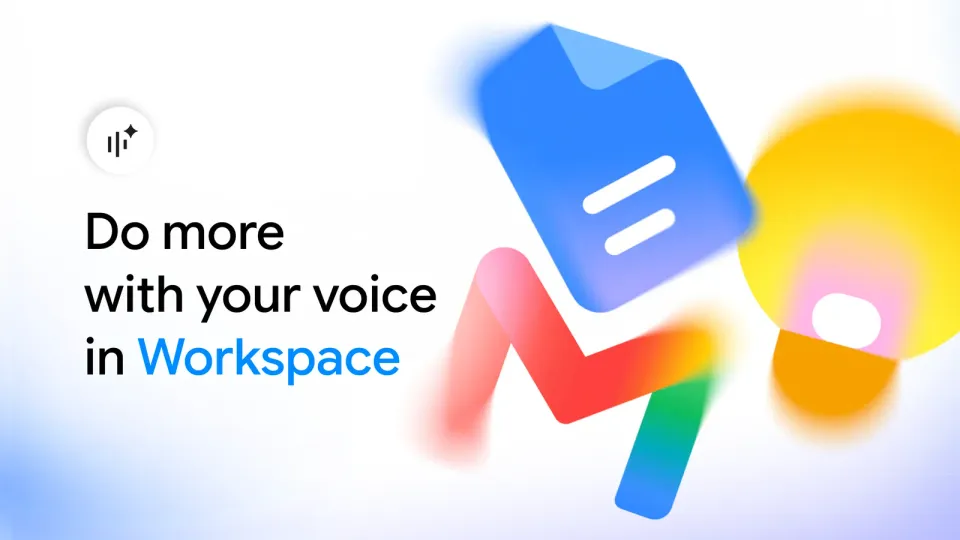
Google has quietly shipped one of the most practical AI upgrades of the season: conversational voice features powered by its Gemini Audio models are now live inside Gmail, Docs, and Keep. Announced on September 3, 2026, by Yulie Kwon Kim, VP of Product for Google Workspace, the three features — Gmail Live, Docs Live, and Keep Live — turn three apps you already open daily into listening assistants. They're rolling out "this week" to paid Google AI subscribers, with Workspace business customers next in line.
The three features, precisely
Gmail Live: ask your inbox questions. Instead of digging through threads, you ask out loud — "What's my flight's gate number?" or "What's going on at my kid's school this week?" — and Gmail Live scans your inbox and answers quickly. For anyone triaging dozens of client emails a day, this reframes email management from manual search to direct conversation.
Docs Live: a co-writer that works while your hands are busy. This is the headline feature for writers. You talk through an idea — rambling is fine — and Docs Live builds a structured, context-aware document in real time: it organizes your thoughts, structures the draft, refines your tone, and, with your permission, pulls relevant details directly from your Gmail, Drive, Chat, and the broader web. Google calls it "your thought partner and co-writer" that handles the heavy lifting so you can keep thinking.
Keep Live: brain dumps in, organized notes out. Speak whatever crosses your mind; Keep Live processes it in the background and returns structured lists and actionable notes — "without you having to type a single word," per Google's announcement.
Who gets access, exactly
- Gmail Live and Keep Live: Google AI Plus, Pro, and Ultra subscribers.
- Docs Live: Pro and Ultra plans only — the top two tiers.
- Workspace business customers: "coming soon," no date given.
- Free accounts: not included at this stage — these are paid-tier features.
The rollout is progressive, so even eligible subscribers may wait a day or two before the features appear.
What this means for content creators
A creator's workflow is mostly mobile and fragmented: ideas arrive mid-commute, research lives in email threads, and the blank page is the enemy. Docs Live attacks that exact bottleneck — the draft. Instead of "write, then edit," the new loop is "speak, then receive a structured draft." It shines for opinion pieces that flow naturally when spoken, meeting summaries, and short-form social content where talking beats typing by a wide margin.
The honest caveat: a voice-born draft still needs a human editing pass for structure, facts, and final tone — especially for publication-ready prose. Treat it as the fastest first draft you've ever had, not as an editor.
A realistic day in a creator's workflow
Picture a typical day for a solo creator running a small brand. In the morning, they speak a minute of scattered thoughts into Keep Live — ideas for this week's short videos — and get back a tidy task list on their phone. On the commute, Gmail Live answers "What was the supplier's last message about pricing?" without opening the app. In the evening, instead of facing a blank page for the weekly article, they talk to Docs Live for ten minutes about their topic and receive a structured draft that becomes the starting point — not the ceiling — for real writing.
That's the essential shift these features introduce: they move your starting point from "nothing" to "a draft." Voice has always been the fastest input humans have; the missing piece was an interface that understood structure and context. If you already dictate voice notes to yourself, this announcement routes that same habit into actual production instead of a graveyard of unplayed audio files.
Voice typing vs. Live: a quick comparison
| Aspect | Classic voice typing | New Live features |
|---|---|---|
| What it does | Transcribes speech verbatim | Understands, structures, and drafts |
| Context | Knows nothing about your data | Pulls from Gmail, Drive, Chat, and the web with permission |
| Output | Raw text needing full edits | A structured draft with refined tone |
| Interaction | One-way dictation | Real conversation — ask, get answers |
This is a new category of document work, not a dictation upgrade. It's the same direction Google took with the Gemini Notebook usage limits redesign and the Google Pics image tool: bake capable AI directly into the apps people already open, one workflow at a time.
Honest limitations
- Paid-only: no free-tier access, and the writer-focused Docs Live sits behind the two most expensive plans.
- Languages unspecified: Google's post doesn't list supported conversation languages — test with your own account before assuming yours works.
- Inbox privacy: the feature reads your mail to answer you; review your Gemini Apps activity settings before enabling.
- Version one: "this week" means a rollout start, not a finished product — expect uneven quality across use cases.
How it fits the wider Gemini picture
This launch is one move in a coordinated sequence. Google recently redesigned Gemini Notebook's usage limits around flexible refreshes, shipped Google Pics for prompt-based design inside Docs and Slides, and is now adding voice as a first-class input across Workspace. The common thread: you no longer "open an AI tool" as a separate step — the apps you already use start understanding you natively. For creators, that means a near-zero learning curve: the same microphone button you know, backed by an engine that builds instead of merely transcribing.
The open practical questions — how well the features handle regional accents, and how responsive they stay on weak connections — can only be answered by early field testing over the coming days. We'll update this article as official details emerge.
How to try it today
If you subscribe to Google AI Plus, Pro, or Ultra, update the Gmail and Keep apps and look for the new voice entry point. In Docs, start your next document by voice: speak for five minutes on your topic, then ask for structure and refinement. When the draft is ready, move it into a publishing workflow built for real content production — ARWriter's toolset covers Arabic-first drafting, scheduling, and multi-platform publishing, and the template store shortens the path from draft to post.
Frequently asked questions
Are Gmail Live, Docs Live, and Keep Live free?
No. Gmail Live and Keep Live require a Google AI Plus, Pro, or Ultra subscription, while Docs Live requires Pro or Ultra. No free tier was announced.
When do Workspace business customers get the Live features?
Google says "coming soon" without a specific date. Individual eligible subscribers see the rollout begin this week.
Which languages do the Live features support?
Google's announcement doesn't specify the supported languages, so availability for any given language can't be confirmed yet — testing from an eligible account is the only reliable check.
How is Docs Live different from regular voice typing in Google Docs?
Voice typing transcribes your words verbatim. Docs Live understands your ideas, builds a structured document from them, refines tone, and can pull context from Gmail, Drive, Chat, and the web with your permission.
Does Gmail Live read my private emails?
It scans your inbox to answer your questions. You control Gemini Apps activity settings in your Google account to manage what gets used.
Sources
Primary: Google's official Workspace blog announcement by Yulie Kwon Kim, VP of Product, Google Workspace, September 3, 2026. Corroborated by same-day international press coverage.