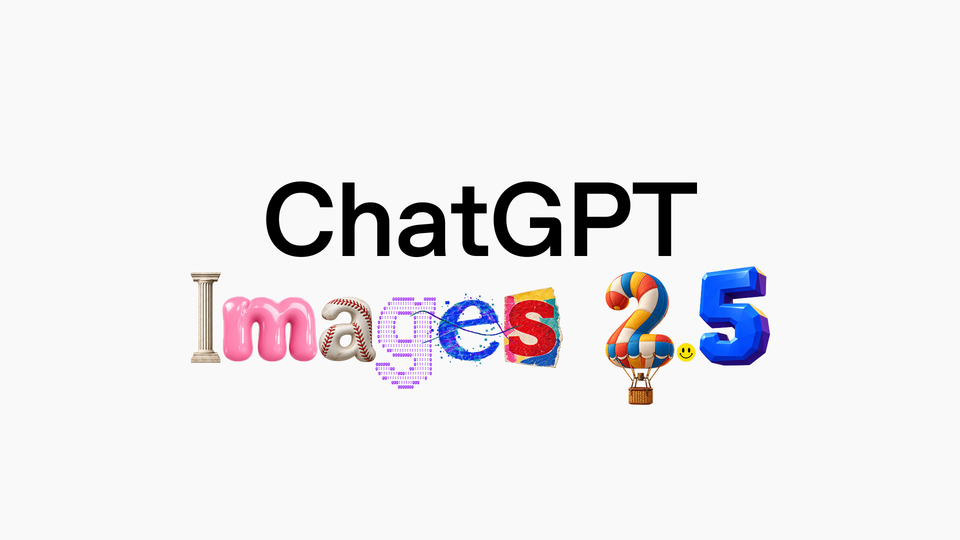
On September 8, 2026, OpenAI announced ChatGPT Images 2.5, the new generation of its image generation models inside ChatGPT — an update aimed squarely at people who produce visual content for a living. This isn't just a "better quality" bump: it's a coordinated package of a roughly twice-as-fast model, more precise editing, better preservation of reference-photo subjects, and new product features led by the Sketch drawing tool and ready-made Templates. This guide breaks down everything OpenAI officially announced, what it actually means for working creators, and how to put it to use today — regardless of which plan you're on.
The event: what OpenAI announced, exactly
According to the official announcement page, people now create more than 3 billion images per week across ChatGPT Images and the GPT-Image models in the API — a number that explains the pace of investment here. Images 2.5 ships with improvements across four declared axes:
- Higher fidelity as you create: more natural lighting, richer textures, and noticeably better preservation of the subjects in your reference photos — carrying familiar people, pets, and objects across new settings and styles without "changing who they are."
- Precision editing: change only what you asked for while the rest of the image stays intact, even with complex subjects and backgrounds.
- Multi-turn consistency: during long conversations, earlier edits stay put and image quality doesn't degrade as you keep refining.
- Speed: generation latency reduced by up to 50% versus Images 2.0.
And the most practically important line in the whole announcement: Images 2.5 is rolling out to all ChatGPT users on all tiers — including the free plan — plus ChatGPT Work and Codex, across desktop, mobile, and web. No waitlist, no gating.
The new product features inside ChatGPT
1. Sketch: draw your idea into existence
The headline feature. Sketch lets you draw directly inside ChatGPT — the layout of a room, the silhouette of an outfit you're conceptualizing, or just a quick doodle — and use that sketch as the reference for the final image. Add a description of the style and the details you care about, and the model turns your rough art into a complete picture. OpenAI is explicit that you don't need to be an artist; it's simply another way to close the gap between what's in your head and what appears on screen. To try it, type @Sketch in a chat.
This solves a problem every image-generation user knows: words alone often fail to describe composition. A rough sketch communicates layout in seconds.
2. Templates: stop starting from a blank canvas
Rather than prompting from scratch, you can now start from templates for some of the most popular creative formats — like "Poster" and "Merch" — then add the information to convey, design elements, and styles. For marketers who need a flyer for a promotion or a product shot for a store, this is the shortest path from zero to usable.
3. Comments on images
You can now place comments directly on images to steer focused edits — exactly like marking up a proof for a designer — instead of re-describing the whole image in every message.
4. Sharing the prompt with the picture
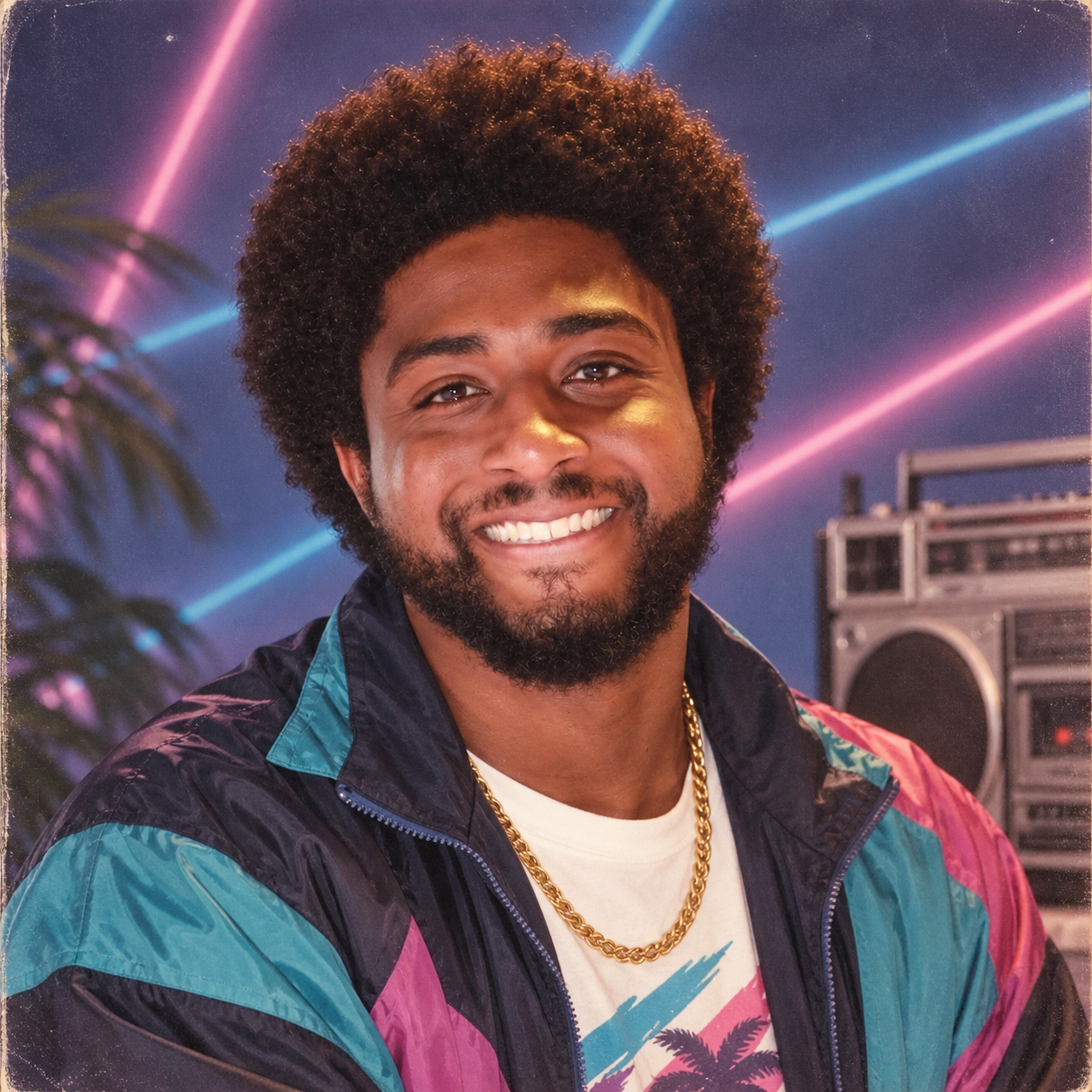
When you share an image you're proud of, you can now include the prompt that produced it, letting others run with the same idea using their own photos and details. The feature launched alongside a genuinely viral moment — the "what you would've looked like in the '80s" prompt, which OpenAI itself encourages you to try. For content teams, this formalizes a new culture of trading proven prompts instead of hoarding them — the same philosophy behind ARWriter's curated image-prompt library, where refined prompts are ready to reuse out of the box.
The API: two new models for developers and tool builders
In parallel, OpenAI released two new models in the Images API:
- GPT-Image-2.5 Flare — the default choice for most applications. It brings the same quality, editing, and speed improvements, delivering higher-quality images than GPT-Image-2 at 50% lower latency. Suited to everything from creator and social content to product experiences, visual search, rapid prototyping, and high-volume generation.
- GPT-Image-2.5 Sunburst — built for premium workflows that benefit from tighter control across edits, like production-ready campaign creative or polished product imagery, in exchange for longer generation times.
API billing follows OpenAI's per-unit pricing on the official pricing page; the launch announcement did not include new price figures — check the official pricing page before building any cost projections.
More revealing than the tech itself is who adopted it on day one. The early-customer testimonials in the announcement tell you where this model will surface in tools you already use:
- Adobe: the GPT-Image-2.5 models arrive inside Adobe Firefly, "bringing faster generation and resolution consistency" alongside Adobe's pro-grade tools.
- Runway: "fits seamlessly into how creators already work in Runway," per its Chief Creative Officer.
- Higgsfield AI: its Head of Product praised what impressed them most — "how well it understands what not to change," preserving character, composition, and visual identity through edits.
- Manus: measured Flare at two to four times the speed of GPT-Image-2 with high quality, including improved transparent-background generation.
Prompt structure: how to describe what you want
The official announcement devotes a full section to structuring prompts for better results, and its essence is that output quality jumps when you separate four elements instead of cramming them into one vague sentence:
- The subject: who or what is in the image, with the distinctive features you want the model to preserve.
- The scene and context: where the subject is, the lighting, time of day, and overall mood.
- The visual style: professional photography, illustration, editorial, minimalist — state it explicitly, because the model won't guess your taste.
- The non-negotiables: transparent background, empty space reserved for text, a specific product angle.
The practical rule with this release: don't write one long prompt explaining everything and then revise everything at once. Start with a clearly structured prompt, then use inline comments and partial edits to converge gradually — multi-turn consistency was built precisely for that working style: one big decision up front, then a series of small ones.
And since prompt sharing is now a product feature, remember that prompts you write may travel with your images. Building on a curated starting point — like ARWriter's prompt library — gives you correct structure from the first line.
A suggested step-by-step workflow: a product-photo campaign in one session
Here's a realistic workflow for a store owner or marketer sitting down with ChatGPT for thirty minutes:
- Prepare: a clean photo of your product under neutral lighting. The cleaner the reference, the more faithfully the model preserves product details.
- Base generation: upload the image and ask for the product to be moved into a scene matching your brand — subject, scene, style, non-negotiables, as above.
- Tricky composition? Sketch it: if you need a specific layout (product in the right third, space for copy on the left), use @Sketch and draw the rectangles — faster than a hundred words of description.
- Refine with comments: comment on the shadow under the product or a logo reflection and ask for just that fix. Never ask for a general "improve the image."
- Serialize: once the first version is approved, request the same setup in different scenes per platform — square for Instagram, vertical for Reels and TikTok, wide for the site.
- Transparent backgrounds: the announcement notes improved handling of transparent backgrounds and complex layouts — request them directly instead of resorting to cutout tools.
- The flyer from the template: open the Poster template, add the headline and offer alongside your approved image, and fine-tune with comments.
In one session you can produce what used to take a day of back-and-forth with a designer — who, of course, remains essential for deep brand identity and large campaigns.
A practical guide: using Images 2.5 in real content work
Product photos for your store
The announced gains in reference-photo subject preservation are precisely what e-commerce needs: upload your real product photo and move it across backgrounds and scenes — the product itself stays accurate while the setting changes per platform and campaign. Combine it with the "product photo" template format and you start one click from done.
Flyers and promo posters
The Poster template plus inline comments make for a short revision loop: generate the flyer, comment on the price placement or the headline, adjust, publish — without a full regeneration that wrecks the parts you liked.
Consistent serialized social content
Multi-turn editing consistency means you can finally build a coherent visual identity: the same product or character across a series of posts and scenes, with quality that holds on the third and fourth edit.
Text inside images
One caution the announcement does not resolve: OpenAI made no specific claim about improved text rendering inside generated images — historically the weak spot of every image model, especially for non-Latin scripts. If you produce Arabic or other non-Latin text-on-image content, test short strings first and use the new inline comments to correct distorted glyphs spot by spot.
Safety and labeling: what's inside the picture that you can't see
OpenAI states that Images 2.5 builds on existing safeguards with checks on prompts and images to prevent harmful outputs, and that images made with its tools carry C2PA metadata and invisible watermarking to help identify them. For creators this cuts both ways: you get some protection against misuse of your likeness — and as platforms tighten AI-content labeling (see our earlier coverage of Instagram's AI-labeling misfire wave), you should assume provenance is detectable and disclose AI use where platforms require it.
Quick comparison: what actually changes versus before?
| Capability | Images 2.0 (previous) | Images 2.5 (new) |
|---|---|---|
| Generation latency | Baseline | Up to 50% faster |
| Partial edits | Sometimes bleeds into unwanted areas | Tighter — rest of image preserved |
| Multi-turn consistency | Cumulative quality loss | Earlier edits hold reliably |
| Sketch-to-image reference | Not available | Sketch feature (@Sketch) |
| Format templates | None | Poster, Merch, and more |
| Inline image comments | None | Available |
| Prompt sharing | None | Attach prompt to shared images |
| API models | GPT-Image-2 | GPT-Image-2.5 Flare and Sunburst |
Honest limitations to weigh before committing
- No official claims on non-Latin text rendering. Test your script before building a campaign on text-in-image output.
- Competitor comparisons are unresolved. The announcement naturally showcases OpenAI's best; Midjourney, Flux, and others still lead in particular artistic styles — pick per use case.
- Caps still apply. Features reach every tier, but free-tier capacity limits under load remain a fact of life; heavy production schedules still argue for paid plans.
- Speed claims are relative. The 50% figure is measured against GPT-Image-2; Sunburst's extra precision intentionally takes longer.
- Watermarks travel with the file. C2PA and invisible watermarking follow your image wherever it's published — a feature whose value depends on your disclosure posture.
Frequently asked questions
What is ChatGPT Images 2.5?
The new generation of OpenAI's image generation model inside ChatGPT, announced September 8, 2026: higher fidelity with natural lighting and textures, more precise edits, reliable multi-turn consistency, up to 50% faster generation than Images 2.0, and new features including the Sketch drawing tool and format templates.
Is Images 2.5 available to free users?
Yes. The official announcement states it rolls out to all ChatGPT users across all tiers — including free — as well as ChatGPT Work and Codex, on desktop, mobile, and web. Usage caps differ by tier as usual.
What's the difference between GPT-Image-2.5 Flare and Sunburst?
Flare is the default API model — higher quality than GPT-Image-2 at 50% lower latency, built for most applications including social content and high-volume generation. Sunburst targets premium workflows needing tighter edit control, such as campaign creative and polished product imagery, with longer generation times by design.
How do I use the Sketch feature?
Type @Sketch in a ChatGPT conversation, draw your layout — however rough — and describe the style and details alongside it. The model produces a complete image that respects your sketch's composition.
Did text rendering inside images improve?
OpenAI's announcement makes no specific claims about text rendering improvements. Short strings tend to work best; use inline comments to correct individual errors until real-world results clarify the capability.
Do generated images carry any identification?
Yes. OpenAI applies C2PA metadata and invisible watermarking to images made with its tools, making their provenance detectable by platforms and specialized scanners.
The bottom line
Images 2.5 is less a magical leap than a smart accumulation in the right direction: near-doubled speed, edits that respect what you didn't ask for, consistency across turns, and product features — Sketch, templates, comments — that shorten the distance from the idea in your head to the finished asset. Since it's available on the free tier, trying it costs nothing: open ChatGPT, spin up a Poster template for your next promo, or sketch a layout with @Sketch and compare it against your current toolkit. And if your daily work needs images, copy, and scheduling in one multilingual workflow built for serious publishing, that's exactly what ARWriter is designed to do — from idea to published post in a single workspace.