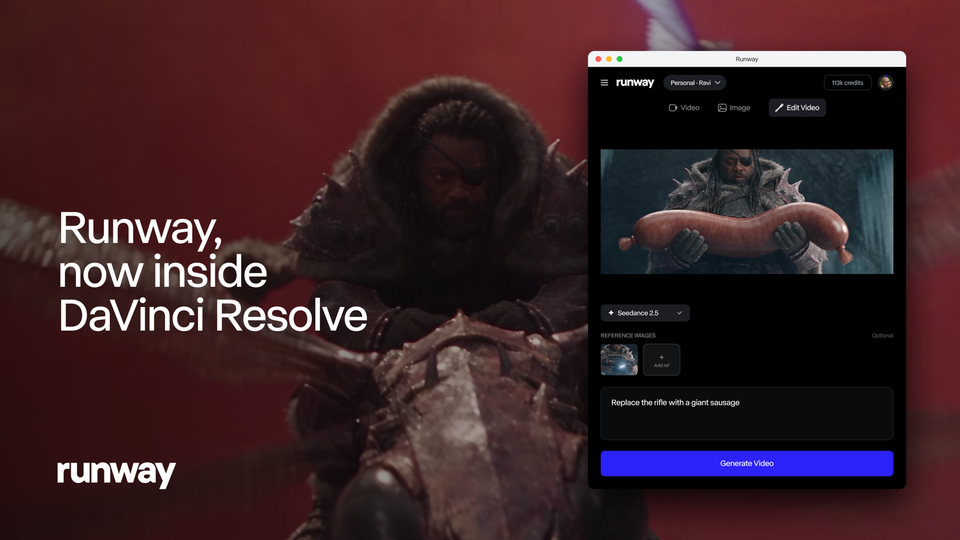
On September 23, 2026, Runway released its official plugin for DaVinci Resolve, and the significance is easy to miss if you have never lived the workflow it replaces. Until now, using AI generation mid-edit meant leaving your NLE: export the clip, upload it in a browser tab, download the result, re-import it into your Media Pool, and hunt for where you were. The plugin deletes that entire loop. You prompt from inside Resolve, watch the generation finish in the panel, and click to import — the result lands in your bin and on your timeline, ready to trim.
For the enormous population of editors who cut on Resolve — including the many who chose it precisely because the base version is free — this moves AI video from a rival browser tab into the tool they already trust. This guide walks through exactly what the official announcement says: capabilities, requirements, the in-edit workflow, credit mechanics, and the honest limits.
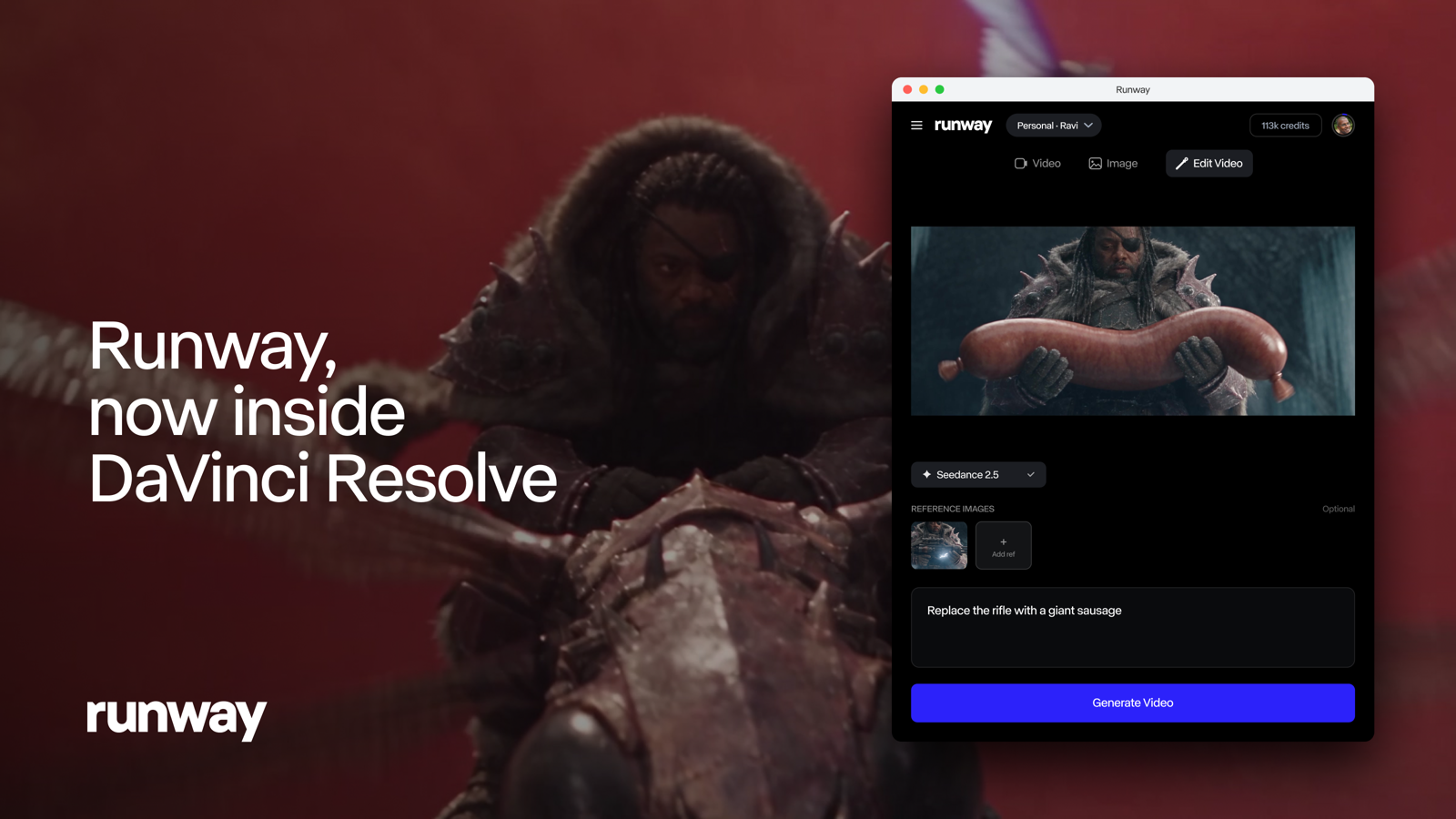
What the plugin actually does
Three capabilities, per the announcement:
- Generate images and video from the Runway panel inside Resolve.
- Restyle the clip under your playhead — the plugin works on footage you already have, not only on new generations from scratch.
- Import every result straight into your Media Pool and onto your timeline, above the original clip.
That middle point is the one that matters most. Most "AI in your editor" integrations treat generation as a separate universe: you create new content, then edit it. The Runway panel's Edit Studio mode is built to process the range you are actually cutting — park the playhead on a shot or set in and out points, and the panel exports that range for processing on its own.
Requirements: read this part carefully
The announcement is precise about requirements, and most confusion will come from here:
- The plugin itself is free to download, for both macOS and Windows.
- It requires DaVinci Resolve Studio 19 or later. That is the paid version of Resolve — not the free DaVinci Resolve build many editors run. This is an explicit condition, not a recommendation.
- Generation runs on all paid Runway plans and draws on your existing plan credits. There is no separate plugin subscription tier.
So the real barrier to entry is double: a Resolve Studio license plus any paid Runway plan. If you are on free Resolve, the upgrade path starts with Blackmagic's license, not with Runway.
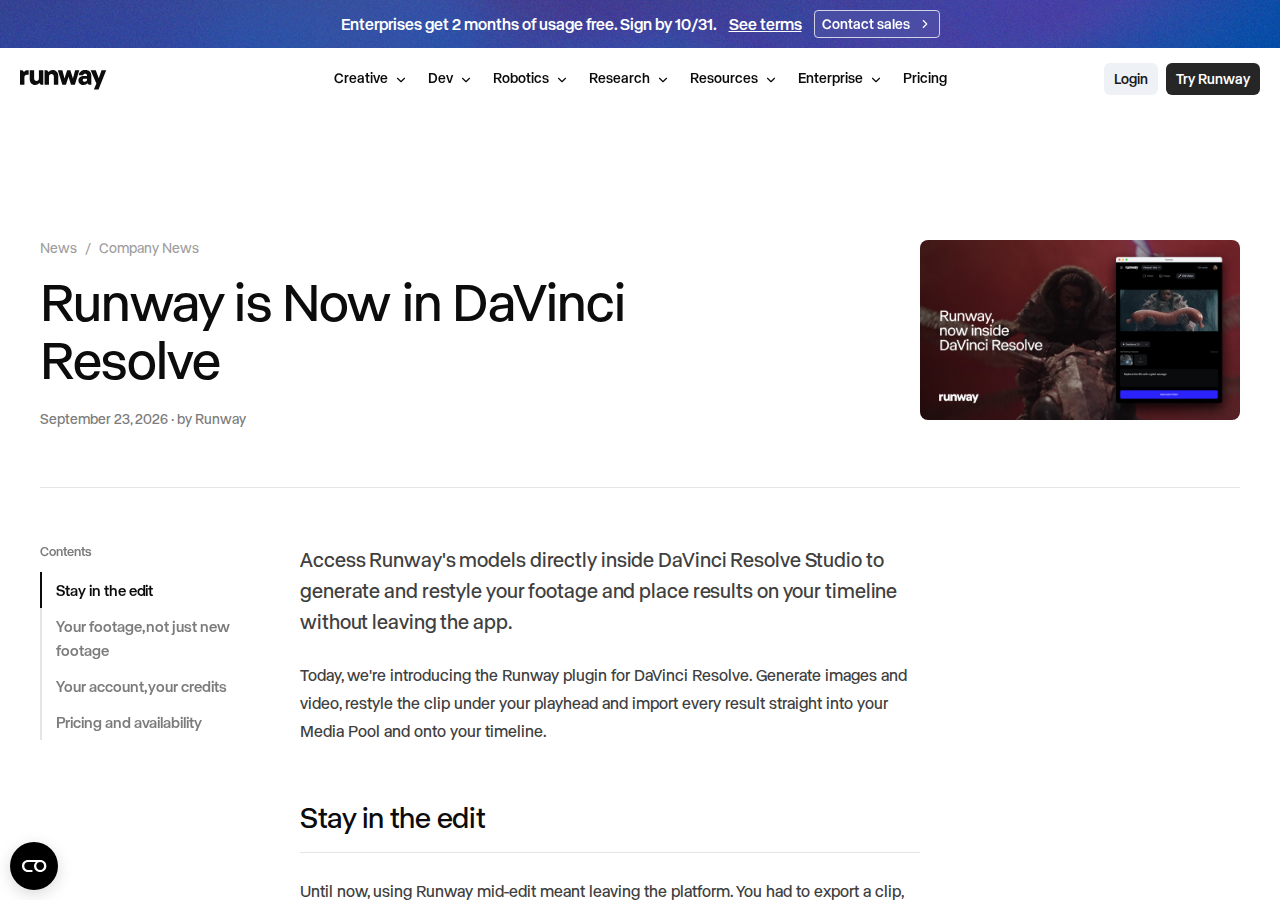
The in-edit workflow, step by step
- Select your material. Park the playhead on a shot, or set in and out points around the range you want treated. The panel exports exactly that range.
- Choose how much control you want. Restyle the clip's anchor frames for a fast pass, or set up to five keyframes for finer direction of how the shot should transform.
- Let the model work. Aleph 2.0, Runway's restyle model, re-renders the clip to match your chosen treatment — at the same duration as your source. No manual re-syncing afterwards.
- Compare before you commit. The panel shows a before/after comparison without leaving Resolve.
- Import. One click places the result above the original on your timeline, so the source remains your reference and the generated version is just a layer you can keep or kill.
Credits and account: what you see inside the panel
The panel is not a blind pipe that drains your balance. Sign in with your Runway account and it shows your workspaces, your remaining credit balance, and the cost of each generation before you commit to it. Everything you produce through the plugin also appears in your Runway library on the web — so switching devices or finishing in the browser later loses nothing.
Credits follow the unified system Runway rolled out earlier in September 2026, when the company consolidated pricing into a single credit pool across its tools. The plugin lives inside that same system, so understanding how credits are metered is the difference between predictable costs and a surprise invoice.
What this means for working editors
- Iteration cost collapses. When a style experiment costs minutes of export/import gymnastics, you stop experimenting. When it costs seconds inside the timeline, trying a fourth direction on a scene becomes normal.
- Your footage stays sovereign. Results import above the original rather than replacing it — the generated treatment is a layer, not a destructive overwrite.
- Cost visibility is built in. Pre-generation pricing in the panel means no accidental five-figure credit runs on a client project.
- Commercial restyling becomes an in-house task. Re-skinning an old client library for a new season — a job that used to go out to a service — can now happen inside the same project file.
And for editors whose work spans the full production stack — scripting, descriptions, Arabic-language captions — it makes sense to keep a writing workspace next to the NLE. ARWriter's toolset covers the text side of video production, from script drafts to publish-ready descriptions.
Free Resolve to Studio: is the upgrade worth it for the plugin?
This is the question every free-version editor is asking, and the honest answer depends on your project economics. Free Resolve already delivers a professional editing experience; Studio adds advanced capabilities — and now, third-party plugin support like this one. The simple math: if you are already paying for a Runway plan, the one-time cost of a perpetual Studio license can amortize across a handful of commercial projects. If you generate rarely, upgrading your NLE to unlock a panel you will open once a month is poor economics — stay on the manual loop or wait for broader editor support.
One frequently missed point: the Studio license is yours, independent of Runway. That investment serves every future edit — other paid plugins, advanced grading, delivery tools — even if you switch generation vendors entirely next year.
A realistic use case: restyling an old ad inside the project
Picture the scenario as it actually happens in an edit suite. A client's product ad was shot last year in a plain style; the new campaign wants something livelier. The old way: export the cut, upload it to Runway's site, wait, download, re-import, and discover the result drifted half a second so the audio sync breaks. With the plugin:
- Open the original ad project and set in/out points around the spot.
- Drop two or three keyframes on the hero shots to direct how the style should transform at each beat.
- Check the cost displayed in the panel, then run it.
- Compare before/after in the panel; if the treatment misses, redirect the keyframes rather than re-rolling blindly — with five-keyframe control, precision beats repetition.
- Import above the original and keep both versions side by side — or show the client the choice.
Note what never happened: you never left the app, never lost your place, and never fixed sync, because duration preservation is structural.
Aleph 2.0 inside Runway's model map
The restyle model the plugin runs, Aleph 2.0, is one node in a larger stack. Runway's official pages list Gen-4.5 for video generation, Act-Two, Ruby for SDR-to-HDR color conversion, and the Enhance Frame Rate tool that converts any video to 25, 30, 48, 60 or 120 fps. The map reveals the intent: a complete production line where in-timeline editing (this plugin) sits beside technical finishing (color, frame rate) and raw generation (Gen-4.5). For anyone building a career on this ecosystem, understanding where each model sits in the chain is what separates a tool user from a workflow engineer.
Practical credit management inside the edit
- Test on short ranges first. A two-second range reveals the model's take on your style at minimum cost before you commit to a full spot.
- Do not re-roll blindly. If a style misses twice in similar ways, change your keyframe reference, not your luck — bounded control means reference quality beats attempt count.
- Set a per-project credit budget. The panel shows your balance live, but the financial decision should be written before the project opens — on client work, credits are a real production cost that belongs in your pricing.
- Keep a library of winners. Every output is saved to your web library; organizing successful styles means reusing them later without paying to regenerate.
Quick comparison: plugin vs the old browser loop
| Criterion | Browser + manual export | Runway plugin in Resolve |
|---|---|---|
| Leaving the NLE | Every single operation | Never — generate and import in-app |
| Working on existing footage | Manual export, then upload | Playhead / in-out range processed directly |
| Result duration | Can drift from source | Matches source duration exactly |
| Cost preview | On the website, separate context | Balance and per-generation price in the panel |
| Editor support | Any NLE, with manual effort | DaVinci Resolve Studio 19+ only |
| Processing location | Cloud | Cloud — still requires solid internet |
Honest limitations
- No free-Resolve support. The Studio 19+ requirement is explicit. Free-version editors must first buy into Blackmagic's paid tier.
- Generation is never free. The plugin downloads for free, but every generation needs a paid Runway plan and consumes credits.
- Cloud processing. Rendering happens on Runway's servers, not your GPU. Editors under NDAs, or in regions with unstable connectivity, should factor that in.
- Resolve only. Premiere Pro, Final Cut and After Effects users — a large share of the market — are outside this integration for now.
- Bounded control. Five keyframes is the ceiling for fine-grained direction; complex transformations may take multiple attempts, and every attempt costs credits.
The bigger picture: AI is moving into the tools, not beside them
The plugin is one instance of a clear 2026 pattern: generative tools are abandoning the "separate destination" model and embedding themselves in the software professionals already live in. YouTube shipped conversational editing inside Studio; Meta keeps expanding in-app editing; standalone platforms keep extending the generation envelope in the browser — as in Higgsfield's ten-minute AI videos; and Runway chose the complementary route — instead of building a rival editor, it lives inside the editor editors already prefer. For working professionals this raises the value of NLE mastery itself: the AI layer is arriving at your desk, not replacing it.
Frequently asked questions
Is the Runway DaVinci Resolve plugin free?
Downloading the plugin is free on macOS and Windows. Running it requires DaVinci Resolve Studio 19 or later (the paid version of Resolve), and generation consumes credits from a paid Runway plan.
Does it work with the free version of DaVinci Resolve?
No. The official announcement explicitly requires DaVinci Resolve Studio 19 or later. The free build of Resolve will not run the plugin.
Can it restyle footage I filmed myself?
Yes — that is a headline use case. Park the playhead or set in/out points on your own clip, set anchor frames or up to five keyframes, and Aleph 2.0 re-renders the clip at the same duration as your source.
How do I know what a generation costs before running it?
The panel displays your workspace credit balance and the price of each generation before you execute it, after you sign in with your Runway account. Outputs are also saved to your web library.
macOS or Windows?
Both. The official announcement lists the plugin as a free download for macOS and Windows alike.
Can I work offline inside Resolve?
Editing itself is local, but all generation and restyling runs on Runway's cloud. Losing internet pauses the plugin without touching your project — your footage and cut stay intact, and generation resumes when connectivity does.
Is it suitable for client work?
Technically yes — results import at production quality and persist in your library. But read the commercial-use terms and test on representative footage from your actual project type before promising a client specific output, and budget generation credits into the project's cost.
The bottom line
Runway's Resolve plugin is the rare AI integration designed by people who understand editing psychology: keep the editor in flow, show costs up front, import above the original, and never force a browser detour. If you already run Resolve Studio and a paid Runway plan, there is almost no reason not to install it today and test it on a scratch project. Watch your credit meter in the panel, learn where restyle beats your manual grade, and fold it into your style deliberately. For everything textual around your edits — scripts, titles, Arabic descriptions — the writing side of the pipeline is ready at ARWriter.