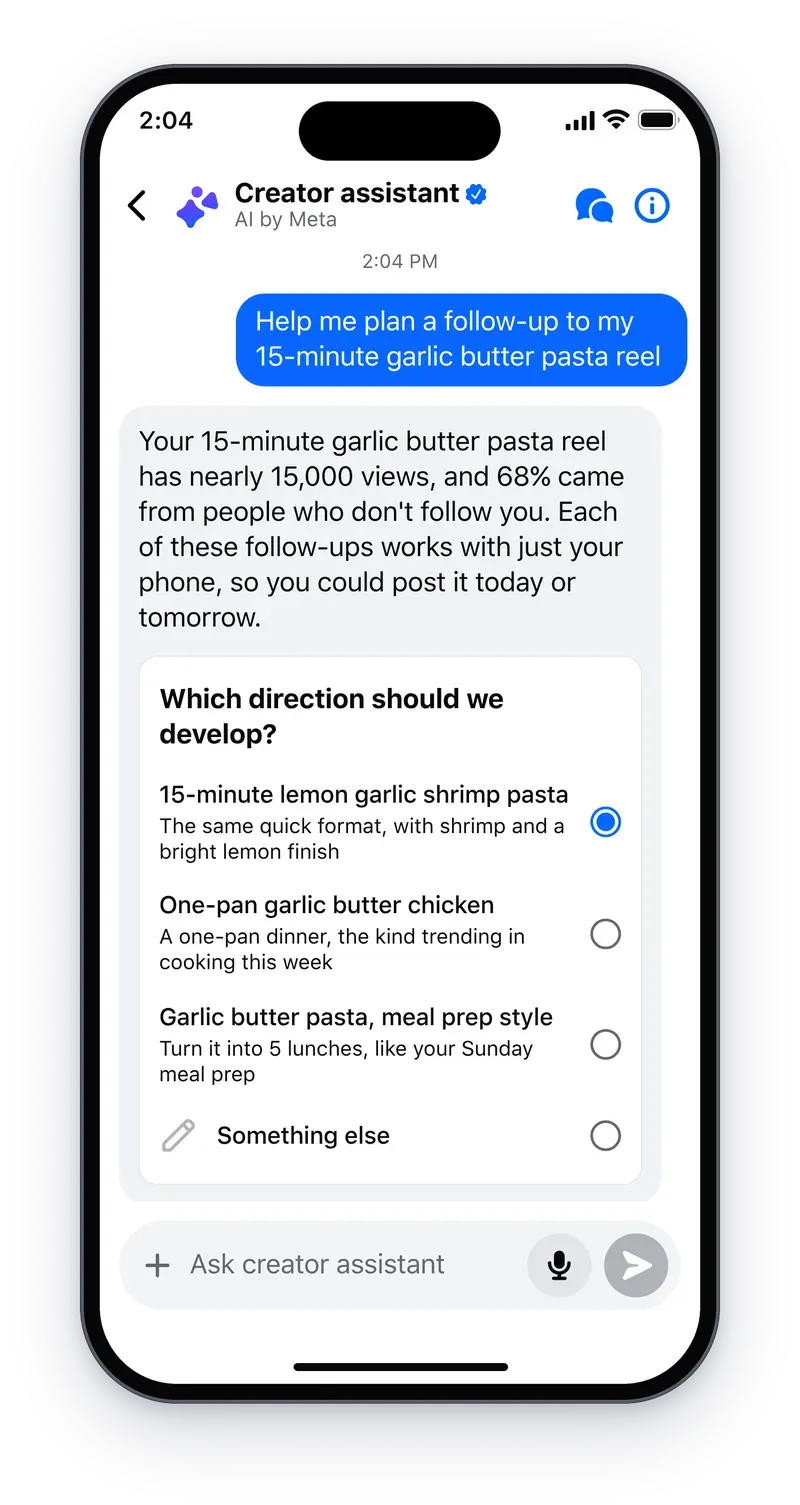
On November 2, 2026, Meta quietly shipped one of the most practical AI updates for working creators this quarter: Facebook's creator assistant is now proactive. The assistant, which launched in June to answer questions about which of your posts are working and why, no longer sits waiting to be asked. It now surfaces opportunities on its own, helps build the content itself — hand it an idea and it returns a storyboard and shot list — reviews your drafts before you publish, drafts comment replies in your voice, and has arrived on the web inside Creator Dashboard.
The announcement, published on Meta's official creators blog under the title "Creator assistant is now proactive," matters beyond Facebook. It signals where every platform's creator tooling is heading: assistants that read your account data, reach out first, and take over the repetitive middle of the production process. If you run a Facebook Page or a professional profile, here is exactly what changed, how to fold it into a working week, and where the limits are.
What Meta announced, precisely
Meta's blog post opens with an honest diagnosis of the assistant's first months: creators told the company two things — you don't always know what to ask, and even when you do, there isn't time to act on the answer. The November update attacks both problems at once. Four capabilities carry the release.
1. Proactive opportunity alerts, on by default
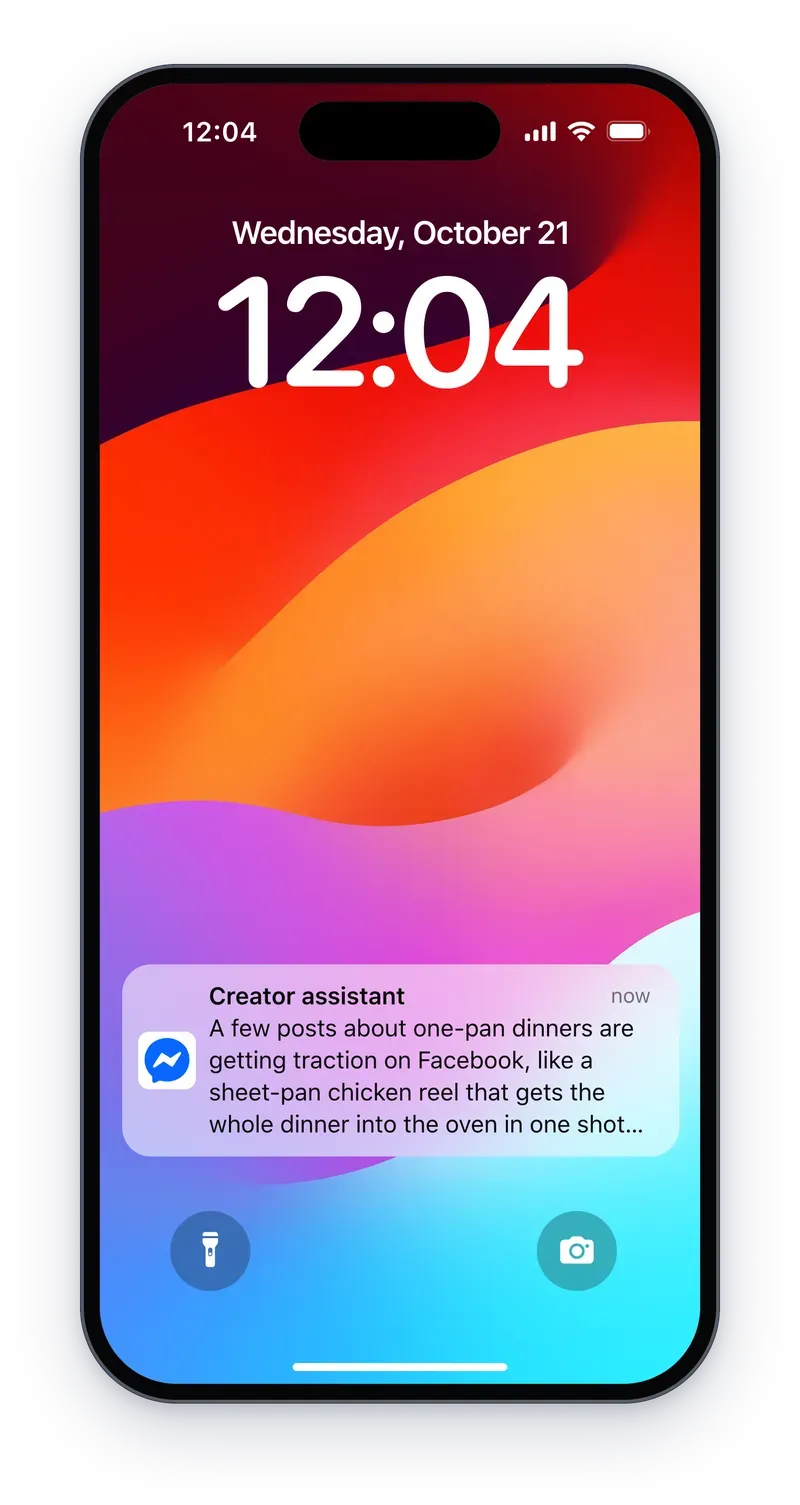
The assistant now watches your account and pings you when something deserves attention: a post starting to go viral, a jump in new followers, or a topic beginning to trend that fits the kind of content you make. Meta calls this the change it expects to help most, because "what's worth knowing comes to you" instead of you guessing where to look. The notifications are enabled by default and can be switched off at any time — a detail worth remembering before the pings pile up.
2. A production partner: idea in, storyboard out
This is the headline feature for anyone who shoots video. In Meta's own words: "You can hand it an idea and get a storyboard and shot list back, or upload a draft before you post and get specific feedback on what's working or could be better." The assistant has crossed from analytics advisory into pre-production — the stage creators previously covered with separate planning tools or a blank document and a long evening.
Equally telling is the sentence that follows: "It puts together a starting point, and you decide what happens next." Meta is deliberately framing the assistant as an accelerator, not an author — it speeds up the slow stretches of your process while you stay in control of the creative call.
3. Comment replies drafted in your voice
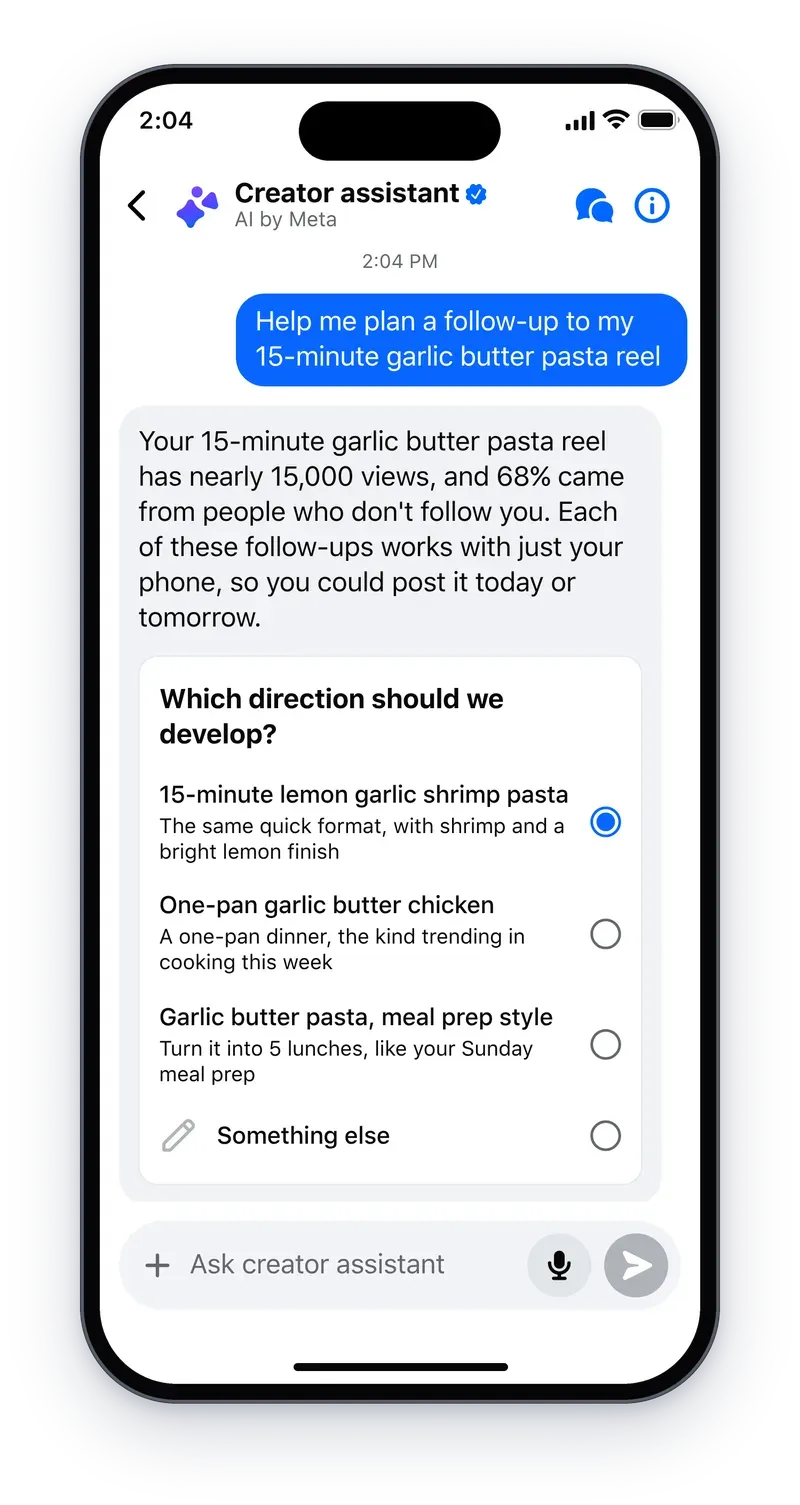
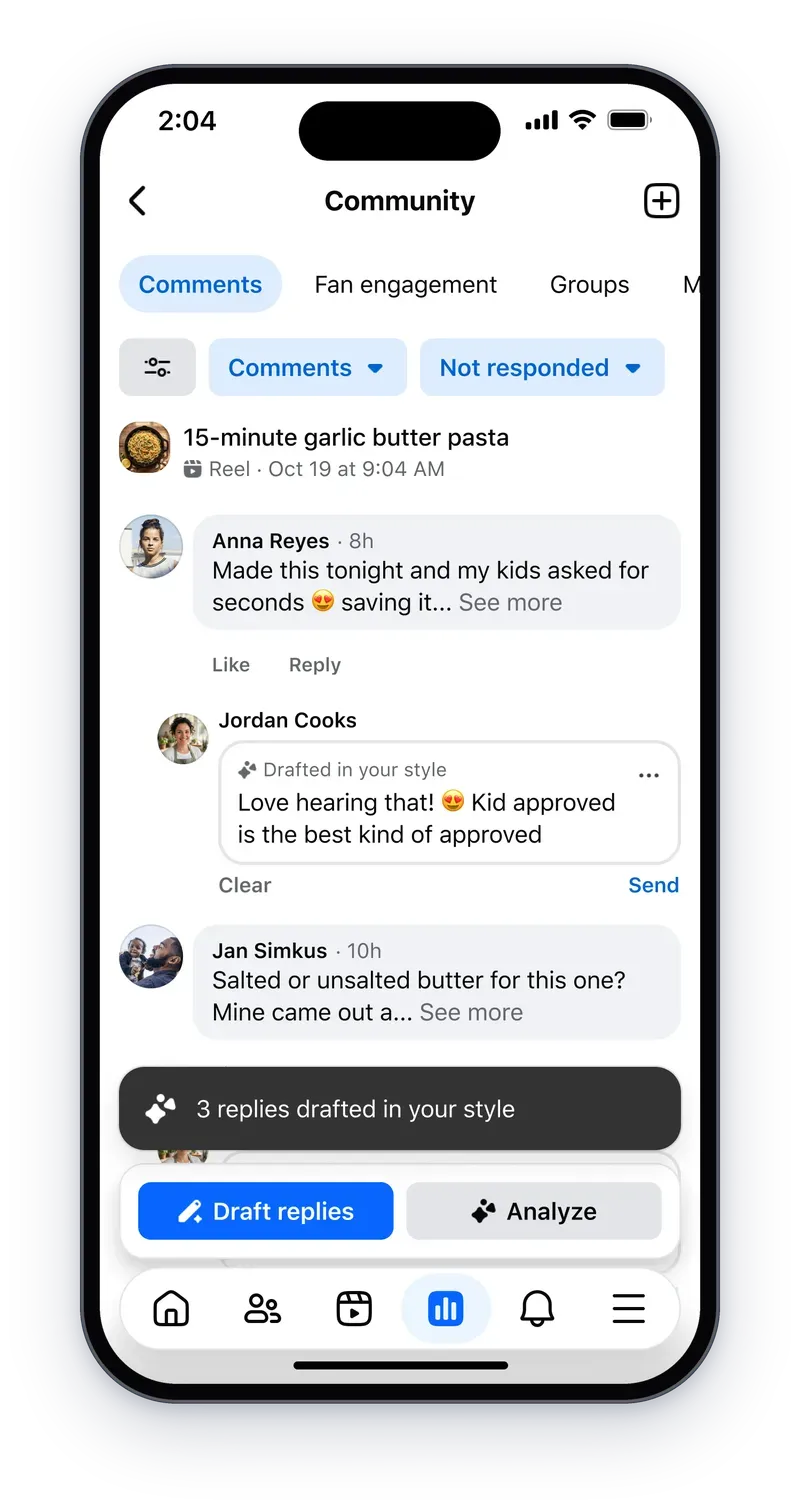
Community is built in the comment section, and replying there is the single biggest time sink in a creator's day. The assistant now surfaces the questions and conversations waiting on a reply, then drafts responses "in your voice" so that answering your community takes a few moments instead of a whole afternoon. Nothing posts without you: Meta states plainly that you can review and edit before anything goes live, which keeps the feature on the right side of authenticity.
4. On the web, and spreading further
The assistant began as a phone experience, which made sense while the phone was where you capture. But as Meta notes, desktop is where creators plan, organize, and get ahead of the week — so the assistant is now in Creator Dashboard on the web. The blog closes with a roadmap sentence that deserves more attention than its brevity suggests: over the coming months, the assistant "will also be built into more of the places where you already do your creator work on Facebook." Translation: expect it inside publishing and insights surfaces, not in a separate tab you remember to visit.
A working week with the new assistant
Say you publish to a Facebook Page three times a week. After this update, a realistic rhythm looks like this:
- Monday, desktop: ask the assistant to read last week's performance, then feed it two or three video ideas. Collect a storyboard and shot list for each; rearrange scenes until the structure sounds like you.
- Shoot day: work from the shot list on your phone — one focused session instead of improvising between setups.
- Pre-publish: upload the draft and read the feedback: what's working, what could be better. Take what fits your audience; ignore the rest.
- Post-publish: check comments twice a day. Accept the drafted replies for repetitive questions, personalize the conversations that matter.
- In the background: leave opportunity alerts on. When the assistant flags a trending topic that matches your niche, that's next week's content decided before the space gets crowded.
What this means for creators who publish everywhere
For a Facebook-first creator, the update genuinely compresses the distance between idea and published post, and it does so inside tools that carry no separate price tag. The calculation changes when your workflow spans platforms. The assistant reads your Facebook data and works inside Facebook; it does not draft your LinkedIn post, your newsletter, or your X thread, and its trend radar is scoped to your account rather than to your whole market.
That is why the strongest setup right now is hybrid: let the platform assistant handle platform chores — alerts, pre-publish review, comment replies — and keep a dedicated workspace for the content itself. Tools like ARWriter's AI writing suite exist precisely for that middle of the funnel: drafting platform-native copy in one place, then distributing it, with a structured prompt library that makes every AI assistant you use sharper.
Quick comparison: platform assistant vs. general chatbot vs. dedicated tools
| Criterion | Meta creator assistant | General AI chatbot | Dedicated creator toolset |
|---|---|---|---|
| Reads your account analytics | Yes — native to your Facebook presence | No | Only what you supply |
| Storyboard and shot list | Yes, built into the update | Possible, inconsistent quality | Yes, structured for platforms |
| Comment replies in your voice | Yes, in-platform | Out-of-platform copy/paste | Out-of-platform |
| Non-English output quality | Not specified in the announcement | Strong for major languages | Depends on the tool's focus |
| Multi-platform publishing | Facebook today, expansion promised | Does not publish | Prepares for all platforms |
| Cost | No fee announced — part of FB creator tools | Varies by service | Plans from $4.99/month |
Honest limits before you rebuild your workflow
- Facebook-shaped, for now. The announcement's language centers on "your Facebook presence." Creators whose audience lives on Instagram, TikTok, or YouTube are spectators to this update until Meta's promised expansion lands.
- Default-on alerts cut both ways. For multi-page managers, a proactive assistant can become another notification stream. Decide early what deserves to interrupt you.
- Output quality outside English is unproven. Meta said nothing about storyboard or reply quality in other languages. Test with one post, compare against your usual style, then scale.
- Drafts, not autopilot. Every suggested reply still needs your review — by design. Publishing AI drafts verbatim is the fastest way to sound generic in the one place your community expects you.
- It optimizes from past data. The assistant extrapolates from what already worked on your account. It does not know your business goals, your launches, or your positioning decisions.
A concrete example: one week of a cooking page
To make this tangible, picture a creator running an 85,000-follower cooking page that publishes three videos a week. Before the update, her week looked like this: two hours planning topics, a shoot day, then 45 minutes every day answering comments about ingredient substitutions. After November's update, the math changes in numbers, not promises.
Monday morning, she opens Creator Dashboard on the web. The assistant flags that her "winter desserts" video is outperforming the page average by a wide margin, and that searches for "quick soups" are climbing among her audience specifically — not in generic platform trends. She asks for storyboards for three soup recipes; each comes back as ordered scenes — the chop, the simmer, the plating — with a shot list including angles and counts. She rearranges the plating scene to show the full table her audience expects, then shoots all three recipes in one session instead of three scattered ones.
Before publishing, she uploads the draft and the assistant suggests leading with the final result before the spoken intro — advice she knows but kept forgetting under production pressure. After publishing, thirty questions about a cream substitute and ten about freezer storage come in; the assistant drafts replies in her short, warm, extra-tip-at-the-end voice, and review takes ten minutes instead of an hour of writing. The weekly saving approaches six hours — roughly an extra working month per year, from one feature inside the platform.
What the assistant actually reads from your data
Any tool that "knows your account's performance" invites a fair question about what that means. Per Meta's announcement, the assistant works from your on-platform performance data: which posts get engagement, when reach climbs, which topics your audience searches for. That is its strength — recommendations built on your followers' actual behavior, not industry averages — and simultaneously its limit: everything outside that data (your wider market, your commercial deals, your accumulated editorial judgment) is invisible to it.
Notice also that the assistant's value compounds with account consistency. An account publishing regularly gives it enough material for precise suggestions; a dormant account gets bland ones. The practical advice: if you have been quiet for months, publish steadily for two weeks before asking the assistant to plan anything, so it works from fresh data rather than an old archive. The golden rule stands: the assistant sees the past and extrapolates; you see the direction and decide.
Why every platform is suddenly building proactive assistants
Meta is not alone in betting that creators want assistants that act, not chat. Instagram has been threading AI through its creator stack with tools like the assistant inside the Edits app, TikTok has pushed shopping-side AI with its AI shopping assistant, and Meta itself has been scaling its assistant family all autumn, from Muse Wonder's launch in October to the open-weight Muse Spark release for researchers and tinkerers. The pattern is consistent: platform data plus generative capability equals an assistant that starts work before you ask. Creators who learn to orchestrate these assistants — rather than answer them — are the ones banking the time savings.
Frequently asked questions
Is Meta's creator assistant free to use?
Yes, as far as the announcement goes: the update shipped inside Facebook's creator tools with no fee mentioned, available in the Professional Dashboard and Creator Dashboard on the web. No paid tier has been announced for it.
How do I turn the creator assistant on?
Open Creator Dashboard (or your professional account settings) on Facebook — the assistant sits among the creator tools. Availability rolls out in stages, and Meta says the assistant will appear in more surfaces across Facebook over the coming months.
Can the assistant write posts and storyboards in languages other than English?
The announcement does not specify language support for the new features. Since the assistant works from your account and audience, the practical answer is to test it with one non-English post and judge the draft against your own standard before relying on it.
Will it reply to my comments automatically without me?
No. Replies are drafts that you review and edit before anything posts — Meta's blog states this explicitly. The assistant reduces the typing, not your sign-off.
Does this replace standalone AI writing tools?
Not if you publish beyond Facebook. The assistant is tightly coupled to your Facebook account data; for cross-platform content calendars, newsletters, and long-form copy, a dedicated workspace remains the more efficient route. The two solve different halves of the same job.
The bottom line
November's update turns Facebook's creator assistant from a question-answering panel into a working partner: it flags what you're missing, storyboards what you imagine, reviews what you drafted, and answers what your community asked. The caveats are just as clear — Facebook-first, unproven in languages beyond English, and never a substitute for taste. Pair it with a proper production workspace and you get the best of both: start creating with ARWriter and keep every platform's assistant doing what it does best — inside its own walls.
Primary source: Meta official creators blog, November 2, 2026 · Additional coverage: Social Media Today, November 2, 2026 · Images are official screenshots from Meta's announcement.