On September 3, 2026, Microsoft published an announcement with a headline that reads like marketing bravado — MAI-Transcribe-2, "the fastest, most accurate and cheapest speech recognition model in the world" — and then backed it with numbers that content creators, developers, and podcast producers should genuinely stop and examine. The headline figures: a limited-time price of $0.10 per audio hour through the end of 2026 (down 72% from the first generation's $0.36), an average error rate of 5.2% across 60 languages claiming the top spot on the FLEURS benchmark, and speed claims of 10x faster than GPT-Transcribe, 7x faster than ElevenLabs Scribe v2, and 5x faster than Gemini 3.5 Transcribe.
This guide breaks down what those numbers actually mean in production, how to test the model yourself in under two minutes, where the honest caveats sit (including what Microsoft has not published), and how transcription at this price point changes the economics of content repurposing.
What MAI-Transcribe-2 actually is
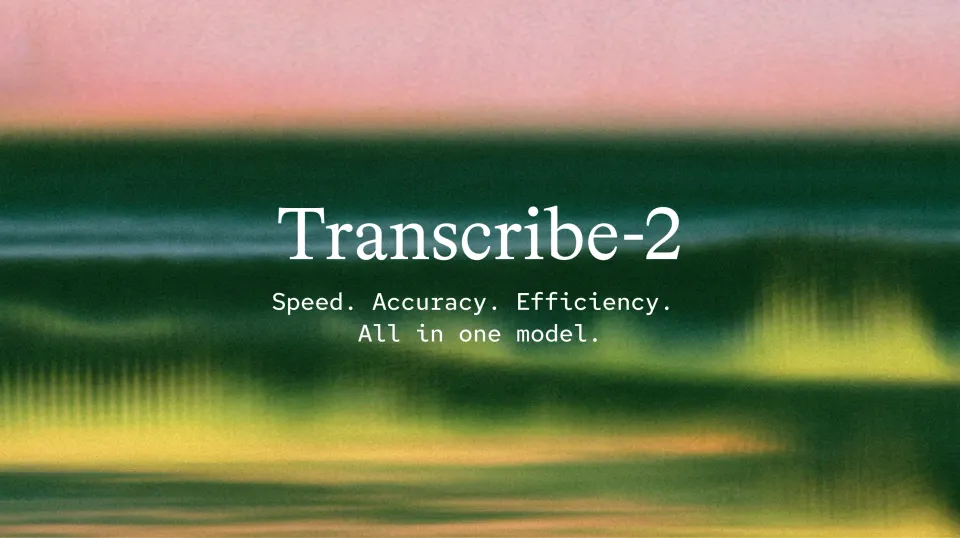
Transcribe-2 is Microsoft's second-generation speech-to-text model, succeeding a first generation launched in April 2026. Three number groups define its pitch:
- Accuracy: #1 on FLEURS with an average word error rate of 5.2% across 60 languages — up from 43 languages covered by its predecessor — and #2 on the independent Artificial Analysis speech leaderboard.
- Speed: 10x faster than GPT-Transcribe, 7x faster than ElevenLabs Scribe v2, and 5x faster than Gemini 3.5 Transcribe, per Microsoft's published comparisons.
- Price: $0.10 per audio hour as a limited-time offer through the end of 2026 — a 72% cut from the first generation.
Why does speed matter as much as accuracy here? Because working creators don't transcribe one file; they transcribe archives. The difference between a model that processes an hour of audio in a minute and one that takes ten is the difference between a pipeline that finishes tonight and a project that quietly dies in a "later" folder. Speed is the dimension that shows up in your actual week, not in a demo.
A fairness note that applies to every claim in this article: these are Microsoft's own numbers, published on Microsoft's own announcement page. The benchmarks are standard, but lab conditions are lab conditions. Your recordings — your guests' microphones, your street noise, your dialect — remain the only test that matters, and we'll get to the two-minute way to run it.
Three ways to try it today
- MAI Playground (playground.microsoft.ai): the fastest starting point. Select mai-transcribe-2 from the model sidebar, then record directly in the browser or attach an .mp3/.wav file and wait for the transcript. Microsoft labels the playground a limited preview, but it's fully functional for evaluation.
- Microsoft Foundry: the production-grade platform for developers building applications on top of the model — the right path once an experiment becomes a product.
- OpenRouter: call the model through the same unified API key you may already use for other models. For anyone benchmarking speech-to-text options side by side, this is the least friction available.
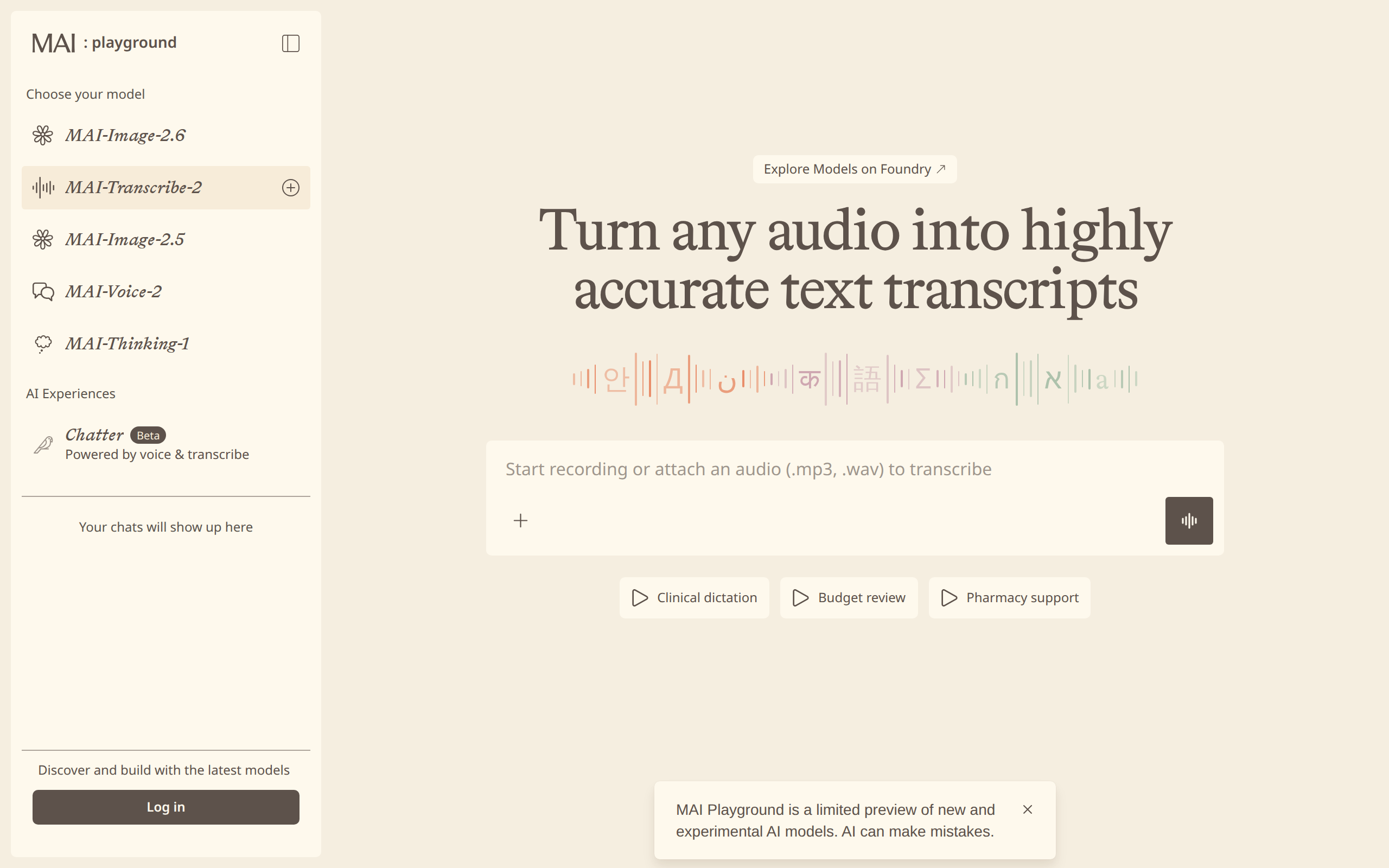
Two testing tips that will save you a misjudgment. First, upload real material — a segment from your actual podcast or field interview, not a clean studio sample — because noise and accent handling is precisely where transcription models differentiate themselves. Second, use keyword biasing if the service surfaces it in your workflow: feeding the model your brand names, guest names, and domain terms in advance measurably reduces the errors that matter most in professional transcripts.
The production features hiding behind the headline number
An aggregate WER figure is a headline; the feature list is what you live with daily. Transcribe-2 ships with the set that separates a research demo from a production tool:
- Speaker diarization: "who said what" in multi-speaker audio. On a 60-minute two-person interview, this single feature eliminates what used to be an hour of manual cleanup.
- Word-level timestamps: every word carries its timing — the foundation for subtitles, SRT/VTT generation, and precise clip-cutting from long dialogue.
- Verbatim and clean read modes: one pass gives you the exact utterance with every hesitation; the other gives you a polished, publication-ready text. Same recording, two outputs, two different jobs.
- Keyword biasing: supply a list of product names and domain terms and the model honors them instead of guessing phonetically.
- Code-switching support: sentences that mix two languages mid-thought — the default state of bilingual interviews and technical content — get transcribed in both languages rather than collapsing.
- Automatic language identification: no need to declare the input language upfront.
- Noise robustness: built for field recordings, workshops, and cafés, not just treated rooms.
Together, diarization and word-level timestamps are the pair that turns transcription from an end-of-pipeline document into raw material: with them, the transcript becomes an index into your audio, and everything downstream — articles, quotes, clips, subtitles — gets faster to produce.
The economics: what $0.10/hour actually changes
It helps to put the price in context of what creators paid before. Human transcription services have historically run from roughly $0.80 to $3+ per audio minute depending on turnaround — call it $50–$180 per podcast hour. Previous-generation AI services landed in the $0.30–$1 per hour range at best. At ten cents an hour, transcription stops being a line item anyone deliberates over: a 20-episode podcast season costs about $2 to transcribe in full. The deliberation moves from "can we afford to transcribe this?" to "why haven't we transcribed everything?"
That inversion is the real story. When a cost approaches zero, behavior changes: archives get indexed, every interview becomes searchable, and repurposing shifts from an aspirational strategy to the default. One caution, though — the $0.10 rate is explicitly time-limited to the end of 2026. Build your workflow on the model, but model your business on whatever the post-promotion price turns out to be.
A practical workflow: one recording, five publishable assets
- Record (one hour): the podcast episode or interview, exactly as you always do.
- Transcribe (minutes): run it in clean-read mode with diarization on, passing guest names and product mentions as biased keywords.
- Asset one — the episode page: a quick human pass over the transcript, section headers added, published alongside the audio. Episode pages with full text consistently outperform audio-only pages in search.
- Asset two — a standalone article: the three strongest ideas from the conversation become an opinion piece. Writing from a transcript is editing, not authoring — roughly half the work.
- Assets three and four — social: three quotable moments become short clips using the word-level timestamps; ten key sentences become scheduled text posts.
- Asset five — the newsletter: a 200-word summary of the episode, built from the same text, mailed to your list.
One hour of recording yields five published assets across five channels, and the input that unlocked the whole chain costs about a dime. Before this generation of pricing, transcription alone would have consumed the week's content budget — or the creator's patience — before asset number two existed.
Before you upload: three habits that raise accuracy
- Best source audio you can manage: a modest external microphone preserves detail that a laptop mic discards. If the content matters to your business, the mic pays for itself across every episode, not just the transcripts.
- Prime the vocabulary: open your recording with names and product terms spoken clearly, and maintain a keyword list you pass to the model. Both give the engine anchors for exactly the words that are hardest to guess.
- Split marathon sessions: a 90-minute file works, but 20-minute segments keep the resulting documents manageable and the processing snappy.
Quick comparison: where Transcribe-2 stands
| Option | Strength | Practical notes |
|---|---|---|
| MAI-Transcribe-2 | Speed + current price ($0.10/hr through end of 2026); #1 FLEURS average across 60 languages | 10x faster than GPT-Transcribe, 7x Scribe v2, 5x Gemini 3.5 Transcribe per Microsoft's comparisons; exact language list unpublished — test yours |
| Gemini 3.5 Transcribe | Deep integration with the Google ecosystem; context-aware output | Strong accuracy; five times slower than Transcribe-2 in Microsoft's published comparison — we cover it in depth separately |
| ElevenLabs Scribe v2 | Fits the ElevenLabs voice ecosystem | Seven times slower in the same comparison; most sensible if you already produce voice content in that stack |
| Open-source Whisper | Free, local, fully private | Needs real hardware or patience; production features like high-quality diarization and dual read modes are yours to assemble |
| Human transcription | Editorial quality and judgment | 50–1,800x the cost per hour; reserve for sensitive or high-stakes material |
Honest limits
- The price is a promotion: $0.10/hour is explicitly limited through the end of 2026. Evaluate the workflow now, but model the budget on the regular rate when it's announced.
- Developer-first distribution: there is no polished consumer app; the playground is for evaluation, and serious use means the API, Foundry, or a third-party interface built on top. Non-technical creators should wait for integrations to appear in their existing tools.
- The 60-language list is unpublished: an average across 60 languages is not a guarantee about your language. FLEURS as a benchmark design covers a wide language set, but until Microsoft publishes the supported list, the only verification is your own test file.
- Vendor-run comparisons: the speed multiples come from Microsoft's own benchmarks; rivals publish rival numbers. Treat all of it as directional until independent measurement accumulates — or until your own files say otherwise.
- Clean-read still needs a human pass: polished mode fixes disfluency, not facts. Anything published under your name deserves a fast human review for names, numbers, and context.
FAQ
What does MAI-Transcribe-2 cost?
$0.10 per audio hour as a limited-time price through the end of 2026, down 72% from the first generation's $0.36. In practical terms, transcribing a one-hour episode costs a tenth of a dollar — a full 20-episode season costs about two dollars.
How do I try it without paying anything?
Open playground.microsoft.ai, pick mai-transcribe-2 from the model list, and either record in the browser or upload an .mp3/.wav. The playground is labeled a limited preview but is fully capable of evaluating quality on your own audio. Developers can also access the model through Microsoft Foundry or OpenRouter.
Does it support my language?
Microsoft reports a 5.2% average WER across 60 languages and the #1 FLEURS average, but has not published the itemized language list, so no one outside the company can confirm any specific language's inclusion. The definitive test takes two minutes: upload a clip in your language and read the output.
Can it transcribe video files directly?
The input is audio — recordings or sound files — so video workflows extract the audio track first, a routine step in every transcription pipeline. Word-level timestamps keep the output aligned with the original timeline, which is what makes subtitle generation and clip-cutting straightforward.
Verbatim or clean read — which should I use?
Verbatim preserves exactly what was said, hesitations and repetitions included — right for archives, precise quotation, and formal records. Clean read strips filler and smooths sentences into publishable prose — right for articles and episode pages. Since both modes run from the same recording, the cheapest professional workflow often generates both.
Is it ready for a commercial product build?
Technically yes — Foundry and OpenRouter expose it in production form. Commercially, run your unit economics on the post-promotion price rather than the teaser, and review the service terms for how customer audio data is processed if your product handles other people's recordings.
The bottom line
MAI-Transcribe-2 pushes transcription decisively toward becoming an invisible cost: orders of magnitude faster than the alternatives in its class's published comparisons, priced for a full season of audio at the cost of a coffee, and shipping production features — diarization, word timestamps, dual read modes — that used to be premium add-ons. The two-minute action for any working creator: run one real file through the playground today. If the output holds up on your material, transcription just became the cheapest multiplier in your workflow; if it doesn't, the alternatives are documented right here — including our deep dive on Gemini 3.5 Transcribe and coverage of Gemini 3.8 Flash for the text side of the pipeline.
And if you publish in Arabic as well as English, the rest of the chain — turning transcripts into polished, publish-ready articles and scheduling them — is exactly what ARWriter's toolset and its long-form auto-writer are built to do.
Sources
- Microsoft official announcement: "MAI-Transcribe-2 is the fastest, most accurate and cheapest speech recognition model in the world" — microsoft.ai, September 3, 2026
- Try it: playground.microsoft.ai/?model=mai-transcribe-2 · Microsoft Foundry · OpenRouter