On October 15, 2026, Krea released an image editing model that promises something the market has been waiting for: full edits at native 2K resolution in under 8 seconds, with everything you did not ask for left untouched. This guide breaks down what Krea 3 actually does, what it really costs, how it stacks up against Google's Nano Banana Pro and OpenAI's GPT Image 2, and how working creators can put it to use today.
Image generation got fast months ago. Image editing stayed painfully slow. You would upload a product photo, wait 30, 60, or 90 seconds per revision, and then discover the model had quietly mangled something you never asked it to touch — a shifted logo, warped packaging text, a changed color. Krea 3, launched by Krea on October 15, 2026, attacks exactly those two failure points: the wait, and the instruction discipline.

What exactly is Krea 3?
Krea 3 is an image editing model — not simply a text-to-image generator. It was built by Krea, the creative platform that says it now serves more than 30 million users, to own the "fix and refine" step of a creator's workflow: you start from a real photo or an illustration, then request specific changes — a new background, studio lighting, a product swap, a sketch turned into a photoreal render — and the model returns the result at full native 2K resolution.
The headline claim in the official announcement is unambiguous: "Most edits come back in under 8 seconds, end to end, at native 2K." These are the company's own numbers, measured as medians between September 24 and October 1, 2026, with queue time included.
The capabilities that matter in practice
Based on the launch documentation, five capabilities stand out for anyone producing visual content for a living:
- Sub-8-second latency: editing becomes conversational. You can try, revert, and retry the way you already iterate with a text assistant, instead of running batch jobs.
- Surgical precision: the model "leaves alone what you didn't ask it to touch." Product labels and logos stay sharp — historically the single most common reason AI edits got thrown away.
- Up to 6 reference images per edit: combine the product shot with references for lighting, style, or a character, and the edit respects all of them at once.
- Character and product consistency across a series: the difference between one lucky image and a coherent campaign with the same visual identity.
- Medium preservation: if your source is a painting, vector art, or an ink drawing, the edit happens within that medium rather than forcibly converting everything into photography.
The model also handles the classic transformations brands and studios keep asking for: technical drawing to photoreal render, moodboard to finished scene, 1970s Polaroid to modern shot — composition preserved.
Official before-and-after examples
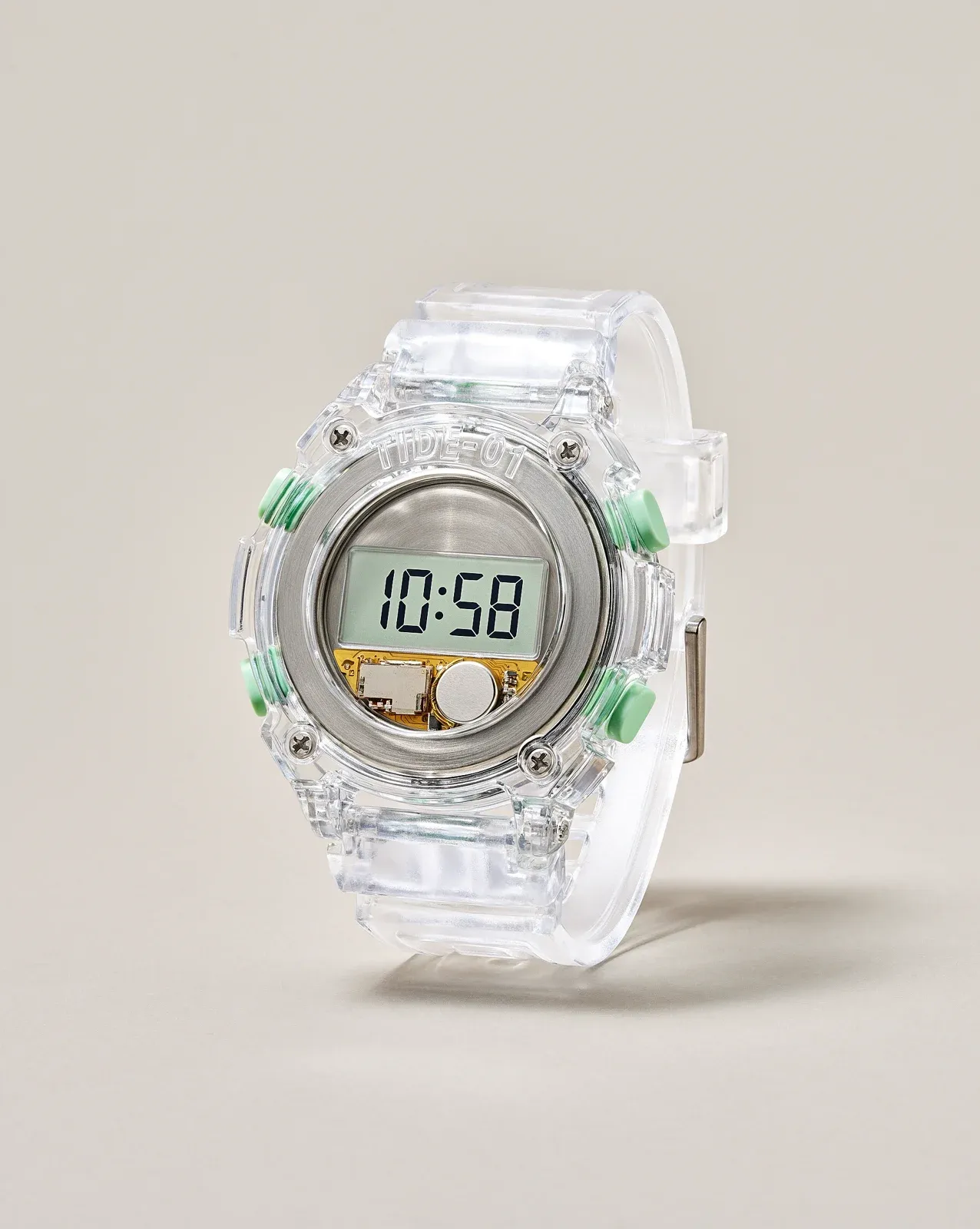
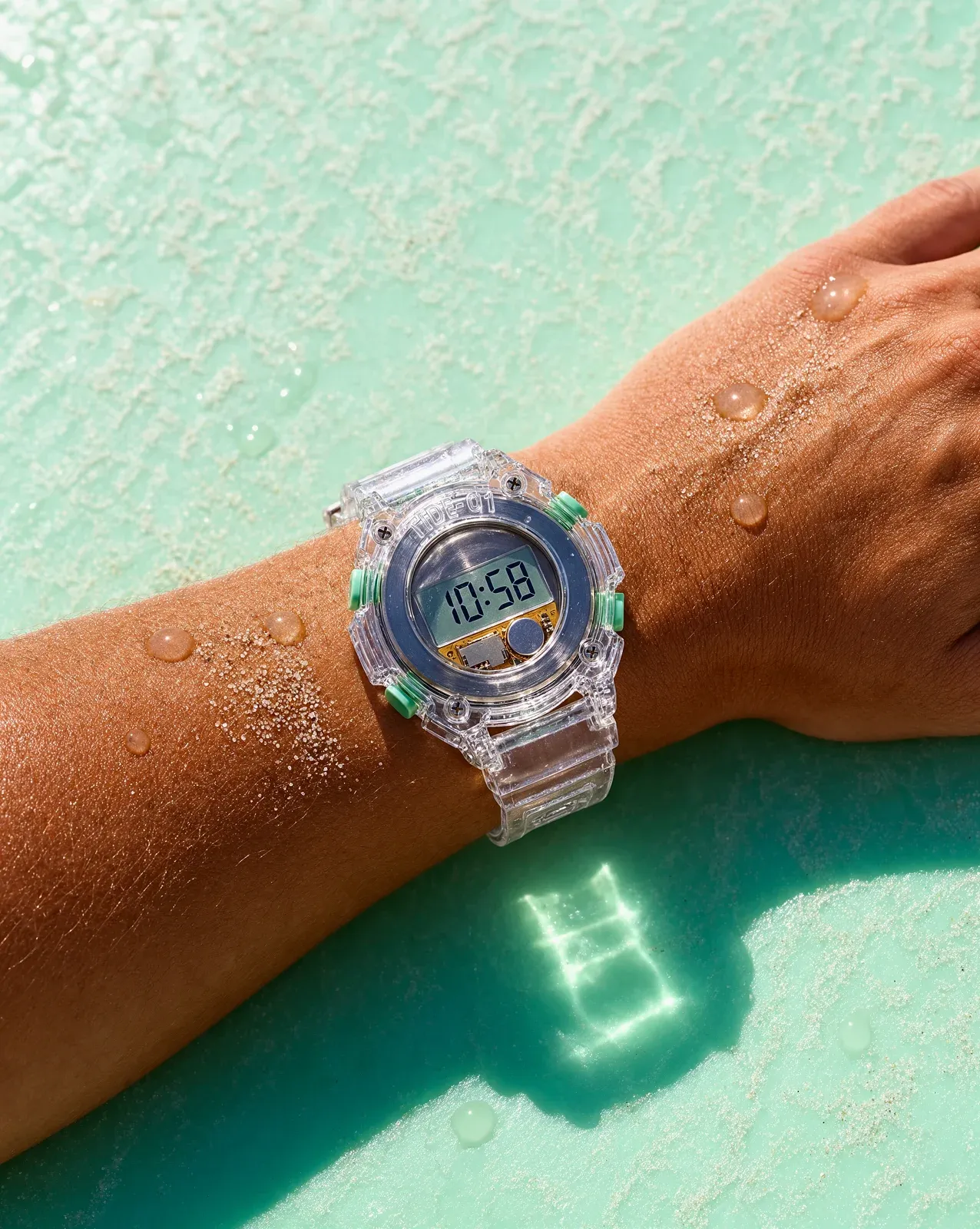
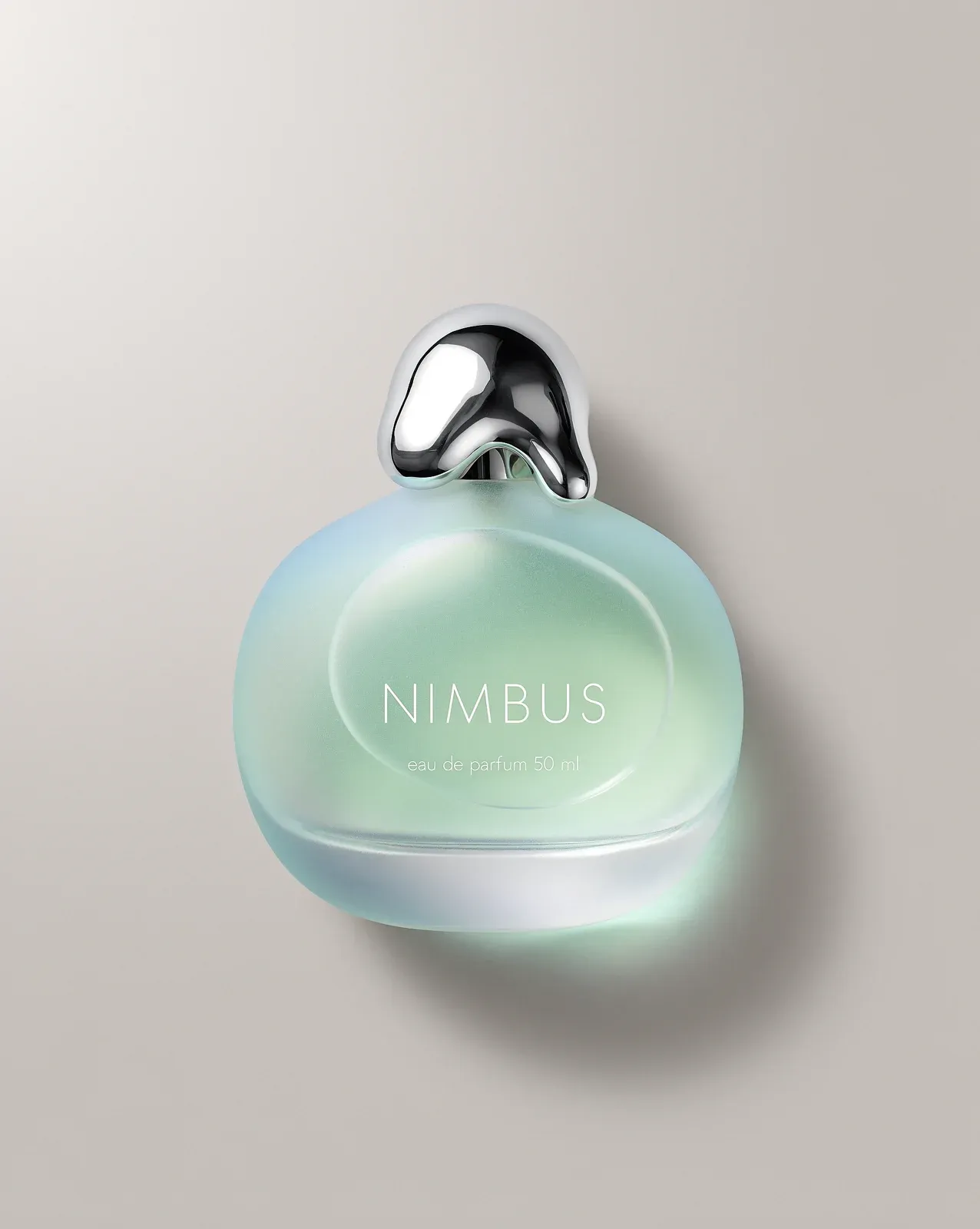
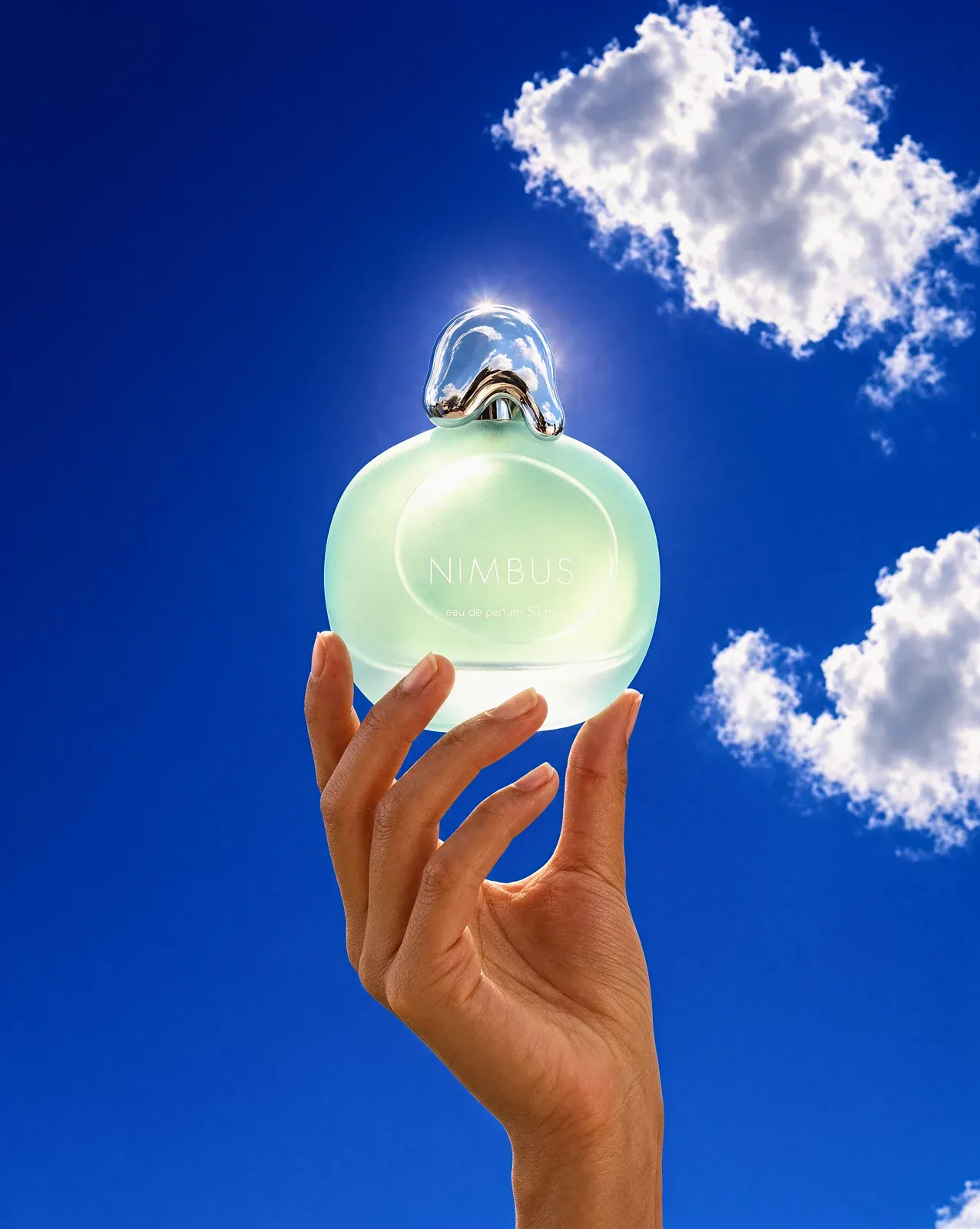
Krea's announcement ships with a set of before/after pairs that illustrate the behavior. In the watch example, the lighting and scene change completely while the product stays measurably itself; in the perfume example, an entire scene is rebuilt around a bottle whose details hold:
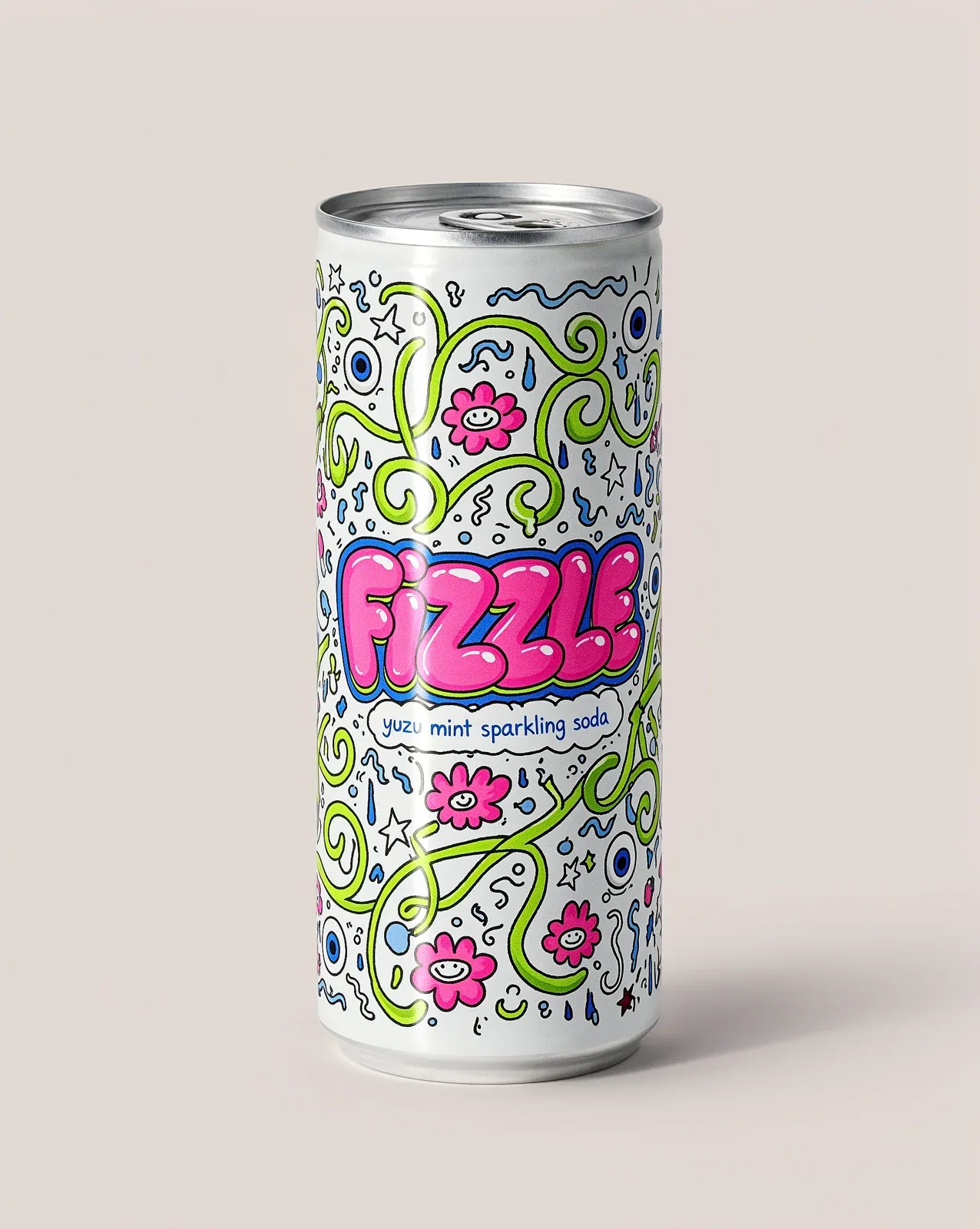
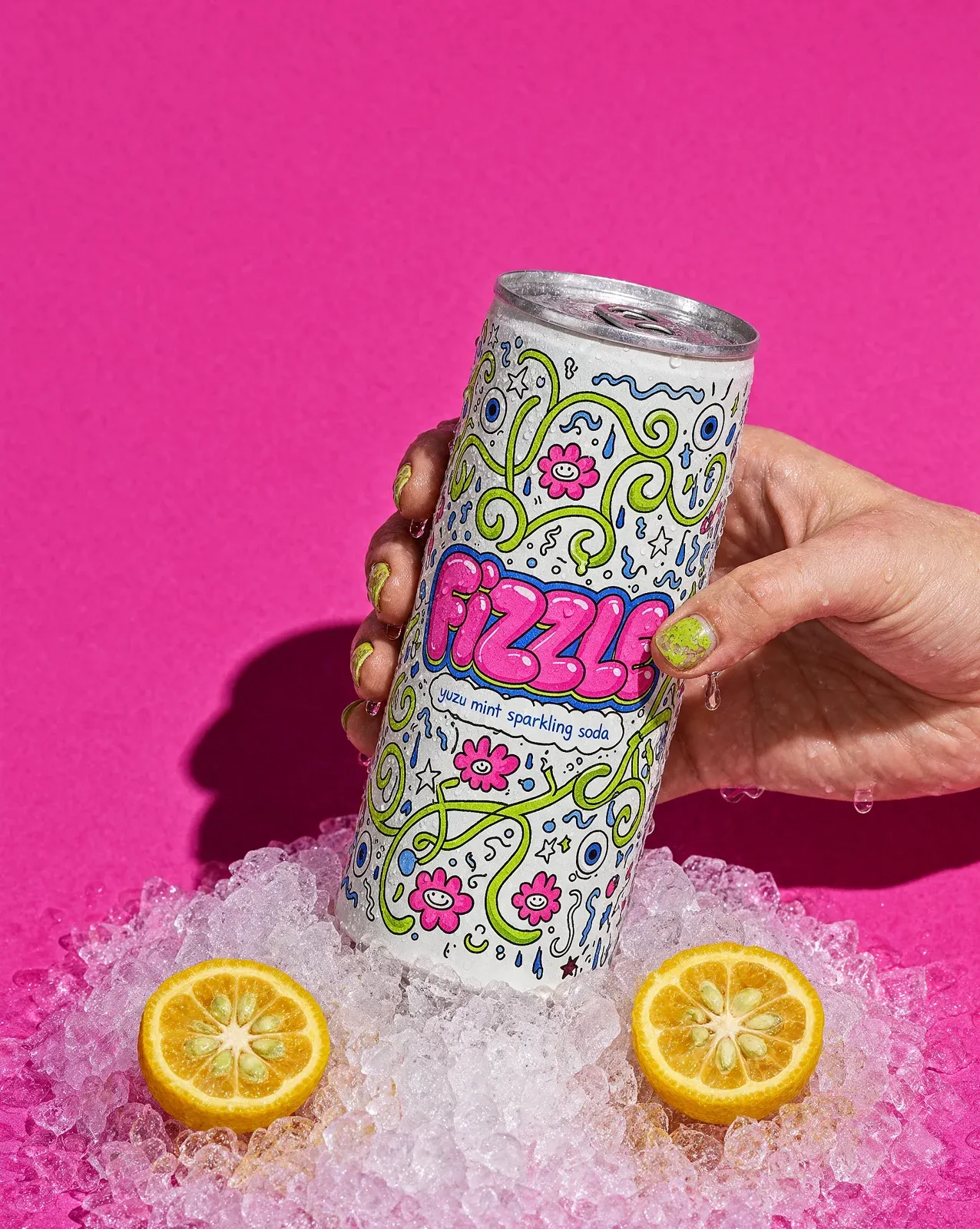
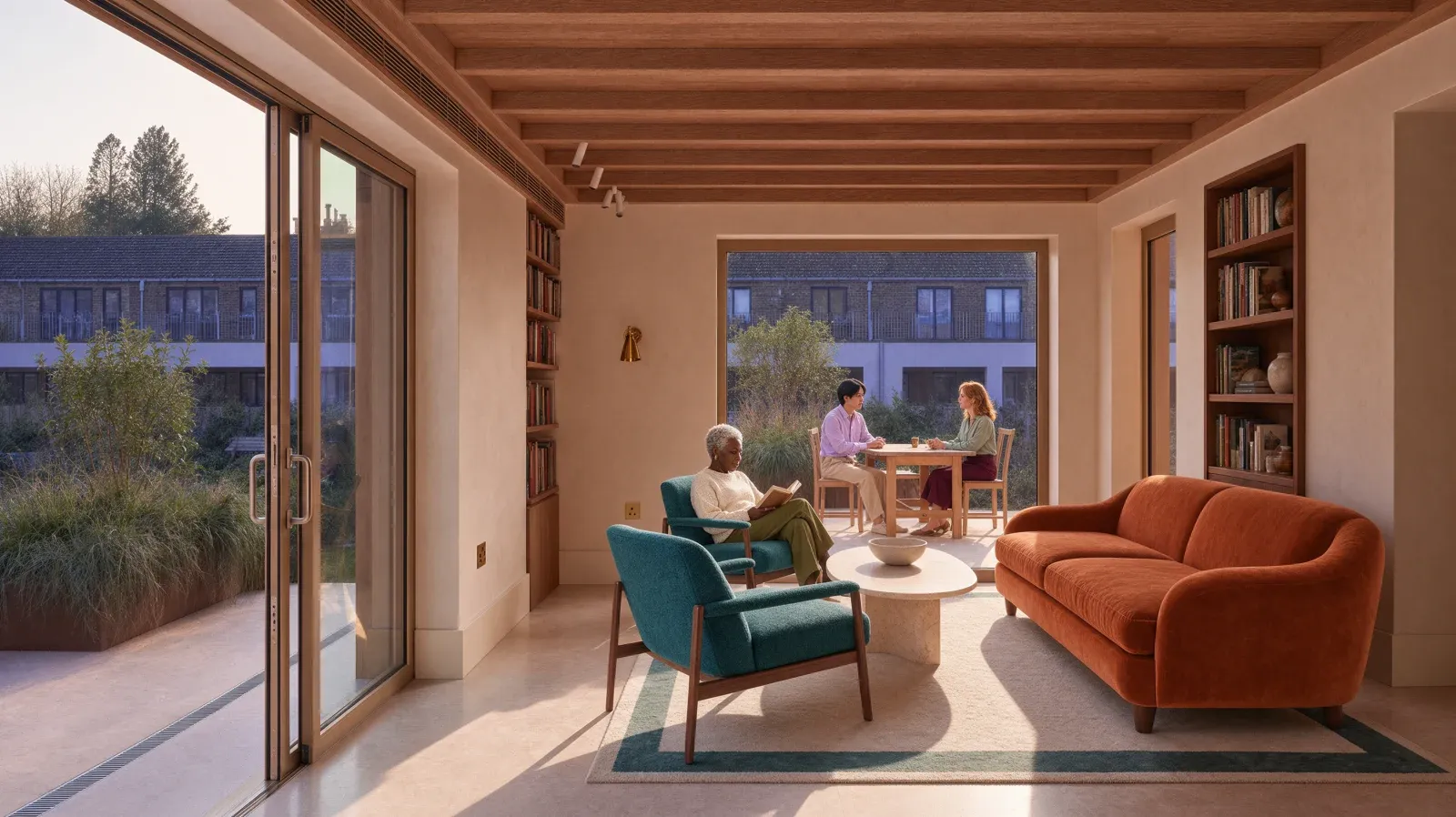
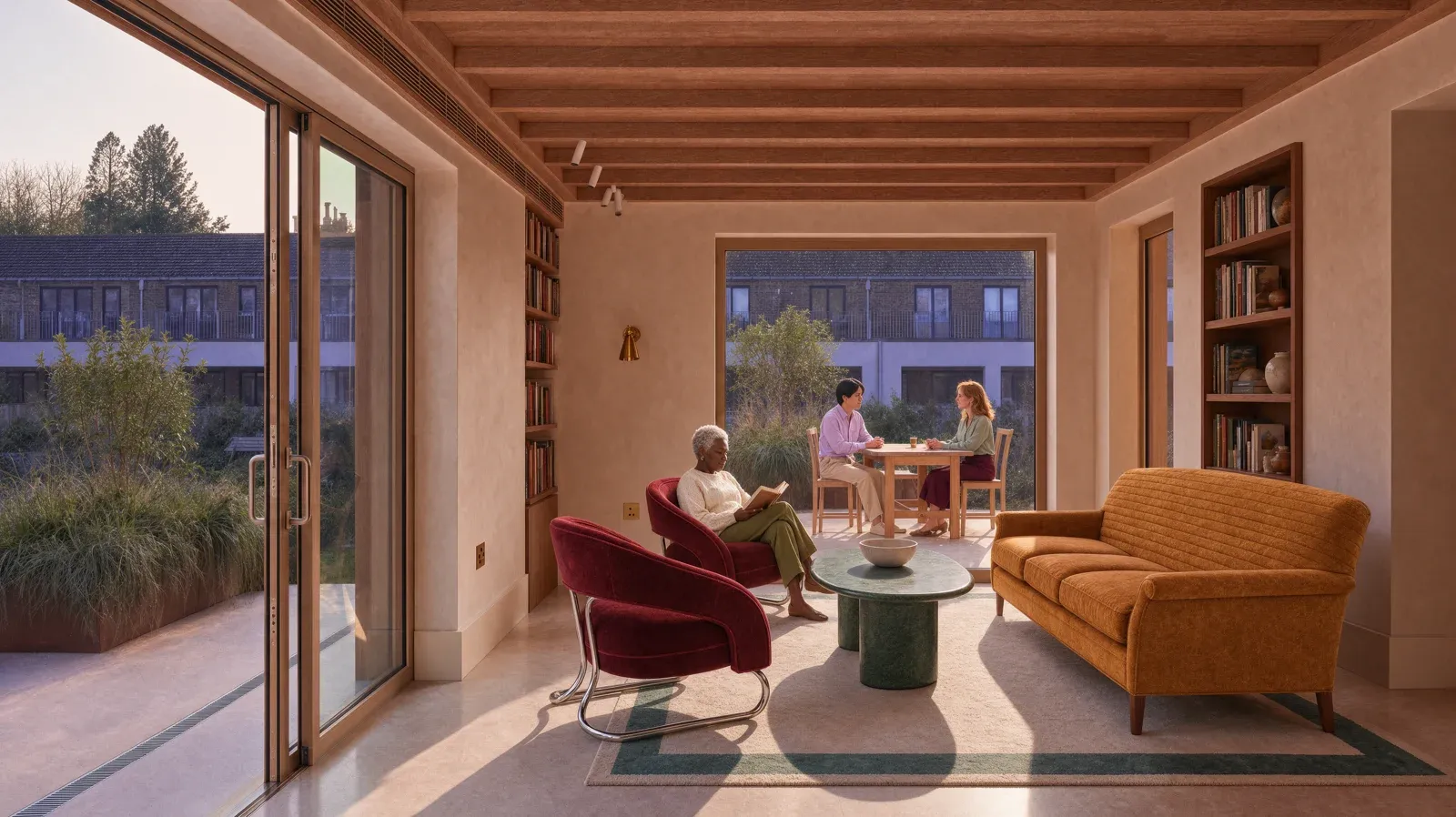
Two more official pairs — a soda can and a living-room sofa — show the same behavior on consumer packaged goods and furniture:
Pricing: what an edit actually costs
The official numbers: $0.06 per image at 2K, and $0.03 at 1K. The model is live on krea.ai for the platform's users, and available programmatically through the Krea API plus fal, Hedra, Together AI, Nous Research, OpenRouter, and Replicate, with an enterprise path via Krea Partnerships.
For context, the same edit on Google's Nano Banana Pro costs roughly $0.135, and on OpenAI's GPT Image 2 about $0.22. By the company's own math, a team producing 100,000 edits a month pays about $6,000 with Krea 3 versus $13,500 and $22,000 on the two competitors. At that volume, an interesting pricing detail stops being a detail and becomes a line item in the content budget.
Quick comparison: Krea 3 versus the competition
| Model | Edit time (official median) | Cost per image | Cost per 100K monthly edits |
|---|---|---|---|
| Krea 3 | Under 8 seconds | $0.06 (2K) / $0.03 (1K) | ~$6,000 |
| Nano Banana Pro (Google) | ~33 seconds | $0.135 | ~$13,500 |
| GPT Image 2 (OpenAI) | ~90 seconds | $0.22 | ~$22,000 |
All figures come from Krea's own comparison table (measurement window September 24 – October 1, 2026, queue time included), which means this is a vendor-side benchmark of competitors — read it with that in mind. I added Google's smaller Nano Banana 2 for context: its median was around 27 seconds.
What this means for your workflow
If your work revolves around product imagery, social content, or client design, three habits are about to change:
- The economics of iteration flip. When an edit lands in seconds, treating every image as a disposable draft becomes realistic. You can test five backgrounds for one product before a single client call.
- Virtual studio photography becomes practical. Instead of physically shooting every colorway, shoot one clean hero shot and generate the rest. Note that responsibility for representing the product accurately — and staying within platform advertising policies — stays with you.
- Brand consistency gets cheaper to maintain. Six references plus cross-series consistency means the same lighting mood and the same product fidelity across dozens of images, without elite photography skills.
A practical tip from the official prompting guide: name what stays fixed, use the word "only" to scope a change ("only replace the background"), and assign each reference image an explicit role ("image 1 is the product, image 2 is the lighting reference"). For ready-made starting points, the ARWriter image prompt library shortens the learning curve, and image work pairs naturally with the writing and publishing tools in the same workspace.
How Krea got here: a short history
Krea is not a newcomer. The company shipped Krea 2 as its foundation image model in May 2026, followed it with Krea 2 Turbo in June 2026 (image generation in roughly 2 seconds), opened a style-transfer and moodboard API, and released public LoRA training. Krea 3 is the cumulative step the line was missing: editing that is fast enough and obedient enough to sit at the center of a real production workflow.
It also lands inside a bigger market shift we have covered on this blog — from the open weights of FLUX 3 Klein running on 8 GB GPUs, to Higgsfield pushing AI video past the 10-minute mark — a market clearly converging on full workflow tools rather than isolated models.
Honest limitations to know before you rely on it
- It is not a video model. Everything documented here is still images. Animating the result requires a separate video tool.
- It is not real-time yet. The company itself says sub-8 seconds is not real time, that its fastest internal setup reaches about 4-5 seconds, and that it is targeting lower. Do not expect instant, interactive painting-style response.
- The benchmark is vendor-run. Speed and price comparisons against competitors come from Krea itself, in a single measurement window. Numbers vary between environments; test on your own images before committing a budget.
- English instructions work best. There is no official claim of dedicated Arabic-language instruction handling. On comparable models, precise English edit instructions tend to be more reliable, and rendered Arabic text inside images remains a weak spot of this model generation — the announcement makes no specific promise here, so neither does this article.
- Commercial terms are yours to check. Review the usage terms of whichever surface you use (the platform or an API partner) before folding outputs into paid campaigns.
What is next on the roadmap?
Two directions are announced: cheaper high-resolution architectures, and training the model on image-based instructions — circling an object or writing on the image to request the edit. That is a step closer to how designers actually give feedback, and away from describing everything in prose.
How to try it today
- Go to krea.ai — the model is live for the platform's users, and the site works from the Gulf and North Africa with no company-announced regional restrictions.
- Upload a photo or artwork you own the rights to.
- Attach up to six reference images and label each one's role.
- Request one specific change at a time, pin what must stay fixed with "only," and iterate quickly.
- For engineering teams: the API is available directly from Krea or through fal, Replicate, OpenRouter, Together AI, Hedra, and Nous Research.
How to write edit instructions that work on the first try
The difference between a discarded render and a published one is usually instruction craft. A practical synthesis from the official guide and comparable editing workflows:
- Name the constants first: open with what must stay ("same bottle, same label, same product angle") before asking for changes. A model built on instruction discipline needs the boundaries stated explicitly.
- Scope with "only": "only replace the background" beats "make it prettier" — every vague word opens doors you did not want opened.
- Give each reference a named role: "Image 1: the product. Image 2: target lighting. Image 3: art style." Six references without roles become competing noise.
- One edit per round: sub-8-second latency is wasted if you stack five requests into one prompt; a chain of short, scoped edits is faster overall and reversible step by step.
- Upload a clean source: a sharp input with a clear product angle saves whole rounds — better in, better out, as with every editing tool.
One team-level addition: keep a library of prompts that worked. When an edit instruction succeeds with a specific product, record it verbatim next to its result — a store that accumulates fifty tested prompts turns prompt craft from an individual talent into a written institutional asset, and sub-8-second latency makes building that library cheap for the first time.
When to pick Krea 3, and when something else
The practical decision depends on the job:
- Product imagery for a store or ad campaign: Krea 3 is a strong candidate — speed, cost, and product consistency were designed for exactly this case.
- Concept imagery from scratch, with no source photo: you want a generation model rather than an editor — or a workspace that manages both, like ARWriter, which handles generation, writing, and publishing in one flow instead of ten browser tabs.
- Video or Reels: Krea 3 is not a video tool; build the still here, then animate elsewhere.
- Delicate edits on faces and hands in complex scenes: test and judge on your own material — this remains the real stress test for any editing model, and vendor examples are, naturally, curated.
A final note: speed changes behavior more than output
An honest closing point: the single best image Krea 3 produces is not necessarily "prettier" than the best image from slower tools — maximum quality at maximum settings remains an open contest, and taste varies. What speed actually changes is the number of attempts an ordinary person can make in the same hour: a hundred experiments versus ten. In content work, where the winner is usually whoever tests more and learns faster than their audience, that is not a trivial technical feature; it is a shift in the working method itself. The teams that internalize it first — automating iteration instead of hoping for luck — are the ones that will bank the difference in results over the coming months.
Frequently asked questions about Krea 3
Is Krea 3 free?
The launch announcement did not change subscription tiers; it published usage pricing — $0.06 per 2K edit and $0.03 per 1K edit via the API — and confirmed availability inside the krea.ai platform. Check the current pricing page before budgeting; prices move.
When was Krea 3 released?
October 15, 2026, via the official launch post on Krea's blog.
Is Krea 3 good for e-commerce product photos?
Yes — it is one of the flagship use cases in the announcement: product consistency across images, intact labels and logos, and multi-reference support make it suitable for generating varied studio scenes from a single product shot. Responsibility for the final image matching the actual product remains with the seller.
What is the difference between Krea 3 and generating images from scratch?
Editing starts from an existing image and changes only what you specify; generation builds everything from a text prompt. Krea 3 is built for the editing case.
Does Krea 3 support Arabic?
There is no official statement about dedicated Arabic support. English instructions are the safer default, and rendered Arabic text inside images remains limited, as is typical for this generation of image models.
Sources for this article: the official launch post on the Krea blog dated October 15, 2026, and the Krea news archive at krea.ai/news. All images are official assets from the announcement, served from Krea's CDN.