Last updated: October 3, 2026 — facts verified against OpenAI's official documentation.
Somewhere between a party trick and a production tool sits ChatGPT Sites, the feature that lets a single prompt become a hosted, shareable website. After a quiet beta summer, a co-editing update in August, and a significant expansion at OpenAI's DevDay on September 29, the feature hit the front page of Hacker News on October 1 with 292 points and 266 comments. That trajectory — from internal experiment to mainstream curiosity in one quarter — is usually the moment when marketers, freelancers, and solo founders start asking practical questions. This guide answers them: what Sites actually does, what it costs, where it breaks, and whether it belongs in your publishing stack.
What ChatGPT Sites actually is
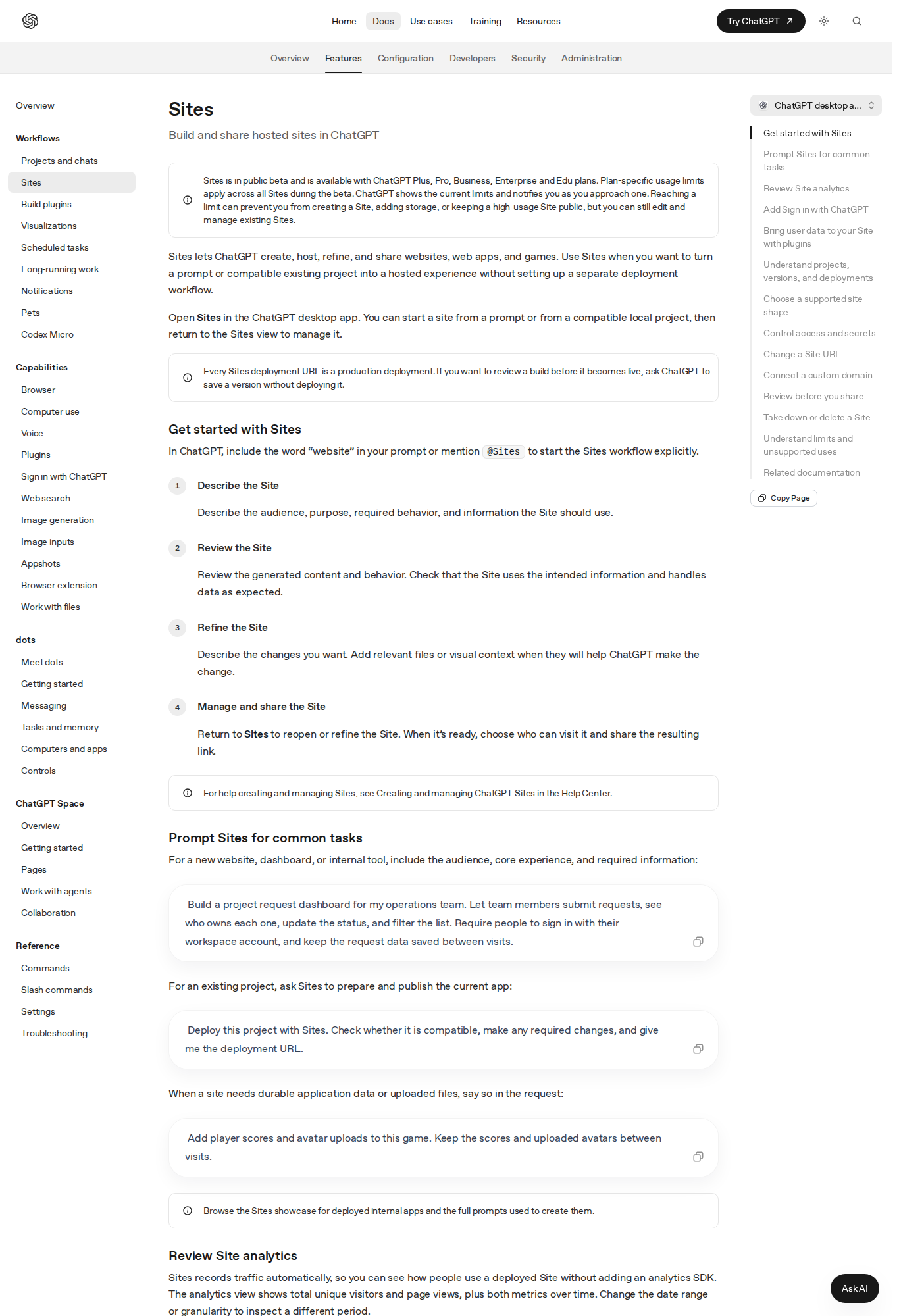
In OpenAI's own words, Sites lets ChatGPT "create, host, refine, and share websites, web apps, and games." You describe what you want in a chat, the model builds it, and you get a live URL on an openai.chatgpt.site subdomain. No separate deployment pipeline, no hosting bill, no configuration files. The feature is in public beta and available on ChatGPT Plus, Pro, Business, Enterprise, and Edu plans — which means the free tier and the $8 Go plan are out, and the realistic entry point is Plus at $20 per month.
What separates Sites from the "AI page builder" tools you have already tried is the persistence layer. This is not just static HTML. Each site can run on a supported runtime with a relational database (D1, capped at 10 GB of storage) and object storage for uploaded files (R2). The official docs use a running example of a browser game that stores player scores and avatar uploads between visits. HTTP, HTTPS, and WebSockets are supported; raw TCP connections are not.
Every deployment URL is a production URL. There is no separate staging link unless you explicitly ask ChatGPT to save a version without deploying it — a detail that has already burned early adopters who shared links before reviewing generated content.
The timeline matters more than the announcement
Precision about dates is scarce in most coverage, so here is the verified chronology from primary sources:
- July 2026: The official help center article "Creating and managing ChatGPT Sites" appears, and the analytics example embedded in the docs is dated July 9–15, showing a demo site that drew 190 unique visitors and 359 page views in its first week.
- August 17–21, 2026: Sites gains co-editing — workspace members can be promoted to editors who publish updates after the owner's first publish — plus editable hosted URLs with automatic redirects from the old address.
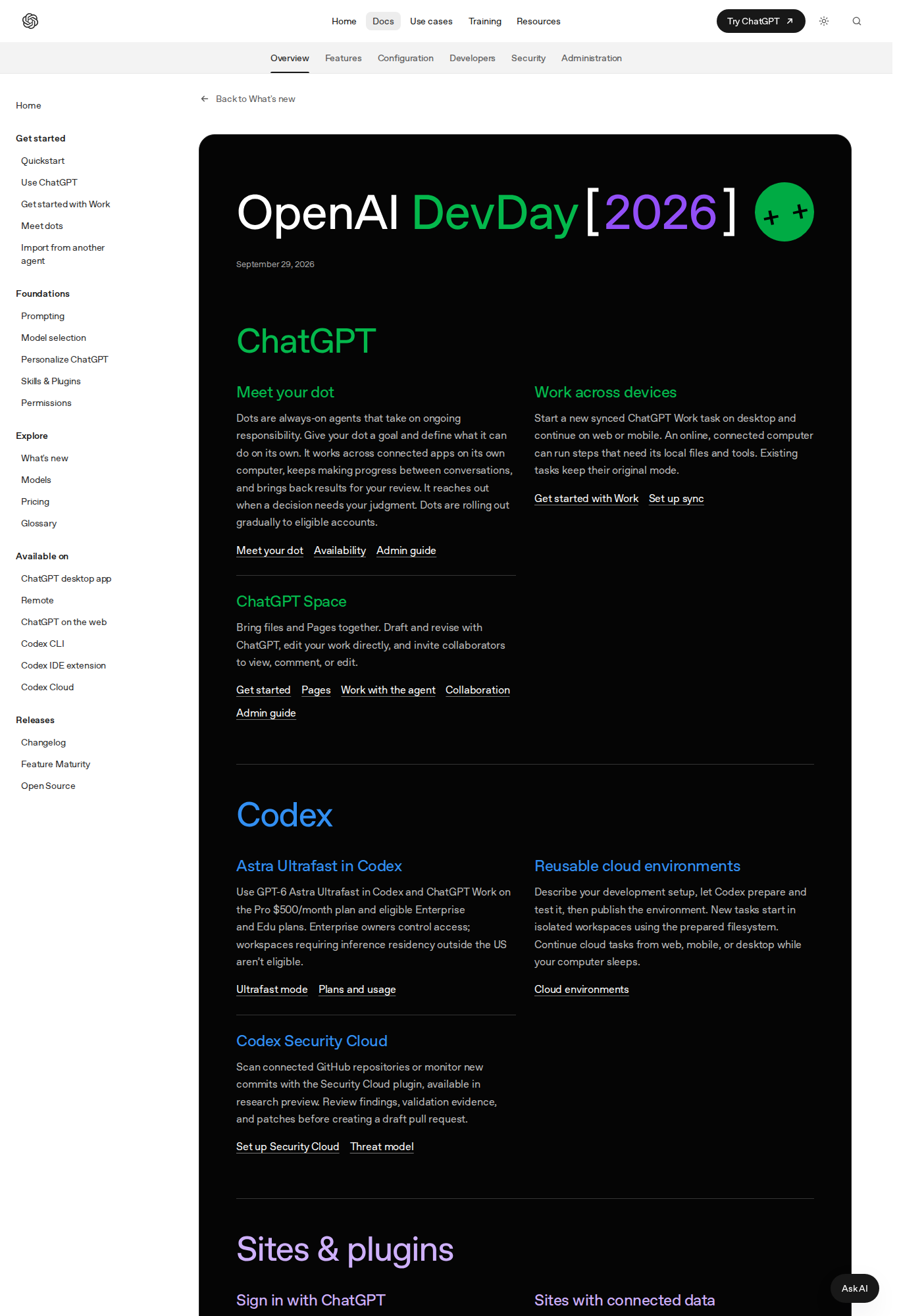
- September 29, 2026 (DevDay): The big one. "Sites with connected data" lets a site read each visitor's own connected apps through plugins — an issue dashboard that shows your assigned issues to you and your teammate's to them, with per-visitor consent. OpenAI also announced Sign in with ChatGPT, letting sites offer identity-aware features, with ChatGPT plan usage for AI requests available to eligible Plus and Pro users and commercial sign-in in a limited partner trial.
- October 1–2, 2026: The feature page surges to the top of Hacker News. Adoption is accelerating now, which is exactly when search interest spikes and quality explainers win the ranking.
Building your first site: the documented workflow
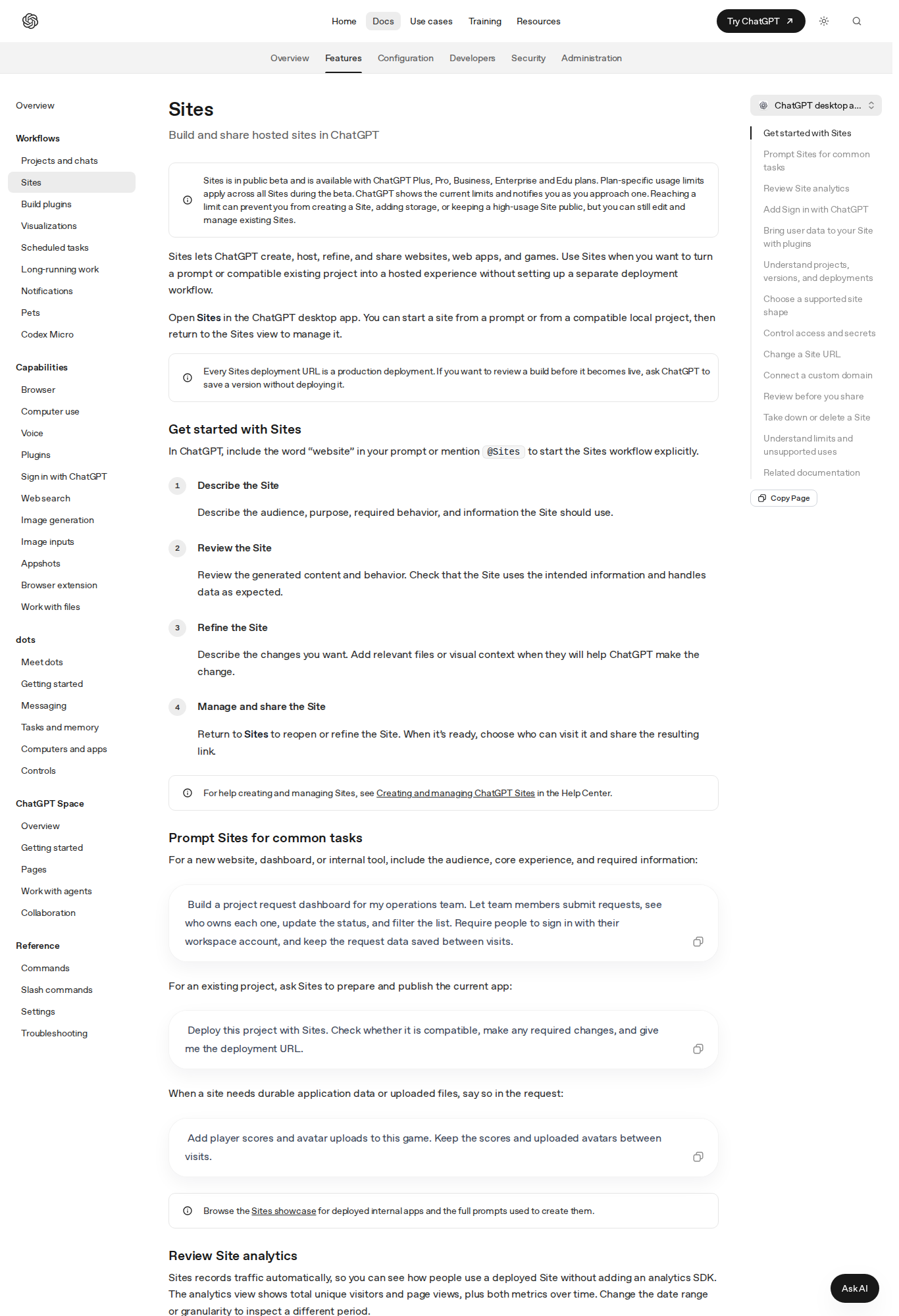
The official docs describe a four-step loop. First, trigger the workflow by including the word "website" in your prompt or mentioning @Sites explicitly; on the web you can also navigate to More > Sites. Second, describe the audience, the purpose, the required behavior, and the information the site should use — the docs' canonical example asks for an operations-team request dashboard with submissions, status updates, filtering, workspace sign-in, and durable data. Third, review the generated content and behavior, then refine conversationally, attaching files or screenshots when visual context helps. Fourth, choose who can visit and share the link.
Two details from the docs deserve emphasis because they change how you prompt. If your site needs durable application data or uploaded files, say so explicitly — the runtime supports it, but ChatGPT will not add a database unless the request implies persistence. And access starts locked: a new site is limited to its owner and workspace admins until you deliberately widen the audience, with options spanning selected users, invited external viewers, the whole workspace, or anyone on the internet (Enterprise workspaces have public publishing off by default).
Pricing, limits, and the fine print that affects real projects
Sites ships with every eligible plan, but "included" is not "unlimited." The docs are unusually direct: plan-specific usage limits apply across all Sites during the beta, and hitting a limit "can prevent you from creating a Site, adding storage, or keeping a high-usage Site public." Read that third clause again. A site that becomes too popular can be forced offline for the public while you retain editing access. For a client landing page or a campaign microsite, that is a manageable risk. For anything revenue-critical, it is a hard dependency question.
Custom domains are supported "where available" — you connect an apex domain or subdomain you already own by adding DNS records, and you can even ask ChatGPT to help navigate your registrar if browsing or computer use is enabled. Sites does not register domains for you, and custom domains are not available in Enterprise workspaces at launch. Changing your hosted URL, by contrast, is freely available: five-character minimum, lowercase letters and digits, single hyphens, and the old address redirects with routes and query parameters intact.
Then there is the compliance list. Sites does not support data residency or inference residency at launch — covering deployed sites, code, D1 and R2 storage, artifacts, and logs. Processing protected health information or payment-card data is off-limits, as is enabling financial transactions, targeting children under 13, distributing malware, or phishing. If your use case touches regulated data, this paragraph is the whole verdict.
What this means for content creators and marketers
Strip away the novelty and Sites is a speed instrument. The workflows where it already makes sense:
- Portfolio and service pages. A consultant or copywriter can generate a portfolio with case studies, testimonials, and a contact form in one session, then iterate by chat. When the work samples change, "replace the three oldest case studies" is the entire maintenance task.
- Campaign and launch microsites. Product launches, podcast seasons, event pages — the kind of page that needs to exist for six weeks, not six years. Built-in analytics (unique visitors and page views, no SDK required) covers the reporting most campaign pages need.
- Interactive lead magnets. Calculators, quizzes, and mini-tools that collect sign-ins through Sign in with ChatGPT. The DevDay connected-data model means a "your dashboard" experience can be personal per visitor without you building an auth stack.
- Client prototypes. Agencies can replace the static proposal deck with a clickable prototype at a real URL. The docs' project-request-dashboard example is essentially this use case verbatim.
The honest counterweight: the generated content is only as good as the copy you feed it. Teams that pasted thin one-line prompts got generic sites; teams that supplied real positioning, real testimonials, and real product data got assets they actually shipped. If drafting that input in bulk is the bottleneck, ArWriter's auto-writer produces complete, structured drafts — pages, articles, and campaign copy — that you can hand to the site builder as source material.
ChatGPT Sites vs the incumbents
| Criterion | ChatGPT Sites | WordPress + hosting | Wix / Framer / Squarespace |
|---|---|---|---|
| Time to first publish | Minutes, from a chat | Hours to days | Hours |
| Monthly cost | Included from $20 (Plus) | ~$3–10 hosting + domain | ~$10–25 |
| Custom domain | Yes (not Enterprise) | Full control | Yes |
| E-commerce / payments | Explicitly prohibited | Full via plugins | Native support |
| Built-in database | D1 (10 GB) + R2 storage | External | Plan-dependent |
| Built-in analytics | Visitors + page views, automatic | Plugins | Basic native |
| Code ownership | Managed runtime, constrained | Full | Limited export |
| Best for | Fast microsites, prototypes, interactive lead magnets | Long-term business sites | Design-led marketing sites |
The pattern in that table is deliberate: Sites wins on time-to-live and loses on control. That is the trade you are being offered, and during a public beta the control gap is wider than it will be in a year.
Collaboration: how teams work on a site
Site collaboration requires a workspace, and the ownership model is strict in a way that prevents predictable accidents. The owner invites a workspace member as a visitor, promotes them to editor, and the editor can then modify the site, save versions, and publish updates — but only after the owner has performed the site's first publish. Editors cannot change the audience, invite or remove people, manage settings or analytics, restore versions, or transfer ownership. Editors can read the site's live database, which the docs flag plainly: invite only people you trust with the site's code and data. External invitations, for named viewers outside the workspace, are rolling out to Plus, Pro, Business, and Enterprise accounts and grant view-and-use access without workspace membership or editing rights.
The pre-share checklist from the docs, condensed
OpenAI's documentation ships a review checklist that doubles as an excellent operating standard for any AI-built site. Review all generated text, images, and links before sharing. Confirm the site exposes no confidential information, secret values, or third-party content you lack rights to. Test from the intended visitor's experience, including access and sign-in behavior. Audit any feature that collects personal information and decide — deliberately — whether it should. If the site uses Sign in with ChatGPT, explain to visitors what information it receives. And pick the narrowest sharing option that fits the audience. The checklist exists because generated sites fail these reviews more often than hand-built ones; treat it as a release gate, not a formality.
Weaknesses worth stating out loud
Beyond the policy limits already covered, three structural weaknesses stand out. First, the runtime constraint: some frameworks, private networks, databases, background services, and hosting patterns are simply unsupported, so ambitious briefs hit a wall that prompt engineering cannot route around. Second, platform dependency: your site lives and dies by OpenAI's infrastructure decisions, limits, and roadmap — a different risk profile than owning a VPS or an exported static site, and analytics are unavailable for Enterprise-owned sites. Third, provenance: because every deployment URL is production, an unreviewed share is a live mistake. Teams that build a review habit get speed without embarrassment; teams that skip it should expect at least one public correction.
FAQ
Is ChatGPT Sites free to use?
No. It is available on paid ChatGPT plans — Plus, Pro, Business, Enterprise, and Edu — with Plus at $20 per month as the entry point. Usage limits apply during the beta, and reaching them can block new site creation, additional storage, or keeping a high-usage site public.
Can I use my own domain with a ChatGPT Site?
Yes, where the feature is available, by connecting an apex domain or subdomain you already own through DNS records Sites provides. Sites does not register domains, and custom domains are not available in Enterprise workspaces at launch.
Can I run a full online store on it?
No. The terms explicitly prohibit processing payment-card data and enabling financial transactions. Sites works for product showcases, landing pages, and lead capture, but checkout belongs on a real commerce platform.
How is Sites different from ChatGPT Space and Pages?
Space and Pages are collaborative documents inside ChatGPT conversations. Sites are real hosted websites with public URLs, access controls, and an optional database. One is for working documents; the other is for publishing to an audience.
Do Sites analytics require an SDK?
No. Sites records traffic automatically and shows unique visitors and page views over time in a built-in analytics view. The one exception: analytics are not currently available for sites owned by an Enterprise workspace.
Can my site remember data between visits?
Yes. Request durable data explicitly and Sites provisions a D1 relational database (10 GB storage cap) plus R2 object storage for uploads — suitable for saved records, user progress, scores, and submitted files.
The verdict
ChatGPT Sites is the fastest path from idea to live URL that currently exists, and the DevDay connected-data update pushed it from novelty toward utility. Use it for microsites, portfolios, prototypes, and interactive lead magnets where speed beats control. Keep your primary business site and your checkout on infrastructure you control. And whatever you build, spend your saved hours on the copy — that is the part the model cannot fake. If you want structured, publication-ready drafts as input, ArWriter drafts long-form pages and campaign content in minutes.
Sources
- Official ChatGPT Sites documentation — OpenAI / ChatGPT Learn
- DevDay 2026 official announcements — Sites with connected data, Sign in with ChatGPT
- ChatGPT plans and pricing — official documentation
- ChatGPT Space and Pages, explained — ArWriter blog
- Gemini Skills replace Gems — ArWriter blog, for the competitive automation context