OpenAI's biggest DevDay 2026 announcement (Tuesday, September 29) was not a smarter model — it was a new place to write. The company launched ChatGPT Space and Pages: editable documents that live inside ChatGPT, right next to the conversation, with view/comment/edit sharing for your team. In practical terms, after two years of document tools bolting AI onto the side, OpenAI is entering from the opposite direction — starting from the AI and building documents around it. Here is exactly what shipped, how to use it, and what it means for your content workflow.
What is ChatGPT Space?
In OpenAI's own words from the official DevDay announcement: Space "brings files and Pages together. Draft and revise with ChatGPT, edit your work directly, and invite collaborators to view, comment, or edit." Space is where your work now lives inside ChatGPT: your pages and files in one screen, organized into topic or team spaces, with the chatbot working alongside the content itself — not in a separate window you copy from.
What are Pages? The official feature list
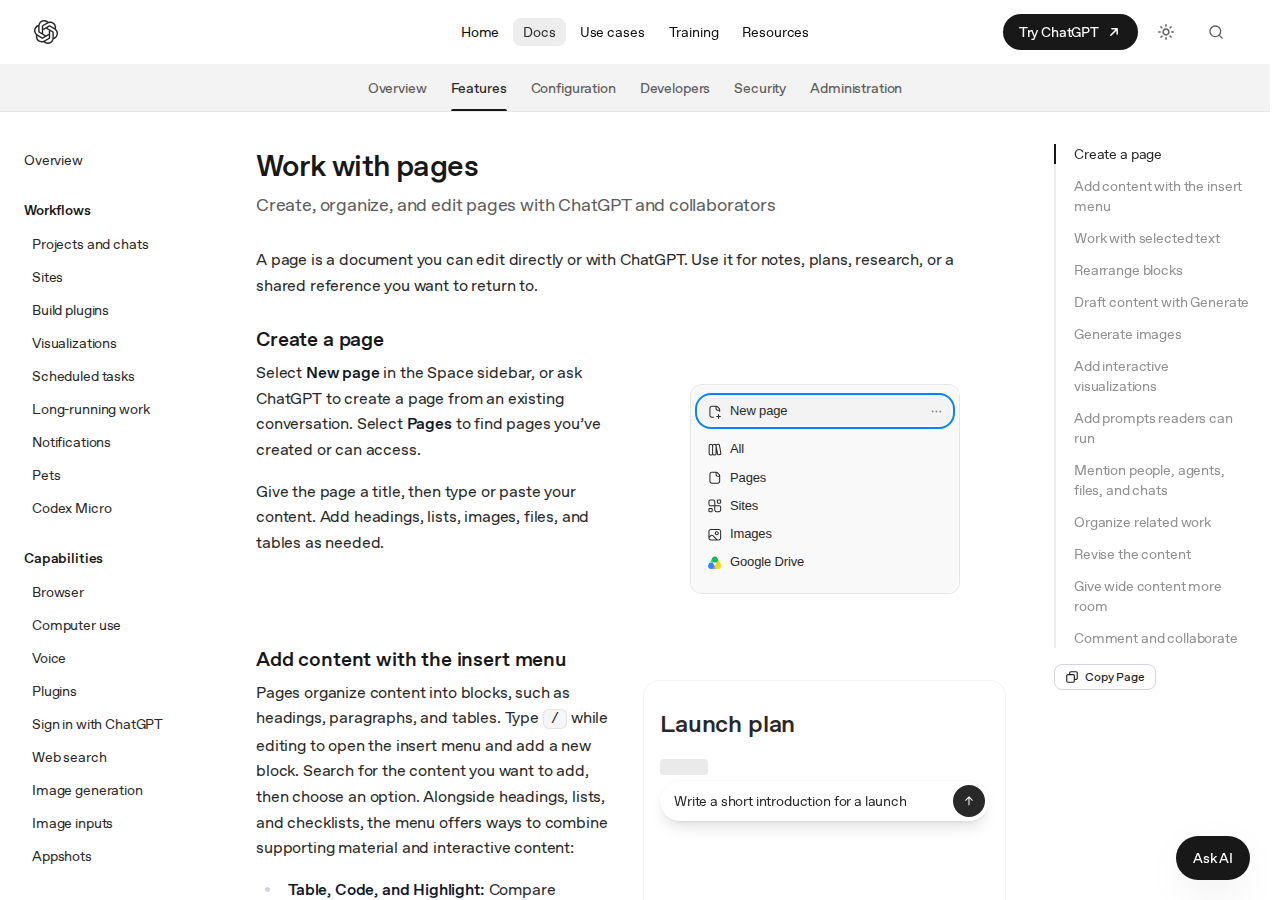
A Page is a block-based document, closer to Notion or Google Docs than to a chat transcript. From the official documentation, the headline capabilities are:
- The "/" insert menu: headings, lists, tables, code blocks, and highlights, with drag-and-drop block reordering.
- Generate for first drafts: ask ChatGPT to draft directly into the page, then accept, request changes, or undo.
- In-document image generation: an Image block with a Generate mode creates artwork from a description, or attach an existing file.
- Interactive visualizations: calculators, diagrams, and screen designs readers can actually operate inside the page — rare in traditional editors.
- Runnable Prompt blocks: leave a saved prompt inside the page that any reader can run later — effectively documented, reusable prompts.
- @ mentions: tag people, agents, files, and even past ChatGPT conversations to tie decisions to their sources without copy-pasting.
- Subpages: nest research notes and plans under a parent page for cleaner hierarchy.
- Live collaboration: comments on selected passages, real-time co-editing, and contributor attribution.
The official getting-started path
From the official Get started page: open Space in ChatGPT, create a New page, add your context (notes, files, or Google Drive files after connecting the app), then ask ChatGPT to shape the draft. The docs themselves suggest a prompt like "Organize the notes on this page into a clear draft. Use headings and bullet points where they help. Preserve the facts and source links." Edit the result manually or by asking for revisions, then share with view, comment, or edit permissions.
What this means for content creators
- A operations room for your content calendar: one space per channel (blog, Instagram, newsletter) holding ideas, assets, and drafts — with ChatGPT ready to reshape them in place.
- Grounded drafts: attach reference files and ask for a draft that stays linked to its sources — much closer to a real editorial workflow than a blank chat that forgets its context.
- Small teams, fewer tools: passage-level comments, attribution, and sharing permissions remove a round of extra collaboration tools for teams of two to ten.
- Reusable prompt assets: Prompt blocks turn the instructions you retype every week into a documented asset anyone on the page can run.
One honest caveat: Pages is a production and planning tool, not a publishing or scheduling tool. It does not push content to your blog or social accounts. For that stage you still need dedicated tooling — for example ARWriter for Arabic-first writing, images, and scheduling in one place.
Quick comparison: where Space stands today
| Tool | Strength | Weakness vs Space |
|---|---|---|
| ChatGPT Space + Pages | Documents built around the chat, agents, and images | New; young ecosystem and templates |
| Google Docs + Gemini | Deeper history of collaboration and export | AI feels like an add-on layer |
| Claude Cowork (Docs & Slides) | Strong documents from Anthropic | Tied to the Claude ecosystem |
We covered Claude's Cowork merge with Docs and Slides earlier this month; today OpenAI answers with a counterpunch. The "AI documents" market is now the main battleground between the major labs.
Honest limitations to know upfront
- You need "an account with Space enabled" — that is the literal wording in the docs; OpenAI has not yet published a final, detailed plan-availability list.
- Collaborative Slides were described in press coverage as rolling out "in the coming weeks" — not available today, so do not rebuild your deck workflow on it yet.
- The Dots agents that can be mentioned inside spaces are still rolling out gradually to eligible accounts, and their always-on agent role is broader than most writers need.
- Import/export behavior is not detailed in the announcement — test migration from Notion or Docs before committing.
A practical walkthrough for a small content team
To make it concrete — a three-person team running a blog and two social accounts could build this entirely from documented features:
- A space per month: a Space named "October calendar" holds every page for the month under one roof instead of scattering them across chats and docs.
- A parent calendar page: a table of days, topics, and channels, with a subpage per major article (research, draft, review) — the documented hierarchy supports exactly this.
- Reference files beside the draft: upload the brand guide and sources into the space and @-mention them inside the page, so a new writer gets context without an onboarding call.
- A Prompt block for house style: a saved request like "review this draft against the style guide: short sentences, no hype, cited claims" lives in the page and runs on click for every editor.
- Passage-level comments: highlight the disputed paragraph and discuss it in place — solving the oldest problem of chat-based reviews: losing "where exactly."
What this walkthrough still does not do automatically: publishing to your CMS, scheduling on social platforms, and performance reporting. That last mile — from approved draft to live Arabic content on schedule — remains the job of dedicated publishing tools such as ARWriter.
The bottom line
With GPT-6.1 Sol as the engine and Pages as the work surface, OpenAI is signaling that ChatGPT is no longer "a chat" — it is a production environment. For creators, planning and drafting just got faster and more collaborative; publishing and scheduling remain the job of dedicated tools, and picking that split wisely is now part of your workflow design.
Frequently asked questions
What is ChatGPT Space?
A feature OpenAI announced at DevDay on September 29, 2026 that gathers your files and Pages into one workspace inside ChatGPT, with drafting and revision help from the chatbot and collaborator sharing (view, comment, or edit).
What is the difference between a Page and a normal chat?
A Page is a permanent, directly editable block-based document that supports comments, sharing, and hierarchy, while a chat is an ephemeral message thread that does not accumulate into collaborative work.
Is Pages free to use?
The official docs require "an account with Space enabled" without a final breakdown by plan or price, so check your own account to see whether the feature has appeared for you.
Can I collaborate with my team inside Space?
Yes — that is its core purpose: invite people with specific permissions, comment on passages, co-edit in real time, and group a team's pages under shared spaces.
When do collaborative Slides arrive?
Press coverage quoting OpenAI says "in the coming weeks," with no specific date; Pages and Space are what is available now.
Sources
Official DevDay 2026 announcements page (learn.chatgpt.com) · Official Pages documentation · Official Space getting-started and collaboration docs · TechCrunch DevDay coverage, September 29, 2026.