Last updated: September 2026
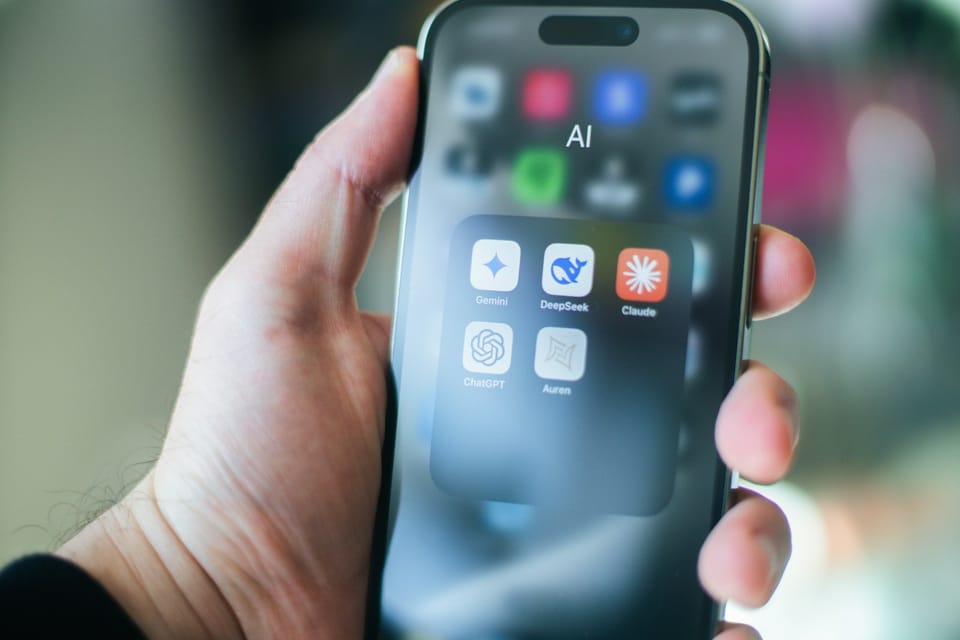
The best AI apps for iPhone and Android keep multiplying — your home screen does not. ChatGPT was the #1 most-downloaded generative AI app worldwide between January 1 and June 17, 2026, with Google's Gemini at #2, per Statista's download tracking. ChatGPT still carries 64.5% of consumer AI traffic (down from 86.7% in 2025), per Improvado's 2026 adoption report, which means the field behind it is finally competitive.
That competition is good news for you. The single best AI app no longer exists; the best mobile AI stack does. Which apps belong in yours depends on whether you write for a living, code on the go, ship video for clients, run a small agency, or just want one assistant that handles email and meetings.
This September 2026 refresh tests 29 apps across seven categories, pulls out the five stacks that actually work for different roles, and gives you the free-tier rules so you do not waste a single subscription dollar.
AI Overview: The best AI apps in 2026 are ChatGPT (all-purpose), Gemini (Google ecosystem), Claude (long-form and code), CapCut AI (video), and Perplexity (research). The undervalued picks are free: Google AI Studio and Google Antigravity. Most people need four apps, not twenty-nine.
TL;DR: our four quick picks for September 2026
- Best overall: ChatGPT — the most polished voice mode, memory, and ecosystem; free tier, $20 Plus.
- Best free stack: Gemini's free tier plus Google AI Studio for $0 flagship-model access.
- Best for writing: Claude for reasoning; ArWriter for publishing-ready long-form and SEO.
- Best for video: CapCut AI — free tier covers most edits, Standard $9.99, Pro $19.99.
Skim that and go. The rest of this guide earns your scroll.
How we picked: testing methodology
Every app below was installed and re-tested on both iOS and Android during August and September 2026. We ran the same five tasks through each one (a writing prompt, a research query, an image generation, a coding task, and a voice transcription where applicable), recorded latency, output quality, and free-tier limits, and cross-checked pricing against the live App Store and Google Play listings as of September 2026. The table reflects current per-month rates in USD.
Comparison table: the 29 best AI apps for mobile in 2026
Prices checked September 2026. Rows tagged NEW joined this update.
| App | Category | OS | Free tier | Paid (USD/mo) | Best for |
|---|---|---|---|---|---|
| ChatGPT | General chat | iOS, Android | GPT-4o-mini, ~10 GPT-5 messages | $20 (Plus), $200 (Pro) | All-purpose assistant |
| Gemini | General chat | iOS, Android | 3.8 Flash + limited Pro | $20 (Pro), $250 (Ultra) | Google ecosystem users |
| Claude | General chat | iOS, Android | Sonnet 4.6+ with daily cap | $20 (Pro), $100 (Max 5x) | Long-form reasoning |
| Grok | General chat | iOS, Android | Grok 4.6, capped per 2h | $30 (Premium+) | X integration, real-time |
| DeepSeek | General chat | iOS, Android | Unlimited V3.2 | $0 (consumer) | Math + code on a budget |
| Microsoft Copilot | General chat | iOS, Android | GPT-5-mini + 30 daily boosts | $20 (Pro) | Microsoft 365 users |
| Meta AI | General chat | iOS, Android | Unlimited Llama 4 | Free | Casual queries in Instagram/WhatsApp |
| Perplexity | Research | iOS, Android | 5 Pro searches/day | $20 (Pro) | Source-cited research |
| ChatPDF | Research | iOS, Android | 3 PDFs/day, 120 pages each | $5 (Plus), $20 (Pro) | Quick PDF Q&A |
| Notion AI 2.0 | Productivity | iOS, Android | 20 AI requests | $10 (add-on) | Notion-native workflows |
| Otter.ai | Productivity | iOS, Android | 300 min/month | $17 (Pro) | Meeting transcription |
| Read AI | Productivity | iOS, Android | 5 meetings/month | $20 (Pro) | Async meeting summaries |
| Fathom | Productivity | iOS, Android | Unlimited recording | $19 (Premium) | Sales call notes |
| Reclaim.ai | Productivity | iOS, Android | Free calendar plan | Paid team tiers | AI scheduling NEW |
| Gamma | Productivity | iOS, Android | Freemium starter credits | Paid team plans | AI presentations NEW |
| ArWriter | Writing | iOS, Android | 3-day trial | $9.99 (Pro), $24.99 (Premium) | Long-form content + SEO |
| Jasper | Writing | iOS, Android | 7-day trial | $39 (Creator) | Brand voice at scale |
| Copy.ai | Writing | iOS, Android | 2,000 words/month | $36 (Pro) | Sales copy, email |
| Grammarly | Writing | iOS, Android | Free checks everywhere | Pro tier | Polished grammar on the go NEW |
| Nano Banana Pro | Image | iOS, Android | 5 images/day | Included in Gemini Pro | Photo-real edits |
| Midjourney | Image | iOS, Android | None | $10 (Basic), $30 (Standard) | Stylized art |
| Adobe Firefly | Image | iOS, Android | 25 credits/month | $10 (Pro) | Commercial-safe images |
| DALL-E (in ChatGPT) | Image | iOS, Android | Limited free | Bundled in Plus | Quick concept art |
| Sora 2 | Video | iOS-first | None | $20 (in Plus) | Short cinematic clips |
| Runway | Video | iOS, Android | 125 credits/month | $15 (Standard), $35 (Pro) | Professional video edits |
| HeyGen | Video | iOS, Android | 1 minute/month | $29 (Creator) | AI-avatar talking head |
| CapCut AI | Video | iOS, Android | Most editing AI free | $9.99 (Standard), $19.99 (Pro) | Mobile-first video edits |
| ElevenLabs | Audio | iOS, Android | 10k chars/month | $5 (Starter), $22 (Creator) | Realistic voice generation |
| Google AI Studio | Coding | Web + mobile browser | Free Gemini access | $0 (usage limits) | Flagship Gemini at $0 NEW |
The seven category sections below walk through which apps actually deserve a slot in your stack and which are overhyped.
The seven categories of mobile AI apps in 2026
Skip the urge to install everything. Pick one app per category that actually fits the work you do most weeks. Anything beyond that becomes app fatigue and unused subscriptions.
1. General-purpose AI chatbots
This is the slot you use a hundred times a week, so pick carefully. Five apps dominate, with two more worth knowing as ChatGPT alternatives.
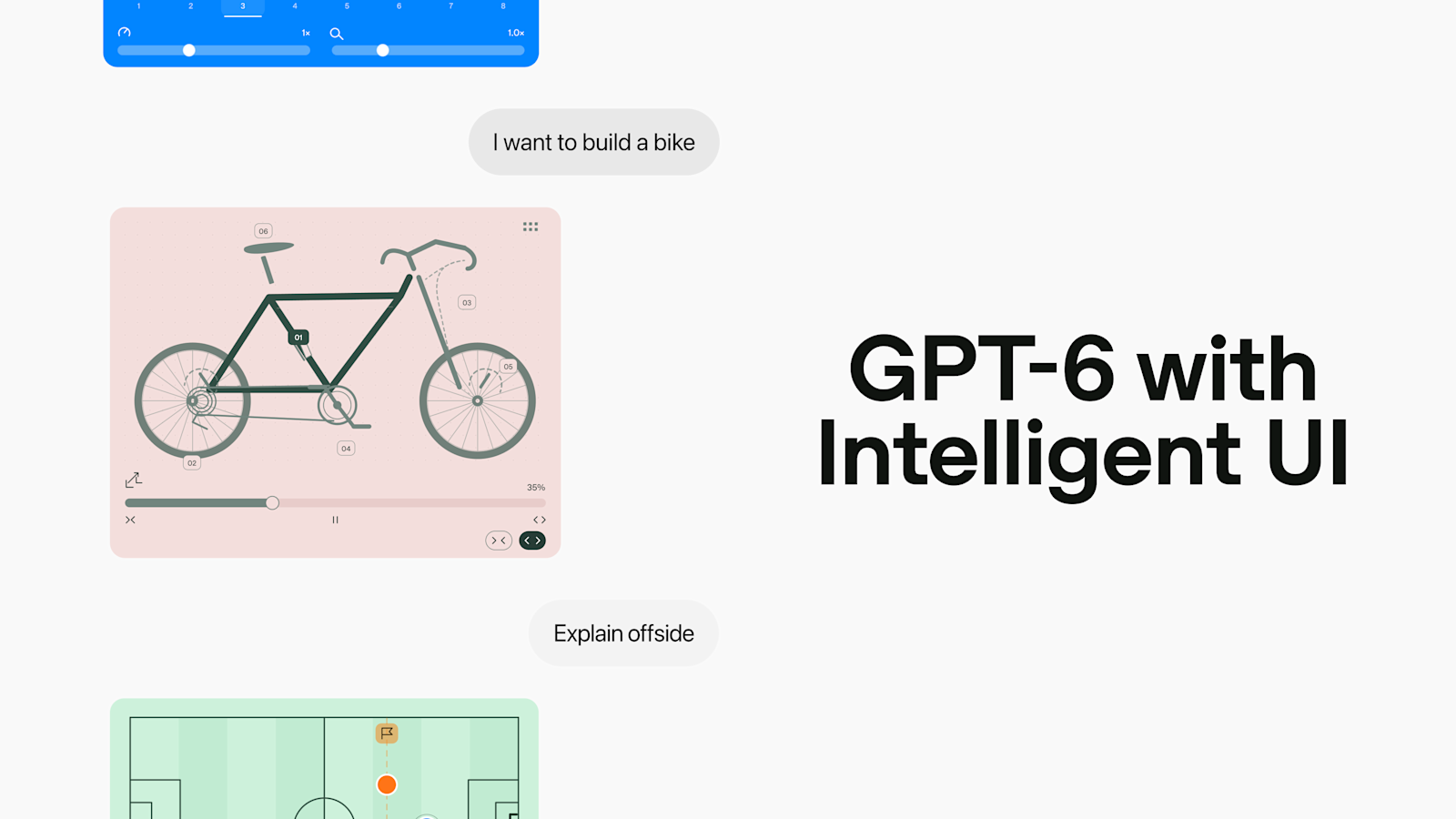
ChatGPT is the default for a reason. The mobile app's voice mode, image input, and persistent memory are the most polished in the category, and GPT-5 on Plus handles almost any task you throw at it — per a16z's 6th edition ranking, it still runs at roughly 2.5x Gemini's mobile usage. OpenAI even shut down its Atlas browser in 2026 to focus the core apps — our Atlas shutdown explainer covers what it means for power users. The free tier rate-limits GPT-5 fast, so plan accordingly.
Gemini is essential if you live in Gmail, Docs, Sheets, and YouTube. The 3.x family now ships fast Flash models — Gemini 3.8 Flash is the current free-tier default — while Pro keeps the 1,000,000-token context window, the largest among major consumer models per Yuv.AI's 2026 comparison. The Google integrations are not gimmicks; pulling event details from Gmail into a draft email is genuinely faster here.
Claude wins for long-form reasoning, writing, and code. Per Improvado, 53% of professional developers use Claude as their primary coding assistant in 2026, and Claude Cowork extended agent workflows to mobile browsers this year. One pricing fix worth flagging: Claude Max now starts at $100/month (the 5x tier), not the $30 figure older lists still quote.
Grok is the best app if your work touches X (Twitter). The real-time index of public posts is unique, and the Grok 4.6-era models improved meaningfully this year. Most users will not pay $30/month unless they are deep in the X ecosystem.
DeepSeek is the value play. The mobile app is functional, V3.2 is good at math and code, and the consumer tier is free. The trade-off: data routing through China is a non-starter for some enterprise contexts. Read your employer's AI policy first.
Microsoft Copilot matters only if your team is on Microsoft 365. Meta AI is fine for casual queries inside Instagram and WhatsApp; not a reason to switch.
2. AI writing apps for creators
If you write content for a living, the chatbots are not enough. You need apps that handle structure, brand voice, and SEO.
ArWriter is built for long-form content, with templates for blog posts, marketing emails, product descriptions, video scripts, and social posts. The mobile app is unusually polished for the category, and support for 35+ languages is genuinely useful for international audiences.
By the way, if you want one app that bundles writing, image, and SEO tools into a single mobile dashboard, ArWriter is built exactly for that mobile-first workflow — the free trial is long enough to ship your first article.
Jasper is the enterprise pick with brand voice training and team workflows, priced for agencies rather than freelancers. Copy.ai is the option if you mainly write short sales copy and email sequences. For most solopreneurs, one writing platform covers everything.
3. AI image generation apps
The category split in 2026 is between photo-realistic editing and stylized art.
Nano Banana Pro (Google's image model, surfaced inside Gemini) is the leader for photo-realistic generation and edit-in-place tasks. Swap clothing, change a sky, add an object — the output looks like a real photo. We compared it head-to-head in Nano Banana Pro vs ChatGPT's image generator.
Midjourney still wins for stylized illustration, concept art, and brand-quality visuals — the V8.2 update made it even stronger for content creators, and the mobile app caught up to the web in late 2025. See our Midjourney V8.2 for content creators walkthrough.
Adobe Firefly matters when you need commercial-safe (trained-on-licensed-data) images for client work. It is also bundled into Creative Cloud, which most design teams already pay for. DALL-E inside ChatGPT is fine for quick concept art when you are already there — not worth installing separately.
4. AI video apps
Video AI on mobile in 2026 splits into two: text-to-video generation and AI-assisted editing.
Sora 2 is the cinematic king. Short, hyper-realistic clips that can hold up in client decks, bundled with ChatGPT Plus. It launched iOS-first, so Android users should check current availability before planning around it.
Veo 3.1 is Google's video model — not OpenAI's — and lives inside Gemini and Google's Flow filmmaking tool. It is the strongest like-for-like rival to Sora for realistic text-to-video output.
Runway is the professional editing app, best for teams already shipping client work. HeyGen specializes in AI avatars that read your script, good for explainers and training. CapCut AI is the best free mobile editor with serious AI features — auto-captions, beat-sync, background removal — now on a Free / $9.99 Standard / $19.99 Pro ladder; we break down all 14 tools in our complete CapCut AI features guide.
5. AI productivity and meeting apps
This is where mobile AI actually saves hours per week, not just feels cool.
Notion AI 2.0 is the best pick if your team already lives in Notion. The 2.0 release added autonomous research that can spend 20+ minutes on one query.
Otter.ai is the meeting transcription default; 300 free minutes per month covers most light users. Read AI generates async meeting summaries with sentiment analysis and action items, sent to Slack or email. Fathom records sales calls with AI notes, free for unlimited recording — sales teams switched to it en masse in 2026.
Two newer entries: Gamma (NEW) turns a prompt into a formatted presentation in minutes, and Reclaim.ai (NEW) auto-schedules tasks, habits, and breaks around your real calendar. Neither replaces the meeting recorders above; both kill a specific weekly chore.
6. AI research apps
For anything requiring real sources rather than confident guesses.
Perplexity is the default. The Comet browser is now mobile-friendly, and the answer-with-citations format is the right tool for journalism, due diligence, and any research that ends in "show me where you got that."
Gemini Deep Research is built into the Gemini app and the closest mobile competitor to Perplexity — slightly slower, but it produces more thorough multi-source reports. NotebookLM matured this year with flexible usage limits, which fixed its biggest early complaint; see our NotebookLM flexible limits explainer for how the quotas now work.
ChatPDF does one thing well: upload a PDF, ask questions, get answers with page references. The free tier covers casual use; the paid tier scales to longer documents.
7. AI coding apps for mobile
You will not write production code on a phone. But you can review pull requests, debug issues, and write small scripts.
Cursor mobile is the companion app to the desktop Cursor IDE, useful for triaging GitHub issues from anywhere. Codeium mobile offers AI completions and chat for quick fixes on the go, with a generous free tier. Claude Code companion is the mobile interface to Anthropic's coding agent — kick off long-running tasks (refactor this module, add tests for this file) and check progress later.
Two free additions this cycle: Google AI Studio (NEW) gives free access to flagship Gemini models in any mobile browser — the cheapest way to test a prompt against a frontier model — and Google Antigravity, Google's agentic coding IDE, is in free public preview. Antigravity is desktop-first rather than a phone app, but it pairs well with a phone for reviewing agent runs between meetings.
How to choose in 3 minutes
Most people can decide with three questions:
- Which ecosystem do you already pay for? Google One points to Gemini; Microsoft 365 points to Copilot; neither points to ChatGPT.
- What do you actually produce? Articles and emails point to a writing platform. Video points to CapCut. Source-backed research points to Perplexity. Code points to Claude.
- Have you hit a real limit this week? If the answer is no, you do not need to pay yet.
The rule that falls out of those questions: one chatbot, one maker tool, upgrade only at a real limit. That is a $0–$20/month stack instead of the $100+ trap, and it covers the majority of professional work.
Recommended stacks by persona
Pick the persona closest to your work and start there. You can always add an app later when you hit a limit.
Solopreneur stack ($30/month, 4 apps)
- ChatGPT Plus ($20) for daily assistant work and voice mode
- ArWriter Pro ($9.99) for content production
- CapCut AI (free) for video edits
- Otter free (300 min) for meeting notes
Marketing agency stack ($95/month, 5 apps)
- Claude Pro ($20) for client briefs and long-form content
- ArWriter Premium ($24.99) for content scaling and SEO
- Midjourney Standard ($30) for visual concepts
- Notion AI ($10 add-on) for project management
- Otter Pro ($17) for client calls
Content creator stack ($84/month, 5 apps)
- ChatGPT Plus ($20) for ideation
- CapCut Pro ($19.99) for editing
- HeyGen Creator ($29) for AI avatar explainers
- ElevenLabs Starter ($5) for voice generation
- Adobe Firefly ($10) for thumbnails
Student stack ($20/month, 4 apps)
- ChatGPT free + Gemini free (the smart-stack approach)
- DeepSeek free for math and code
- Perplexity Pro ($20) for research with citations
- ChatPDF free for textbooks
Developer stack ($60/month, 4 apps)
- Claude Pro ($20) for coding assistance
- Cursor Pro ($20) for IDE work
- DeepSeek free as a fallback for cheap inference
- ChatGPT Plus ($20) for everything else
Practitioner POV: what actually changes monthly usage
I have rotated through every app in the table above as a primary tool at some point in the last twelve months. The patterns that hold up over weeks of real use are different from what looks good in a launch demo.
Voice mode is the killer feature on mobile, not chat. ChatGPT's voice mode, Gemini Live, and Claude's voice change how often you actually open the app. If voice quality matters for your use case (driving, walking meetings, hands-free capture), test all three before committing.
The free tier is enough for 80% of users. For one-off questions, casual research, and personal writing, the free tiers of ChatGPT, Gemini, and Claude combined cover almost everything. Wait until you hit a real wall before paying.
Stop chasing every release. Gemini shipped the 3.5, 3.7, and 3.8 Flash refreshes inside a few months this year, and a new "best model" launched roughly every six weeks across the industry. Most are 5–10% improvements you will not notice in daily work. Pick a primary chatbot, learn its quirks, and stop switching.
Pricing reality check. A creator running ChatGPT Plus, Claude Pro, ArWriter Premium, Midjourney, and CapCut Pro is now paying about $115/month — $1,380 a year. Some people earn ten times that back; many do not. Audit which apps you actually open every week and cut the rest.
Privacy varies wildly. ChatGPT, Claude, and Gemini all let you opt out of training. Many smaller apps do not. If you handle sensitive client data, read the privacy policy before pasting anything in.
Offline capability is rare but real. Apple Intelligence handles short tasks on-device, and some Android phones with recent flagship Snapdragon chips run lightweight models locally. Most cloud apps still require connectivity, but the on-device shift is accelerating.
Information gain: two angles competitors miss
The "smart stack" of free tiers
Most lists tell you to pay for one premium app. The smarter move for casual users is to combine free tiers across providers. ChatGPT free + Gemini free + Claude free + DeepSeek free gives you effectively unlimited daily AI access if you rotate by task: Gemini for Google-integrated work, Claude for long writing, ChatGPT for general chat, DeepSeek for code and math.
Pair that with Perplexity free for research, CapCut AI free for video, and Google's quiet free pair — AI Studio for frontier-model access, Antigravity for agentic coding — and you have a complete AI workflow at $0. You only upgrade when one specific limit becomes the real bottleneck in your week.
App fatigue is now the bigger productivity tax
The category lost something important in 2026: focus. Three years ago you opened one assistant app and got the answer. Now dozens of apps compete for the same prompt, each with its own login, syntax quirks, and pricing model. The hidden cost of installing all of them is decision fatigue every time you reach for your phone.
The pattern that beats this: one chatbot, one writing app, one editor, one research app. Four apps, max. Everything else is a distraction dressed up as productivity. The teams I work with who shipped the most in early 2026 had simpler stacks than the teams who tried to use everything. The same will be true at the end of 2026.
Frequently Asked Questions
What is the best AI app in 2026?
ChatGPT is the best all-purpose AI app in 2026: it was the #1 most-downloaded generative AI app worldwide in the first half of the year and holds the most polished voice mode. Claude wins for long-form writing and code, Gemini for Google workflows, and CapCut AI for video editing.
Which AI app is completely free?
DeepSeek's consumer tier is fully free and strong at math and code. Google AI Studio gives you free access to flagship Gemini models, and the Gemini app runs its fast Flash tier at no cost. Meta AI is also free inside Instagram and WhatsApp for casual queries.
Is ChatGPT still better than Gemini in 2026?
By downloads, yes: ChatGPT ranked #1 and Gemini #2 among generative AI apps worldwide between January and mid-June 2026, per Statista. But "better" depends on ecosystem — Gemini wins inside Gmail, Docs, and YouTube, while ChatGPT leads on voice mode and breadth.
What is the best AI app for writing long-form?
Claude (Sonnet 4.6-era models) is the strongest chatbot for long-form reasoning and drafting. For publishing-ready content — SEO structure, brand voice, multiple languages — a writing platform like ArWriter outperforms a generic chatbot because it manages the whole workflow, not just the draft.
Can I combine ChatGPT, Gemini, and Claude free tiers?
Yes, and it beats paying for one premium app. Rotate by task: Gemini for Google-integrated work, Claude for long writing, ChatGPT for general chat and voice, DeepSeek for math and code. Add Google AI Studio for free flagship access and the combined stack costs $0.
Which AI apps work offline on iPhone and Android?
Few major AI apps run fully offline. Apple Intelligence handles short tasks on-device on iPhone 15 Pro and newer, and recent flagship Android phones can run small local models. ChatGPT, Gemini, and Claude require internet, though all three cache recent chats for offline reading.
Is it safe to give AI apps my data?
The major apps — ChatGPT, Claude, Gemini, Copilot — offer enterprise-grade security and let you opt out of training. Smaller apps vary widely, so read the privacy policy before pasting client or financial data. For confidential work, use enterprise tiers or on-device models.
What is the best AI app for Android specifically?
Gemini has the deepest Android integration — system-level assistant access, lock screen, Workspace — and it was the #2 most-downloaded generative AI app in early 2026. ChatGPT for Android is equally capable, and Google AI Studio runs in any mobile browser for free.
The short version
The right AI app stack in 2026 is small, deliberate, and matched to how you actually work. Start with one chatbot you trust, add a writing app if you produce content, layer in research and video tools only when a real bottleneck appears, and audit your subscriptions every quarter.
The tools are powerful enough now that the limit is no longer the model. It is your willingness to commit to a workflow and ignore the next launch announcement.
Sources
- Statista — Most-downloaded generative AI apps worldwide, January 1–June 17, 2026: https://www.statista.com/statistics/1554189/top-gen-ai-apps-by-downloads/
- ToolChase — Best AI Apps 2026 (updated September 1, 2026): https://toolchase.com/blog/best-ai-apps-2026/
- Gumloop — The Best AI Apps (July 27, 2026): https://www.gumloop.com/blog/best-ai-apps
- Andreessen Horowitz — Top 100 Gen AI Consumer Apps, 6th Edition: https://a16z.com/100-gen-ai-apps-6/
- Improvado — Claude vs ChatGPT vs Gemini vs DeepSeek 2026: https://improvado.io/blog/claude-vs-chatgpt-vs-gemini-vs-deepseek