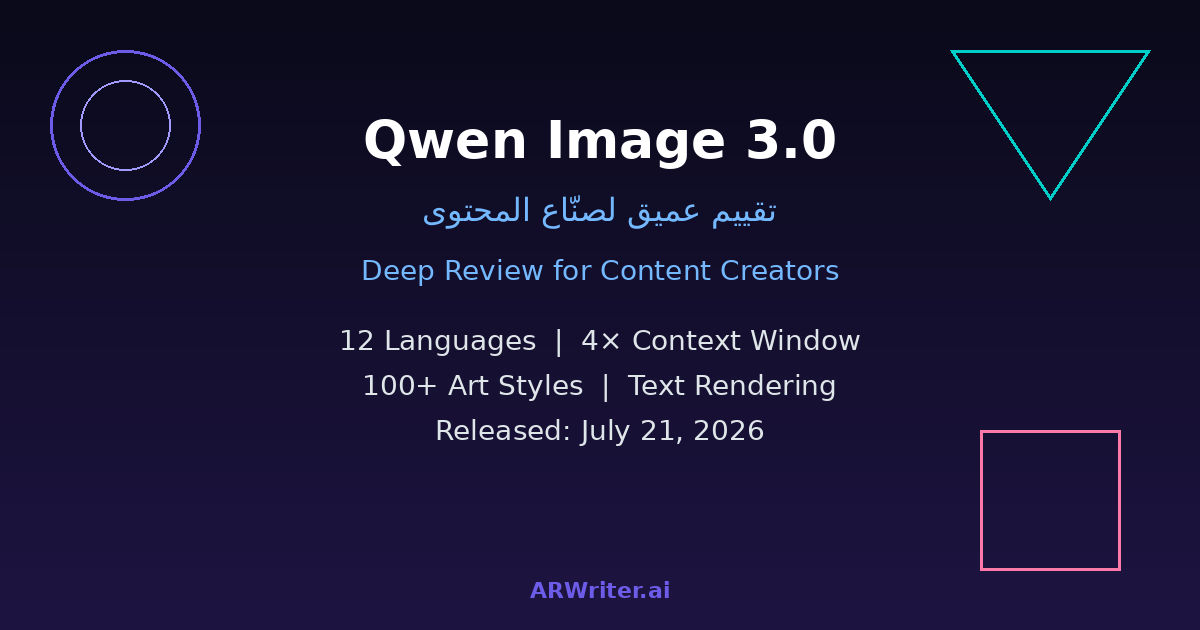
On July 21, 2026, Alibaba's Qwen team released the third generation of its AI image generation model, Qwen Image 3.0. The launch arrives at a time when the AI image generation market is witnessing fierce competition among major players like Midjourney, DALL-E, and Grok Imagine from xAI. But what specifically distinguishes Qwen Image 3.0? And does it deserve the attention of content creators who work with multilingual audiences?
In this deep review, we analyze the model from a purely practical angle: what it offers content creators who produce work in multiple languages, how it compares to available alternatives, and what its explicit limitations are before you build any part of your creative workflow on it. We'll also cover the technical aspects, ethical considerations, and the potential impact on the future of content creation.
Context: Why This Launch Matters
The AI image generation market is experiencing unprecedented acceleration. In 2026 alone, we've seen the launch of Grok Imagine 2.0 from xAI, major updates to Midjourney V6, and continuous improvements in Stable Diffusion. In this crowded landscape, every new launch needs to answer a fundamental question: what added value does it actually bring?
The Qwen team is no stranger to the AI space. The Qwen series of large language models is among the most influential open-source model families in the world, widely adopted across the tech community. However, the image generation division has been less prominent. The previous generation of Qwen Image ranked fifth globally in LM Arena's evaluation of open-source image models — a respectable position, but not competitive with the top tier. The question now: does Qwen Image 3.0 change this equation?
What is Qwen Image 3.0?
Qwen Image 3.0 is the third generation of the AI image generation model developed by Alibaba's Qwen team. It was officially announced via the team's X (formerly Twitter) account on July 21, 2026, with full details published on the project's official blog at qwen.ai.
Introducing Qwen Image 3.0 — our most advanced image generation model with enhanced reality, multilingual support, and superior text rendering. Now available via DashScope API. July 21, 2026
The keyword for this release is "Reality." The team has clearly focused on improving the model's ability to produce images that are noticeably closer to photorealistic compared to the previous generation. This means images with more natural lighting, more realistic textures, and finer details in faces and hands — historical weak points across most AI image generation models.
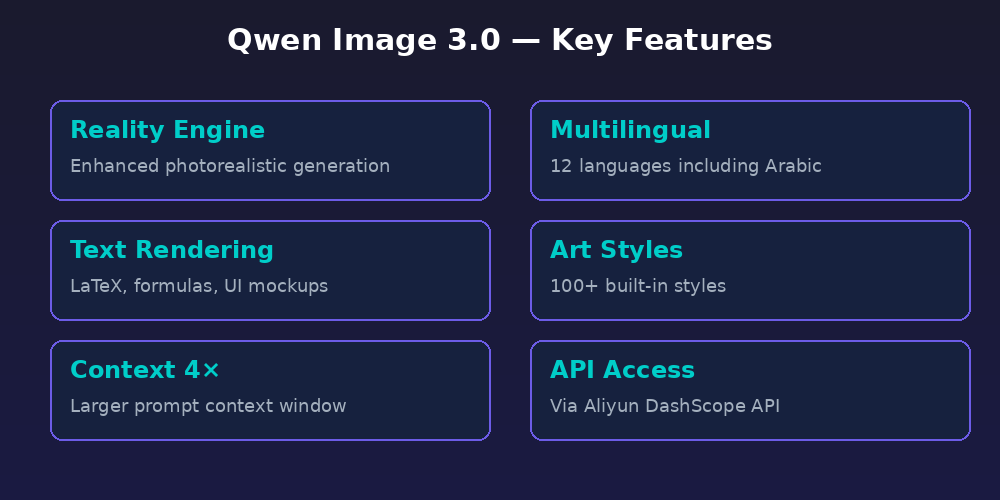
Key Features in Detail
1. Support for 12 Languages Including Arabic
Arabic language support is one of the most significant draws of Qwen Image 3.0. The model officially supports 12 languages, with Arabic listed among them. Theoretically, this means you can write prompts in Arabic and expect the model to understand them and produce appropriate images. However, we need to be completely transparent: the quality of Arabic prompt comprehension and Arabic text rendering within generated images varies significantly from one language to another.
Arabic specifically faces two core challenges: prompt comprehension and in-image text rendering. The first works acceptably — you can write a prompt in Arabic and get a reasonable image. The second, inserting Arabic text within the image itself (like a headline on a sign or text on a product), produces unreliable and often garbled results. This isn't a shortcoming unique to Qwen — it's a challenge facing every AI image generation model due to the nature of Arabic script, its letter connections, and its typographic diversity.
For comparison, models like DALL-E 3 and Midjourney V6 don't officially support Arabic for prompt writing, which puts Qwen in a relatively advanced position on this specific point. However, this advantage remains theoretical until tested across diverse real-world use cases.
2. Four Times Larger Context Window
The new version provides a context window four times larger than the previous generation. Practically, this means you can write longer, more detailed prompts and provide more context for each image you want to generate. For content creators who need complex images with multiple elements and specific styles, this is an essential feature.
Imagine you want an image of a traditional Middle Eastern market at sunset, with specific details about the types of goods, lighting conditions, camera angle, fabric colors, and the people present. With a larger context window, you can describe all these details in a single prompt without the model losing track of any element. Longer prompts translate to more precise control over the final result — exactly what every content creator striving for professional visual content needs.
3. Text and Formula Rendering
One of the most powerful features of Qwen Image 3.0 is its ability to render text within generated images. The model supports displaying mathematical formulas (including LaTeX), scientific equations, and even UI mockups. This makes it a powerful tool for educational content creators who need images that display equations or charts with clear, readable text.
This feature works best with English and is noticeably affected when switching to Arabic. But even in English, this is a competitive capability — not all image generation models can cleanly render text within images. DALL-E 3 excels in this area, and Qwen Image 3.0 is approaching that level.
4. Over 100 Built-in Art Styles
The model comes equipped with over 100 built-in art styles, ranging from photorealism to anime, oil painting, architectural photography, and modern digital aesthetics. This variety gives content creators significant flexibility to produce visually diverse content without switching between different tools.
The practical value here is substantial: instead of subscribing to three or four different tools to cover diverse artistic styles, you can get most of what you need from a single model. This saves money and time, and significantly streamlines the workflow — especially for small teams and independent content creators who need to maximize efficiency.
What Does This Mean for You as a Content Creator?
Here's the real turning point. The question "is this model good?" is fundamentally different from "is this model good for me as a content creator?" Let's break it down into practical scenarios:
Scenario 1: Multilingual content creator who needs illustrations, concept images, and artistic graphics for articles and social posts. In this case, Qwen Image 3.0 is worth trying. Its understanding of non-English prompts in the context of image generation is better than most competitors in its open-weight class. You can write a detailed prompt and get reasonable results that reflect what you asked for.
Scenario 2: Creator whose images need embedded text (headlines, logos, advertising copy). Here, results are unreliable. Don't build your workflow on this feature. The better strategy is to generate the image without text, then use an editing tool like Canva or Photoshop to add text manually. This is an approach used even by professional content creators working with the best AI models available.
Scenario 3: Educational content creator producing lessons and scientific content. Here, the equation and formula rendering feature shines. You can generate images displaying physics or mathematics equations clearly — something difficult to achieve with most competitors. For bilingual content, you can generate the image with English equations and add Arabic annotations in your editor.
Scenario 4: Digital marketer who needs multi-style advertising images for different campaigns. With 100+ built-in art styles, you can experiment with diverse visual styles for the same campaign without changing tools. This speeds up the review and approval process with clients.
Detailed Comparison with Competitors
How does Qwen Image 3.0 compare to the leading alternatives? The table below summarizes the key differences from a content creator's perspective:
| Model | Best Feature | Arabic Prompts | Text Rendering | Approximate Price |
|---|---|---|---|---|
| Qwen Image 3.0 | Realism + Large Context | Officially Supported | Excellent (EN only) | Paid via API |
| Midjourney V6 | Superior Visual Quality | Not Supported | Good | $10/month+ |
| DALL-E 3 | ChatGPT Integration | Not Officially Supported | Excellent | Included in Plus |
| Grok Imagine 2.0 | Image Editing | Not Supported | Average | Included in X Premium |
| Stable Diffusion 3 | Open Source | Via LoRA | Average | Free (need GPU) |
The picture is clear: each model has its strengths. Qwen Image 3.0 excels in the large context window, English text rendering, and multilingual support, but it's not the strongest in any single category. The real value comes from combining multiple tools based on the type of content you produce, rather than relying on one model for everything.
Access and Pricing
Qwen Image 3.0 is available exclusively through the DashScope API, part of Alibaba Cloud's (Aliyun) platform. This means there's no official web UI for the model — you need either to write code to interact with the API, or use a third-party platform that supports it.
This differs fundamentally from Midjourney, which provides an easy-to-use Discord interface, or DALL-E 3, which is integrated directly into ChatGPT. The technical barrier to entry is relatively higher, which may deter non-technical content creators. For developers and technical creators, the API is available through DashScope at competitive prices compared to alternatives. You may need to rely on AI-powered content writing tools that integrate these models into user-friendly interfaces.
Explicit Limitations: What They Don't Tell You
Marketing always focuses on the positives, but as a content creator, you need to know the real limitations before investing your time and resources:
- No published performance benchmarks: The Qwen team hasn't published any official benchmarks quantitatively comparing the model to its peers. All we have are qualitative claims about improvements. Without measurable data, it's difficult to assess actual progress.
- No open-source weights yet: Although the Qwen family is known for open-source support, the weights for Qwen Image 3.0 haven't been released yet. This means you can't run it locally or customize it.
- API barrier: The lack of an official UI limits accessibility for regular users without programming experience.
- Asia market focus: Most examples and documentation are oriented toward users in China and Asia, and English-language customer support is limited.
- Training data transparency: The team hasn't disclosed the data sources used to train the model, raising questions about copyright and intellectual property for generated images.
- Privacy concerns: When using a cloud API, your prompts are sent to Alibaba's servers. This should be considered if you're working with sensitive or confidential content.
Ethical Considerations for Content Creators
With every AI tool comes the ethical question: how do you use it responsibly? Here are practical guidelines:
First, be transparent with your audience. If an image is AI-generated, say so. Audiences worldwide are becoming increasingly aware of AI issues, and transparency builds long-term trust. Second, don't use generated images to impersonate real people or mislead your audience. Third, respect intellectual property rights — even if the model produces images resembling a specific artist's style, using them commercially could expose you to legal issues. These principles apply regardless of which AI tool you choose to work with.
How to Use Qwen Image 3.0 in Your Daily Workflow
Here are practical scenarios for integrating the model into your work:
1. Blog image generation: Use Qwen Image 3.0 to generate illustrative images for your articles. Non-English prompts work reasonably well for image context, even if not for embedding text within them. Try detailed prompts and take advantage of the large context window.
2. Educational infographics: For educational content, use the model to generate images displaying equations or charts with clear text, then add your annotations via an editing tool.
3. Multi-style experiments: With 100+ art styles, use the model to experiment with different visual styles for the same idea, then choose what best fits your audience. This is especially useful when working with clients who request multiple options.
4. UI mockups: If you're a product designer or work in AI-assisted design, you can use the UI mockup feature to quickly generate wireframes for app and website interfaces.
5. Social media content: Create custom images for your posts on social media platforms in diverse styles that capture attention. Experiment with different art styles to suit each platform's aesthetic.
Frequently Asked Questions
Is Qwen Image 3.0 free?
The model is available via a paid API on the DashScope platform. A limited free tier may be available for initial testing, but regular use requires a paid subscription. There's no full free version like what Stable Diffusion offers.
Can I write prompts in Arabic?
Yes, the model supports Arabic among 12 supported languages. Arabic prompt comprehension is acceptable to good, but the quality of Arabic text rendering within generated images remains poor and unreliable.
How do I get access to the model?
You need to create an account on Aliyun's DashScope platform and obtain an API key, then use the API via code. There's no standalone official UI for the model at the time of writing.
Is it better than Midjourney?
In absolute visual quality, Midjourney remains ahead in most comparisons. However, Qwen Image 3.0 excels in English text rendering, the larger context window, and multilingual support. The choice depends on your specific needs and the type of content you produce.
When will open-source weights be released?
The Qwen team hasn't announced a specific date for releasing open-source model weights. The previous generation released its weights a few weeks after launch, and this generation may follow the same pattern, but there are no guarantees.
Can I use generated images commercially?
Commercial use terms depend on the DashScope agreement. Review the terms of service carefully before using images in paid content or advertisements. In most cases, commercial use is permitted but with specific conditions.
Conclusion
Qwen Image 3.0 is a powerful addition to the AI image generation tool ecosystem, but it's not a paradigm shift that would make you abandon your current tools. Its greatest value for content creators lies in its support for non-English prompts (for image context, not text rendering), the large context window that enables detailed prompts, its excellent English text and formula rendering, and the variety of art styles that eliminates the need for multiple tools.
If you're looking for a comprehensive AI content writing and publishing tool, combining multiple tools — rather than relying on a single model — remains the smartest approach. Try Qwen Image 3.0 for image generation, use other tools for editing and adding text, and always be honest with your audience about what's AI-generated versus what's your own creative work. The future isn't moving toward one tool that does everything — it's moving toward an integrated ecosystem of tools used by the smart creator.