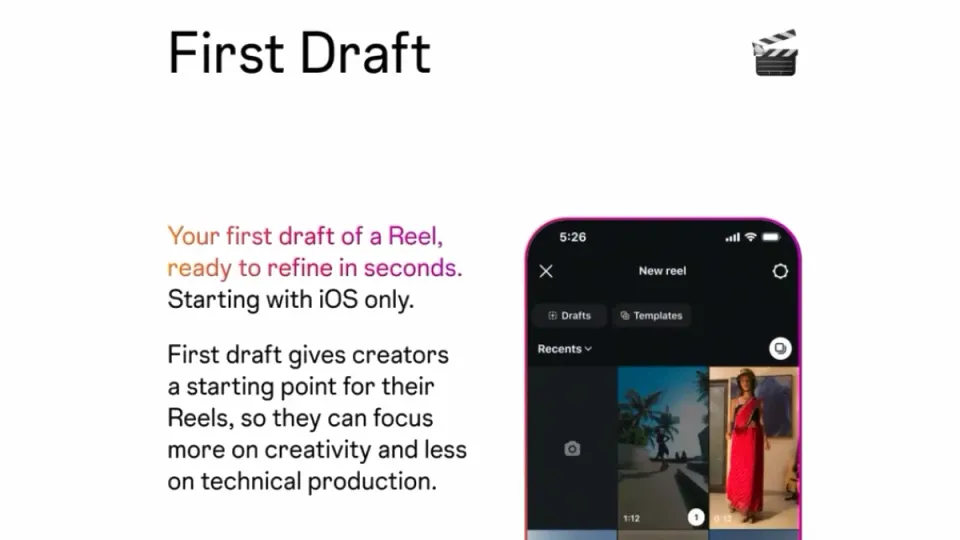
On August 25, 2026, Instagram launched a feature called "First Draft" for Reels that turns a pile of raw phone clips into an editable first-cut Reel in under ten seconds. One tap, and the feature cuts the silent pauses, tightens long takes, and arranges the best moments into a single video. The announcement came from Instagram's official @creators account on Threads with demo footage, followed by confirmations across global tech press. Three days later, it's worth taking the feature seriously — because it attacks the single most disliked step of the entire short-video workflow: starting the edit.
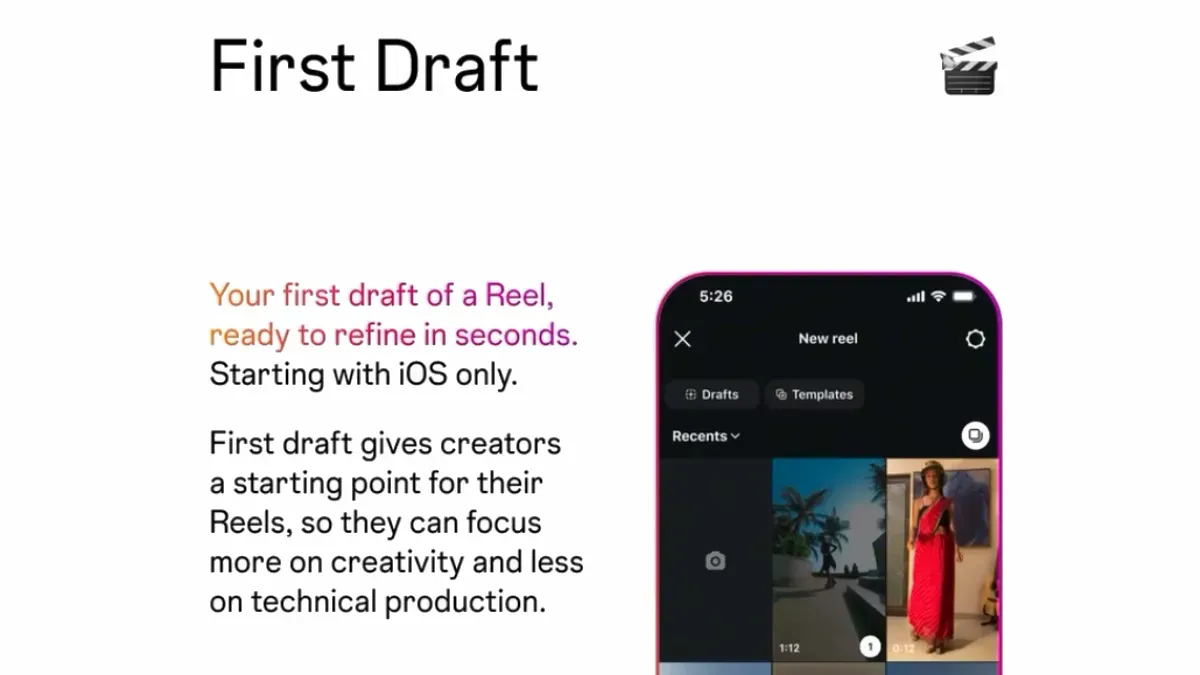
What exactly is First Draft?
The concept is simpler than the technical name suggests. You have ten clips from a trip, a product shoot, or a filming session. Until now, you had to sit down in an editing app — inside or outside Instagram — watch every clip, trim the pauses, the hesitations, the "umm" moments, then arrange what's left. First Draft does that first pass for you: select your clips, tap once, and the feature cuts the pauses, trims the clips, and assembles the strongest parts into a single starting-point video within seconds.
Instagram's own wording, as quoted in press coverage: "Simply select your clips, and with one tap, it cuts the pauses and trims down your clips, so you have a starting point to build from in seconds." And for anyone worried the feature will mangle their footage, the key line: "Everything First Draft does is reversible; you can adjust or reorder anything before moving on." The output isn't a finished video to publish as-is — it's a smart first draft that removes the tedious stage and leaves the creative decisions to you.
Instagram is explicit about the philosophy: "It handles the early video trimming so you can focus less on technical production and get to the creative part sooner." It's an honest admission of something every creator knows: most Reels energy is burned on mechanics, not on ideas.
Where to find it and how it works, step by step
The feature lives in two places, according to launch coverage: the Reels gallery and the Instagram camera. The practical workflow looks like this:
- Start a Reel from the Reels gallery or the camera as usual.
- Select your raw clips — one or several from your phone's library.
- Tap the First Draft button and let the app work for a few seconds; Instagram says the first pass arrives in under 10 seconds.
- Review the result: pauses removed, clips tightened, an automatic arrangement ready.
- Edit freely: reorder sections, extend a trimmed moment, add text, music, and effects — everything stays adjustable before publishing.
Note the crucial distinction from generative tools: the feature doesn't invent footage you never shot and doesn't write copy for you — it filters and reorders what you filmed. That's why early coverage describes it as semi-automated editing rather than generative AI, a meaningful nuance for anyone concerned about content identity or AI-labeling rules: you're not generating new scenes, you're just cutting your real footage faster.
Why now? The context that makes this bigger than a button
Two contextual forces make First Draft more strategic than it looks. First, Reels are eating Instagram from the inside — coverage widely cites that Reels viewing now accounts for roughly 50% of all time spent on the platform. The entire platform is converging on short video, and anything that lowers the cost of making video increases the content supply the algorithm feeds on. Second, Instagram has been building a parallel professional editing stack in the standalone Edits app; First Draft inside the main app is the "instant help" layer, while Edits remains the advanced suite — and early users are already publicly asking for the feature to arrive in Edits too.
Between those two forces sits the real competition: CapCut and smart-editing apps convinced millions of creators to edit outside the platform. Instagram wants them back inside its walls before publishing, because staying in-app means richer behavioral signals and a sharper recommendation algorithm.
What this means for your workflow as a creator
Three practical angles stand out. First — time economics: creators publishing four Reels a week burn hours manually trimming pauses; if the feature saves fifteen minutes per Reel, that's an hour a week to reinvest in ideas, filming, or community replies. Second — a lower entry barrier: if you've postponed short video because "editing isn't my thing," that excuse just collapsed; Instagram makes the first cut, you supply the creative layer. Third — content recycling: the feature's obvious product is turning old long footage into fresh Reels — an event, a product session, a trip archive — and press coverage explicitly frames it as a recycling tool.
One timing note: the initial rollout is reaching iOS users first, with Android expected soon per launch coverage. If you don't see it today, wait for the next app update rather than sideloading anything from unofficial stores.
Practical comparison: First Draft vs. the tools you already use
| Criterion | First Draft (Instagram) | CapCut | Edits app |
|---|---|---|---|
| Where it lives | Inside the Instagram app | Standalone app | Standalone Meta app |
| Automatic pause-cutting | Yes — one tap at the start | Available, needs setup | Mostly manual advanced tools |
| Speed to a first cut | Under 10 seconds per Instagram | Minutes | Minutes |
| Advanced editing after the draft | Basic — built for fast publishing | Advanced (effects, templates, captions) | Advanced, Reels-specialized |
| Leaving the app before publishing | Never | Export then upload | Export then upload |
The takeaway from the table: First Draft is not a CapCut or Edits replacement for polished editing, but it's the speed weapon — especially for talking-head educational and promo content where pause-trimming is a third of the work. When a draft needs more than basic polish, our full walkthrough of creating professional Reels with CapCut covers the advanced path, and the broader guide to short-form video tools shows how it fits a multi-platform publishing plan.
Honest limits — skip the halo
- It's a first draft only: the output is a starting point; anyone publishing it untouched produces "acceptable" content with no signature, and differentiation on a crowded platform comes from what you add after the draft.
- It doesn't fix weak ideas: the feature filters what you filmed; a Reel without a clear concept stays weak no matter how precisely the pauses are trimmed.
- Staged availability: iOS leads the rollout, and Android users — the majority in many markets — are on an unspecified "soon" list.
- Automation can misjudge: "best moments" is an algorithmic estimate based on speech and motion; it may cut an intentional pause of silence or trim an intro you consider essential — which is exactly why Instagram made everything reversible.
- The text problem remains: hooks, captions, and hashtags — the factors that decide whether the Reel gets discovered at all — are still your job; the feature automates editing, not marketing.
How to build a complete routine on top of it
Smart usage embeds the feature in a bigger system: write the Reel's idea and hook before filming (the first three seconds decide its fate), shoot with natural flow without stressing over pauses — the feature will cut them — then generate the draft, add on-screen text and captions, and finally write a considered description and hashtags before publishing. If the writing side is your bottleneck, that's precisely the problem ArWriter's bilingual platform solves: hooks, scripts, and post descriptions drafted in seconds through its specialized creator tools, completing the Reel cycle from idea to publish in minutes instead of hours.
Three real-world use cases for creators and businesses
To make this concrete, here are three archetypes that benefit immediately:
Case one — a small e-commerce owner: you shoot five quick clips of a new product (the box, details, in use, the result, a customer reaction). Without First Draft, editing gets postponed to "free time" that never comes — with the feature, a draft Reel exists in seconds, you overlay the price and shop link, and publish while the product still has momentum. Publishing speed at shipment arrival makes the difference in early hashtag and in-app search visibility.
Case two — an educator or course creator: talking-head content benefits most from pause-cutting, because roughly a third of any educational recording is pauses and hesitations. Record your lesson naturally without restarting every sentence, let the feature clean the take, then add on-screen text for the key points. The result: consistent weekly output instead of one video a month.
Case three — a restaurant or café: you already have an archive of food-preparation clips. The feature turns a single filming session into three or four differently structured Reels from the same material — variety that satisfies the algorithm's appetite for consistency while revealing which style your audience actually engages with.
Common mistakes to avoid with the auto-draft
- Publishing without a full watch-through: the draft may trim a closing line that mattered; thirty seconds of review prevents an embarrassing cut.
- Ignoring the first three seconds: even after auto-editing, ask whether the opening frame stops the scroll — if not, reorder regardless of the automatic arrangement.
- Trusting the automatic order completely: the automation follows speech-and-motion logic; you follow story logic — setup, escalation, payoff. Layer yours on top.
- Skipping on-screen text: a large share of Reels views happen on mute; a trimmed draft without captions loses half its power.
- Neglecting the caption and hashtags because publishing got faster: reinvest the saved minutes into better packaging, not sloppier publishing.
What it means for agencies and marketing teams
At team scale, the feature rewrites the economics of Reels production lines. A three-person team serving five clients used to budget a full editing day per week just for first cuts; automating that stage means either lowering cost to the client or raising post volume at the same price — both competitive edges in a crowded social-management market. It also flattens the onboarding curve for junior staff: instead of mastering polished editing in week one, they start by reviewing and improving auto-drafts — faster learning, consistent quality from day one. But note the flip side: when starting becomes easy for everyone, the bar for standing out rises. "Acceptable" Reels will flood every feed, and the differentiator becomes idea and hook quality — one more reason to invest in a ready library of concepts and scripts rather than daily improvisation.
Frequently asked questions
What is Instagram's First Draft feature?
A feature launched August 25, 2026 that automatically generates a first-cut Reel from your raw clips: it removes silent pauses, trims clips, and arranges the best moments into one video in under ten seconds, all reversible before you publish.
Does First Draft use generative AI?
No. It's semi-automated editing of footage you shot — cutting, trimming, and reordering — and doesn't generate new scenes or audio, so it doesn't fall under platform rules for labeling AI-generated content.
How do I activate First Draft?
Start a Reel from the Reels gallery or the Instagram camera, select your clips, and tap the First Draft button. The rollout began on iOS, with Android expected in an upcoming update.
Can I edit what the feature produces?
Yes. Instagram confirmed everything the feature does is reversible: reorder clips, restore trimmed moments, and add your own text and music before publishing.
Does it replace editing apps like CapCut?
For fast, everyday publishing it will often be enough. For advanced editing — effects, templates, polished captions — dedicated editors remain stronger, and combining both is the practical setup for most creators.
When will it be available in my country?
The rollout is gradual, starting with iOS globally without a country list; if it hasn't appeared for you yet, update the app and watch for it over the coming weeks.
The bottom line
First Draft isn't a technological revolution as much as it's the removal of a bottleneck: the gap between "I filmed the material" and "I started editing" where half of all Reel ideas go to die. The platform now handles the boring cut; what's left is exactly what can't be automated — the idea, the hook, and your signature. Try it this week on footage you already have sitting in your gallery; the result will surprise you, and so will the time it hands back to you.