If you have ever swapped your Gmail connection in ChatGPT between a personal inbox and a work account — disconnect, reconnect, reauthorize, repeat — August 28, 2026 quietly ended that ritual. OpenAI now lets ChatGPT and Codex users connect multiple Gmail, Google Calendar, and Google Contacts accounts at the same time, with a second (or third) account one gear-icon click away. The announcement came from Gabriel Chua, an engineer on OpenAI's DX team, and it fixes one of the most stubborn paper cuts in AI-assisted productivity. Here is what changed, how to set it up, what the official docs say, and where the honest limits are.
The official announcement from Gabriel Chua, OpenAI DX team engineer, August 28, 2026.
What exactly was announced
Before the change, each Google plugin inside ChatGPT accepted exactly one account. Anyone living between two inboxes — personal and work, or work and a client's — had to choose which half of their digital life the assistant could see. The announcement is short and operational: "In the left side bar, select 'Plugins' and search for Gmail/Google Calendar/Google Contacts," then, "If you've already connected on account, click on the gear icon to add your second (or third!) account."
Three specifics in that message deserve unpacking:
- Three services are covered: Gmail, Google Calendar, and Google Contacts — the personal Google stack, not just email.
- Both surfaces are covered: the feature lands in ChatGPT and in Codex, OpenAI's developer platform, which matters more than it first appears for automation (more on that below).
- "Second (or third!)" is the extent of the official number. There is no published hard cap, so treat three as the demonstrated floor rather than a guarantee of unlimited accounts.
Setup, step by step
- Open the left sidebar in ChatGPT and go to Plugins (some accounts show Apps instead, depending on plan and surface — the naming differs).
- Search for the Google plugin you want: Gmail for mail, Google Calendar for schedules, Google Contacts for the address book.
- Click the gear icon on a plugin you have already connected. This is the heart of the update: a connection slot has become an account manager.
- Choose to add an account and complete the standard Google authorization flow, reviewing exactly which permissions the plugin requests.
- Repeat for a third account, or for the other Google services.
Every connection goes through Google's official OAuth consent, which means Google itself shows you the permission list before anything is granted. If a mail plugin asks for delete-level access when you only wanted read access, that consent screen is where you notice — and where you should stop and reconsider.
Who actually benefits: four real-world profiles
The two-inbox freelancer
The archetypal user here is a solo operator with a personal inbox for life admin and a professional one for clients, invoices, and pitches. Multi-account support turns an either/or compromise into an and: summarize the work inbox, then ask about a personal appointment in the same conversation, with no connection juggling in between.
The multi-client operator
Agency-side users manage several client ecosystems at once. A request like "pull this week's deadlines from my calendar and the client's calendar and draft a publishing schedule around them" becomes a single, reasonable prompt instead of a manual copy exercise. The assistant can draw from multiple connected sources when a task genuinely needs the broader picture of communications, relationships, and schedule.
The content creator with a real calendar
Creators schedule around calls, recording sessions, and launches. When the assistant can see both a personal and a work calendar, its scheduling suggestions stop ignoring half your commitments. Pair that with a dedicated production tool — for instance ARWriter's article and research writer for long-form drafting — and you get a clean division of labor: ChatGPT reads and summarizes your world, the writing platform produces the content itself.
The micro-team
Three-person teams rarely invest in enterprise CRM and shared calendaring. Connecting each member's mail and calendar to a shared ChatGPT workspace gives the group a working collective memory — who emailed the client, when delivery is due — without new subscriptions. It shrinks the tooling gap between a freelancer and an organized company.
What the official OpenAI documentation says
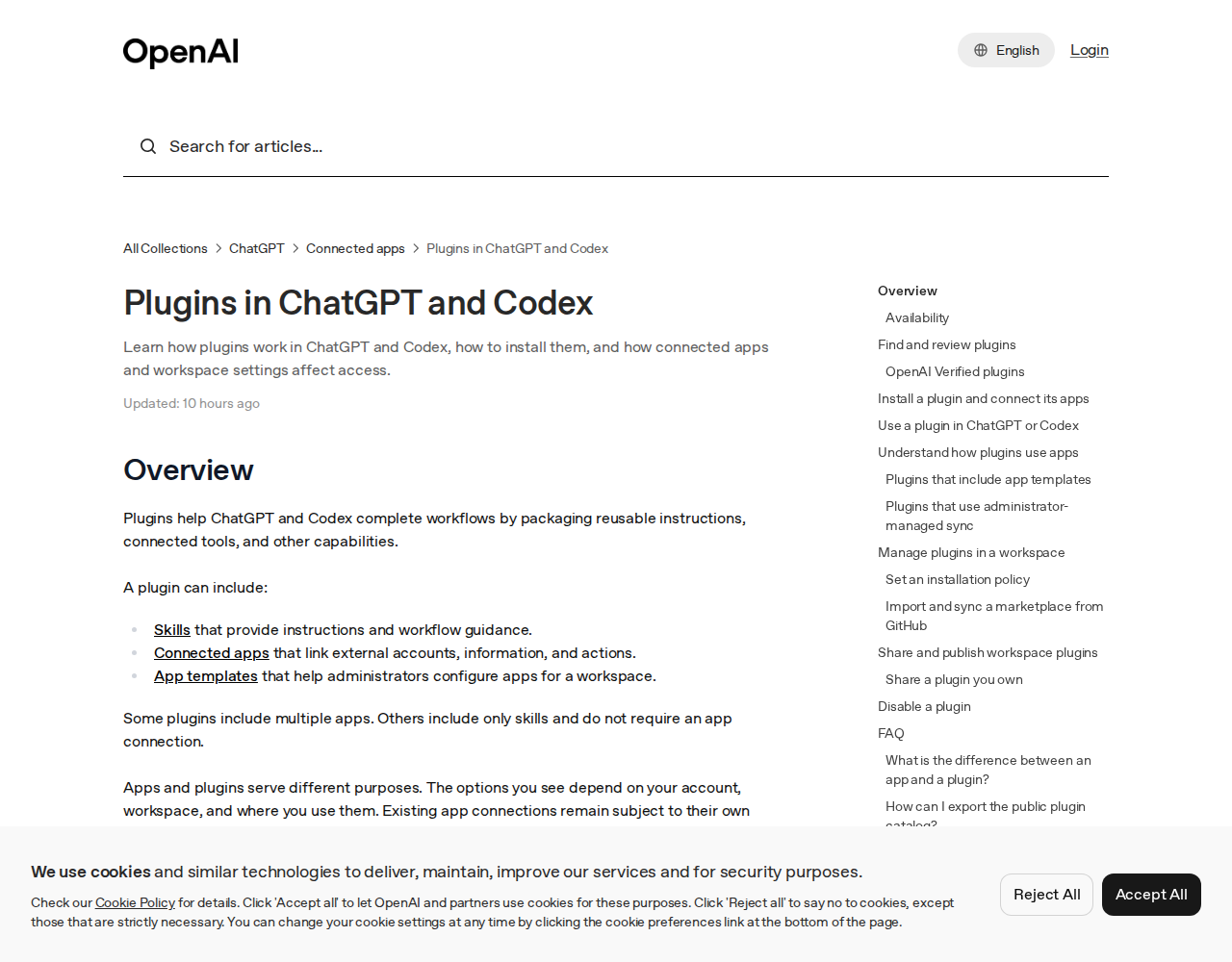
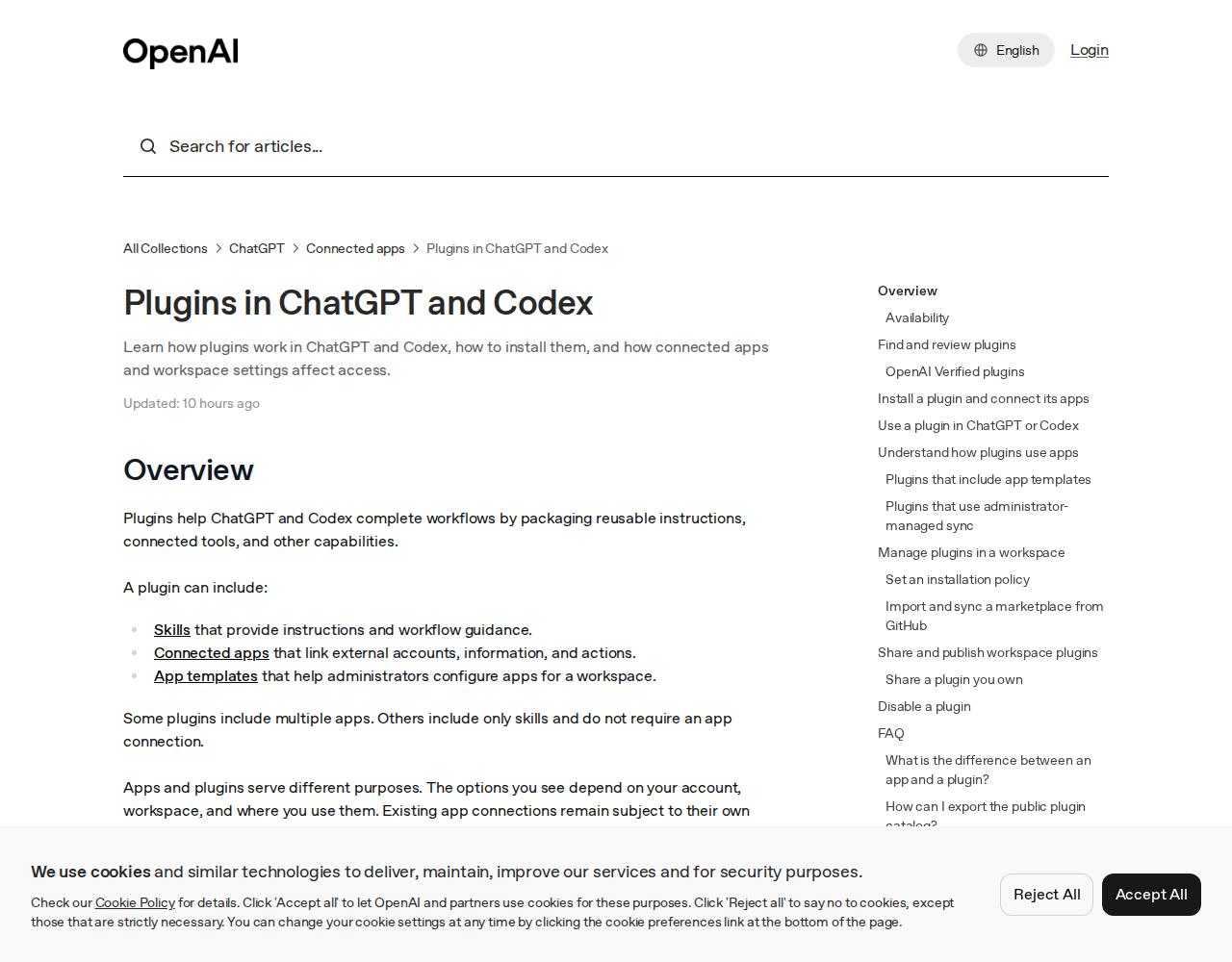
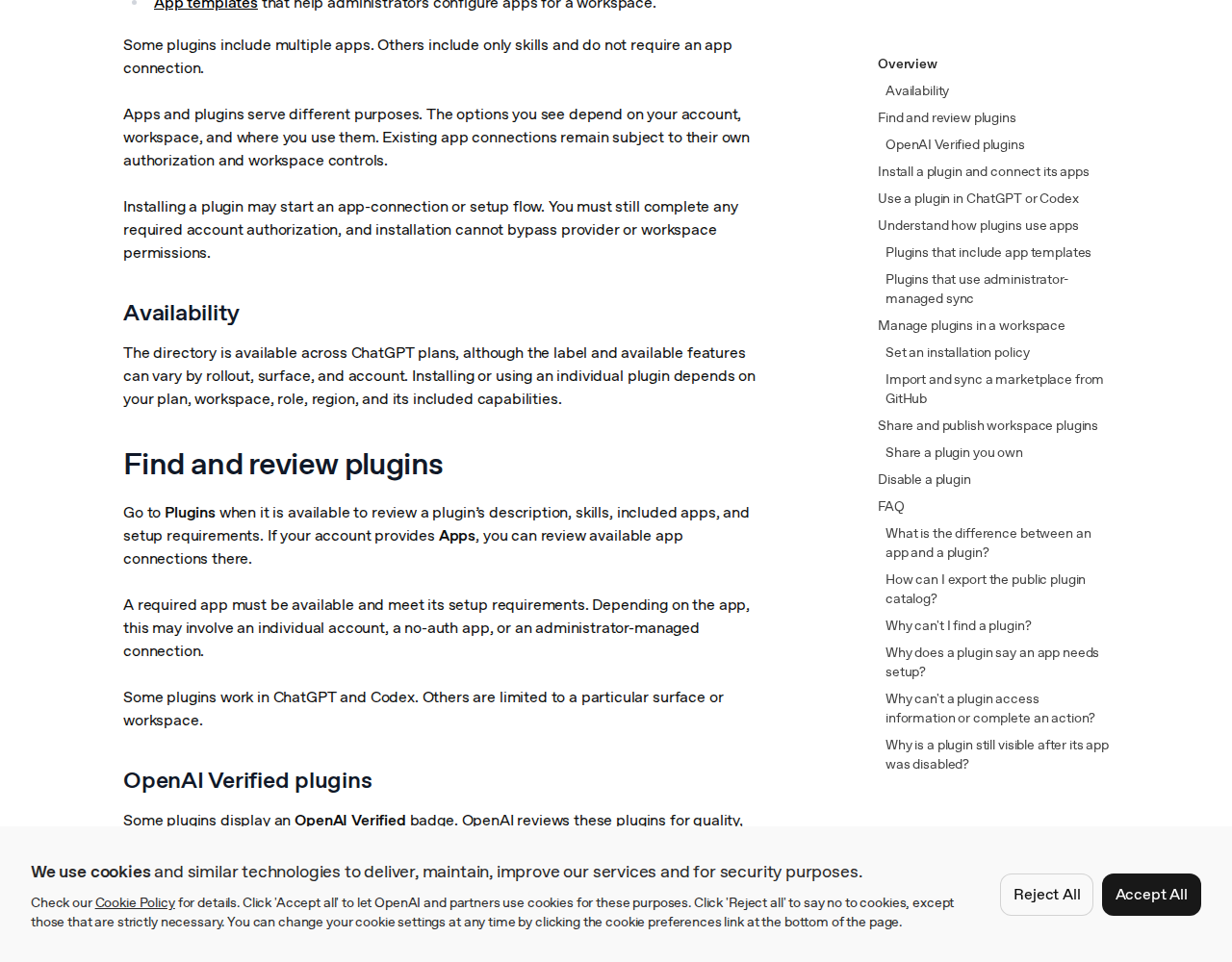
The feature was announced in a tweet, but the framework it lives in is documented in OpenAI's help center, specifically the "Plugins in ChatGPT and Codex" page — updated hours before this article's screenshots were taken. The key structure, quoted from the documentation:
- What a plugin is: a package combining "skills that provide instructions and workflow guidance" with "connected apps that link external accounts, information, and actions." Some plugins include multiple apps; others are skills-only and need no connection.
- Apps versus plugins: an app connects ChatGPT to an external service such as Google Drive or Slack; a plugin packages capabilities and can include one or more apps. "Installing a plugin does not bypass an app's authorization requirements or workspace permissions."
- Availability is plan-shaped: "The directory is available across ChatGPT plans, although the label and available features can vary by rollout, surface, and account," and using any individual plugin "depends on your plan, workspace, role, region, and its included capabilities."
- Existing connections stay governed: "Existing app connections remain subject to their own authorization and workspace controls," and installation "may start an app-connection or setup flow" that you must still complete.
- Verification exists but has limits: some plugins carry an OpenAI Verified badge, reviewed for "quality, reliability, and usefulness" — but a badge "does not replace your organization's privacy, security, or vendor review."
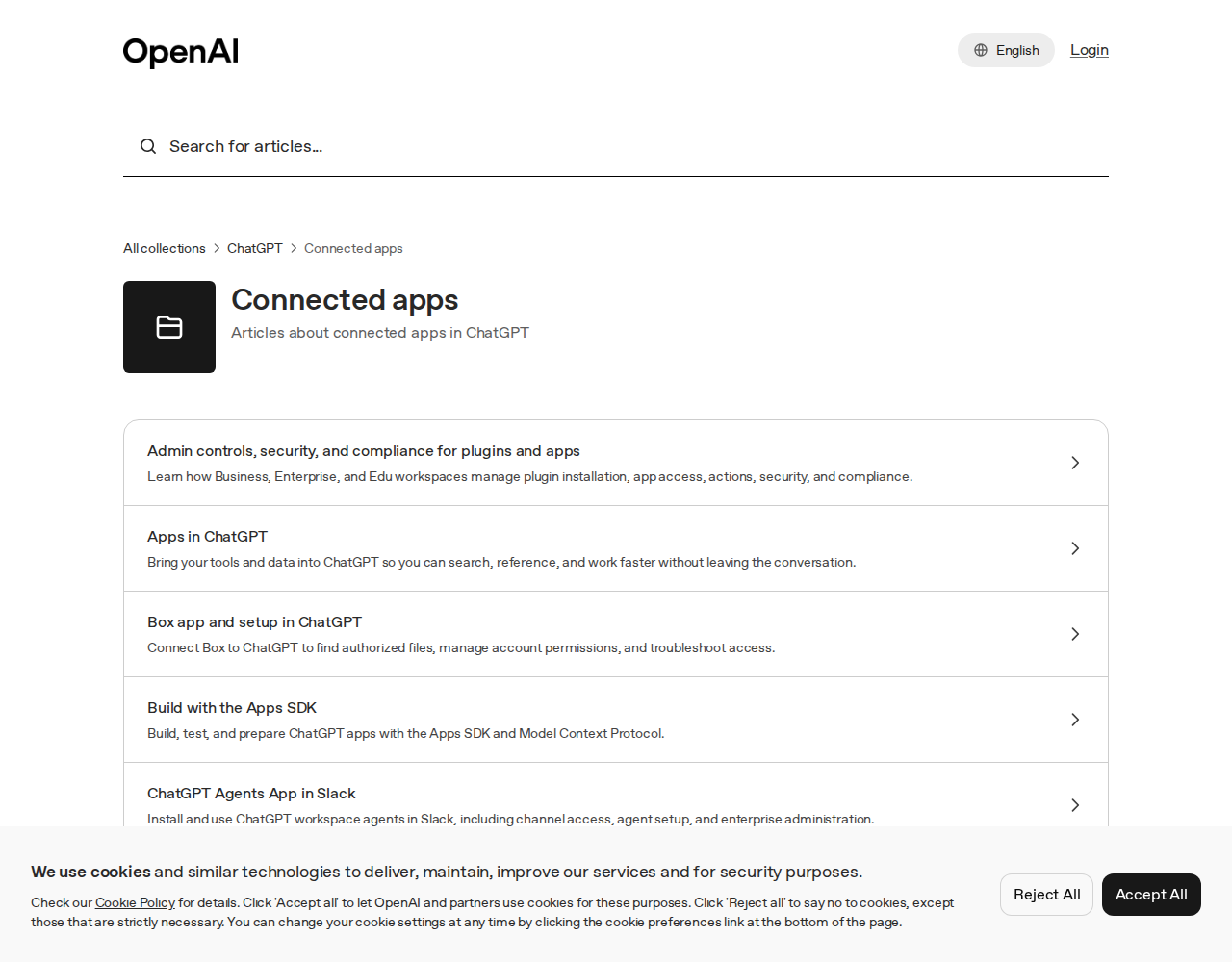
The help center also maintains, in its Connected apps collection, a dedicated article, "Connecting and managing app accounts in ChatGPT," covering how to "connect the right provider account, review requested access, manage multiple accounts, and disconnect an app" — evidence that multi-account support has graduated from a tweet into standing documentation.
A weekly workflow that puts it together
To make this concrete, here is a realistic week for a freelance content operator after enabling multi-account connections:
- Sunday morning: ask ChatGPT to scan the work inbox for client requests and turn them into a task list, with deadlines pulled from the client calendar.
- Sunday noon: move the task list into a dedicated long-form production tool and draft the pieces with sources and images — content production belongs in purpose-built software.
- Monday evening: have ChatGPT send progress replies from the work account: "Delivered, awaiting your notes."
- Wednesday: ask for free windows across the personal and work calendars together, then schedule the week's posts around them.
- Friday: request a digest of subscriptions and invoices from the personal inbox — the admin layer that usually gets forgotten.
The glue is not a single tool but role distribution: ChatGPT reads, summarizes, and communicates; specialized production tools write and design; you review and decide. Multi-account access is what removed the friction from that split.
The Codex angle: why the developer surface matters
Mentioning Codex can sound like a technical footnote; it is not. Codex is OpenAI's interface for code and automation, the place where builders create pipelines that read mail, update sheets, and send alerts on schedules. With multi-account support on both surfaces, a small team can build one integration that works identically in a ChatGPT conversation for the owner and in a scheduled Codex job that collects inbound client requests from two mailboxes every morning into a tracking table.
Practically, this means the weekly workflow above is not locked to manual chatting: individual loops of it can be automated as the workload grows, without rebuilding permissions, because the same connected accounts surface in both environments. Building that automation takes developer skill, but knowing the path exists changes how you plan for scale — start manual in ChatGPT, automate later in Codex.
Privacy: three rules before you click Allow
- Read the permission list. Google's consent screen states precisely what will be read and what will be managed. Wider access than you need is a signal, not a formality.
- Keep sensitive accounts separate. An inbox holding contracts and invoices does not deserve the same casual connection as a newsletter-only address. Connect only what your conversations genuinely need to see.
- In shared workspaces, respect the admin. The documentation is explicit that options depend on workspace and role, and an administrator can restrict connections entirely. Ask before you connect on a company account.
For deeper reading, OpenAI also publishes a "Google app data controls FAQ" explaining how your data is accessed and used when Google services are connected — worth five minutes before you connect anything you would not forward to a stranger.
Quick comparison: before and after August 28
| Aspect | Before | After |
|---|---|---|
| Gmail accounts per plugin | One | Second and third via gear icon |
| Google Calendar | One calendar | Multiple (personal / work / client) |
| Google Contacts | One address book | Multiple |
| Surfaces | ChatGPT | ChatGPT and Codex |
| Switching accounts | Disconnect and reconnect | In-place account management |
| Workspace controls | Enforced | Enforced, unchanged |
The honest limits
- Rollout is gradual. The announcement came from an OpenAI engineer rather than a product page, and the docs state plainly that availability "can vary by rollout, surface, and account." If the gear icon is missing today, the likeliest explanation is timing, not user error.
- Company accounts answer to the admin. On Business, Enterprise, and Edu workspaces, plugin installation and app access are managed centrally; multi-account connection may be restricted or disabled for you.
- No documented account cap. "Second (or third)" is the announcement's language; no official maximum is published, so do not build a process that assumes unlimited mailboxes.
- More connections, more surface area. Every connected account widens what a single conversation can touch. Convenience and exposure grow together — manage both.
- The native alternative still exists. If you live entirely inside Google's ecosystem, Gemini reaches your accounts natively because it is part of the same account system. It does not give you the rest of ChatGPT's ecosystem, which is why this is a trade-off decision, not a one-size answer.
Frequently asked questions
How do I add a second Gmail account to ChatGPT?
Open the sidebar, go to Plugins, find Gmail, click the gear icon on the connected plugin, choose to add an account, and complete Google's authorization for the second account. The same flow works for Google Calendar and Google Contacts.
Does this work in Codex too?
Yes. OpenAI announced multi-account support for ChatGPT and Codex together, with the same gear-icon path in the plugins interface.
Can I connect a client's Google account?
Technically the flow requires the account owner's Google authorization, so it cannot happen without their informed consent. Professionally, think hard before linking someone else's inbox to your personal assistant, and on work accounts follow workspace policy.
Why don't I see the gear icon?
Most likely the feature has not reached your rollout yet. The official docs acknowledge that visible features vary by plan, surface, region, and account type, and the announcement promised no universal date.
Is the feature available on free plans?
There is no official statement restricting it to a specific tier, but the documentation notes the plugin directory is available "across ChatGPT plans" while actual capabilities "can vary by rollout, surface, and account." Practically: if the gear icon appears for you, the feature has reached you regardless of plan.
The takeaway: a small toggle that removes a daily tax
On the surface, this is one extra gear icon in a settings menu. Underneath, it removes the last structural reason AI assistants felt impractical for people living between personal and professional accounts. For freelancers and small teams, fewer tab-switching rituals and better-grounded answers are a real quality-of-life upgrade — provided permissions are granted deliberately, not enthusiastically.
If you produce content in Arabic or run multilingual operations and want production-grade drafting, visuals, and scheduling in one owned workflow, the ARWriter platform and its individual content tools are built for exactly that, with ready-made packages in the store.
Sources: Gabriel Chua (OpenAI DX team) announcement, August 28, 2026; "Plugins in ChatGPT and Codex" and the Connected apps collection in OpenAI's official help center (screenshots August 30, 2026); 9to5Mac coverage, August 28, 2026. All images are screenshots from official pages.