Apple starts charging for AI usage, one app at a time
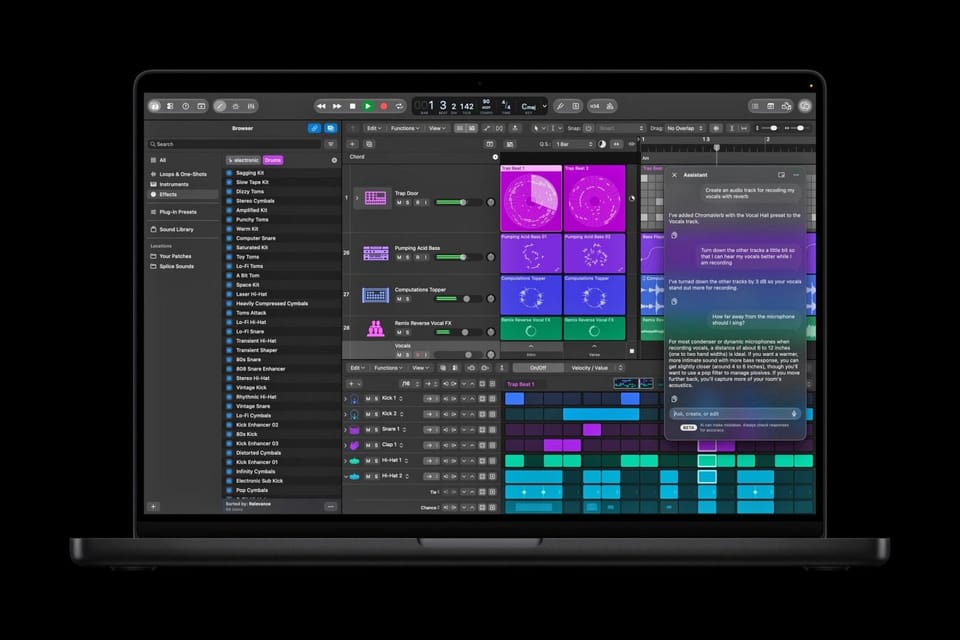
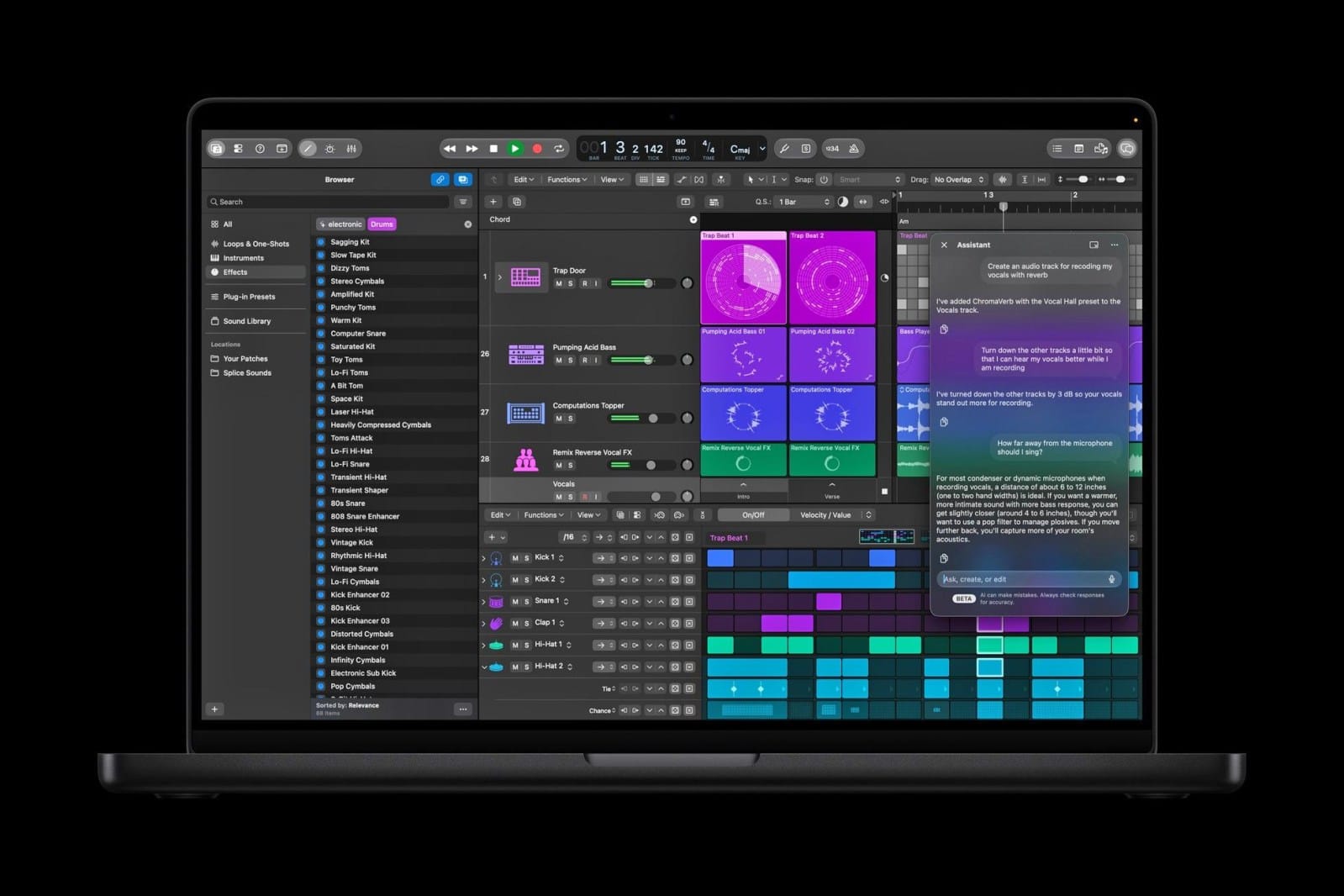
Apple has quietly crossed a pricing line. As of a November 9, 2026 Logic Pro update, the app became the first place where users can buy Intelligence Usage Packs — one-time top-ups that keep Apple Intelligence features running after a monthly allowance runs out. The purchase, priced at $49.99, surfaces inside the app itself under the Logic Pro menu via Intelligence Features > Show Usage > Buy More Usage, as first spotted by 9to5Mac and confirmed across launch-day coverage.
The move did not come from nowhere. Apple published a support article in early September detailing usage limits for several AI features, then a second official document explaining how subscribers in eight countries can buy additional usage. The Logic Pro update simply switched the machinery on for the first time.
The system behind it: Apple Creator Studio
None of these features are free to begin with. They belong to Apple Creator Studio, the subscription Apple launched in June at $12.99 per month or $129 per year (with an education tier at $2.99 per month or $29.99 per year for college students and educators), bundling intelligent tools inside Final Cut Pro, Logic Pro, and Pixelmator Pro alongside premium productivity content.
The features subject to monthly limits, per Apple's official documentation:
- Image Generation in Keynote, Pages, Numbers, Pixelmator Pro, and Freeform.
- Shape Generation in Keynote, Pages, Numbers, and Pixelmator Pro.
- Super Resolution and Auto Crop in Keynote, Pages, Numbers, and Freeform.
- Generate Presentation, Generate Presenter Notes, and Slide Clean Up in Keynote.
- The Logic Pro assistant that starts songs and sets up vocal tracks from a single prompt.
- Magic Fill in Numbers.
The allowances and the fine print
Apple guarantees minimum monthly allowances "if used exclusively": 50 generated images, 250 generated shapes, 50 presentations (roughly 8 to 10 slides each), and presenter notes for 700 slides. Usage counters reset each month. After that, packs kick in under conditions worth reading twice:
- One-time purchase — not a recurring subscription.
- No Family Sharing: the pack binds to the iCloud account that bought it.
- Unused purchased usage rolls over month to month and expires 12 months after purchase.
- Pack usage is only consumed after you exhaust the monthly allowance in a given month.
- All sales are final and non-refundable except where law requires otherwise.
And the technical footnote that explains the economics: Apple discloses that Generate Presentation runs on OpenAI models, while Image Generation, Shape Generation, Presenter Notes, and the Logic Pro assistant run on Google Gemini. Apple is reselling third-party compute inside first-party apps — which is exactly why metering has arrived.
Who can actually buy this today
Usage packs are purchasable only by active Apple Creator Studio subscribers in Brazil, Canada, France, Germany, India, Mexico, the United Kingdom, and the United States. Generate Presentation additionally requires an OpenAI-supported region, and the Logic Pro assistant works in US English only. Device floors apply too: iPhone 15 Pro or later on iOS 26, iPad with A17 Pro or M1-and-later silicon on iPadOS 26, and Apple silicon Macs on macOS 26 (some features demand macOS 27).
If your market is not on the list, the practical takeaway is not "ignore this" but "price it into your roadmap assumptions": regional rollouts of Apple's AI features have historically followed in waves, and creators who already know how the metering works will make faster subscription decisions the day it lands.
What this means for content professionals
- "Unlimited free AI" is officially over as a default expectation. When Apple — the most pricing-conservative company in consumer tech — adopts consumption packs, the message to every tool maker is that generative compute gets metered, everywhere, soon.
- Budgeting shifts to cost-per-asset. Teams generating images and decks in-app now need a monthly model: expected volume, overage probability, and the break-even point where a flat-rate specialized tool wins.
- Flat-rate specialized stacks become the hedge. For consistent production volume, tools with clear subscription pricing and no surprise meter — like ARWriter's article and research writer for multilingual content — are simply easier to forecast than per-feature allowances inside an office suite.
The contrast with the raw-model market is striking and worth tracking side by side: API prices for frontier models keep falling — a trend we broke down in our Gemini 4 Carbon pricing analysis — while in-app AI features are being re-priced upward by usage. Those two curves will define a content team's 2027 budget.
Three pricing models on your desk today
| Model | Example | Best for |
|---|---|---|
| Flat subscription, unmetered features | Specialized content tools | Predictable monthly output |
| Subscription + monthly caps + packs | Apple Creator Studio | Occasional users inside Apple's ecosystem |
| Pay-per-token APIs | Frontier model APIs | Builders with engineering control over spend |
Honest limits and caveats
- These are productivity features, not a writing suite. The metered list covers office and music apps — not social content workflows.
- English-first. The Logic Pro assistant is US English only, and Apple's documents make no Arabic commitments.
- Packs are use-it-or-lose-it within 12 months, non-refundable, and locked to one account.
- Hardware gates apply: older iPhones and Intel Macs are excluded entirely.
- "Apple Intelligence" here means brokerage. The flagship features run on OpenAI and Google models. Apple's privacy architecture limits what is shared — requests go to providers with limited context — but the intelligence itself is largely third-party.
How to track your allowance before it runs dry
Apple built visible metering into every affected app. On the Mac, open the app's menu — Keynote, Pages, Numbers, Freeform, Pixelmator Pro, or Logic Pro — and choose Intelligence Features > Show Usage (Show Usage Status in Freeform). On iPhone and iPad, tap the More button inside the app, then Intelligence Features > Show Usage Status. Logic Pro additionally keeps a usage history view. The discipline that pays off: review the counter at the end of every working week and project next month's need from this month's actuals, rather than discovering a dried-up allowance in the middle of a client project.
FAQ
What are Apple's Intelligence Usage Packs?
One-time top-up purchases that let Apple Creator Studio subscribers keep using metered AI features after exhausting their monthly allowance. They first appeared in a Logic Pro update on November 9, 2026, priced at $49.99.
How much do Apple's AI features cost?
They come with an Apple Creator Studio subscription at $12.99/month or $129/year (education: $2.99/month or $29.99/year). Additional usage beyond the monthly allowance starts with a $49.99 one-time pack.
What are the monthly AI limits in Keynote and Logic Pro?
Apple's guaranteed monthly minimums are 50 generated images, 250 shapes, 50 presentations of roughly 8 to 10 slides each, and presenter notes for 700 slides, resetting monthly.
Can you buy Intelligence Usage Packs outside the US?
Only in Brazil, Canada, France, Germany, India, Mexico, the UK, and the US. No other markets are supported yet, and the Logic Pro assistant is US English only.
Which AI models power Apple's creative features?
Per Apple's documentation, Generate Presentation runs on OpenAI models, while Image Generation, Shape Generation, Presenter Notes, and the Logic Pro assistant run on Google Gemini.
Bottom line
Remember the number 49.99, but remember the pattern more: even Apple now meters AI by usage. For working creators, that strengthens the case for production stacks with honest, predictable pricing — explore ARWriter's content tools for that — and it makes region-rollout watchlists a legitimate part of next year's planning, alongside explainers like our guide to AI features inside everyday apps.