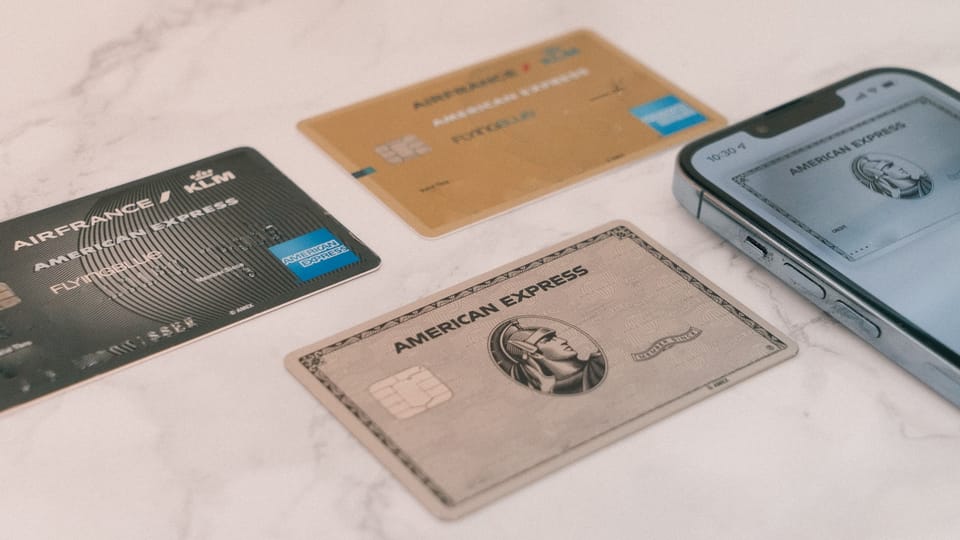
# How to Buy From AppSumo Internationally: Payment Methods Guide (2026) > Last updated: July 2026 You found the perfect AppSumo lifetime deal, you clicked "Buy Now," and your card was declined. If you are trying to buy from AppSumo outside the United States, this scenario is frustratingly common. The buy from AppSumo payment methods question is not just about which cards work — it is about navigating foreign transaction fees, virtual card acceptance, PayPal conversion spreads, declined card errors, and country-specific banking restrictions that the official help docs barely address. This guide walks through every supported payment method, every common error, and every workaround so you can complete your purchase regardless of where you bank. **AppSumo accepts major credit and debit cards (Visa, Mastercard, American Express) and PayPal for most purchases.** If you are outside the US, your card must support international online transactions, and you should expect a foreign transaction fee of 1.5 to 3 percent depending on your bank. PayPal is the most reliable alternative for international buyers whose cards are declined. **Disclosure:** Some links in this article are referral links. We may earn a small commission if you make a purchase through them, **at no extra cost to you**. This helps us keep producing free content and does not affect our recommendations. ## Every Payment Method AppSumo Accepts in 2026 AppSumo's checkout is powered by Stripe, which means it inherits Stripe's payment infrastructure. Here is what works: | Payment Method | Accepted? | Best For | Notes | |----------------|-----------|----------|-------| | Visa credit/debit | Yes | Most international buyers | Widely accepted. Must allow international transactions. | | Mastercard credit/debit | Yes | Most international buyers | Same as Visa. Most common globally. | | American Express | Yes | US/UK buyers | Less commonly issued outside the US. Higher merchant fees, but works. | | PayPal | Yes | Buyers with declined cards | Most reliable fallback. Connects to bank account or card. | | Apple Pay | Conditional | Mobile checkout | Works where Stripe Apple Pay is supported (US, UK, EU, AU, and others). Not universally available. | | Google Pay | Conditional | Mobile checkout | Same regional restrictions as Apple Pay. | | Discover | Sometimes | US buyers | Stripe supports Discover, but acceptance may vary by deal. | | Virtual credit cards (Wise, RedotPay, etc.) | Yes, if Visa/Mastercard | Privacy-conscious or unbanked buyers | Must be a Visa or Mastercard virtual card. Works reliably. | | Bank transfer/wire | No | n/a | Not supported on AppSumo checkout. | | Crypto | No | n/a | Not directly supported on AppSumo. | | Local payment methods (UPI, iDEAL, Alipay, etc.) | No | n/a | Not integrated into AppSumo checkout. | The key takeaway: **if your local debit card is not Visa or Mastercard, or if it does not have international online transactions enabled, you will need PayPal or a virtual card.** Domestic-only card networks (mada in Saudi Arabia, RuPay in India, Interac in Canada) will not work on AppSumo. For a broader overview of the AppSumo marketplace and how deals work, see our [complete AppSumo guide for 2026](https://arwriterai.com/en/blog/appsumo-lifetime-deals-complete-guide-2026/). ## Why This Matters for International Buyers If you are in the US, buying from AppSumo is straightforward: enter your card, pay in USD, done. For everyone else, the process has friction: 1. **Card declined at checkout** — Your bank may block international online transactions by default, especially in regions with high fraud rates (Southeast Asia, parts of the Middle East, Latin America). 2. **Foreign transaction fees** — Most banks outside the US charge 1.5 to 3 percent on USD transactions. A $69 deal becomes $70.04 to $71.07 in real cost. 3. **Currency conversion spreads** — If you pay via PayPal, PayPal's conversion rate is typically 3 to 4 percent above the mid-market rate. On a $69 deal, that is an additional $2.07 to $2.76 hidden in the exchange rate. 4. **Domestic card incompatibility** — If your primary card is on a domestic-only network (mada, RuPay, Interac), it will not process on Stripe's international checkout. 5. **3D Secure authentication failures** — Some banks require 3D Secure (Verified by Visa, Mastercard SecureCode) for international transactions, and the authentication flow can fail on AppSumo's checkout. These are not edge cases. They are the normal experience for the majority of international buyers. The good news is that every one of these issues has a fix. ## Step-by-Step: How to Complete Your AppSumo Purchase Internationally ### Step 1: Try your card first Go to the deal page, click "Buy Now," and enter your Visa or Mastercard details. Even if you are outside the US, your card may work fine. Many international banks allow online international transactions by default. **If the payment goes through:** Check your bank statement for the foreign transaction fee. If the fee is acceptable (under 3 percent), you are done. No further steps needed. ### Step 2: If your card is declined, call your bank The most common reason for declined international transactions is that your bank has a security hold on international online purchases. This is especially common with banks in Saudi Arabia, Egypt, the Philippines, India, and Brazil. Call your bank's customer service (the number on the back of your card) and ask them to: - Enable international online transactions on your card. - Authorize the specific transaction to AppSumo/Stripe. - Confirm whether there is a foreign transaction fee and what it is. After the bank confirms the change, retry the purchase on AppSumo. In most cases, the payment goes through on the second attempt. ### Step 3: Switch to PayPal If your bank cannot or will not enable international transactions, use PayPal. AppSumo accepts PayPal at checkout. You can link your bank account, domestic card, or PayPal balance to your PayPal account, and PayPal handles the international payment to AppSumo. **Cost consideration:** PayPal charges a currency conversion spread of approximately 3 to 4 percent above the mid-market rate. On a $69 deal, this means you pay roughly $71 to $71.76 in effective cost (on top of whatever your bank charges for funding the PayPal account). This is more expensive than a direct card payment with a 1.5 percent foreign transaction fee, but it works when cards do not. ### Step 4: Use a virtual credit card If neither your card nor PayPal works, a virtual credit card (VCC) is the most reliable solution. Virtual cards are prepaid Visa or Mastercard numbers that you fund from your bank account, another card, or a crypto wallet. Because they are Visa or Mastercard, they work on AppSumo's Stripe checkout. Here are the most commonly used virtual card providers for international AppSumo buyers: | Provider | Card Network | Load Methods | Fee Model | Best For | |----------|-------------|-------------|-----------|----------| | Wise (formerly TransferWise) | Visa (and Mastercard in some regions) | Bank transfer, debit card, another Wise balance | Low multi-currency fees, mid-market exchange rate | Buyers who want the lowest FX cost | | RedotPay | Visa | Crypto, bank transfer | Fixed fee per transaction + small percentage | Crypto-native buyers | | Coinzy | Visa | Crypto | Small percentage | Crypto-native buyers | | Abris Pay | Visa | Bank transfer, crypto | Varies | Buyers needing multiple funding sources | | coincdm | Visa | Crypto | Varies | Privacy-focused buyers | **Important:** Virtual cards must be Visa or Mastercard to work on AppSumo. American Express virtual cards may work but are less reliable. Domestic-network virtual cards will not work. ### Step 5: Apply coupon codes at checkout If you have an AppSumo coupon code (from AppSumo Plus, a promotion, or a referral), apply it before completing payment. On the checkout page, look for the "Coupon Code" or "Promo Code" field, enter your code, and click "Apply." The discount is reflected in the total before you pay. **AppSumo Plus members** get 10% off all purchases automatically plus $25 coupons every 90 days. If you buy more than two deals per year, [AppSumo Plus](https://truescho.com/go/appsumo) pays for itself. ### Step 6: Save your receipt for VAT and accounting After purchase, AppSumo emails you a receipt. If you are buying for a business, save this receipt for your accounting records. The receipt includes: - Date of purchase - Deal name and tier - Amount paid in USD - Payment method (last 4 digits) - AppSumo's business address If you need a VAT-compliant invoice (for EU businesses), contact AppSumo support after purchase with your VAT number and they can issue a corrected invoice. ## Troubleshooting: Card Declined Errors and Fixes Here is a comprehensive table of the most common checkout errors and their fixes: | Error Message | Cause | Fix | |---------------|-------|-----| | "Your card was declined" | Bank blocked international transaction | Call bank, enable international online transactions, retry | | "Insufficient funds" | Not enough available balance (including hold amounts) | Check available balance (not just account balance), add funds, retry | | "Card type not supported" | Domestic-only card network (mada, RuPay, Interac) | Use a Visa/Mastercard or PayPal instead | | "Incorrect CVC" | Wrong security code entered | Re-enter the 3 or 4 digit code on the back/front of your card | | "Expired card" | Card past expiration date | Use a current card or request a new one from your bank | | "3D Secure authentication failed" | Bank's verification page timed out or errored | Retry, ensure stable internet connection during verification, or try a different card | | "Processing error" | Temporary Stripe or bank gateway issue | Wait 5 minutes and retry. If it persists, try PayPal. | | "Transaction not permitted" | Card restricted to domestic or in-person only | Request international online permissions from your bank, or use PayPal/VCC | | "PayPal payment failed" | PayPal account issue (unverified, insufficient balance, linked card declined) | Verify PayPal account, add a backup funding source, or link a different card | | "Duplicate transaction" | Same amount attempted too quickly | Wait 30 minutes before retrying, or contact AppSumo support | **General rule:** If your card fails twice, do not keep retrying. Multiple failed attempts can trigger a fraud lock on your card that requires a bank call to clear. Switch to PayPal or a virtual card after the second failure. ## The Real Cost of Buying Internationally: FX Fees by Country AppSumo prices all deals in USD. When you pay with a non-USD card, your bank converts the charge to your local currency at its exchange rate plus a foreign transaction fee. Here is what that looks like for a $69 deal across major regions: | Country | Card Currency | Typical FX Fee | Real Cost for $69 Deal | Notes | |---------|---------------|----------------|----------------------|-------| | United Kingdom | GBP | 2.75% | ~£54.90 (~$71.90) | Most UK banks charge 2.75 to 2.99 percent | | Eurozone | EUR | 1.5 to 2% | ~€63.50 to €64.00 (~$70.00) | Some EU banks charge 0 percent on EUR to USD | | UAE | AED | 2 to 3% | ~AED 258 to 262 (~$70.20 to $71.30) | Varies by issuing bank | | Saudi Arabia | SAR | 2 to 3% | ~SAR 264 to 268 (~$70.40 to $71.50) | Mada domestic cards do not work; use Visa/Mastercard | | India | INR | 1.5 to 3.5% | ~₹5,950 to ₹6,100 (~$71.00 to $73.00) | GST may apply on the FX conversion | | Philippines | PHP | 1.5 to 2.5% | ~₱3,920 to ₱3,970 (~$70.50 to $71.50) | Some banks require call to enable international | | Brazil | BRL | 4% (IOF + spread) | ~R$378 (~$73.00) | IOF tax of 4.38 percent applies on international | | Singapore | SGD | 1.5 to 2% | ~S$94.50 (~$70.50) | Most SG cards work without calling bank | | Australia | AUD | 1.5 to 2.5% | ~A$106 to A$107 (~$71.00 to $72.00) | Some AU banks charge 0 percent | **Tip:** If your bank charges a high foreign transaction fee (above 3 percent), a Wise virtual card is almost always cheaper. Wise charges near-mid-market exchange rates with transparent, low fees — typically under 1 percent. On a $69 deal, using Wise instead of a 3 percent bank card saves you about $1.50 to $2.00. That adds up if you buy multiple deals. ## PayPal vs. Card: Which Is Cheaper for International Buyers? | Factor | Direct Card | PayPal | |--------|------------|--------| | Acceptance | Requires international-enabled Visa/MC | Works if PayPal is available in your country | | FX fee | Bank-set: typically 1.5 to 3 percent | PayPal conversion: typically 3 to 4 percent | | Ease | One step at checkout | Requires PayPal account setup if you do not have one | | Reliability | Can be declined by bank | More reliable for international; PayPal has existing relationships with card networks | | Refund speed | 5 to 10 business days back to card | 3 to 5 business days back to PayPal balance | | Best for | Buyers with low-FX-fee cards | Buyers whose cards are declined or who want maximum reliability | **Recommendation:** Try your card first. If it works and your bank's FX fee is under 2 percent, pay with the card. If your card is declined or your bank charges over 3 percent, use PayPal. If PayPal is not available in your country, use a Wise virtual card. ## Can Someone Else Buy an AppSumo Deal for Me? Yes, but with important caveats. **What works:** A friend, colleague, or family member can purchase a deal and gift it to you. AppSumo allows deal transfers in many cases. The buyer purchases the deal, then contacts AppSumo support to transfer the license to your AppSumo account. **What creates problems:** - **Refund eligibility:** The refund window is tied to the original buyer's account. If your friend buys the deal and transfers it to you, the 60-day clock started when they purchased it, not when you received it. - **Account verification:** AppSumo may require the original buyer to confirm the transfer via email. Make sure the buyer is reachable. - **Group buys and aggregators:** Buying through a group-buy service or aggregator is risky. These services buy one deal and share access among multiple users, which violates AppSumo's terms of service. If AppSumo detects account sharing, the deal may be revoked without refund. **Safe approach:** Have a trusted person buy the deal directly on your AppSumo account (you can share your login credentials temporarily), or have them buy it and transfer it to you immediately. Do not use third-party group-buy services. ## How to Handle Refunds When Paying Internationally AppSumo refunds go back to the original payment method. Here is what to expect: | Payment Method | Refund Method | Time to Receive | FX Considerations | |----------------|---------------|-----------------|-------------------| | Credit/debit card | Back to same card | 5 to 10 business days | Refunded in USD; your bank converts back to local currency. FX gain or loss depends on rate movement. | | PayPal | Back to PayPal balance | 3 to 5 business days | Refunded in USD; PayPal converts to your PayPal currency. You lose money on the round-trip conversion spread. | | Virtual card (Wise, etc.) | Back to virtual card | 5 to 10 business days | Refunded in USD; Wise converts at mid-market rate. Lowest FX loss on refunds. | **Important:** If the exchange rate moved between your purchase and your refund, you may receive slightly more or less in local currency than you originally paid. This is normal and is not controlled by AppSumo. The USD amount refunded is always identical to the USD amount paid. ## VAT, Invoices, and Business Purchases If you are buying AppSumo deals for a registered business (agency, LLC, sole proprietorship), you need proper documentation for accounting and tax purposes. **Getting a VAT-compliant invoice:** 1. Complete your purchase normally. 2. Email AppSumo support with your business name, registration number, and VAT number (for EU/UK businesses). 3. AppSumo issues a revised invoice with your business details. **EU businesses:** Under reverse-charge rules, if you provide a valid EU VAT number, AppSumo may zero-rate the VAT on the invoice. Contact support after purchase. **Receipt vs. invoice:** The email receipt AppSumo sends immediately after purchase is acceptable as proof of purchase for most accounting purposes, but it is not a VAT-compliant invoice. If your accountant requires a formal invoice, request one from support. ## Country-Specific Payment Guides ### United Kingdom and Eurozone Most UK and EU Visa and Mastercard products work on AppSumo without issues. Foreign transaction fees range from 0 percent (some EU banks) to 2.99 percent (some UK banks). Revolut, Monzo, and Starling Bank cards work well and often have 0 percent or very low FX fees. PayPal is widely available. ### UAE and Saudi Arabia - **UAE:** Most Visa and Mastercard cards from Emirates NBD, ADCB, FAB, and Mashreq work. Foreign transaction fees are typically 2 to 3 percent. Mada cards (Saudi-only) do not work on AppSumo. - **Saudi Arabia:** Visa and Mastercard credit cards from Al Rajhi, SNB, and Riyad Bank generally work. Mada debit cards do not work. Call your bank to ensure international online transactions are enabled. PayPal is available in Saudi Arabia but is less commonly used. ### India - Most Visa and Mastercard credit cards (HDFC, ICICI, Axis, SBI) work if international transactions are enabled. Many Indian banks disable international online transactions by default — enable via net banking or by calling customer service. - RuPay cards do not work on AppSumo. - UPI is not supported on AppSumo checkout. - PayPal is available but requires linking an international-enabled card. ### Southeast Asia (Philippines, Indonesia, Malaysia, Thailand) - Visa and Mastercard from major banks (BPI, BDO in the Philippines; Mandiri, BCA in Indonesia; Maybank in Malaysia) generally work. - Some banks block international online transactions by default — call to enable. - GCash and GrabPay virtual cards (Visa) work on AppSumo and are a popular workaround in the Philippines. - PayPal is widely available. ### Latin America (Brazil, Mexico, Argentina) - Visa and Mastercard work, but expect higher total costs due to IOF (Brazil), IVA, and currency conversion spreads. - Brazil's IOF tax of 4.38 percent on international purchases adds significantly to the cost. - PayPal is available in all three countries. - Virtual cards from local fintechs (Nubank, Mercado Pago) work if they are Visa or Mastercard. ## How to Save on Fees: The International Buyer's Checklist Before completing any AppSumo purchase from outside the US, run through this checklist: 1. **Check your card's FX fee.** Login to your bank's app or call customer service. If the fee is above 3 percent, consider a Wise virtual card instead. 2. **Enable international online transactions.** If you have never made an international online purchase with your card, your bank may have it disabled by default. 3. **Try card first, PayPal second.** Card payments are almost always cheaper than PayPal due to lower conversion spreads. 4. **Use AppSumo Plus for 10 percent off.** If you plan to buy more than one deal, [Plus membership](https://truescho.com/go/appsumo) saves you 10 percent on every purchase plus $100 in annual coupons. The 10 percent discount usually more than offsets any FX fee. 5. **Buy during promotions.** AppSumo runs sales events (Black Friday, birthday sales, tier-specific promos) where deals are additionally discounted. Plan larger purchases around these events. 6. **Pool purchases.** If you are buying multiple deals, do it within a short window to minimize multiple FX conversion events (some banks charge a flat fee per international transaction, not just a percentage). 7. **Save your receipts.** For business buyers, every receipt is a deductible expense. Keep them organized. ## Frequently Asked Questions ### Does AppSumo accept PayPal? Yes. AppSumo accepts PayPal at checkout for most deals. You can link your PayPal account to a bank account, debit card, or credit card. PayPal is also the payment method for AppSumo Plus membership. Note that PayPal applies a currency conversion spread of approximately 3 to 4 percent above the mid-market rate, which makes it more expensive than a direct card payment with a low-FX-fee card. ### What payment methods does AppSumo accept in 2026? AppSumo accepts Visa, Mastercard, American Express, and PayPal. Apple Pay and Google Pay work in supported regions via Stripe. Virtual credit cards (Visa or Mastercard) from providers like Wise also work. Domestic-only card networks (mada, RuPay, Interac, UPI) are not supported. ### Why was my AppSumo card declined? The most common reason is that your bank blocked the international online transaction. Call your bank (the number on the back of your card) and ask them to enable international online transactions and authorize the specific AppSumo/Stripe charge. Other causes include insufficient funds, an expired card, incorrect CVC, or a domestic-only card that is not on the Visa or Mastercard network. ### Can I use a virtual credit card on AppSumo? Yes, as long as the virtual card is a Visa or Mastercard. Popular options include Wise, RedotPay, Coinzy, and Abris Pay. Virtual cards are a reliable workaround for buyers whose bank cards are declined or who want to avoid high foreign transaction fees. ### Does AppSumo accept Apple Pay or Google Pay? AppSumo's checkout supports Apple Pay and Google Pay through Stripe in regions where these payment methods are available (primarily the US, UK, EU, Australia, and selected other markets). If you do not see the Apple Pay or Google Pay button at checkout, it means the method is not available in your region. ### Can I buy from AppSumo from India, Philippines, or UAE? Yes. Buyers from India, the Philippines, the UAE, and virtually every other country can purchase from AppSumo. The key requirements are a Visa or Mastercard with international online transactions enabled, or a PayPal account, or a virtual credit card. Domestic-only card networks (RuPay, GCash without Visa, mada) will not work. See the country-specific guides above for detailed instructions. ### Does AppSumo charge in USD or my local currency? AppSumo charges in USD. Your bank or PayPal converts the USD amount to your local currency at their exchange rate, plus any foreign transaction fee. AppSumo does not offer localized pricing or local-currency checkout. ### Will my bank charge a foreign transaction fee on AppSumo? Most likely, yes. The typical foreign transaction fee ranges from 1.5 to 3 percent for most international banks, and up to 4.38 percent in Brazil (due to the IOF tax). Some banks and fintech cards (Revolut, Monzo, Wise, some EU banks) charge 0 percent or near-zero on international transactions. Check with your bank for the exact rate. ### Can someone else buy an AppSumo deal for me? Yes. A friend or colleague can purchase a deal and transfer it to your AppSumo account by contacting support. Note that the 60-day refund window starts from the original purchase date, not the transfer date. Do not use third-party group-buy services, as they violate AppSumo's terms and risk having the deal revoked. ### How do I apply a coupon code on AppSumo checkout? On the checkout page, look for the "Coupon Code" or "Promo Code" field, enter your code, and click "Apply." The discount is reflected in the total before you complete payment. AppSumo Plus members get 10 percent off automatically and receive $25 coupons every 90 days that can be applied at checkout. ## Conclusion Buying from AppSumo internationally is straightforward once you know the pitfalls and the fixes. The process: try your Visa or Mastercard first (ensure international online transactions are enabled), fall back to PayPal if your card is declined, and use a Wise virtual card if neither works. Watch out for foreign transaction fees (1.5 to 3 percent typically), and consider AppSumo Plus if you are a repeat buyer — the 10 percent discount alone offsets most FX costs. The biggest mistake international buyers make is giving up after one card decline. A quick call to your bank resolves 80 percent of declined transactions. For the remaining 20 percent, PayPal and virtual cards are reliable, tested workarounds that thousands of international AppSumo buyers use every day. Ready to start browsing? [Explore current AppSumo deals](https://truescho.com/go/appsumo) and use the framework above to complete your purchase. For more AppSumo strategy, read our [complete 2026 AppSumo guide](https://arwriterai.com/en/blog/appsumo-lifetime-deals-complete-guide-2026/) and learn [which AI tools are worth buying on AppSumo right now](https://arwriterai.com/en/blog/best-ai-tools-appsumo-lifetime-deals-2026/). ## Sources - [AppSumo Plus](https://appsumo.com/plus) — PayPal payment confirmation for Plus membership, pricing, and coupon structure. Verified July 4, 2026. - [Stripe Currencies Documentation](https://stripe.com/docs/currencies) — Stripe supports 135+ currencies but AppSumo prices in USD only. - [Wise Card Fees Guide](https://www.wise.com/help/articles/2932871/guide-to-wise-card-fees) — Wise virtual card fee structure and multi-currency conversion rates. - [PayPal User Agreement](https://www.paypal.com/us/webapps/mpp/ua/useragreement-full) — PayPal currency conversion spread disclosure (approximately 3 to 4 percent above mid-market). - [Saudi Central Bank (SAMA) Payments Report](https://www.sama.gov.sa/) — mada network share of domestic transactions in Saudi Arabia. --- ## Try ArWriter Today Writing content for your business should not require navigating payment barriers. [ArWriter](https://app.arwriterai.com/) is an AI-powered writing platform with transparent pricing in USD, accepting all major cards and PayPal. Write articles, product descriptions, and research papers in minutes. [Start free at app.arwriterai.com](https://app.arwriterai.com/).
How to Buy From AppSumo Internationally: Payment Methods Guide (2026)
Buying from AppSumo outside the US? This 2026 guide covers every payment method, fixes for declined cards, virtual card options, and country-specific troubleshooting for international buyers.